LMS User Management: Roles, Groups and Automated User Provisioning
Users and roles
User management with automated user provisioning, roles and groups
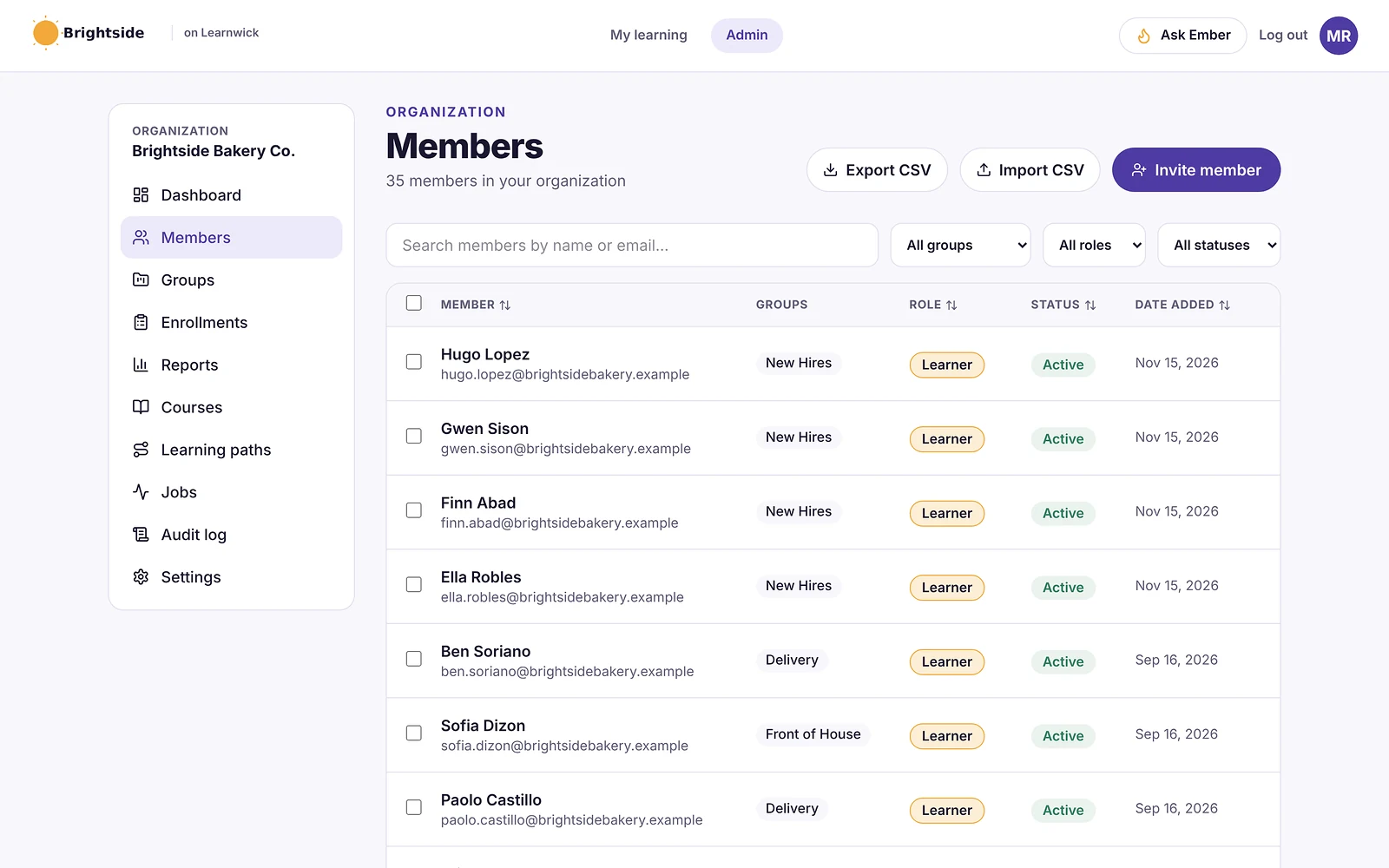
Learnwick handles user management for small businesses: people arrive by email invite, CSV, join link, Typeform or a daily BambooHR sync, land in the right group with the right courses, and see only what their role allows. Leavers are switched off and their records are kept.
Free for up to 30 learners · No credit card · Book a demo
- Roles
- Owner, Admin, Manager, Learner
- Provisioning
- CSV, join link, Typeform, BambooHR
- Leavers
- Switched off, records kept
- Price
- On every plan, including the free plan for up to 30 learners
Five ways people get in
Invite one person by email, import a CSV from Excel or Google Sheets, or switch on a join link so people add themselves (limited to your email domain if you like). For automated user provisioning, connect a Typeform such as your new-hire form, or BambooHR: Learnwick reads your employee list every day, invites new hires on their start date and puts them in their department’s group.
- Email invite
- CSV import with checks before anything is saved
- Join link with email domain and default group
- Typeform connection
- BambooHR daily sync
Role-based access
Every person has one role. Learners take their courses. Managers also see their own groups’ progress on My team, without being able to change anything. Admins run the workspace. The Owner also handles the plan and is the only one who can make or change Admins.
- Owner: everything, plus plan and billing
- Admin: courses, people, reports and settings
- Manager: their groups’ progress, read-only
- Learner: their own courses and certificates
Groups for teams, branches and departments
Put people in groups such as Branch 2, Kitchen or Sales. Give a group its courses and everyone added later gets them too. Set group managers, and filter every report by group, so each branch or department is easy to follow without a separate portal.
Leavers switched off, records kept
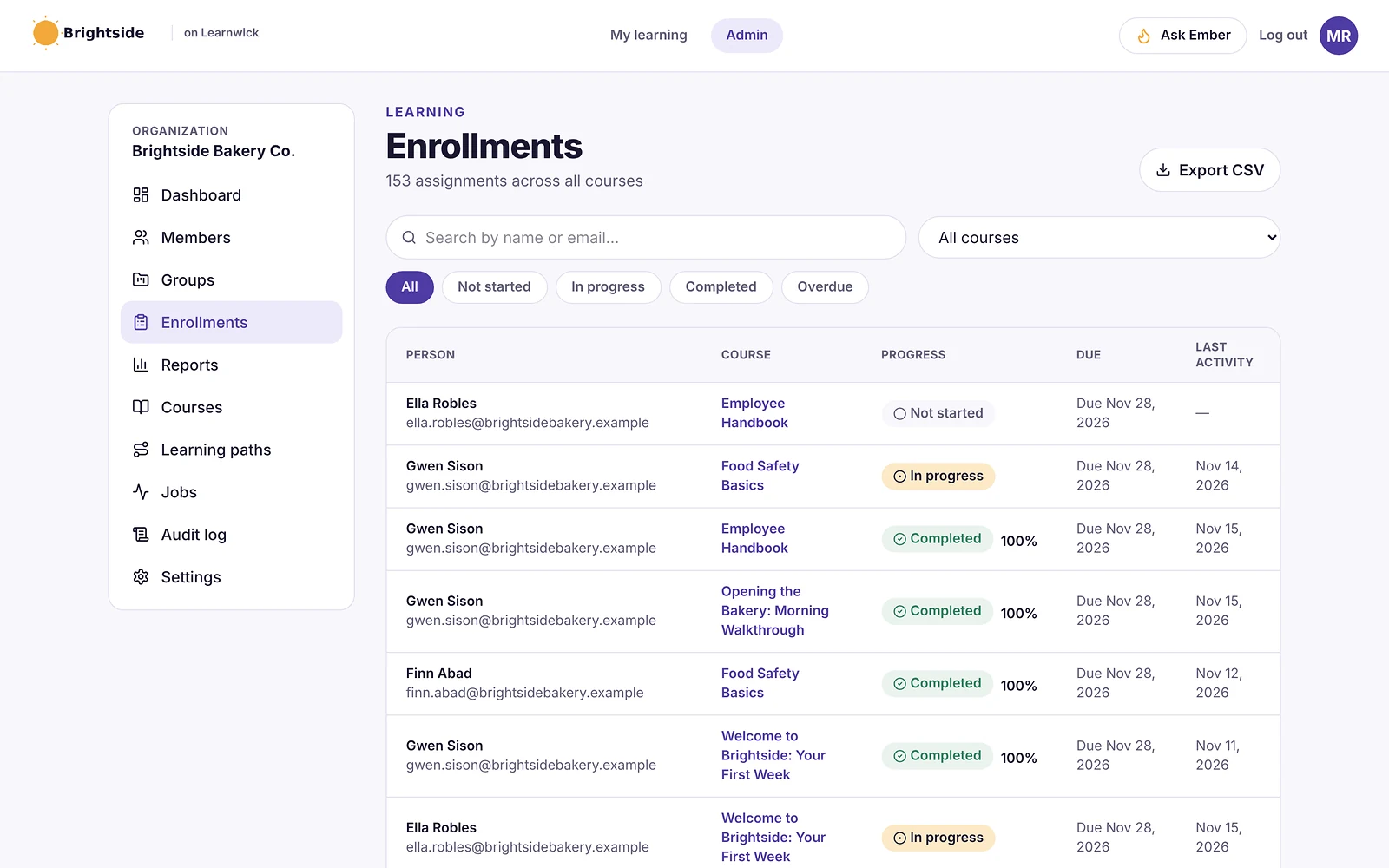
Click Manage, then Switch off. The person is logged out on every device straight away and their seat is freed, but their courses, scores and certificates stay in your reports. With BambooHR connected, Learners who leave are switched off automatically. Switch back on any time.
Rules people accept before they learn
Add your code of conduct or acceptable-use rules under Terms to accept. Everyone accepts them before learning, and when you save a new version everyone is asked again. The time and version of each acceptance are recorded.
Everything included
Every part of LMS User Management is on every plan, including the free plan for up to 30 learners.
- Email invitesOne at a time, with the role you choose.
- CSV importChecked first; rows with problems are skipped.
- Join linkLimit to your email domain, add to a group.
- TypeformEach submission invited into a group.
- BambooHR syncDaily: new hires invited, leavers switched off.
- Four rolesOwner, Admin, Manager and Learner.
- Groups and managersTeams, branches and departments with their own managers.
- Switch off and back onSeat freed, records kept.
- Password helpForgot-password emails and admin reset links.
Who uses it
Several branches
A group per branch, each with its manager.
High staff turnover
BambooHR or a join link adds and removes people for you.
Customers and partners
Their own groups and courses in your workspace.
By hand vs with Learnwick
| Task | Spreadsheets and email | With Learnwick |
|---|---|---|
| A new hire starts | Create the account and assign courses by hand | Invited from BambooHR or a form, courses included |
| Someone leaves | Remember to remove them | Switched off; seat freed, records kept |
| Managers checking their team | Ask the training admin for a list | My team, read-only |
| Adding a whole team | One by one | CSV import or a join link |
How it works
- 1
Choose how people arrive
Invite, CSV, join link, Typeform or BambooHR.
- 2
Set groups and roles
Teams, branches, managers.
- 3
Let it run
New people get their courses; leavers are switched off.
What it doesn’t do (yet)
We’d rather you know before you start.
- Google and Microsoft sign-in are built but not switched on yet; there is no SAML single sign-on.
- No separate portals per client or branch (multi-tenant); use groups in one workspace.
- BambooHR is the only HR system connected directly; other systems can use CSV import.
- Roles are fixed; you can’t create custom roles or permissions.
Step-by-step guides
From the Learnwick Help Center, with the exact buttons to click.
- Add people to your workspaceInvite people one at a time, import a list from a spreadsheet, or share a join link.
- Organise people into groupsGroups are teams, branches or departments. Assign courses to a whole group at once.
- Let people join with a link, and set sign-up rulesShare one join link so staff add themselves, limit it to your email domain, and ask everyone to accept your terms.
- Keep Learnwick in step with BambooHRConnect BambooHR so new employees are invited into their department's group and people who leave are switched off, every day.
Questions about LMS User Management
What is automated user provisioning in an LMS?
It means people are added to the LMS, given the right access and assigned their training without an admin doing it by hand, usually from an HR system or a form, and switched off when they leave.
Which HR systems does Learnwick connect to?
BambooHR today, with a daily sync. Typeform works for new-hire forms. For other HR systems, export a CSV and import it.
Can managers only see their own team?
Yes. Managers see the groups they manage on My team and can’t change anything. Only Owners and Admins see the admin area and its reports.
Is Learnwick a multi-tenant or extended enterprise LMS?
Not in the sense of separate portals per client. Each Learnwick workspace is separate, and you can train customers and partners as learners in their own groups in your workspace. See our customer training software page.
Does Learnwick support single sign-on (SSO)?
“Continue with Google” and “Continue with Microsoft” sign-in are built into Learnwick but not switched on yet; people sign in with their email and password. SAML isn’t supported.
Does a switched-off person use a seat?
No. Switching someone off frees their seat straight away. Their records stay in your reports.
Keep exploring
Training Automation
Automatic assigning, due dates, reminders, next courses and renewals.
LMS Reporting and Training Analytics
Completion, overdue, time spent, quiz results and your own dashboards.
Employee Onboarding Software for Small Business
Learning paths, automatic assignments and due dates for every new hire.
Give your team training they’ll actually finish
Free for up to 30 learners. No credit card, no sales call. Every feature on every plan.
Rather see it first? Book a demo