AI Course Builder: Turn Documents into Training
Ember, the AI course builder
An AI course builder that turns your documents into training
Most small businesses already have the training content — it’s sitting in policies, procedures and handbooks. Ember, Learnwick’s AI course builder, turns a document into a short course with lessons and a quiz, ready for you to check and publish.
Free for up to 30 learners · No credit card
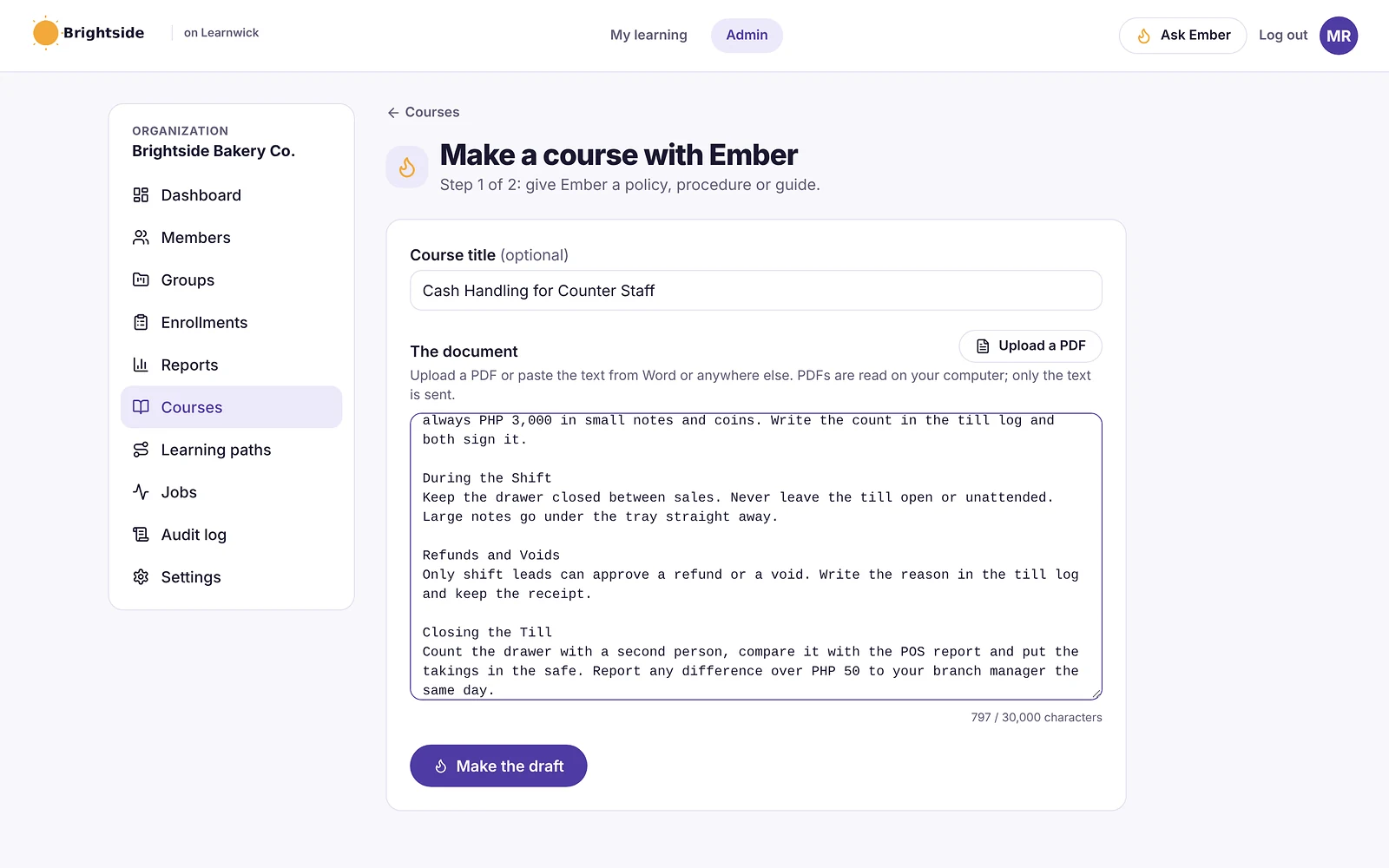
From policy to course in minutes
Paste the text of a policy, procedure or guide, or upload a PDF (it’s read on your computer; only the text is sent). Give the course a title and Ember drafts it for you.
It works best with the documents you already trust: cash handling, food safety, a returns policy, a safety procedure.
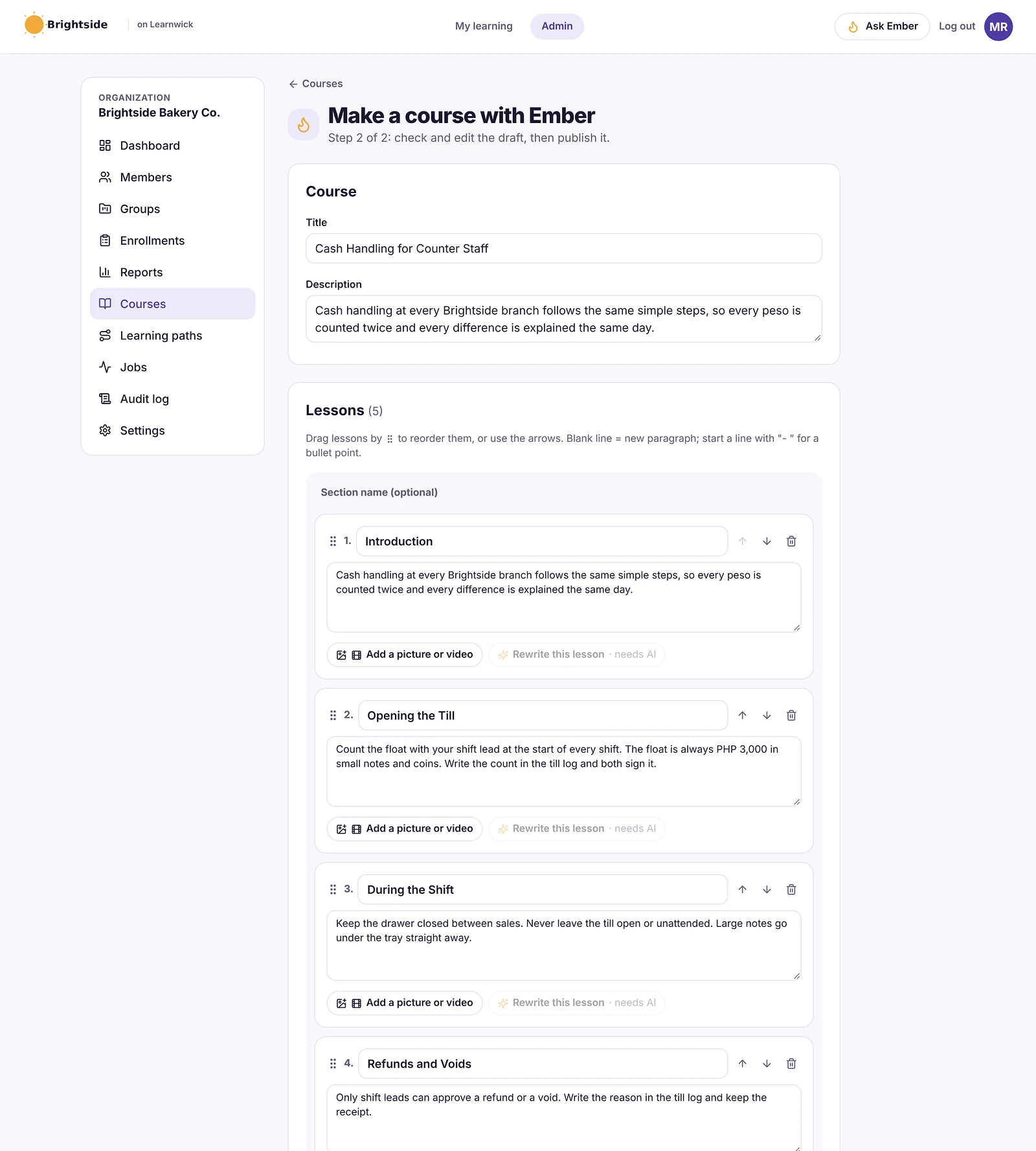
Lessons you can check and edit
Ember splits your document into short lessons in plain language. Every lesson is editable: rename it, rewrite it, reorder it, group lessons into sections and add pictures or videos.
Nothing goes live until you publish it, so you stay in control of what your team learns.
- Drag lessons to reorder them
- Add a picture or video to any lesson
- Ask Ember to rewrite a lesson more simply
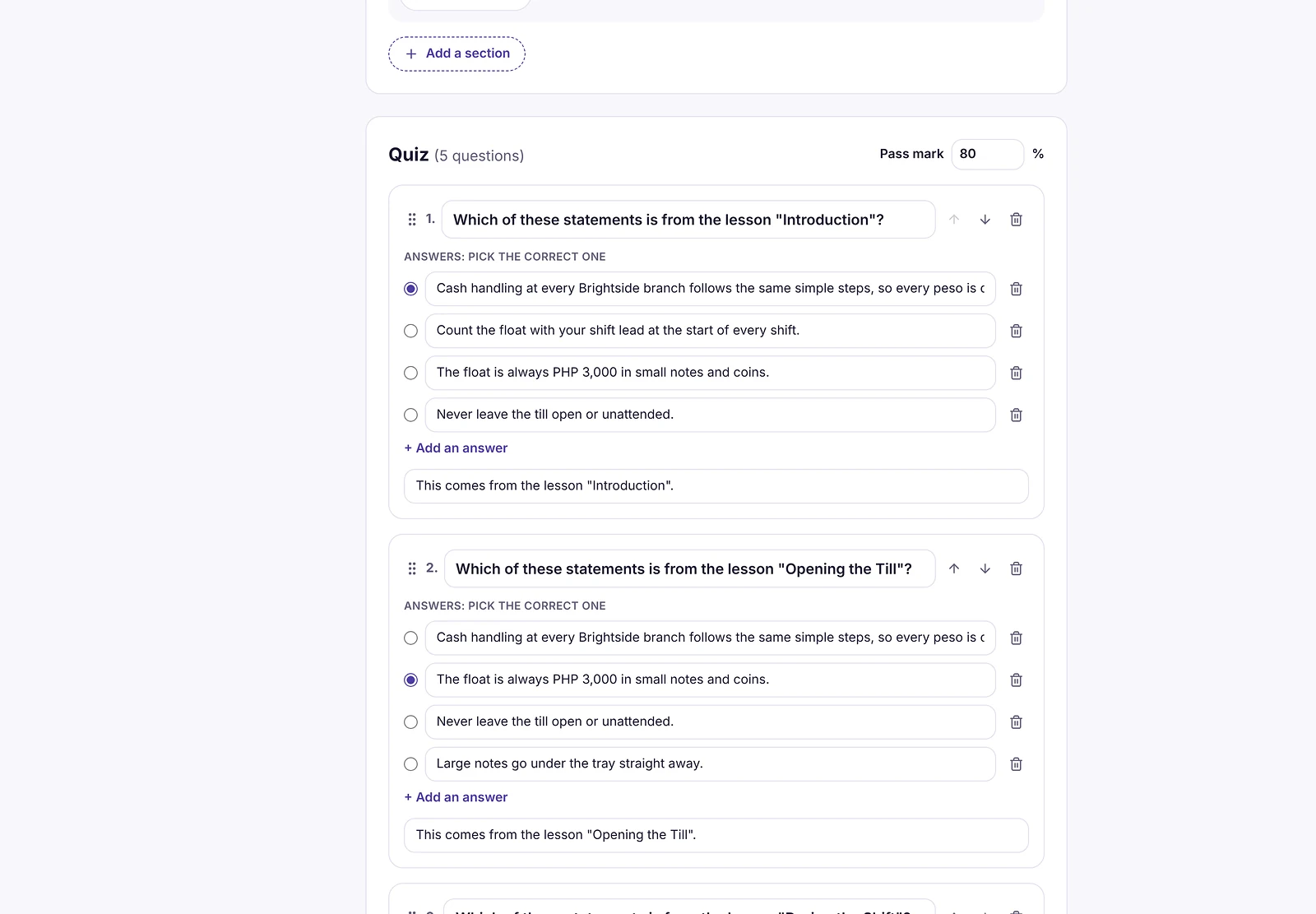
Quiz questions drafted for you
Ember also writes quiz questions from your lessons, each with the right answer marked and a short explanation. Edit them, add your own, ask for more, and set the pass mark.
Published as a real course
When you publish, Ember packages the course as SCORM and adds it to your library like any other course. Assign it, set a due date and give a certificate on completion — and see the results in every report.
How it works
- 1
Give Ember a document
Paste text or upload a PDF, up to 30,000 characters.
- 2
Check the draft
Edit the lessons and quiz questions.
- 3
Publish and assign
It becomes a course in your library.
Questions about AI Course Builder
What is an AI course builder?
An AI course builder uses artificial intelligence to draft a training course — lessons and quiz questions — from material you provide, so you edit a first draft instead of starting from a blank page.
Can the AI course builder use my PDFs?
Yes. Upload a PDF and Learnwick reads its text in your browser; only the text is sent to Ember, not the file.
Do I have to publish what the AI writes?
No. Ember creates a draft. You review and edit every lesson and question, and nothing reaches your team until you publish it.
Can I add my own pictures and videos?
Yes. Each lesson can have pictures and videos, so you can show the real equipment, store or screen your team works with.
Related features
SCORM LMS for Small Business
Upload SCORM 1.2 and 2004, videos and PDFs. Scores and completion are tracked.
Online Quiz Maker for Employee Training
Quizzes with pass marks, tries and explanations, marked automatically.
Employee Onboarding Software for Small Business
Learning paths, automatic assignments and due dates for every new hire.
Give your team training they’ll actually finish
Free for up to 30 learners. No credit card, no sales call. Every feature on every plan.