Online Quiz Maker for Employee Training
Quizzes and assessments
A quiz maker for employee training, built into your LMS
Check that training has really sunk in. Learnwick’s quiz maker adds a short quiz to any video or PDF course, marks it automatically and only completes the course — and issues the certificate — when people pass.
Free for up to 30 learners · No credit card
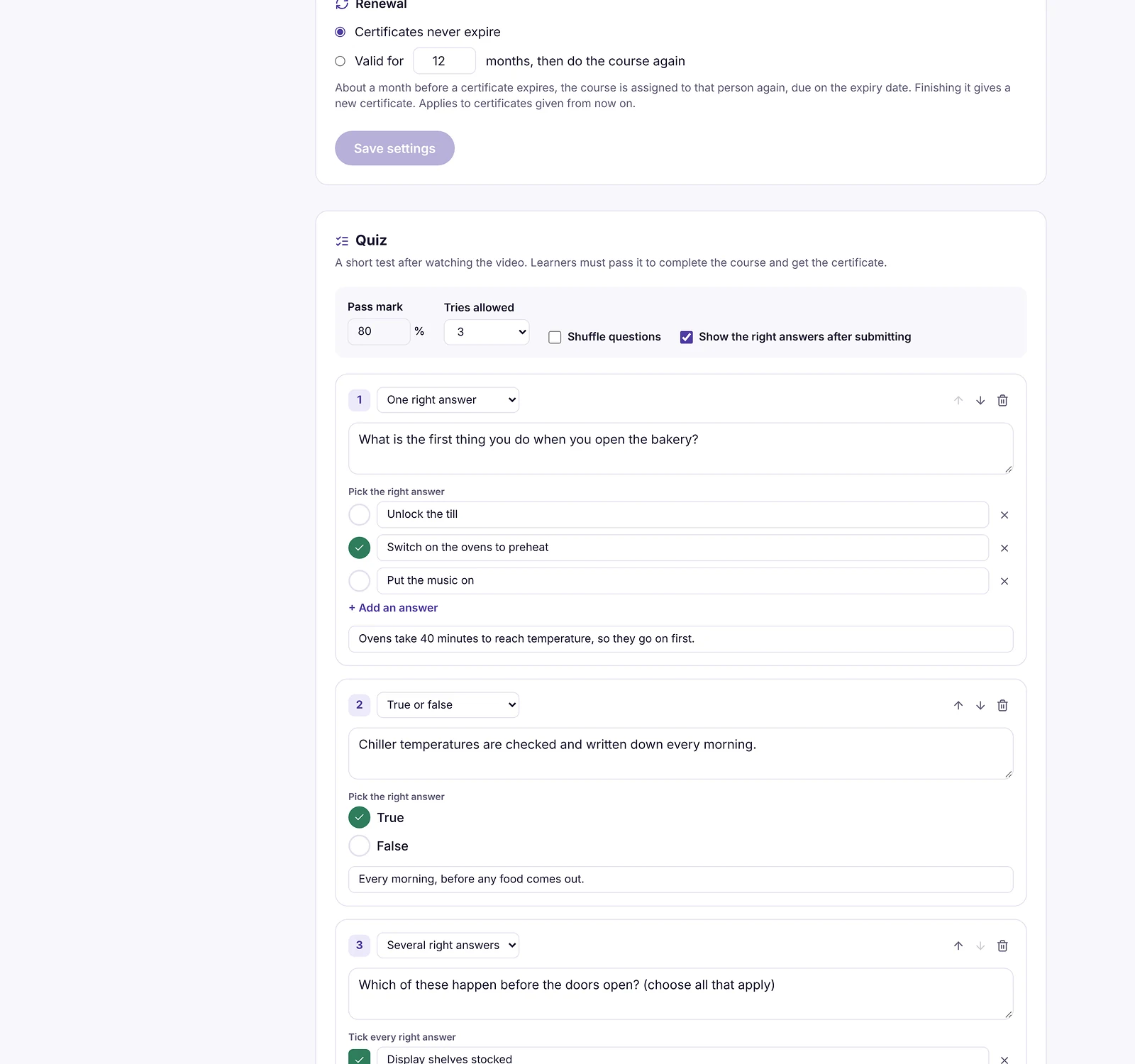
Three kinds of questions
Write single-answer, multiple-answer and true-or-false questions, with an explanation people see after they answer. Set the pass mark, how many tries are allowed, whether questions are shuffled and whether the right answers are shown.
Marked automatically, fairly
Quizzes are marked on Learnwick’s server, so answers can’t be changed in the browser. A course counts as complete only when the content is finished and the quiz is passed. People who run out of tries are recorded as failed — and don’t get a certificate.
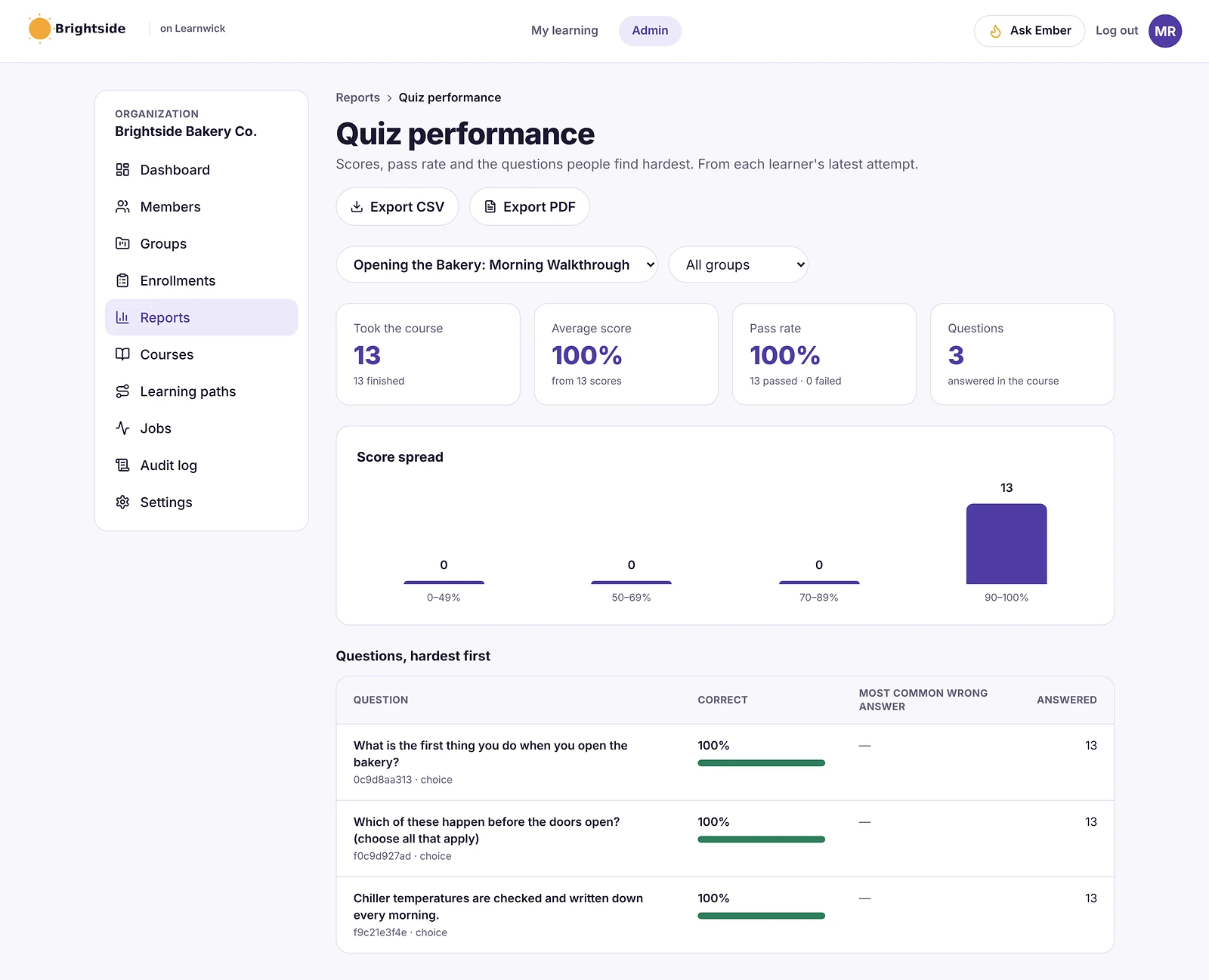
See which questions people get wrong
The quiz performance report shows the pass rate, the spread of scores and the questions people find hardest, so you know which part of the training to improve.
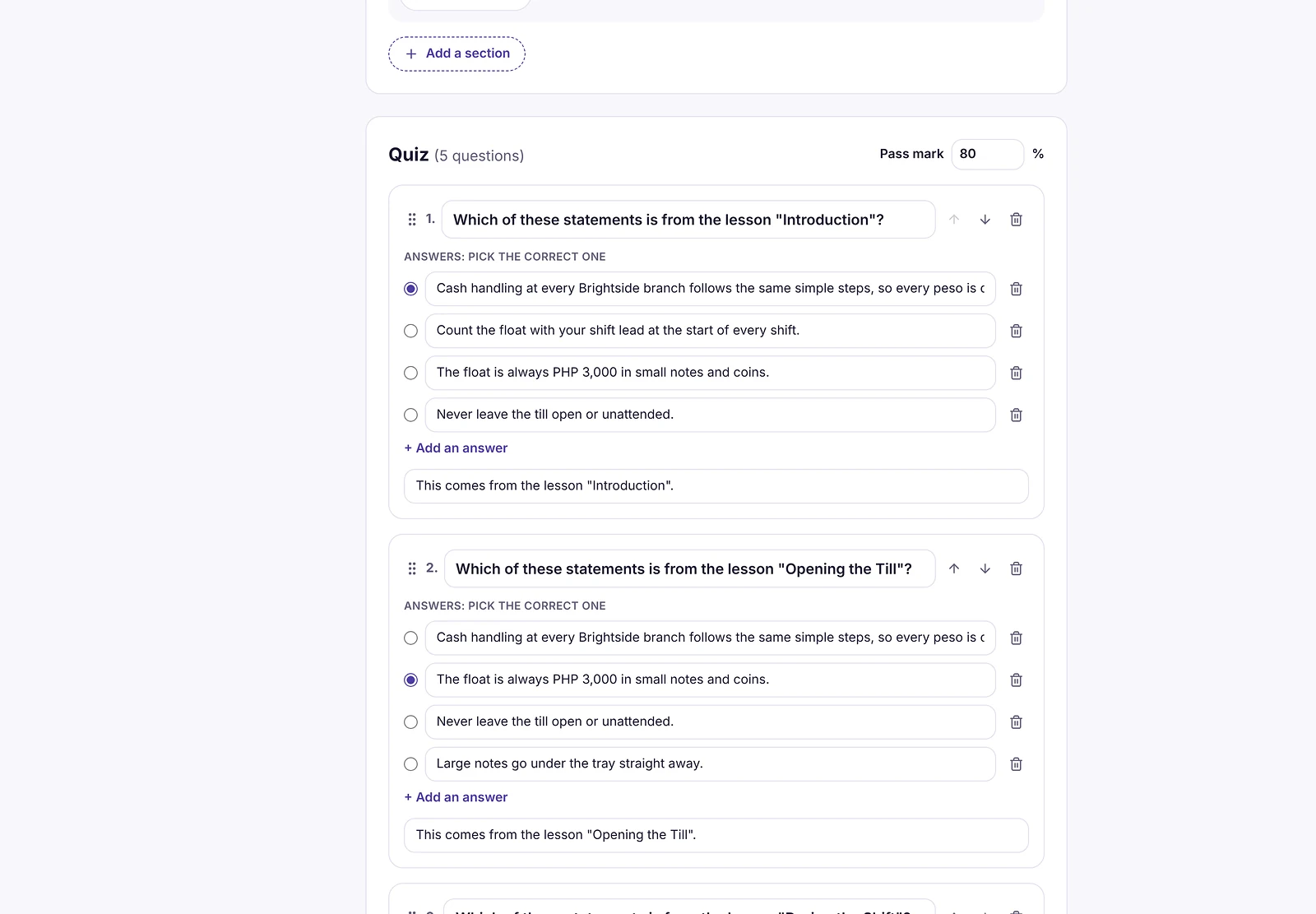
Or let Ember write the questions
When you build a course from a document with Ember, it drafts quiz questions for you, ready to edit.
How it works
- 1
Add questions
Single, multiple or true/false.
- 2
Set the rules
Pass mark, tries, shuffle.
- 3
Review results
Pass rate and hardest questions.
Questions about Online Quiz Maker
Can I add a quiz to a training video?
Yes. Add a quiz to any video or PDF course. Learners take it after they finish the video or document.
How are quizzes marked?
Automatically, on Learnwick’s server. The course is complete only when the learner passes.
Can I limit the number of tries?
Yes. Choose unlimited tries or a set number. The best try counts.
Do quizzes work with SCORM courses?
SCORM courses usually include their own quiz, and Learnwick records the score they report. Learnwick’s quiz maker is for video and PDF courses and courses built with Ember.
Related features
AI Course Builder
Give Ember a policy or PDF and get a draft course with lessons and a quiz.
Training Certificate Software with Online Verification
Automatic PDF certificates with a code anyone can verify online.
LMS Reporting and Training Analytics
Completion, overdue, time spent, quiz results and your own dashboards.
Give your team training they’ll actually finish
Free for up to 30 learners. No credit card, no sales call. Every feature on every plan.