Audit-Ready Training Records: Proof of Training in One Click
Training records and audits
Audit-ready training records, without the week of copying and pasting
Learnwick keeps audit-ready training records for every person and course: who was assigned what, when they finished, their score, the course version and the certificate code. When an auditor asks, the audit pack turns it into a PDF or CSV in a few seconds.
Free for up to 30 learners · No credit card · Book a demo
- Audit pack
- PDF and CSV in seconds
- Covers
- Completions, versions, certificates, gaps
- Audit log
- Kept 1–7 years, or forever
- Price
- On every plan, including the free plan for up to 30 learners
The audit pack: proof of training in one click
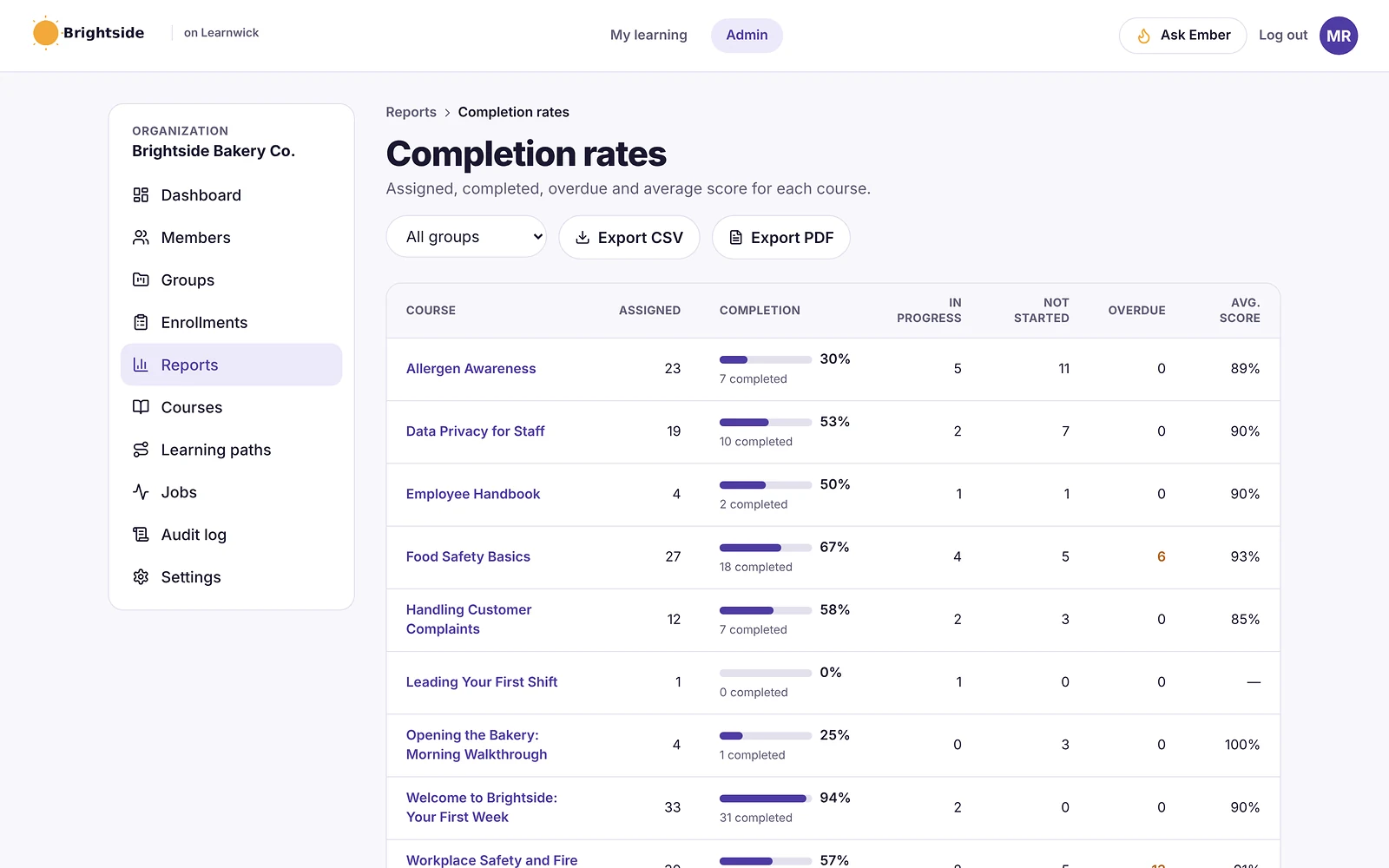
Reports → Audit pack shows, for everyone or one group, category or course: completed and passed, overdue, finished but didn’t pass, certificates that are valid, ending within 30 days or expired, who finished an older version of a course, and required courses people haven’t been given yet.
Type what the audit is for (for example “ISO 9001 audit”), then download the PDF for the auditor or the CSV for a spreadsheet.
- Summary and “To fix before the audit” list
- A table per course
- One row per person per course
- A check link for every certificate in the CSV
Fix the gaps before the auditor finds them
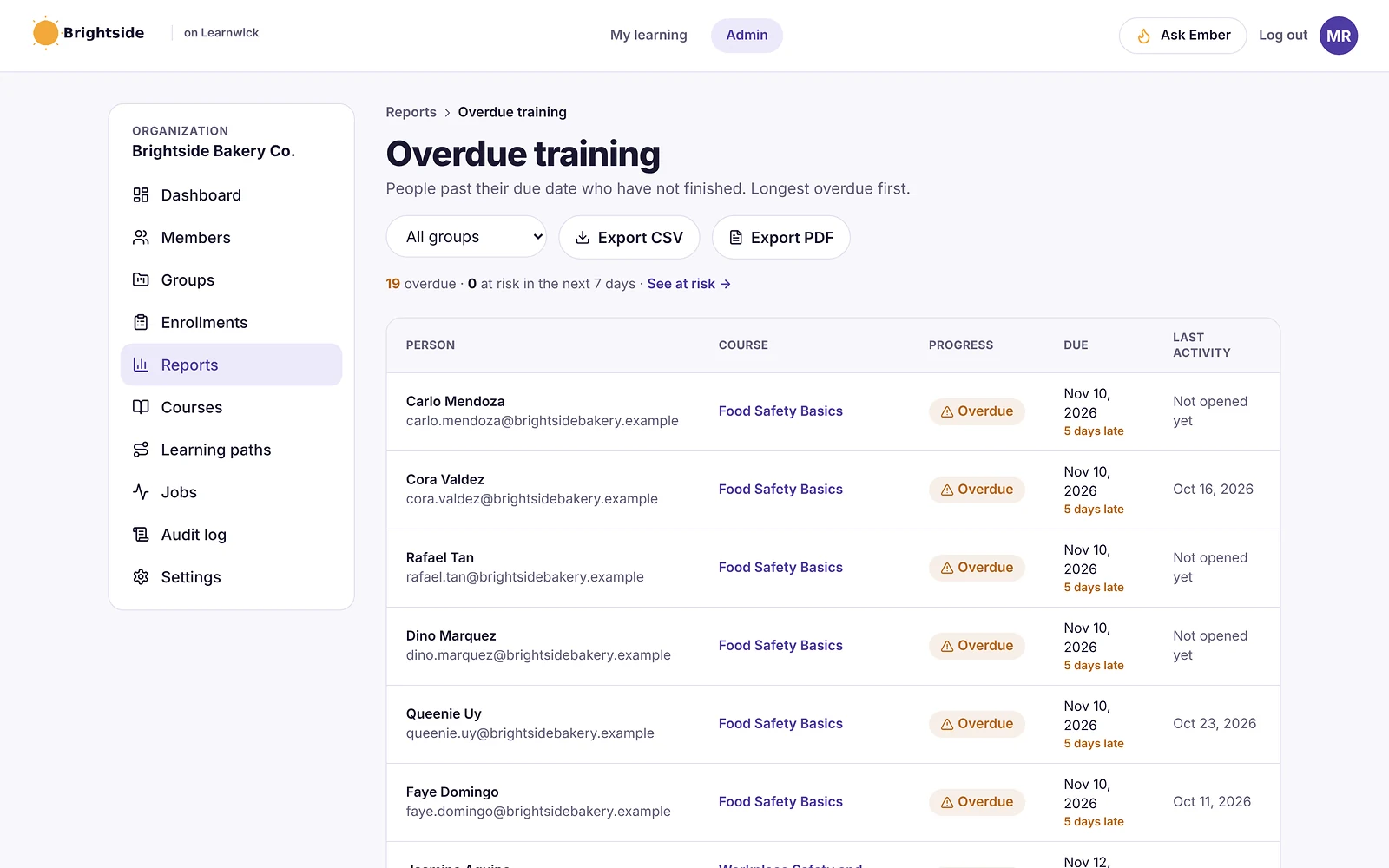
The audit pack starts with a “To fix before the audit” list, and each line opens the page where you can fix it: send reminders, assign a missing required course or give someone one more quiz try. Or ask Ember, “Get me ready for our ISO audit”, for the same list in order of importance.
Certificates anyone can check
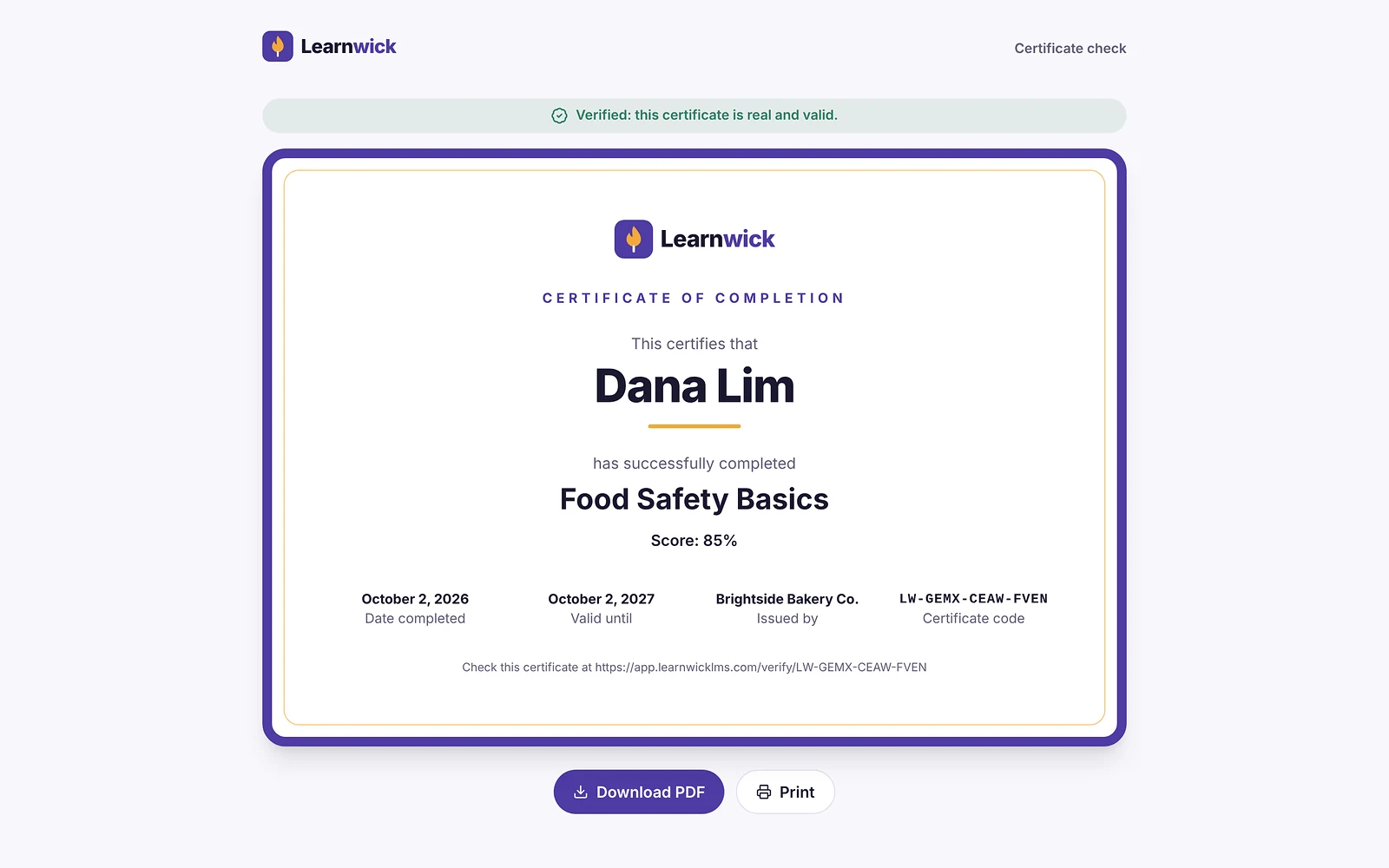
Every certificate has a unique code. An auditor, client or inspector can type it on the public certificate check page and see who earned it, for which course, when, and whether it is still valid.
An audit log of every change
The audit log records what changed, who did it and when: people invited or switched off, courses uploaded or assigned, due dates moved, settings changed and anything done through Ember. Filter it, export it, and choose how long entries are kept (from 1 to 7 years, or forever).
Version history, so you know who saw what
When a policy changes and you publish a new version of the course, everyone’s earlier result stays tied to the version they took. The audit pack lists who finished an older version, so you can decide who needs the update.
Everything included
Every part of Audit-Ready Training Records is on every plan, including the free plan for up to 30 learners.
- Audit pack PDFSummary, fixes, a table per course and a row per person.
- Audit pack CSVUp to 20,000 rows with emails and certificate check links.
- To fix listEach line opens the page where you fix it.
- Certificate statesValid, ending within 30 days and expired.
- Course versionsWho finished an older version.
- Required training gapsRequired courses people haven’t been given.
- Certificate check pageAnyone can verify a code online.
- Audit logWho changed what and when, exportable as CSV.
- Ember audit check“Get me ready for our audit” lists what to fix first.
Who uses it
ISO 9001 and quality audits
Proof that people were trained on current procedures.
Food safety and health inspections
Valid certificates for everyone on the floor.
Workplace safety
Who finished their induction and when.
Client and supplier audits
Training evidence a customer asks for.
By hand vs with Learnwick
| Task | Spreadsheets and email | With Learnwick |
|---|---|---|
| Collecting proof | Ask every manager for their spreadsheet | One audit pack for the whole business |
| Checking certificates | Copies in folders, some expired | Valid, ending and expired, counted for you |
| Spotting gaps | Found by the auditor | Listed first, with links to fix them |
| Who changed a record | Nobody knows | The audit log shows who and when |
How it works
- 1
Train as usual
Every completion and certificate is recorded.
- 2
Open the audit pack
Fix what it lists first.
- 3
Hand it over
PDF for the auditor, CSV for a spreadsheet.
What it doesn’t do (yet)
We’d rather you know before you start.
- The PDF lists up to 3,000 rows and the CSV up to 20,000; filter by group or course for bigger packs.
- Learnwick isn’t certified by any standards body; it gives you the records, not the certificate.
- Training done outside Learnwick can’t be added to the records yet.
Step-by-step guides
From the Learnwick Help Center, with the exact buttons to click.
- Get ready for a training auditThe audit pack proves who finished which course, on which version, with which certificate, and lists what to fix first.
- See who changed whatThe Audit log lists every important change in your workspace, with who made it and when.
- Give certificates for a courseSwitch on certificates in the course settings, and set how long they last.
Questions about Audit-Ready Training Records
What are audit-ready training records?
Training records an auditor can accept as they are: who was trained on what, when, with which result and which version of the course, backed by certificates that can be checked.
Which audits does the audit pack help with?
Any audit or inspection that asks for proof of training, for example ISO 9001, food safety, workplace safety or a client’s supplier audit. Learnwick isn’t certified by any standards body; it gives you the records.
How far back do records go?
Completions, scores and certificates are kept for as long as your workspace exists, including for people you switch off. You choose how long audit log entries are kept.
Is Learnwick automated compliance training software?
Yes. Due dates, reminders, renewals before certificates expire and required courses per group all run automatically. See our compliance training software page for the full picture.
Keep exploring
Training Certificate Software with Online Verification
Automatic PDF certificates with a code anyone can verify online.
LMS Reporting and Training Analytics
Completion, overdue, time spent, quiz results and your own dashboards.
Compliance Training Software for Small Business
Due dates, overdue reports, yearly renewals and audit-ready records.
Give your team training they’ll actually finish
Free for up to 30 learners. No credit card, no sales call. Every feature on every plan.
Rather see it first? Book a demo