Learnwick LMS vs Absorb LMS: Pricing, Features & Fit for Small Teams (2026)
Learnwick LMS vs Absorb LMS: Pricing, Features & Fit for Small Teams (2026)
Choose Absorb LMS if you have hundreds or thousands of learners, several audiences (staff, customers, partners), and budget for an annual contract. Choose Learnwick LMS if you are a small or mid-size team that wants to start today, free for up to 30 learners, with published prices and no contract.
Key takeaways
- Absorb is quote-only with plans from 100 learners; price trackers put its median contract near $20,000 a year. Learnwick is free up to 30 learners and $948 a year for 100.
- Absorb wins on automation at scale, multiple audiences, integrations and mobile.
- Learnwick wins on price, setup time and simplicity for small teams.
- Both do compliance training well; Absorb at enterprise scale, Learnwick on a small-business budget.
In this guide
- Comparison summary: Learnwick LMS vs Absorb LMS
- What is Learnwick LMS?
- What is Absorb LMS?
- Learnwick LMS vs Absorb LMS: Ease of use and setup
- Learnwick LMS vs Absorb LMS: Course creation and content
- Learnwick LMS vs Absorb LMS: Assigning training, reminders and compliance
- Learnwick LMS vs Absorb LMS: Reports and certificates
- Learnwick LMS vs Absorb LMS: Integrations and mobile
- Learnwick LMS vs Absorb LMS: Pricing
- Learnwick LMS vs Absorb LMS: pros and cons
- Final verdict: Learnwick LMS vs Absorb LMS
- Frequently asked questions
Comparison summary: Learnwick LMS vs Absorb LMS
Absorb LMS appears on many “best LMS for small business” lists because it is highly rated and has a starter tier. In practice it is built for organizations with dedicated L&D people, hundreds of learners and more than one audience. Learnwick LMS is built for the business with one person running training and a budget measured in hundreds, not thousands, of dollars.
Here is the side-by-side view:
| Learnwick LMS | Absorb LMS | |
|---|---|---|
| Best for | Small and mid-size teams without a training department | Mid-size and large organizations with L&D staff and several audiences |
| Free plan | Yes: 30 learners, every feature, no time limit | No (demo; trial on request) |
| Paid plans from | $79/month billed yearly ($99 monthly) for up to 100 learners | Quote only; packages start at 100 learners |
| Cost for about 100 learners | $948 a year (Starter) | Quote (median contract ≈$20,000 a year across all sizes) |
| Pricing model | Flat price per plan size; every feature on every plan | Annual contract, by learners and modules |
| Course formats | SCORM 1.2, single-SCO SCORM 2004, video and PDF (no xAPI or cmi5) | SCORM, xAPI, AICC, video, documents; Absorb Create for authoring |
| AI course creation | Ember drafts lessons and quizzes from a PDF, Word file or pasted text; translates courses | AI authoring and learner assistant features |
| Due dates and reminders | Due dates, automatic overdue reminders, manager emails and renewals on every plan | Rule-based enrollments, due dates and automated notifications |
| Certificates | PDF certificates with expiry dates and a public verification page | Certificates, recertification and compliance tracking |
| Reports | Completion, overdue, quiz, time spent, training matrix, gaps by role and audit pack; CSV and PDF | Extensive reports, dashboards and scheduled reports |
| Integrations | Google and Microsoft sign-in, CSV import, join link, Typeform; no HR-system sync yet | Large catalogue: HRIS, CRM, SSO, video conferencing, API |
| Mobile | Works in any phone browser; no native app | Native mobile app |
| Review ratings | New product: no third-party reviews yet | G2 4.6 (≈900 reviews) |
Disclosure: Learnwick LMS publishes this guide and is one of the products in it. We put it first simply because it’s the option we know best for small and mid-size teams, and we list its limits as plainly as everyone else’s. Prices and G2 ratings for other tools were checked in November 2026 from vendor pages, G2 and public price trackers; check the vendor’s own page before you buy.
What is Learnwick LMS?
Learnwick LMS is a cloud learning management system for small and growing businesses that don’t have a training department. One person can set it up in an afternoon: create a workspace, add your logo, upload a SCORM course or let Ember, the built-in AI assistant, draft one from a policy document, then invite people and assign training with a due date. Learners open it on any phone or computer without installing an app.
It launched in 2026 and is made by Rainmakers Training Services in the Philippines, with data hosted on AWS in Sydney. The free plan covers up to 30 learners with every feature and no time limit, and paid plans only change how many learners you can have, not which features you get.
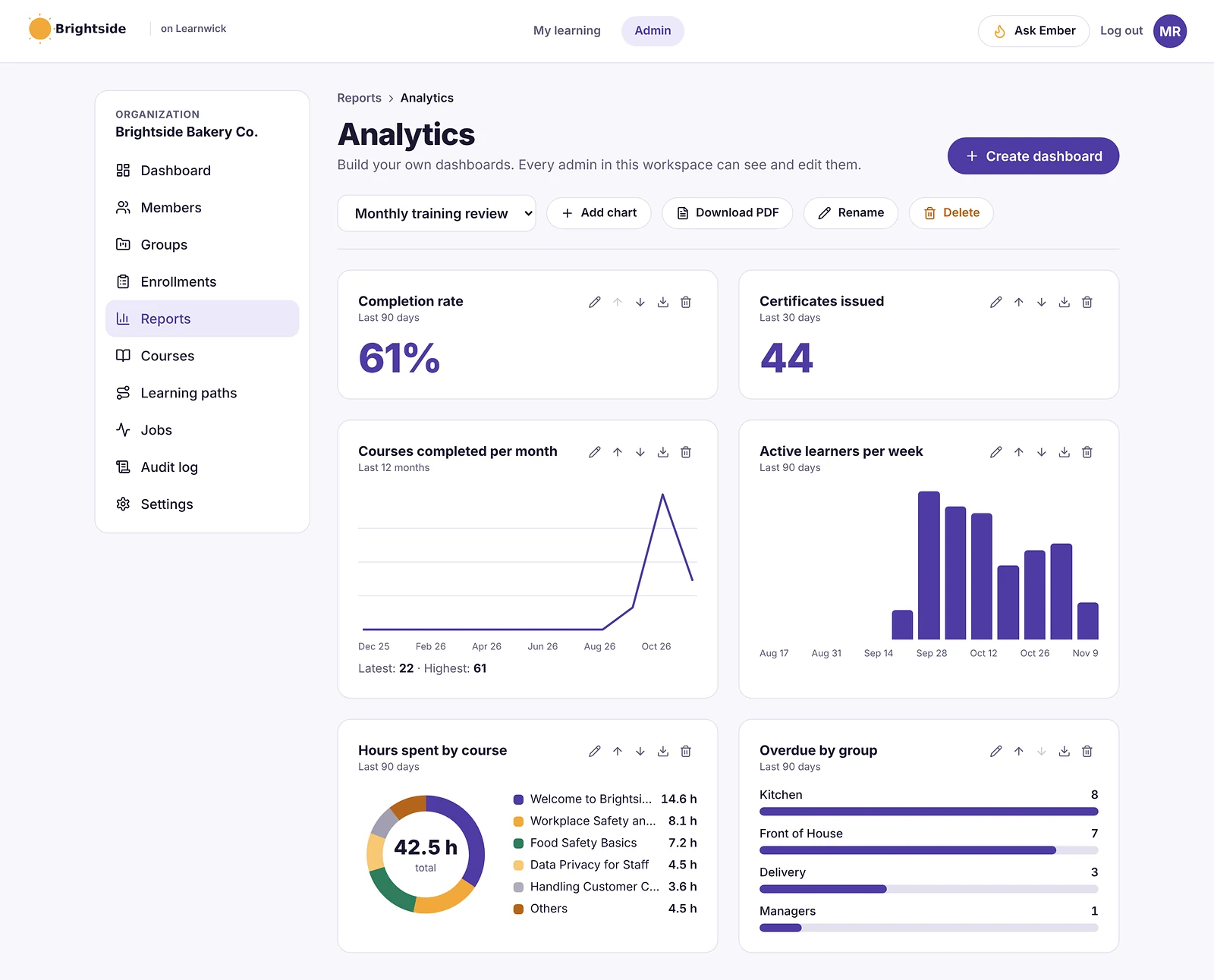
In practice, Learnwick is built around the admin’s week: courses in, people in, due dates set, reminders sent automatically, and a clear list of who is overdue when a manager or auditor asks.
What is Absorb LMS?
Absorb LMS is a corporate LMS from Absorb Software, founded in Canada in 2002. It is known for a clean learner interface, powerful rule-based enrollment, and portals that let one system train employees, customers and partners separately. It supports SCORM, xAPI and AICC, has an authoring add-on (Absorb Create), AI features, e-commerce, a native app and a large integration catalogue. With about 900 reviews and a 4.6 rating on G2, it is one of the best-reviewed enterprise LMSs.
Absorb doesn’t publish prices. Plans start at 100 learners, contracts are usually annual, and price trackers put the median contract at about $20,000 a year. Implementation is a project with Absorb’s team.
Learnwick LMS vs Absorb LMS: Ease of use and setup
In a nutshell: Absorb is easy for learners but takes an implementation project for admins. Learnwick is self-serve and ready the same day.
Absorb is polished, with a guided implementation
Absorb’s learner experience is one of its strengths, and its admin tools are powerful. Getting started means a sales process, a contract and an implementation period with Absorb’s team.
Learnwick is self-serve from sign-up
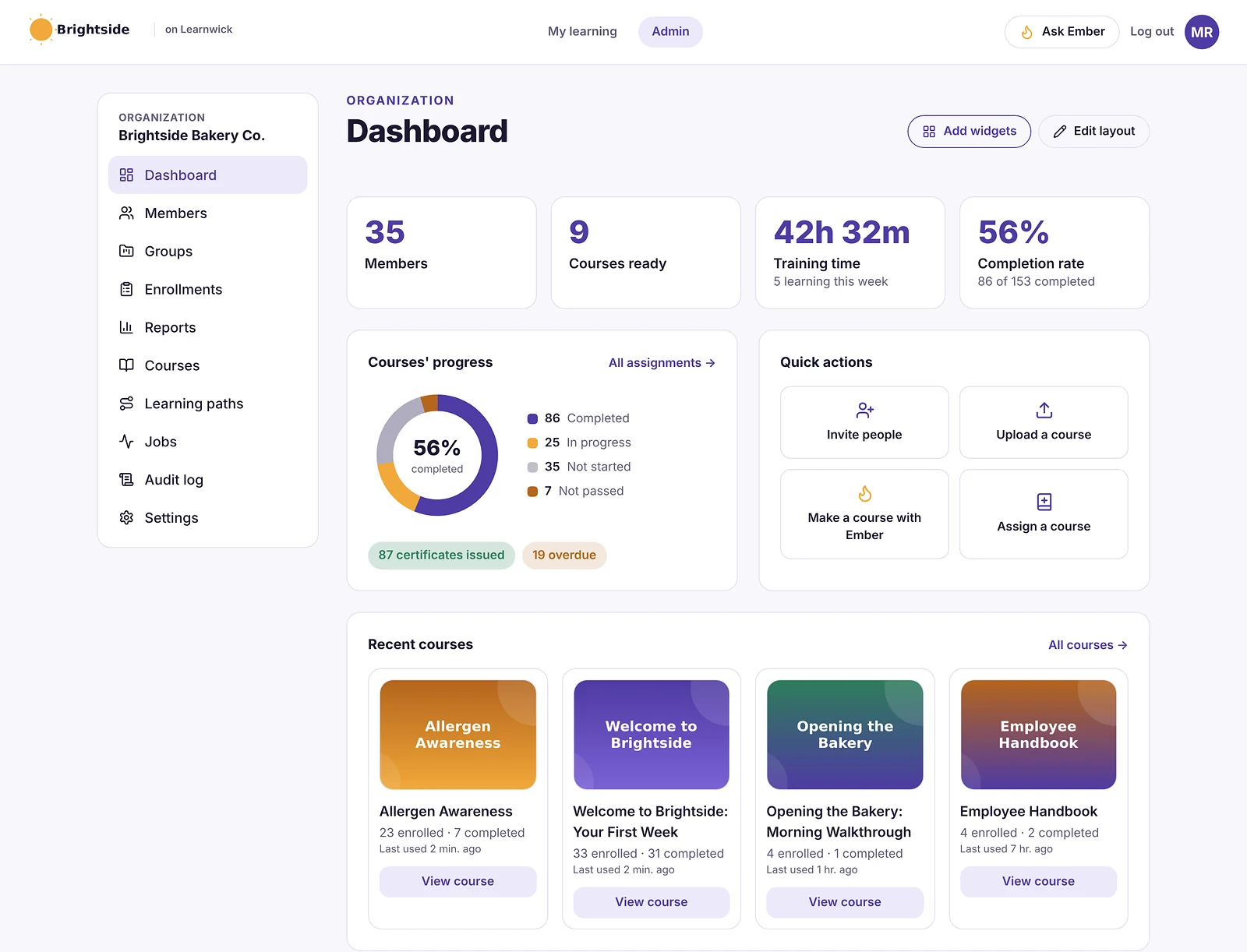
With Learnwick you sign up and go: add your logo, add a course, invite people and assign training the same afternoon, with a checklist and Ember to help.
Winner: Learnwick LMS
For a small team that wants training running this week, Learnwick is much faster to start.
Learnwick LMS vs Absorb LMS: Course creation and content
In a nutshell: Absorb supports more standards (xAPI, AICC) and has an authoring add-on. Learnwick covers SCORM, video and PDF, with AI drafts on every plan.
Absorb covers every standard
Absorb plays SCORM, xAPI and AICC, and Absorb Create adds authoring with AI. Content libraries are available as add-ons.
Learnwick covers the common formats
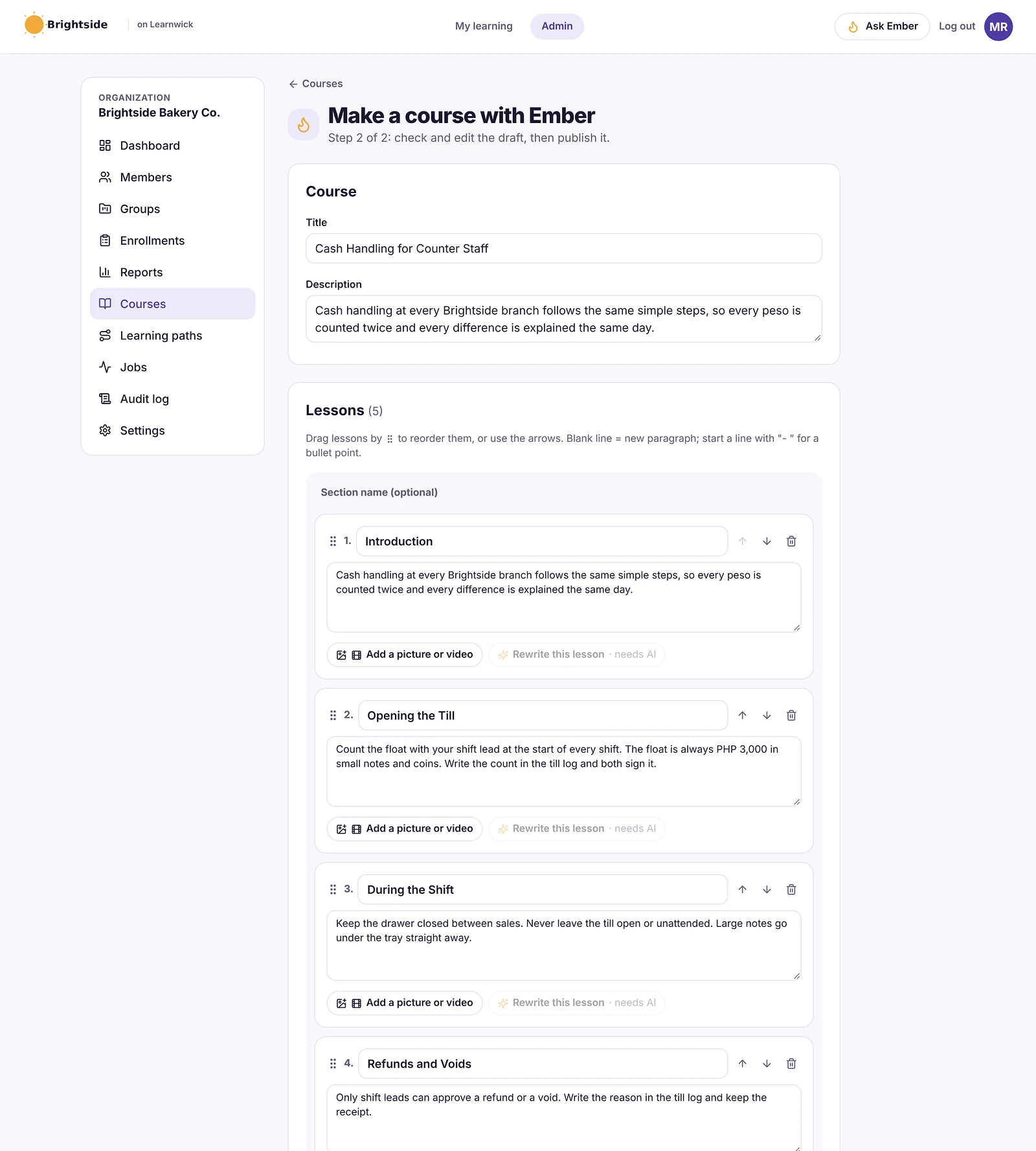
Learnwick plays SCORM 1.2 and single-SCO SCORM 2004, video and PDF with quizzes, and Ember drafts courses from documents. No xAPI or AICC.
Winner: Absorb LMS
If you need xAPI, AICC or enterprise authoring, Absorb is ahead.
Learnwick LMS vs Absorb LMS: Assigning training, reminders and compliance
In a nutshell: Both are strong. Absorb’s rules scale to thousands of people and several audiences; Learnwick covers the same basics for a small team, free.
Absorb automates enrollment at scale
Absorb’s rule-based enrollments, recertification and compliance tracking are a major reason large organizations choose it.
Learnwick does the essentials on every plan
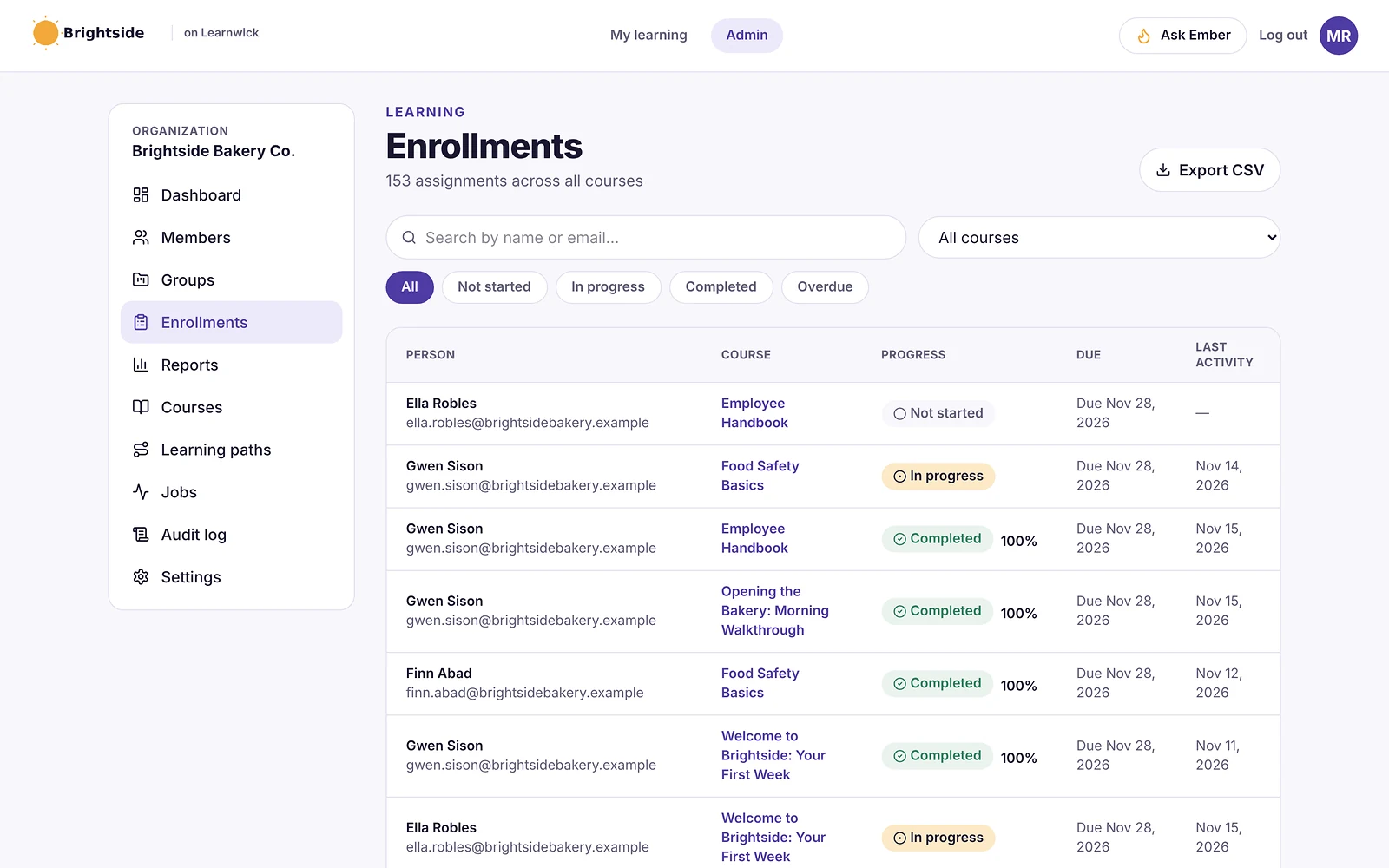
Learnwick has due dates, reminders before and after, manager overdue emails, yearly renewals, gaps by role, learning paths and next-course automation, all on the free plan too.
Winner: Absorb LMS
For large, complex programs, Absorb’s automation is more powerful. For a small team, Learnwick covers what you need.
Learnwick LMS vs Absorb LMS: Reports and certificates
In a nutshell: Absorb has deeper reporting and dashboards. Learnwick has the audit-ready essentials plus public certificate verification.
Absorb reports on everything
Absorb offers extensive reports, dashboards and scheduled reports across audiences and portals.
Learnwick reports on what small teams get asked
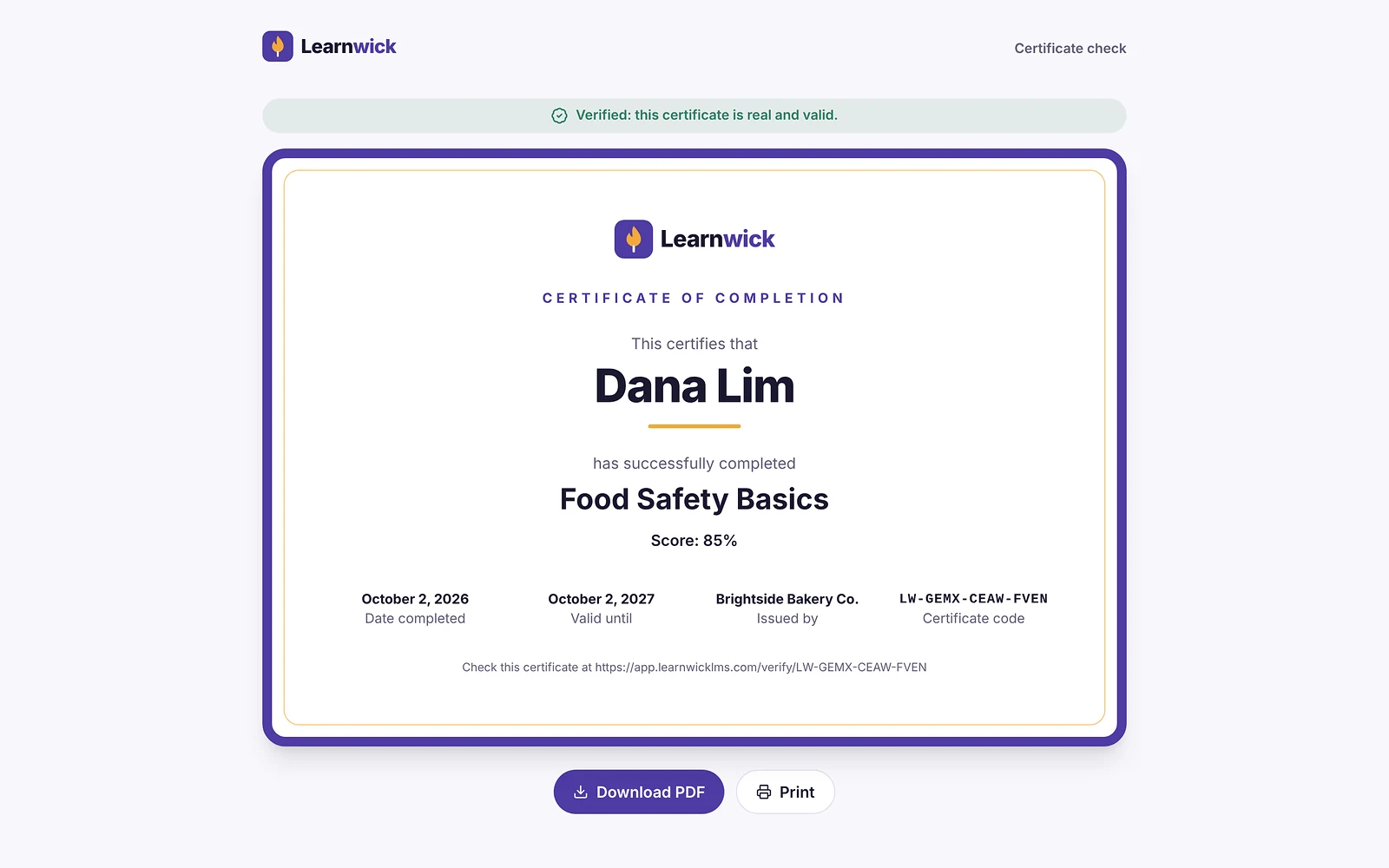
Learnwick has completion, overdue, quiz and time reports, a training matrix, gaps by role and an audit pack, and every certificate has a public verification code.
Winner: Absorb LMS
Absorb’s reporting is broader; Learnwick’s is enough for most small businesses.
Learnwick LMS vs Absorb LMS: Integrations and mobile
In a nutshell: Absorb is far ahead: HRIS, CRM, SSO and video integrations, an API and a native app.
Absorb fits into a large tech stack
Absorb integrates with major HR systems, CRMs, SSO providers and video tools, and has a native app.
Learnwick keeps it simple
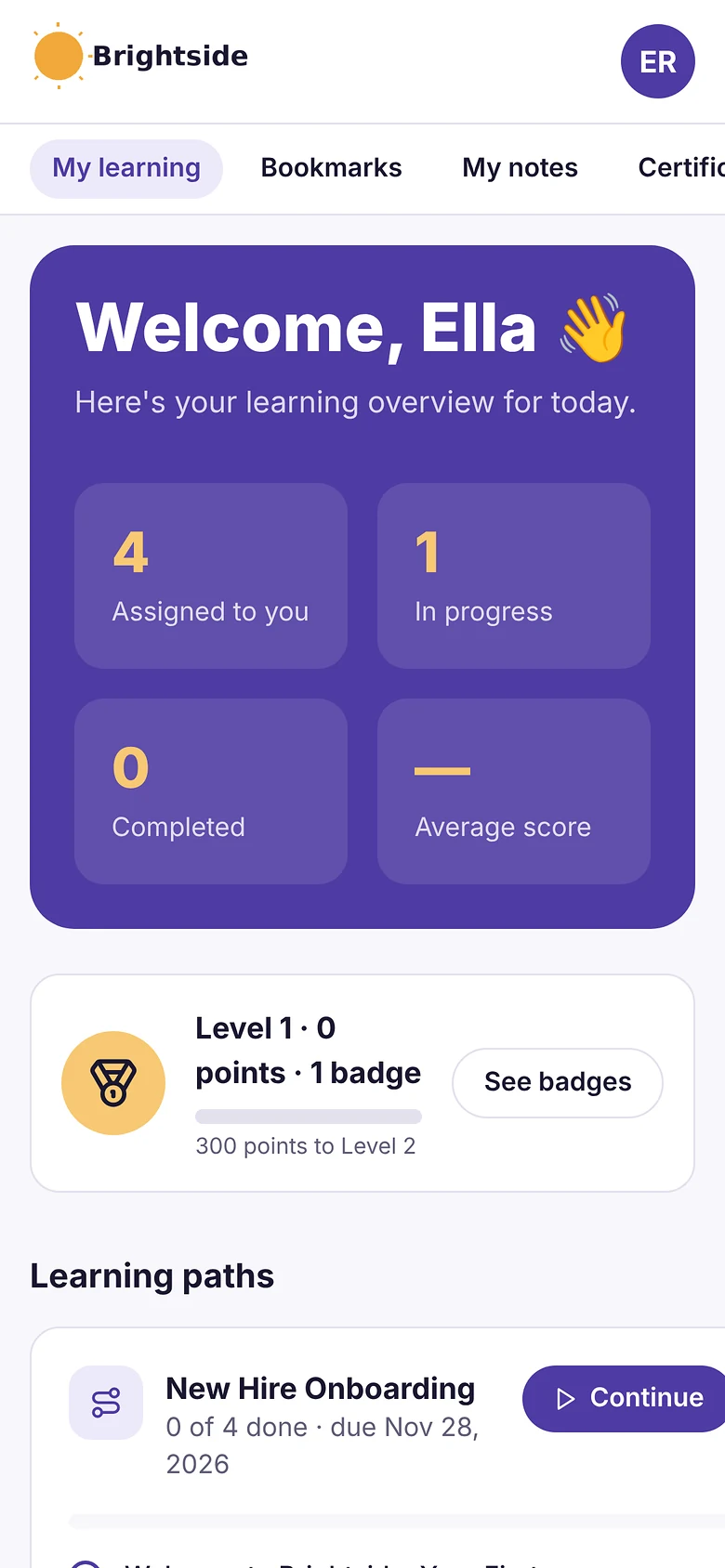
Learnwick has invites, CSV, join links, Google or Microsoft sign-in and Typeform, and runs in any browser. No HR-system sync or native app yet.
Winner: Absorb LMS
If your LMS must connect to an HR system or CRM, Absorb is the stronger choice.
Learnwick LMS vs Absorb LMS: Pricing
In a nutshell: Learnwick costs a small fraction of Absorb and publishes its prices. Absorb is quote-only with annual contracts.
Absorb is a quoted annual contract
Absorb starts at 100 learners and doesn’t publish prices; price trackers put the median contract at about $20,000 a year, plus implementation.
Learnwick is free to start and flat above that
Learnwick is free up to 30 learners, then $79/month billed yearly ($99 monthly) for up to 100 learners, monthly or yearly, cancel any time.
| Team size | Learnwick LMS | Absorb LMS |
|---|---|---|
| 30 learners | Free | Not sold below 100 learners |
| 100 learners | $948/yr (Starter) | Quote (median contract ≈$20,000/yr across all sizes) |
| 1,000 learners | $4,788/yr (Business) | Quote |
Absorb prices are quote-only; the median figure is from public price trackers (November 2026) and covers contracts of all sizes.
Winner: Learnwick LMS
For 100 learners, Learnwick is $948 a year; Absorb is a quote that typically runs well into five figures.
Learnwick LMS vs Absorb LMS: pros and cons
Learnwick LMS pros
- Free plan for up to 30 learners, with every feature and no time limit.
- Published, flat prices: $0.79 per learner per month on Starter (100 learners) and as little as $0.40 on Business (1,000 learners), billed yearly.
- Every feature on every plan: due dates, reminders, certificates, the AI course builder and all reports.
- Ember drafts a course and quiz from a document you already have, and never changes anything without an admin’s “Yes, do it”.
- Nothing to install, host or update; learners use any phone browser.
Learnwick LMS cons
- No connection to HR or payroll systems yet (people come in by invite, CSV, a join link, or Google/Microsoft sign-in).
- No xAPI, cmi5 or multi-SCO SCORM 2004 with sequencing.
- No live classes or virtual classroom, and no selling courses to the public.
- No native mobile app (the web app works on any phone) and app screens are in English only.
- A young product: few third-party reviews yet, and a small ready-made course library.
Absorb LMS pros
- One of the highest-rated enterprise LMSs (G2 4.6, ≈900 reviews).
- Powerful rule-based enrollment and compliance tracking.
- Portals for employees, customers and partners.
- SCORM, xAPI and AICC, plus authoring and AI.
- Large integration catalogue and a native app.
Absorb LMS cons
- Quote-only pricing; plans start at 100 learners.
- Annual contracts and an implementation project.
- Far more than a small team usually needs.
Final verdict: Learnwick LMS vs Absorb LMS
| Area | Winner |
|---|---|
| Ease of use and setup | Learnwick LMS |
| Course creation and content | Absorb LMS |
| Assigning training, reminders and compliance | Absorb LMS |
| Reports and certificates | Absorb LMS |
| Integrations and mobile | Absorb LMS |
| Pricing | Learnwick LMS |
Absorb LMS is an excellent corporate LMS. If you have hundreds of learners, several audiences, an HR system to connect and a training team to run it, it deserves a place on your shortlist.
If you are a small business, you’d be buying an enterprise system and its contract. Learnwick covers the everyday job (courses, due dates, reminders, certificates, audit reports), starts free for up to 30 learners, and costs a fraction of Absorb above that.
Choose Absorb LMS if…
- You have hundreds or thousands of learners.
- You train employees, customers and partners in separate portals.
- You need HRIS, CRM and SSO integrations and an API.
- You need xAPI or AICC.
- You have budget for an annual contract and implementation.
Choose Learnwick LMS if…
- You have fewer than a few hundred learners.
- You want to start free (up to 30 learners) without a sales call.
- You want published prices and monthly billing.
- One person runs training and needs it to be simple.
The simplest way to decide is to run the same small test in both: one real course, five to ten real learners and a due date one week out. Whichever one gets people finished with less chasing from you is the right LMS for your team. If neither fits, see our guide to the best Absorb LMS alternatives.
Learnwick LMS · Free plan
Try Learnwick LMS free
Set up a workspace, add a course and invite your first 30 learners at no cost. No credit card.
Frequently asked questions
How much does Absorb LMS cost?
Absorb doesn’t publish prices. Plans start at 100 learners, and price trackers put the median contract at about $20,000 a year.
Is Absorb LMS good for small businesses?
It can be for companies near 100 learners or more with budget for a contract. Smaller teams usually get better value from a self-serve LMS like Learnwick.
Does Learnwick support xAPI like Absorb?
No. Learnwick supports SCORM 1.2 and single-SCO SCORM 2004, video and PDF.
Can I try both?
Learnwick is free up to 30 learners with no time limit. Absorb offers demos and trials on request.
The author

Venchito Tampon
Venchito Tampon is the founder of Learnwick, the LMS for small business — a simple, affordable way to upload or build courses, assign training, give certificates and see who has finished.
He is also the CEO and founder of eLearning Solutions Lab, a Philippines-based eLearning production company making custom and rapid eLearning for clients around the world, and Chief Learning Officer of Rainmakers Training & Consultancy, a corporate training and leadership development company.
He is a Certified Learning & Development Professional (CLDP) and a certified executive coach, and also founded ExpirePilot and Sidelight 360.

Learnwick LMS vs ProProfs Training Maker: Free Plans, Pricing & AI (2026)
Learnwick LMS vs ProProfs Training Maker: Free Plans, Pricing & AI (2026)
Choose ProProfs Training Maker if you want a large ready-made course library, a deep quiz toolkit and to pay only for active learners. Choose Learnwick LMS if you want a bigger free plan (30 vs 10 learners), flat prices, and stronger due-date reminders, renewals and compliance reports.
Key takeaways
- ProProfs is free for 10 learners, then from $1.99 per active learner per month; Learnwick is free for 30 learners, then $948 a year for 100.
- ProProfs wins on its ready-made course library and quiz depth.
- Learnwick wins on the free plan, flat pricing and compliance follow-up.
- Both offer AI course creation and SCORM.
In this guide
- Comparison summary: Learnwick LMS vs ProProfs Training Maker
- What is Learnwick LMS?
- What is ProProfs Training Maker?
- Learnwick LMS vs ProProfs Training Maker: Ease of use and setup
- Learnwick LMS vs ProProfs Training Maker: Course creation and content
- Learnwick LMS vs ProProfs Training Maker: Assigning training, reminders and compliance
- Learnwick LMS vs ProProfs Training Maker: Reports and certificates
- Learnwick LMS vs ProProfs Training Maker: Integrations and mobile
- Learnwick LMS vs ProProfs Training Maker: Pricing
- Learnwick LMS vs ProProfs Training Maker: pros and cons
- Final verdict: Learnwick LMS vs ProProfs Training Maker
- Frequently asked questions
Comparison summary: Learnwick LMS vs ProProfs Training Maker
ProProfs Training Maker and Learnwick LMS are both aimed at small businesses that want to start cheap. ProProfs comes from a family of tools (Quiz Maker, Knowledge Base, Help Desk) and is known for quizzes and a big library of ready-made courses. Learnwick focuses on running required training with as little chasing as possible.
Here is the side-by-side view:
| Learnwick LMS | ProProfs Training Maker | |
|---|---|---|
| Best for | Small and mid-size teams without a training department | Small teams that want ready-made courses and strong quizzes |
| Free plan | Yes: 30 learners, every feature, no time limit | Yes: 10 learners |
| Paid plans from | $79/month billed yearly ($99 monthly) for up to 100 learners | Essentials $1.99 per active learner per month, billed yearly |
| Cost for about 100 learners | $948 a year (Starter) | About $2,388 a year (Essentials) |
| Pricing model | Flat price per plan size; every feature on every plan | Per active learner; Business $3.99 per learner per month |
| Course formats | SCORM 1.2, single-SCO SCORM 2004, video and PDF (no xAPI or cmi5) | Built-in builder, video, PowerPoint, documents, SCORM, quizzes |
| AI course creation | Ember drafts lessons and quizzes from a PDF, Word file or pasted text; translates courses | AI course and quiz creation |
| Due dates and reminders | Due dates, automatic overdue reminders, manager emails and renewals on every plan | Assignments, deadlines and automated notifications |
| Certificates | PDF certificates with expiry dates and a public verification page | Certificates with custom designs |
| Reports | Completion, overdue, quiz, time spent, training matrix, gaps by role and audit pack; CSV and PDF | Learner, course and quiz reports |
| Integrations | Google and Microsoft sign-in, CSV import, join link, Typeform; no HR-system sync yet | Other ProProfs tools, SSO and a few third-party apps |
| Mobile | Works in any phone browser; no native app | Works in any browser |
| Review ratings | New product: no third-party reviews yet | G2 4.5–4.6 (a few dozen reviews) |
Disclosure: Learnwick LMS publishes this guide and is one of the products in it. We put it first simply because it’s the option we know best for small and mid-size teams, and we list its limits as plainly as everyone else’s. Prices and G2 ratings for other tools were checked in November 2026 from vendor pages, G2 and public price trackers; check the vendor’s own page before you buy.
What is Learnwick LMS?
Learnwick LMS is a cloud learning management system for small and growing businesses that don’t have a training department. One person can set it up in an afternoon: create a workspace, add your logo, upload a SCORM course or let Ember, the built-in AI assistant, draft one from a policy document, then invite people and assign training with a due date. Learners open it on any phone or computer without installing an app.
It launched in 2026 and is made by Rainmakers Training Services in the Philippines, with data hosted on AWS in Sydney. The free plan covers up to 30 learners with every feature and no time limit, and paid plans only change how many learners you can have, not which features you get.
In practice, Learnwick is built around the admin’s week: courses in, people in, due dates set, reminders sent automatically, and a clear list of who is overdue when a manager or auditor asks.
What is ProProfs Training Maker?
ProProfs Training Maker is an online LMS from ProProfs, a US company best known for its Quiz Maker. It lets you build courses from video, PowerPoint, documents and SCORM, add quizzes from a very large question toolkit, use AI to create courses, and pick from a library of ready-made courses. Learners get a branded portal, and admins get reports and certificates.
It is free for up to 10 learners. Paid plans are billed per active learner: Essentials from $1.99 and Business from $3.99 per learner per month, billed yearly. ProProfs says that moving back to the free plan deletes stored attempts and scores, so check that before downgrading.
Learnwick LMS vs ProProfs Training Maker: Ease of use and setup
In a nutshell: Both are simple to set up for small teams. ProProfs is quickest if you start from its library; Learnwick if you start from your own documents.
ProProfs gets you started with ready-made content
Picking courses from the ProProfs library and assigning them is quick, and the interface is straightforward.
Learnwick gets your own training live fast
Learnwick’s setup checklist takes you from sign-up to an assigned course in an afternoon, and Ember can draft a course from a document in minutes.
Winner: It’s a tie
Both are easy for a small business; the faster one depends on where your content comes from.
Learnwick LMS vs ProProfs Training Maker: Course creation and content
In a nutshell: ProProfs has more ready-made courses and quiz types. Learnwick’s AI turns your own policies into courses and runs SCORM on every plan.
ProProfs has a big library and a deep quiz toolkit
ProProfs offers a ready-made course library, many question types from its Quiz Maker heritage, and AI to create courses and quizzes.
Learnwick builds from what you already have
Learnwick runs SCORM, video and PDF courses with quizzes, and Ember drafts lessons and questions from your documents. Its ready-made library is small.
Winner: ProProfs Training Maker
For off-the-shelf courses and quiz variety, ProProfs is ahead.
Learnwick LMS vs ProProfs Training Maker: Assigning training, reminders and compliance
In a nutshell: Both do assignments and deadlines. Learnwick adds manager overdue emails, yearly renewals and gaps by role on every plan.
ProProfs handles deadlines and notifications
ProProfs lets you assign courses to groups with deadlines and send automated notifications.
Learnwick follows up until training is done
Learnwick sends reminders before and after the due date, emails managers about their team’s overdue training, renews certificates yearly and shows gaps by role. Learning paths and next-course automation are included.
Winner: Learnwick LMS
For compliance-style training, Learnwick’s follow-up goes further.
Learnwick LMS vs ProProfs Training Maker: Reports and certificates
In a nutshell: Both report on learners and quizzes. Learnwick adds a training matrix, audit pack and public certificate verification.
ProProfs reports are solid for quizzes
ProProfs reports cover course progress and detailed quiz results, with custom certificates.
Learnwick reports are built for audits
Learnwick has completion, overdue, quiz and time reports, a training matrix, gaps by role and an audit pack, and every certificate has a public verification code.
Winner: Learnwick LMS
Learnwick gives you more ways to prove compliance.
Learnwick LMS vs ProProfs Training Maker: Integrations and mobile
In a nutshell: Both run in the browser and have a small set of integrations. ProProfs connects with its own suite; Learnwick with Google, Microsoft and Typeform.
ProProfs works with its sister tools
ProProfs Training Maker connects with ProProfs Knowledge Base, Quiz Maker and other ProProfs products, plus SSO.
Learnwick includes simple sign-in options
Learnwick has invites, CSV, join links, Google or Microsoft sign-in and Typeform. No HR-system sync or native app yet.
Winner: It’s a tie
Neither leads here; pick ProProfs if you use its other tools.
Learnwick LMS vs ProProfs Training Maker: Pricing
In a nutshell: Learnwick’s free plan is three times bigger, and its flat prices are cheaper than ProProfs’ per-learner prices at 30, 100 and 300 learners.
ProProfs charges per active learner
ProProfs is free for 10 learners, then $1.99 (Essentials) or $3.99 (Business) per active learner per month, billed yearly. You only pay for people who actually use it.
Learnwick charges per plan size
Learnwick is free up to 30 learners, then $79/month billed yearly ($99 monthly) for up to 100 learners and $239/month billed yearly ($299 monthly) for up to 500 learners.
| Team size | Learnwick LMS | ProProfs Training Maker |
|---|---|---|
| 30 learners | Free | About $716/yr (Essentials) |
| 100 learners | $948/yr (Starter) | About $2,388/yr (Essentials) or $4,788/yr (Business) |
| 300 learners | $2,868/yr (Growth) | About $7,164/yr (Essentials) |
ProProfs prices per active learner per month, billed yearly, from its pricing page in November 2026.
Winner: Learnwick LMS
At 30 learners Learnwick is free while ProProfs Essentials is about $716 a year; at 100 it is $948 against about $2,388.
Learnwick LMS vs ProProfs Training Maker: pros and cons
Learnwick LMS pros
- Free plan for up to 30 learners, with every feature and no time limit.
- Published, flat prices: $0.79 per learner per month on Starter (100 learners) and as little as $0.40 on Business (1,000 learners), billed yearly.
- Every feature on every plan: due dates, reminders, certificates, the AI course builder and all reports.
- Ember drafts a course and quiz from a document you already have, and never changes anything without an admin’s “Yes, do it”.
- Nothing to install, host or update; learners use any phone browser.
Learnwick LMS cons
- No connection to HR or payroll systems yet (people come in by invite, CSV, a join link, or Google/Microsoft sign-in).
- No xAPI, cmi5 or multi-SCO SCORM 2004 with sequencing.
- No live classes or virtual classroom, and no selling courses to the public.
- No native mobile app (the web app works on any phone) and app screens are in English only.
- A young product: few third-party reviews yet, and a small ready-made course library.
ProProfs Training Maker pros
- Free plan for 10 learners.
- Very low per-learner price, charged only for active learners.
- Big ready-made course library.
- Deep quiz toolkit and AI course creation.
ProProfs Training Maker cons
- Per-learner prices add up as you grow.
- Fewer reviews than the bigger names.
- ProProfs says going back to the free plan deletes stored attempts and scores.
- Integrations are mostly with its own products.
Final verdict: Learnwick LMS vs ProProfs Training Maker
| Area | Winner |
|---|---|
| Ease of use and setup | It’s a tie |
| Course creation and content | ProProfs Training Maker |
| Assigning training, reminders and compliance | Learnwick LMS |
| Reports and certificates | Learnwick LMS |
| Integrations and mobile | It’s a tie |
| Pricing | Learnwick LMS |
ProProfs Training Maker is a good-value LMS, especially if you want ready-made courses or quizzes are central to your training.
Learnwick is the better fit when you’d rather not pay per learner, want a bigger free plan, and need training followed up automatically until everyone is done and certified.
Choose ProProfs Training Maker if…
- You want a big library of ready-made courses.
- Quizzes and assessments are the heart of your training.
- You already use other ProProfs tools.
- You want to pay only for learners who log in.
Choose Learnwick LMS if…
- Your team is up to 30 people and you want to stay free.
- You prefer a flat price that doesn’t move each month.
- You need due dates, reminders, renewals and audit reports.
- You want AI to draft courses from your own documents.
The simplest way to decide is to run the same small test in both: one real course, five to ten real learners and a due date one week out. Whichever one gets people finished with less chasing from you is the right LMS for your team. If neither fits, see our guide to the best ProProfs Training Maker alternatives.
Learnwick LMS · Free plan
Try Learnwick LMS free
Set up a workspace, add a course and invite your first 30 learners at no cost. No credit card.
Frequently asked questions
Which has the bigger free plan, Learnwick or ProProfs?
Learnwick: 30 learners with every feature. ProProfs Training Maker’s free plan covers 10 learners.
Is ProProfs cheaper than Learnwick?
Not at the sizes we checked. At 100 learners ProProfs Essentials is about $2,388 a year; Learnwick is $948.
Do both have AI course creation?
Yes. ProProfs uses AI to create courses and quizzes; Learnwick’s Ember drafts lessons and quiz questions from your documents and can translate courses.
Can I move SCORM courses from ProProfs to Learnwick?
Yes. Upload the same SCORM packages to Learnwick. Courses built in ProProfs’ own editor would need rebuilding, which Ember can speed up.
The author
Venchito Tampon
Venchito Tampon is the founder of Learnwick, the LMS for small business — a simple, affordable way to upload or build courses, assign training, give certificates and see who has finished.
He is also the CEO and founder of eLearning Solutions Lab, a Philippines-based eLearning production company making custom and rapid eLearning for clients around the world, and Chief Learning Officer of Rainmakers Training & Consultancy, a corporate training and leadership development company.
He is a Certified Learning & Development Professional (CLDP) and a certified executive coach, and also founded ExpirePilot and Sidelight 360.
Learnwick LMS vs Zoho Learn: Free Plans, Pricing & Features (2026)
Learnwick LMS vs Zoho Learn: Free Plans, Pricing & Features (2026)
Choose Zoho Learn if you already use Zoho (People, One, Workplace) and want a knowledge base and simple courses in one place. Choose Learnwick LMS if you need a dedicated LMS with due-date reminders, renewals and compliance reports, and a free plan for up to 30 learners instead of 5.
Key takeaways
- Zoho Learn’s free plan covers 5 users, 5 manuals and 5 courses; Learnwick’s covers 30 learners with every feature.
- Zoho Learn’s paid plans are priced per user per month and are among the cheapest per-user LMS prices around.
- Zoho Learn wins on combining a knowledge base with courses and on Zoho ecosystem integration.
- Learnwick wins on LMS depth for compliance: due dates, reminders, renewals, training matrix, audit pack.
In this guide
- Comparison summary: Learnwick LMS vs Zoho Learn
- What is Learnwick LMS?
- What is Zoho Learn?
- Learnwick LMS vs Zoho Learn: Ease of use and setup
- Learnwick LMS vs Zoho Learn: Course creation and content
- Learnwick LMS vs Zoho Learn: Assigning training, reminders and compliance
- Learnwick LMS vs Zoho Learn: Reports and certificates
- Learnwick LMS vs Zoho Learn: Integrations and mobile
- Learnwick LMS vs Zoho Learn: Pricing
- Learnwick LMS vs Zoho Learn: pros and cons
- Final verdict: Learnwick LMS vs Zoho Learn
- Frequently asked questions
Comparison summary: Learnwick LMS vs Zoho Learn
Zoho Learn is part of Zoho’s huge family of business apps. It does two things: a knowledge base (spaces and manuals of articles) and an LMS (courses with lessons and quizzes). For a company already on Zoho, it is a natural choice. Learnwick LMS is a dedicated LMS: it does no knowledge base, but goes further on the training side.
Here is the side-by-side view:
| Learnwick LMS | Zoho Learn | |
|---|---|---|
| Best for | Small and mid-size teams without a training department | Zoho users who want a knowledge base and simple courses together |
| Free plan | Yes: 30 learners, every feature, no time limit | Yes: 5 users, 5 manuals and 5 courses |
| Paid plans from | $79/month billed yearly ($99 monthly) for up to 100 learners | Express, priced per user per month (about $1 per user listed, minimum 5 users) |
| Cost for about 100 learners | $948 a year (Starter) | Roughly $1,200–$3,600 a year, depending on plan (estimate) |
| Pricing model | Flat price per plan size; every feature on every plan | Per user per month; Professional unlocks unlimited manuals and courses |
| Course formats | SCORM 1.2, single-SCO SCORM 2004, video and PDF (no xAPI or cmi5) | Text, video, documents, SCORM and quizzes |
| AI course creation | Ember drafts lessons and quizzes from a PDF, Word file or pasted text; translates courses | Zia AI assistance (varies by plan) |
| Due dates and reminders | Due dates, automatic overdue reminders, manager emails and renewals on every plan | Course assignment and learning paths; basic reminders |
| Certificates | PDF certificates with expiry dates and a public verification page | Course certificates |
| Reports | Completion, overdue, quiz, time spent, training matrix, gaps by role and audit pack; CSV and PDF | Course and quiz reporting (more on Professional) |
| Integrations | Google and Microsoft sign-in, CSV import, join link, Typeform; no HR-system sync yet | Deep Zoho integration (People, One, Workplace), SSO |
| Mobile | Works in any phone browser; no native app | Native mobile apps |
| Review ratings | New product: no third-party reviews yet | Capterra: ≈85 reviews, mostly positive |
Disclosure: Learnwick LMS publishes this guide and is one of the products in it. We put it first simply because it’s the option we know best for small and mid-size teams, and we list its limits as plainly as everyone else’s. Prices and G2 ratings for other tools were checked in November 2026 from vendor pages, G2 and public price trackers; check the vendor’s own page before you buy.
What is Learnwick LMS?
Learnwick LMS is a cloud learning management system for small and growing businesses that don’t have a training department. One person can set it up in an afternoon: create a workspace, add your logo, upload a SCORM course or let Ember, the built-in AI assistant, draft one from a policy document, then invite people and assign training with a due date. Learners open it on any phone or computer without installing an app.
It launched in 2026 and is made by Rainmakers Training Services in the Philippines, with data hosted on AWS in Sydney. The free plan covers up to 30 learners with every feature and no time limit, and paid plans only change how many learners you can have, not which features you get.
In practice, Learnwick is built around the admin’s week: courses in, people in, due dates set, reminders sent automatically, and a clear list of who is overdue when a manager or auditor asks.
What is Zoho Learn?
Zoho Learn is Zoho’s knowledge and learning app. In the knowledge base, teams write manuals and articles in shared spaces. In the LMS, admins build courses from text, video, documents and SCORM, add quizzes, group courses into learning paths, and issue certificates. It ties in with Zoho People, Zoho Workplace and Zoho One, and has mobile apps.
The free plan covers 5 users, 5 manuals and 5 courses. Paid plans (Express and Professional) are priced per user per month and are among the lowest per-user prices in this list; Zoho has listed Express at about $1 per user and Professional at about $3, with a 5-user minimum, though prices vary by region and Zoho’s calculator shows the exact figure for your team. Professional unlocks unlimited manuals and courses, bigger uploads and more quiz features.
Reviewers like its price, simplicity and Zoho integration; some mention that reporting and the external-user experience could go further.
Learnwick LMS vs Zoho Learn: Ease of use and setup
In a nutshell: Both are simple. Zoho Learn is easiest if you already live in Zoho; Learnwick is easiest if you don’t.
Zoho Learn fits right into Zoho
If your company uses Zoho One or Zoho People, your users and departments are already there, and Zoho Learn looks and works like the rest of Zoho.
Learnwick stands on its own
Learnwick needs no other system: sign up, add your logo, add a course, invite people and set due dates. A setup checklist and Ember guide you through it.
Winner: It’s a tie
For Zoho customers, Zoho Learn; for everyone else, Learnwick is just as quick.
Learnwick LMS vs Zoho Learn: Course creation and content
In a nutshell: Zoho Learn combines a knowledge base with courses. Learnwick focuses on courses and can draft them from your documents with AI.
Zoho Learn keeps manuals and courses side by side
Having a knowledge base and courses in one app is Zoho Learn’s real advantage: policies live as articles, and courses link to them. It supports text, video, documents, SCORM and quizzes.
Learnwick turns documents into courses
Learnwick runs SCORM, video and PDF courses with quizzes, and Ember drafts lessons and questions from your policies. There is no separate knowledge base.
Winner: Zoho Learn
If you want a knowledge base and an LMS in one app, Zoho Learn does both.
Learnwick LMS vs Zoho Learn: Assigning training, reminders and compliance
In a nutshell: Learnwick goes further on compliance: due dates, automatic overdue reminders, manager emails, renewals and gaps by role.
Zoho Learn covers the basics
Zoho Learn lets you assign courses and learning paths to users and groups, with quizzes, passing scores and certificates.
Learnwick chases deadlines automatically
Learnwick sends reminders before and after the due date, emails managers about their team’s overdue training, renews certificates yearly and shows gaps by role. Training automation assigns the next course on completion.
Winner: Learnwick LMS
For training that must be finished and renewed on time, Learnwick does more of the work for you.
Learnwick LMS vs Zoho Learn: Reports and certificates
In a nutshell: Zoho Learn has basic course and quiz reports (more on Professional). Learnwick has a training matrix, audit pack and public certificate verification on every plan.
Zoho Learn reports on courses and quizzes
Zoho Learn shows course progress and quiz results; reviewers sometimes ask for deeper analytics.
Learnwick is built to answer audit questions
Learnwick has completion, overdue, quiz and time reports, a training matrix, gaps by role and an audit pack, and every certificate has a public verification code.
Winner: Learnwick LMS
Learnwick’s reports go further, especially for compliance.
Learnwick LMS vs Zoho Learn: Integrations and mobile
In a nutshell: Zoho Learn wins: deep Zoho integration and native apps. Learnwick runs in any browser.
Zoho Learn is part of a big suite
Zoho Learn shares users with Zoho People and Zoho One and has iOS and Android apps.
Learnwick has a small set of connections
Learnwick has invites, CSV, join links, Google or Microsoft sign-in and Typeform. No HR-system sync or native app yet.
Winner: Zoho Learn
If you use Zoho, the integration alone may decide it.
Learnwick LMS vs Zoho Learn: Pricing
In a nutshell: Learnwick is free for up to 30 learners; Zoho Learn is free for 5. Above that, both are low-cost, and Learnwick is cheaper at 100 learners.
Zoho Learn is cheap per user
Zoho Learn’s paid plans cost a few dollars or less per user per month. For 30 users that is roughly $360–$1,080 a year, depending on the plan.
Learnwick is free for small teams
Learnwick is free up to 30 learners, then $79/month billed yearly ($99 monthly) for up to 100 learners, with every feature included.
| Team size | Learnwick LMS | Zoho Learn |
|---|---|---|
| 30 learners | Free | Roughly $360–$1,080/yr (estimate) |
| 100 learners | $948/yr (Starter) | Roughly $1,200–$3,600/yr (estimate) |
| 300 learners | $2,868/yr (Growth) | Roughly $3,600–$10,800/yr (estimate) |
Zoho Learn estimates use its listed per-user prices of about $1 (Express) and $3 (Professional) a month; Zoho’s prices vary by region and billing, so use its pricing calculator for your team.
Winner: Learnwick LMS
A team of 30 pays nothing on Learnwick; at 100 learners Learnwick’s $948 a year is below Zoho Learn’s per-user total on most plans.
Learnwick LMS vs Zoho Learn: pros and cons
Learnwick LMS pros
- Free plan for up to 30 learners, with every feature and no time limit.
- Published, flat prices: $0.79 per learner per month on Starter (100 learners) and as little as $0.40 on Business (1,000 learners), billed yearly.
- Every feature on every plan: due dates, reminders, certificates, the AI course builder and all reports.
- Ember drafts a course and quiz from a document you already have, and never changes anything without an admin’s “Yes, do it”.
- Nothing to install, host or update; learners use any phone browser.
Learnwick LMS cons
- No connection to HR or payroll systems yet (people come in by invite, CSV, a join link, or Google/Microsoft sign-in).
- No xAPI, cmi5 or multi-SCO SCORM 2004 with sequencing.
- No live classes or virtual classroom, and no selling courses to the public.
- No native mobile app (the web app works on any phone) and app screens are in English only.
- A young product: few third-party reviews yet, and a small ready-made course library.
Zoho Learn pros
- Knowledge base and LMS in one app.
- Very low per-user prices.
- Deep integration with Zoho People, Workplace and One.
- Native mobile apps and SCORM support.
Zoho Learn cons
- The free plan covers only 5 users, 5 manuals and 5 courses.
- Reporting is basic compared with dedicated LMSs.
- Pricing details vary by region and plan, which some reviewers find confusing.
- Best value only if you already use Zoho.
Final verdict: Learnwick LMS vs Zoho Learn
| Area | Winner |
|---|---|
| Ease of use and setup | It’s a tie |
| Course creation and content | Zoho Learn |
| Assigning training, reminders and compliance | Learnwick LMS |
| Reports and certificates | Learnwick LMS |
| Integrations and mobile | Zoho Learn |
| Pricing | Learnwick LMS |
Zoho Learn is a sensible, low-cost choice for companies already on Zoho, especially if you want your policies in a knowledge base right next to your courses.
If you don’t use Zoho, or your training has deadlines, renewals and auditors attached, Learnwick is the more complete LMS, and its free plan is six times bigger.
Choose Zoho Learn if…
- You already use Zoho One, Zoho People or Zoho Workplace.
- You want a knowledge base and courses in one app.
- You need native mobile apps.
- You want the lowest possible per-user price for simple courses.
Choose Learnwick LMS if…
- Your team is up to 30 people and you want to stay free.
- You need due dates, reminders, renewals and audit reports.
- You want AI to draft courses from your documents.
- You don’t use Zoho.
The simplest way to decide is to run the same small test in both: one real course, five to ten real learners and a due date one week out. Whichever one gets people finished with less chasing from you is the right LMS for your team.
Learnwick LMS · Free plan
Try Learnwick LMS free
Set up a workspace, add a course and invite your first 30 learners at no cost. No credit card.
Frequently asked questions
Is Zoho Learn free?
Zoho Learn has a free plan for 5 users, 5 manuals and 5 courses. Learnwick’s free plan covers 30 learners with every feature.
Does Zoho Learn support SCORM?
Yes. Both Zoho Learn and Learnwick support SCORM courses.
Do I need Zoho to use Zoho Learn?
No, it works on its own, but it is at its best alongside Zoho People or Zoho One.
Which is better for compliance training?
Learnwick. It includes due-date reminders, manager overdue emails, yearly renewals, a training matrix and an audit pack on every plan.
The author
Venchito Tampon
Venchito Tampon is the founder of Learnwick, the LMS for small business — a simple, affordable way to upload or build courses, assign training, give certificates and see who has finished.
He is also the CEO and founder of eLearning Solutions Lab, a Philippines-based eLearning production company making custom and rapid eLearning for clients around the world, and Chief Learning Officer of Rainmakers Training & Consultancy, a corporate training and leadership development company.
He is a Certified Learning & Development Professional (CLDP) and a certified executive coach, and also founded ExpirePilot and Sidelight 360.
Learnwick LMS vs Easy LMS: Exams, Courses & Pricing Compared (2026)
Learnwick LMS vs Easy LMS: Exams, Courses & Pricing Compared (2026)
Choose Easy LMS if your main job is running exams and certifying many people, including outside your company, at a flat price. Choose Learnwick LMS if you train your own staff with due dates, reminders and renewals, want SCORM and AI course building on every plan, and want it free for up to 30 learners.
Key takeaways
- Easy LMS charges a flat monthly fee with unlimited participants, capped by exams and courses started each month.
- Easy LMS Basic is €70 ($80) a month; SCORM upload and custom certificates need Advanced at €200 ($230). Learnwick is free up to 30 learners.
- Easy LMS wins on exams and certification at scale.
- Learnwick wins on staff training follow-up, SCORM on every plan, AI from documents and price for small teams.
In this guide
- Comparison summary: Learnwick LMS vs Easy LMS
- What is Learnwick LMS?
- What is Easy LMS?
- Learnwick LMS vs Easy LMS: Ease of use and setup
- Learnwick LMS vs Easy LMS: Course creation and content
- Learnwick LMS vs Easy LMS: Assigning training, reminders and compliance
- Learnwick LMS vs Easy LMS: Reports and certificates
- Learnwick LMS vs Easy LMS: Integrations and mobile
- Learnwick LMS vs Easy LMS: Pricing
- Learnwick LMS vs Easy LMS: pros and cons
- Final verdict: Learnwick LMS vs Easy LMS
- Frequently asked questions
Comparison summary: Learnwick LMS vs Easy LMS
Easy LMS, made by Dutch company Quizworks, started as an exam tool and grew into an LMS. Almost half of its reviewers say they use it mainly to run exams, often for people outside their company: partners, customers, members or applicants. Learnwick LMS is built for the other common job: assigning training to your own staff and making sure they finish it.
Here is the side-by-side view:
| Learnwick LMS | Easy LMS | |
|---|---|---|
| Best for | Small and mid-size teams without a training department | Exams and certification for large or external audiences |
| Free plan | Yes: 30 learners, every feature, no time limit | No (free trial, no card) |
| Paid plans from | $79/month billed yearly ($99 monthly) for up to 100 learners | Basic €70 ($80) a month; two months free when billed yearly |
| Cost for about 100 learners | $948 a year (Starter) | About $800 a year (Basic) or $2,300 (Advanced, for SCORM) |
| Pricing model | Flat price per plan size; every feature on every plan | Flat monthly fee, unlimited participants, caps on monthly starts and simultaneous users |
| Course formats | SCORM 1.2, single-SCO SCORM 2004, video and PDF (no xAPI or cmi5) | Built-in courses and exams; SCORM upload on Advanced |
| AI course creation | Ember drafts lessons and quizzes from a PDF, Word file or pasted text; translates courses | AI help for creating questions and content |
| Due dates and reminders | Due dates, automatic overdue reminders, manager emails and renewals on every plan | Invitations and groups; less focus on due-date chasing |
| Certificates | PDF certificates with expiry dates and a public verification page | Certificates; custom certificates on Advanced |
| Reports | Completion, overdue, quiz, time spent, training matrix, gaps by role and audit pack; CSV and PDF | Exam and course results; detailed reports on Advanced |
| Integrations | Google and Microsoft sign-in, CSV import, join link, Typeform; no HR-system sync yet | Integrations and SSO (SSO about €50/month extra) |
| Mobile | Works in any phone browser; no native app | Works in any browser |
| Review ratings | New product: no third-party reviews yet | Capterra 4.6 (≈180 reviews) |
Disclosure: Learnwick LMS publishes this guide and is one of the products in it. We put it first simply because it’s the option we know best for small and mid-size teams, and we list its limits as plainly as everyone else’s. Prices and G2 ratings for other tools were checked in November 2026 from vendor pages, G2 and public price trackers; check the vendor’s own page before you buy.
What is Learnwick LMS?
Learnwick LMS is a cloud learning management system for small and growing businesses that don’t have a training department. One person can set it up in an afternoon: create a workspace, add your logo, upload a SCORM course or let Ember, the built-in AI assistant, draft one from a policy document, then invite people and assign training with a due date. Learners open it on any phone or computer without installing an app.
It launched in 2026 and is made by Rainmakers Training Services in the Philippines, with data hosted on AWS in Sydney. The free plan covers up to 30 learners with every feature and no time limit, and paid plans only change how many learners you can have, not which features you get.
In practice, Learnwick is built around the admin’s week: courses in, people in, due dates set, reminders sent automatically, and a clear list of who is overdue when a manager or auditor asks.
What is Easy LMS?
Easy LMS is a cloud LMS from Quizworks in the Netherlands, running since 2013. It combines exams, courses and an “academy” (a portal that groups them), and it is especially popular for certification: product certification for resellers, entrance exams, compliance tests and customer training.
Its pricing is unusual: you pay a flat monthly fee with unlimited participants, and the limit is how many exams or courses are started each month and how many people use it at the same time. Basic is €70 ($80) a month with 3,000 starts and 500 simultaneous participants; Advanced is €200 ($230) with 10,000 starts, 1,000 simultaneous participants, custom certificates, integrations and SCORM upload. Paying yearly gives two months free, and extra admin seats and SSO cost extra.
It holds a 4.6 rating from about 180 reviews on Capterra, with value for money and support as common praise.
Learnwick LMS vs Easy LMS: Ease of use and setup
In a nutshell: Both are easy, as Easy LMS’s name promises. Easy LMS is quickest for an exam; Learnwick is quickest for assigning a course to a team.
Easy LMS makes exams quick to build and share
Creating an exam and sending a link takes minutes, and reviewers like the clear interface and helpful support.
Learnwick is quick to assign and track training
In Learnwick you add a course, invite your team and set a due date. The dashboard shows who is overdue, and Ember can propose groups, courses and due dates for your confirmation.
Winner: It’s a tie
Both are genuinely easy; they are easy at different jobs.
Learnwick LMS vs Easy LMS: Course creation and content
In a nutshell: Easy LMS has a stronger exam builder; Learnwick runs SCORM on every plan and drafts whole courses from your documents.
Easy LMS is built around great exams
Easy LMS supports many question types, question pools, time limits and branded exam pages. Courses are built in its own editor, and SCORM upload needs the Advanced plan.
Learnwick takes the courses you already have
Learnwick runs SCORM, video and PDF courses with quizzes on every plan, and Ember drafts lessons and quiz questions from your documents.
Winner: It’s a tie
Easy LMS for exam-heavy programs; Learnwick for SCORM and document-based courses.
Learnwick LMS vs Easy LMS: Assigning training, reminders and compliance
In a nutshell: Learnwick is built for required staff training; Easy LMS is built for inviting people to take exams and courses.
Easy LMS invites people to an academy
Easy LMS lets you invite participants to an academy, organize them into groups and send results, which suits external audiences well.
Learnwick follows up until everyone is done
Learnwick assigns courses with due dates, sends reminders before and after, emails managers about overdue training, renews certificates yearly, and shows gaps by role. Learning paths are included.
Winner: Learnwick LMS
For staff training with deadlines and yearly renewals, Learnwick does more of the chasing for you.
Learnwick LMS vs Easy LMS: Reports and certificates
In a nutshell: Easy LMS is strong on exam results and certificates; Learnwick on training matrix, audit pack and public certificate checks.
Easy LMS reports exam results in detail
Easy LMS shows scores and answers per participant and question, with custom certificates and detailed reports on Advanced.
Learnwick reports on your whole team
Learnwick has completion, overdue, quiz and time reports, a training matrix, gaps by role and an audit pack, and every certificate has a public verification code.
Winner: It’s a tie
Easy LMS for exam analysis; Learnwick for team-wide compliance proof.
Learnwick LMS vs Easy LMS: Integrations and mobile
In a nutshell: Easy LMS offers integrations and SSO (on Advanced and as an add-on). Learnwick has Google and Microsoft sign-in on every plan. Both run in the browser.
Easy LMS integrations sit on Advanced
Third-party integrations and your own SMTP server come with Advanced, and SSO is about €50 a month extra.
Learnwick includes sign-in options on every plan
Learnwick includes Google and Microsoft sign-in, invites, CSV, join links and Typeform on every plan. There is no HR-system sync yet.
Winner: It’s a tie
Neither is an integration powerhouse; Easy LMS has more on Advanced, Learnwick includes sign-in options for free.
Learnwick LMS vs Easy LMS: Pricing
In a nutshell: Learnwick is cheaper for teams up to about 100; Easy LMS’s unlimited participants make it cheaper for very large audiences that take occasional exams.
Easy LMS: flat fee, unlimited participants
Basic is €70 ($80) a month and Advanced €200 ($230), with two months free when paid yearly. Participants are unlimited, but monthly starts and simultaneous users are capped, and SCORM needs Advanced.
Learnwick: free up to 30, then sized by learners
Learnwick is free up to 30 learners, then $79/month billed yearly ($99 monthly) for up to 100 learners, with SCORM and every feature on every plan.
| Team size | Learnwick LMS | Easy LMS |
|---|---|---|
| 30 learners | Free | About $800/yr (Basic) or $2,300/yr (Advanced, SCORM) |
| 100 learners | $948/yr (Starter) | About $800/yr (Basic) or $2,300/yr (Advanced) |
| 1,000 learners | $4,788/yr (Business) | About $2,300/yr (Advanced, within its monthly caps) |
Easy LMS prices from its pricing page (November 2026), yearly billing with two months free. Extra admin seats (€8/month) and SSO (€50/month) cost more.
Winner: Learnwick LMS
For a team of 30 Learnwick is free, and at 100 it costs $948 a year, less than Easy LMS Advanced (needed for SCORM). For thousands of exam-takers, Easy LMS is the better deal.
Learnwick LMS vs Easy LMS: pros and cons
Learnwick LMS pros
- Free plan for up to 30 learners, with every feature and no time limit.
- Published, flat prices: $0.79 per learner per month on Starter (100 learners) and as little as $0.40 on Business (1,000 learners), billed yearly.
- Every feature on every plan: due dates, reminders, certificates, the AI course builder and all reports.
- Ember drafts a course and quiz from a document you already have, and never changes anything without an admin’s “Yes, do it”.
- Nothing to install, host or update; learners use any phone browser.
Learnwick LMS cons
- No connection to HR or payroll systems yet (people come in by invite, CSV, a join link, or Google/Microsoft sign-in).
- No xAPI, cmi5 or multi-SCO SCORM 2004 with sequencing.
- No live classes or virtual classroom, and no selling courses to the public.
- No native mobile app (the web app works on any phone) and app screens are in English only.
- A young product: few third-party reviews yet, and a small ready-made course library.
Easy LMS pros
- Excellent exam and certification tools.
- Unlimited participants at a flat monthly price.
- Simple, clear interface and helpful support.
- EU-based company with EU data storage.
Easy LMS cons
- No free plan.
- SCORM upload, custom certificates and integrations need the Advanced plan.
- Monthly caps on exams/courses started and simultaneous participants.
- Extra admin seats and SSO cost extra.
Final verdict: Learnwick LMS vs Easy LMS
| Area | Winner |
|---|---|
| Ease of use and setup | It’s a tie |
| Course creation and content | It’s a tie |
| Assigning training, reminders and compliance | Learnwick LMS |
| Reports and certificates | It’s a tie |
| Integrations and mobile | It’s a tie |
| Pricing | Learnwick LMS |
Easy LMS is a smart choice when your main job is testing and certifying lots of people, especially outside your company. Its flat price with unlimited participants is hard to beat for that.
For training your own staff, the job is different: assign courses, chase deadlines, renew certificates and prove compliance. Learnwick does that with SCORM and AI included on every plan, and it is free for teams of up to 30.
Choose Easy LMS if…
- You mainly run exams or certifications.
- You test large external audiences (partners, customers, applicants).
- You want unlimited participants at a flat monthly fee.
- You prefer an EU-based provider.
Choose Learnwick LMS if…
- You train your own staff with due dates and renewals.
- You have SCORM courses and don’t want to pay for a higher plan to use them.
- You want Ember to turn documents into courses.
- Your team is 30 people or fewer and you want to stay free.
The simplest way to decide is to run the same small test in both: one real course, five to ten real learners and a due date one week out. Whichever one gets people finished with less chasing from you is the right LMS for your team.
Learnwick LMS · Free plan
Try Learnwick LMS free
Set up a workspace, add a course and invite your first 30 learners at no cost. No credit card.
Frequently asked questions
Is Easy LMS free?
No. It has a free trial with no card, then Basic at €70 ($80) a month or Advanced at €200 ($230). Learnwick has a free plan for up to 30 learners.
Does Easy LMS support SCORM?
Yes, SCORM upload is on the Advanced plan. Learnwick supports SCORM 1.2 and single-SCO SCORM 2004 on every plan, including the free one.
Which is better for certification exams?
Easy LMS, especially for large or external audiences. Learnwick has quizzes with pass marks and certificates, but Easy LMS’s exam tools go deeper.
Which is better for employee compliance training?
Learnwick: due dates, automatic reminders, manager emails, yearly renewals, a training matrix and an audit pack on every plan.
The author
Venchito Tampon
Venchito Tampon is the founder of Learnwick, the LMS for small business — a simple, affordable way to upload or build courses, assign training, give certificates and see who has finished.
He is also the CEO and founder of eLearning Solutions Lab, a Philippines-based eLearning production company making custom and rapid eLearning for clients around the world, and Chief Learning Officer of Rainmakers Training & Consultancy, a corporate training and leadership development company.
He is a Certified Learning & Development Professional (CLDP) and a certified executive coach, and also founded ExpirePilot and Sidelight 360.
Learnwick LMS vs LearnWorlds: Employee Training vs Course Selling (2026)
Learnwick LMS vs LearnWorlds: Employee Training vs Course Selling (2026)
Choose LearnWorlds if you sell courses, want a branded academy website, or train customers at scale. Choose Learnwick LMS if you train your own staff and need due dates, automatic reminders, renewals and compliance reports, free for up to 30 learners.
Key takeaways
- LearnWorlds is built first for selling courses: website builder, payments, interactive video and communities.
- LearnWorlds Pro Trainer is $79 a month billed yearly with up to 20 SCORM packages; Learnwick is free up to 30 learners and has no SCORM limit.
- LearnWorlds wins on course selling, interactive video, branding and its flat price for large audiences.
- Learnwick wins on staff training: assignments with due dates, reminders, renewals, training matrix and audit pack.
In this guide
- Comparison summary: Learnwick LMS vs LearnWorlds
- What is Learnwick LMS?
- What is LearnWorlds?
- Learnwick LMS vs LearnWorlds: Ease of use and setup
- Learnwick LMS vs LearnWorlds: Course creation and content
- Learnwick LMS vs LearnWorlds: Assigning training, reminders and compliance
- Learnwick LMS vs LearnWorlds: Reports and certificates
- Learnwick LMS vs LearnWorlds: Integrations and mobile
- Learnwick LMS vs LearnWorlds: Pricing
- Learnwick LMS vs LearnWorlds: pros and cons
- Final verdict: Learnwick LMS vs LearnWorlds
- Frequently asked questions
Comparison summary: Learnwick LMS vs LearnWorlds
LearnWorlds and Learnwick LMS are both cloud platforms with flat monthly prices, but they are built for different people. LearnWorlds is an online academy builder: a website, a course player with interactive video, payments, communities and marketing tools, with corporate-training features added on. Learnwick is an internal training tool: assign courses to your staff, follow up automatically and prove who finished.
Here is the side-by-side view:
| Learnwick LMS | LearnWorlds | |
|---|---|---|
| Best for | Small and mid-size teams without a training department | Selling courses and running a branded online academy |
| Free plan | Yes: 30 learners, every feature, no time limit | No (30-day free trial) |
| Paid plans from | $79/month billed yearly ($99 monthly) for up to 100 learners | Starter $24/month billed yearly ($29 monthly) + $5 per course sale |
| Cost for about 100 learners | $948 a year (Starter) | $948 a year (Pro Trainer, needed for SCORM) |
| Pricing model | Flat price per plan size; every feature on every plan | Flat per plan, with caps on admins, SCORM packages and active learners |
| Course formats | SCORM 1.2, single-SCO SCORM 2004, video and PDF (no xAPI or cmi5) | Built-in builder, interactive video, SCORM (20 on Pro Trainer, unlimited on Learning Center) |
| AI course creation | Ember drafts lessons and quizzes from a PDF, Word file or pasted text; translates courses | AI assistant for course outlines, text, quizzes and interactive video |
| Due dates and reminders | Due dates, automatic overdue reminders, manager emails and renewals on every plan | Learning programs and course schedules; limited due-date chasing |
| Certificates | PDF certificates with expiry dates and a public verification page | Custom certificates |
| Reports | Completion, overdue, quiz, time spent, training matrix, gaps by role and audit pack; CSV and PDF | Learner, course and sales analytics |
| Integrations | Google and Microsoft sign-in, CSV import, join link, Typeform; no HR-system sync yet | Payment gateways, email marketing, Zapier, SSO and API on higher plans |
| Mobile | Works in any phone browser; no native app | Mobile-friendly; white-label app add-on (about $149/month) |
| Review ratings | New product: no third-party reviews yet | G2 4.7 (≈380 reviews), Capterra 4.7 (≈190) |
Disclosure: Learnwick LMS publishes this guide and is one of the products in it. We put it first simply because it’s the option we know best for small and mid-size teams, and we list its limits as plainly as everyone else’s. Prices and G2 ratings for other tools were checked in November 2026 from vendor pages, G2 and public price trackers; check the vendor’s own page before you buy.
What is Learnwick LMS?
Learnwick LMS is a cloud learning management system for small and growing businesses that don’t have a training department. One person can set it up in an afternoon: create a workspace, add your logo, upload a SCORM course or let Ember, the built-in AI assistant, draft one from a policy document, then invite people and assign training with a due date. Learners open it on any phone or computer without installing an app.
It launched in 2026 and is made by Rainmakers Training Services in the Philippines, with data hosted on AWS in Sydney. The free plan covers up to 30 learners with every feature and no time limit, and paid plans only change how many learners you can have, not which features you get.
In practice, Learnwick is built around the admin’s week: courses in, people in, due dates set, reminders sent automatically, and a clear list of who is overdue when a manager or auditor asks.
What is LearnWorlds?
LearnWorlds is a course platform from Cyprus, founded in 2014. It is best known by course creators and training businesses who sell online courses: it includes a website builder, sales pages, payments, coupons, affiliate tools, communities, interactive video and an AI assistant that helps write courses. Over time it has added corporate features such as SCORM, assessments, learning programs and a training matrix.
Plans are published: Starter $24 a month billed yearly ($29 monthly) plus $5 per course sale, Pro Trainer $79 ($99 monthly) and Learning Center $249 ($299 monthly). Pro Trainer allows up to 20 SCORM packages and 5 admins; Learning Center adds unlimited SCORM and full white-labelling; both cap monthly active learners at 2,000. A white-label mobile app costs extra. It is rated 4.7 on G2 from about 380 reviews.
Learnwick LMS vs LearnWorlds: Ease of use and setup
In a nutshell: LearnWorlds has more to set up because it is also a website and a shop. Learnwick has less to configure because it only does internal training.
LearnWorlds is a full academy, which means more setup
Reviewers praise LearnWorlds’ design tools and support, but building a site, pages, payment settings and courses takes time. If you only need staff training, much of that is extra work.
Learnwick goes straight to training
Learnwick has no website to design: add your logo, add a course, invite people and assign training. The dashboard shows who is overdue on the same screen.
Winner: Learnwick LMS
For staff training only, Learnwick has far fewer things to set up.
Learnwick LMS vs LearnWorlds: Course creation and content
In a nutshell: LearnWorlds has the richer course builder, especially interactive video. Learnwick has unlimited SCORM on every plan and AI drafts from documents.
LearnWorlds builds beautiful, interactive courses
LearnWorlds’ builder, interactive video, ebooks and assessments are among the best in this price range, and its AI assistant helps write content. SCORM is limited to 20 packages on Pro Trainer.
Learnwick runs any number of SCORM courses
Learnwick has no limit on SCORM courses, plus video and PDF courses with quizzes. Ember drafts courses from your policies and documents.
Winner: LearnWorlds
For building engaging courses from scratch, LearnWorlds is stronger. If you mostly upload SCORM, Learnwick’s lack of a cap matters.
Learnwick LMS vs LearnWorlds: Assigning training, reminders and compliance
In a nutshell: Learnwick is built for this; LearnWorlds is built for learners who choose to buy a course.
LearnWorlds organizes learners into programs
LearnWorlds has learning programs, user groups and course schedules, which work well for cohorts and customer academies.
Learnwick makes sure staff finish on time
In Learnwick every assignment has a due date, reminders go out before and after, managers get overdue summaries, certificates renew yearly, and gaps by role show who is missing a required course. Training automation assigns the next course on completion.
Winner: Learnwick LMS
For required staff training with deadlines and renewals, Learnwick is the better fit.
Learnwick LMS vs LearnWorlds: Reports and certificates
In a nutshell: LearnWorlds reports cover learners and sales; Learnwick reports cover compliance, with an audit pack and public certificate checks.
LearnWorlds tracks learners and revenue
LearnWorlds analytics cover progress, assessments, engagement and sales, with custom certificates.
Learnwick tracks who is trained and certified
Learnwick has completion, overdue, quiz and time reports, a training matrix, gaps by role and an audit pack, and every certificate has a public verification code.
Winner: It’s a tie
LearnWorlds for selling and engagement; Learnwick for compliance proof.
Learnwick LMS vs LearnWorlds: Integrations and mobile
In a nutshell: LearnWorlds has more integrations (payments, marketing, Zapier) and an optional white-label app. Learnwick runs in any browser.
LearnWorlds connects your academy to your marketing stack
LearnWorlds integrates with payment gateways, email marketing tools, Zapier and analytics, with SSO and an API on higher plans, and offers a white-label mobile app as an add-on.
Learnwick covers the basics for internal teams
Learnwick learners use any browser, and people come in by invite, CSV, join link, Google or Microsoft sign-in, or Typeform. No HR-system sync or native app yet.
Winner: LearnWorlds
LearnWorlds has the wider integration list and an app option.
Learnwick LMS vs LearnWorlds: Pricing
In a nutshell: Learnwick is free for small teams; LearnWorlds’ flat price is better value for very large audiences, if its caps fit.
LearnWorlds is flat, with caps
Pro Trainer is $79 a month billed yearly for up to 2,000 monthly active learners, 5 admins and 20 SCORM packages. Starter is cheaper but charges $5 per course sale and has no SCORM.
Learnwick is free up to 30, then sized by learners
Learnwick is free up to 30 learners, $79/month billed yearly ($99 monthly) for up to 100 learners, and $239/month billed yearly ($299 monthly) for up to 500 learners. Every feature, unlimited SCORM.
| Team size | Learnwick LMS | LearnWorlds |
|---|---|---|
| 30 learners | Free | $948/yr (Pro Trainer) or $288/yr (Starter, no SCORM) |
| 100 learners | $948/yr (Starter) | $948/yr (Pro Trainer) |
| 300 learners | $2,868/yr (Growth) | $948/yr (Pro Trainer) or $2,988/yr (Learning Center) |
LearnWorlds prices billed yearly, from its pricing page in November 2026. Pro Trainer allows 20 SCORM packages and 5 admins; Learning Center is needed for unlimited SCORM and full white-labelling.
Winner: It’s a tie
Under 30 learners Learnwick is free; at 100 both cost about $948 a year; above that LearnWorlds’ flat Pro Trainer price is lower, if 20 SCORM packages and 5 admins are enough.
Learnwick LMS vs LearnWorlds: pros and cons
Learnwick LMS pros
- Free plan for up to 30 learners, with every feature and no time limit.
- Published, flat prices: $0.79 per learner per month on Starter (100 learners) and as little as $0.40 on Business (1,000 learners), billed yearly.
- Every feature on every plan: due dates, reminders, certificates, the AI course builder and all reports.
- Ember drafts a course and quiz from a document you already have, and never changes anything without an admin’s “Yes, do it”.
- Nothing to install, host or update; learners use any phone browser.
Learnwick LMS cons
- No connection to HR or payroll systems yet (people come in by invite, CSV, a join link, or Google/Microsoft sign-in).
- No xAPI, cmi5 or multi-SCO SCORM 2004 with sequencing.
- No live classes or virtual classroom, and no selling courses to the public.
- No native mobile app (the web app works on any phone) and app screens are in English only.
- A young product: few third-party reviews yet, and a small ready-made course library.
LearnWorlds pros
- One of the best platforms for selling courses.
- Excellent course builder and interactive video.
- Website builder, payments, communities and marketing tools.
- Flat pricing that suits large audiences.
- Highly rated (G2 4.7) with strong support.
LearnWorlds cons
- Built for selling first; staff-training tools are secondary.
- SCORM limited to 20 packages on Pro Trainer.
- No free plan; Starter charges $5 per course sale.
- White-label app and full branding cost extra.
Final verdict: Learnwick LMS vs LearnWorlds
| Area | Winner |
|---|---|
| Ease of use and setup | Learnwick LMS |
| Course creation and content | LearnWorlds |
| Assigning training, reminders and compliance | Learnwick LMS |
| Reports and certificates | It’s a tie |
| Integrations and mobile | LearnWorlds |
| Pricing | It’s a tie |
LearnWorlds is the better product if you sell courses or run a public academy. Its builder, website and payments are excellent, and its flat price is generous for big audiences.
If you are training your own staff, most of that is unused, and what you need most (due dates, reminders, renewals, compliance reports) is where Learnwick is stronger. Learnwick is also free for teams of up to 30 and has no SCORM cap.
Choose LearnWorlds if…
- You sell online courses or memberships.
- You want a branded academy website with sales pages.
- You build interactive video courses.
- You train large customer or partner audiences.
Choose Learnwick LMS if…
- You train your own employees.
- You need due dates, automatic reminders, renewals and audit reports.
- You have more than 20 SCORM courses.
- You want it free for up to 30 learners.
The simplest way to decide is to run the same small test in both: one real course, five to ten real learners and a due date one week out. Whichever one gets people finished with less chasing from you is the right LMS for your team.
Learnwick LMS · Free plan
Try Learnwick LMS free
Set up a workspace, add a course and invite your first 30 learners at no cost. No credit card.
Frequently asked questions
Can I sell courses with Learnwick like LearnWorlds?
No. Learnwick is for training your own team and does not sell courses to the public. LearnWorlds is a better choice for course sales.
Does LearnWorlds support SCORM?
Yes, from the Pro Trainer plan, with up to 20 SCORM packages; Learning Center allows unlimited. Learnwick supports SCORM 1.2 and single-SCO SCORM 2004 with no limit, on every plan.
Is LearnWorlds good for employee training?
It can be, especially for programs that look like a branded academy. For required training with due dates and renewals, an internal-training LMS like Learnwick needs less setup.
Which is cheaper?
Learnwick for teams up to 30 (free). At 100 learners both cost about $948 a year. For several hundred learners, LearnWorlds Pro Trainer is cheaper if its caps fit.
The author
Venchito Tampon
Venchito Tampon is the founder of Learnwick, the LMS for small business — a simple, affordable way to upload or build courses, assign training, give certificates and see who has finished.
He is also the CEO and founder of eLearning Solutions Lab, a Philippines-based eLearning production company making custom and rapid eLearning for clients around the world, and Chief Learning Officer of Rainmakers Training & Consultancy, a corporate training and leadership development company.
He is a Certified Learning & Development Professional (CLDP) and a certified executive coach, and also founded ExpirePilot and Sidelight 360.
Learnwick LMS vs Moodle: Free Open Source vs Ready-to-Use LMS (2026)
Learnwick LMS vs Moodle: Free Open Source vs Ready-to-Use LMS (2026)
Choose Moodle if you have technical help, want full control over your data and hosting, or need a plugin for something unusual. Choose Learnwick LMS if you want an LMS that works in an afternoon with nothing to install or maintain, free for up to 30 learners.
Key takeaways
- Moodle’s software is free, but hosting, updates, backups and security are your job (or a partner’s).
- MoodleCloud costs roughly $160–$2,120 a year for 50–750 users, with no custom plugins; Learnwick is free up to 30 learners and $948 a year for 100.
- Moodle wins on flexibility, plugins, data control and its mobile app.
- Learnwick wins on ease of use, setup time and day-to-day admin for small teams.
In this guide
- Comparison summary: Learnwick LMS vs Moodle
- What is Learnwick LMS?
- What is Moodle?
- Learnwick LMS vs Moodle: Ease of use and setup
- Learnwick LMS vs Moodle: Course creation and content
- Learnwick LMS vs Moodle: Assigning training, reminders and compliance
- Learnwick LMS vs Moodle: Reports and certificates
- Learnwick LMS vs Moodle: Integrations and mobile
- Learnwick LMS vs Moodle: Pricing
- Learnwick LMS vs Moodle: pros and cons
- Final verdict: Learnwick LMS vs Moodle
- Frequently asked questions
Comparison summary: Learnwick LMS vs Moodle
Moodle is the world’s best-known open-source LMS, used by schools, universities and companies everywhere. It can do almost anything, and the software costs nothing. Learnwick LMS is the opposite trade: it does fewer things, but it is ready the moment you sign up, and nobody has to look after a server.
Here is the side-by-side view:
| Learnwick LMS | Moodle | |
|---|---|---|
| Best for | Small and mid-size teams without a training department | Organizations with technical help that want full control |
| Free plan | Yes: 30 learners, every feature, no time limit | Free open-source software (you host it) |
| Paid plans from | $79/month billed yearly ($99 monthly) for up to 100 learners | MoodleCloud from about $160 a year (50 users) |
| Cost for about 100 learners | $948 a year (Starter) | $0 licence + hosting and admin time, or a MoodleCloud plan |
| Pricing model | Flat price per plan size; every feature on every plan | Free to self-host; MoodleCloud by user tier; Workplace via partners |
| Course formats | SCORM 1.2, single-SCO SCORM 2004, video and PDF (no xAPI or cmi5) | SCORM, quizzes, assignments, forums, H5P, and much more via plugins |
| AI course creation | Ember drafts lessons and quizzes from a PDF, Word file or pasted text; translates courses | AI features via plugins and newer versions; depends on setup |
| Due dates and reminders | Due dates, automatic overdue reminders, manager emails and renewals on every plan | Activity completion, dates and notifications; needs configuring |
| Certificates | PDF certificates with expiry dates and a public verification page | Certificates and badges (plugin or built-in, depending on version) |
| Reports | Completion, overdue, quiz, time spent, training matrix, gaps by role and audit pack; CSV and PDF | Built-in reports; richer reporting via plugins |
| Integrations | Google and Microsoft sign-in, CSV import, join link, Typeform; no HR-system sync yet | Thousands of plugins, LTI and APIs |
| Mobile | Works in any phone browser; no native app | Official Moodle app with offline access |
| Review ratings | New product: no third-party reviews yet | G2 4.1 (≈440 reviews), Capterra 4.3 (≈3,400) |
Disclosure: Learnwick LMS publishes this guide and is one of the products in it. We put it first simply because it’s the option we know best for small and mid-size teams, and we list its limits as plainly as everyone else’s. Prices and G2 ratings for other tools were checked in November 2026 from vendor pages, G2 and public price trackers; check the vendor’s own page before you buy.
What is Learnwick LMS?
Learnwick LMS is a cloud learning management system for small and growing businesses that don’t have a training department. One person can set it up in an afternoon: create a workspace, add your logo, upload a SCORM course or let Ember, the built-in AI assistant, draft one from a policy document, then invite people and assign training with a due date. Learners open it on any phone or computer without installing an app.
It launched in 2026 and is made by Rainmakers Training Services in the Philippines, with data hosted on AWS in Sydney. The free plan covers up to 30 learners with every feature and no time limit, and paid plans only change how many learners you can have, not which features you get.
In practice, Learnwick is built around the admin’s week: courses in, people in, due dates set, reminders sent automatically, and a clear list of who is overdue when a manager or auditor asks.
What is Moodle?
Moodle is a free, open-source LMS first released in 2002. Its community has built thousands of plugins, so it can be shaped into almost any kind of learning site: quizzes, assignments, forums, SCORM, badges, certificates, gradebooks and more. You can run it in three ways:
- Self-host: download Moodle and run it on your own server. No licence fee, but you handle hosting, upgrades, backups and security.
- MoodleCloud: hosted plans from Moodle itself, roughly $160–$2,120 a year for 50 to 750 users, with a 750-user cap and no custom plugins.
- Moodle Workplace: a business edition with multi-tenancy and automation, sold through certified partners, typically $6,000–$150,000 a year.
Moodle is rated 4.3 on Capterra from about 3,400 reviews. Reviewers love its flexibility and price, and often mention that it takes time to set up and can feel dated without a good theme.
Learnwick LMS vs Moodle: Ease of use and setup
In a nutshell: Learnwick is much easier to set up and run. Moodle can be made easy for learners, but it takes skill and time to get there.
Moodle is powerful, but it has a learning curve
Moodle has a setting for nearly everything, which is its strength and its challenge. On G2, Moodle scores 7.7 out of 10 for ease of use, below most tools in this price range, and many Moodle sites rely on a partner or an in-house admin to configure themes, plugins and roles.
Learnwick is ready in an afternoon
With Learnwick there is nothing to install. Sign up, add your logo, add a course, invite people and assign training. The dashboard and a setup checklist guide you, and updates arrive without you doing anything.
Winner: Learnwick LMS
If nobody on your team wants to be a Moodle administrator, Learnwick saves a lot of time.
Learnwick LMS vs Moodle: Course creation and content
In a nutshell: Moodle can host almost any learning activity. Learnwick focuses on SCORM, video, PDF and quizzes, plus an AI assistant that drafts courses from documents.
Moodle has an activity for everything
Moodle supports SCORM, quizzes with large question banks, assignments, forums, workshops, H5P interactive content and much more, and plugins add even more.
Learnwick keeps content simple and quick
Learnwick runs SCORM, video and PDF courses with quizzes, and Ember drafts lessons and quiz questions from a policy or procedure. It has fewer activity types than Moodle.
Winner: Moodle
For range of content and activities, Moodle is far ahead. Learnwick is quicker for the common formats.
Learnwick LMS vs Moodle: Assigning training, reminders and compliance
In a nutshell: Moodle can do compliance with the right setup and plugins (or Workplace). Learnwick does it out of the box.
Moodle needs configuring for workplace compliance
Core Moodle is course-based, with activity completion and dates. Recurring training, dynamic rules and certifications usually mean plugins or Moodle Workplace.
Learnwick is built around due dates
In Learnwick you assign a course with a due date and reminders go out automatically, managers get overdue summaries, certificates renew yearly, and learning paths and gaps by role are included on every plan.
Winner: Learnwick LMS
For workplace training with deadlines and renewals, Learnwick works out of the box, while Moodle needs configuration or Workplace.
Learnwick LMS vs Moodle: Reports and certificates
In a nutshell: Moodle reporting is flexible but often needs plugins for business-style reports. Learnwick includes a training matrix, audit pack and certificate verification.
Moodle has deep data, if you set it up
Moodle logs everything, has a gradebook and built-in reports, and plugins add custom report builders and certificates.
Learnwick’s reports answer “who is trained?”
Learnwick has completion, overdue, quiz and time reports, a training matrix, gaps by role and an audit pack, and every certificate has a public verification code.
Winner: Learnwick LMS
For a small business that needs compliance answers quickly, Learnwick’s reports are ready without plugins.
Learnwick LMS vs Moodle: Integrations and mobile
In a nutshell: Moodle wins: thousands of plugins, LTI and APIs, plus an official app with offline access.
Moodle connects to almost anything
With plugins, LTI and web services, Moodle can connect to HR systems, video tools, payment gateways and more. The official Moodle app works offline.
Learnwick has a small, simple set
Learnwick works in any browser, with invites, CSV, join links, Google or Microsoft sign-in and Typeform. There is no HR-system sync or native app yet.
Winner: Moodle
Nothing in this price range matches Moodle’s plugin library and offline app.
Learnwick LMS vs Moodle: Pricing
In a nutshell: Moodle’s software is free, but someone pays for hosting and admin time. Learnwick is free up to 30 learners with no hosting at all.
“Free” Moodle still has costs
Self-hosting means a server, upgrades, backups, security and someone to look after it. MoodleCloud removes the hosting but costs roughly $160–$2,120 a year for 50–750 users and doesn’t allow custom plugins.
Learnwick has one simple price
Learnwick is free up to 30 learners, then $79/month billed yearly ($99 monthly) for up to 100 learners. Hosting, updates and support are included.
| Team size | Learnwick LMS | Moodle |
|---|---|---|
| 30 learners | Free | $0 licence + hosting, or MoodleCloud from ≈$160/yr |
| 100 learners | $948/yr (Starter) | $0 licence + hosting, or a MoodleCloud plan |
| 300 learners | $2,868/yr (Growth) | $0 licence + hosting, MoodleCloud, or Workplace (partner quote) |
MoodleCloud tiers run from roughly $160 to $2,120 a year for 50 to 750 users (checked November 2026); self-hosted costs depend on your server and how much admin time you count.
Winner: It’s a tie
If you already have technical help, self-hosted Moodle can cost almost nothing. If you’d have to pay someone, Learnwick is usually cheaper overall.
Learnwick LMS vs Moodle: pros and cons
Learnwick LMS pros
- Free plan for up to 30 learners, with every feature and no time limit.
- Published, flat prices: $0.79 per learner per month on Starter (100 learners) and as little as $0.40 on Business (1,000 learners), billed yearly.
- Every feature on every plan: due dates, reminders, certificates, the AI course builder and all reports.
- Ember drafts a course and quiz from a document you already have, and never changes anything without an admin’s “Yes, do it”.
- Nothing to install, host or update; learners use any phone browser.
Learnwick LMS cons
- No connection to HR or payroll systems yet (people come in by invite, CSV, a join link, or Google/Microsoft sign-in).
- No xAPI, cmi5 or multi-SCO SCORM 2004 with sequencing.
- No live classes or virtual classroom, and no selling courses to the public.
- No native mobile app (the web app works on any phone) and app screens are in English only.
- A young product: few third-party reviews yet, and a small ready-made course library.
Moodle pros
- Free, open-source software with no licence fee.
- Huge range of activities and thousands of plugins.
- Full control over your data and hosting.
- Official mobile app with offline access.
- Enormous global community.
Moodle cons
- Self-hosting means servers, upgrades, backups and security are your job.
- A steeper learning curve for admins.
- MoodleCloud caps sites at 750 users and doesn’t allow custom plugins.
- Workplace-style compliance usually needs plugins or Moodle Workplace.
Final verdict: Learnwick LMS vs Moodle
| Area | Winner |
|---|---|
| Ease of use and setup | Learnwick LMS |
| Course creation and content | Moodle |
| Assigning training, reminders and compliance | Learnwick LMS |
| Reports and certificates | Learnwick LMS |
| Integrations and mobile | Moodle |
| Pricing | It’s a tie |
Moodle is the most flexible LMS you can get for free. If you have someone who enjoys running it, or you need something unusual that only a plugin offers, it is hard to beat.
But most small businesses don’t want to run software; they want training done. Learnwick gives you the everyday workplace features (courses, due dates, reminders, certificates, audit reports) with nothing to host or upgrade, free for up to 30 learners and at a flat price above that.
Choose Moodle if…
- You have technical help to host and maintain it.
- You need full control over your data and servers.
- You need a specific plugin or activity type.
- You run academic-style courses with gradebooks and forums.
- Offline mobile learning matters.
Choose Learnwick LMS if…
- Nobody on your team wants to administer an LMS.
- You want to be up and running in an afternoon.
- You need due dates, reminders, renewals and compliance reports out of the box.
- You want it free for up to 30 learners, with no hosting costs.
The simplest way to decide is to run the same small test in both: one real course, five to ten real learners and a due date one week out. Whichever one gets people finished with less chasing from you is the right LMS for your team. If neither fits, see our guide to the best Moodle alternatives.
Learnwick LMS · Free plan
Try Learnwick LMS free
Set up a workspace, add a course and invite your first 30 learners at no cost. No credit card.
Frequently asked questions
Is Moodle really free?
The software is free and open source. Running it isn’t: you pay for hosting and spend time on upgrades, backups and security, or you pay for MoodleCloud or a Moodle partner.
Is Learnwick easier than Moodle?
For most small businesses, yes. Learnwick has no installation or plugins to manage and a short setup checklist. Moodle is more flexible but takes more skill to set up well.
Can I move SCORM courses from Moodle to Learnwick?
Yes. Download the SCORM packages (or export them from your authoring tool) and upload them to Learnwick. Moodle-only activities like forums or workshops don’t transfer.
Which is better for compliance training?
Learnwick, for a small team: due dates, reminders, renewals, a training matrix and an audit pack work out of the box. Moodle can do it with plugins or Moodle Workplace.
The author
Venchito Tampon
Venchito Tampon is the founder of Learnwick, the LMS for small business — a simple, affordable way to upload or build courses, assign training, give certificates and see who has finished.
He is also the CEO and founder of eLearning Solutions Lab, a Philippines-based eLearning production company making custom and rapid eLearning for clients around the world, and Chief Learning Officer of Rainmakers Training & Consultancy, a corporate training and leadership development company.
He is a Certified Learning & Development Professional (CLDP) and a certified executive coach, and also founded ExpirePilot and Sidelight 360.

Learnwick LMS vs 360Learning: Pricing, AI & Collaborative Learning (2026)
Learnwick LMS vs 360Learning: Pricing, AI & Collaborative Learning (2026)
Choose 360Learning if subject-matter experts across your company will write and improve courses together, and you want discussions inside courses. Choose Learnwick LMS if one or two people run training, you want a free plan (30 learners) and lower prices, and you need due dates, reminders and certificates.
Key takeaways
- 360Learning’s Team plan is $8 per user per month (up to 100 users); Learnwick is free up to 30 learners and $948 a year for 100.
- 360Learning wins on collaborative authoring, peer feedback and its integrations on higher plans.
- Learnwick wins on price, simple admin and compliance basics (reminders, renewals, audit reports).
- Both have AI that helps draft courses.
In this guide
- Comparison summary: Learnwick LMS vs 360Learning
- What is Learnwick LMS?
- What is 360Learning?
- Learnwick LMS vs 360Learning: Ease of use and setup
- Learnwick LMS vs 360Learning: Course creation and content
- Learnwick LMS vs 360Learning: Assigning training, reminders and compliance
- Learnwick LMS vs 360Learning: Reports and certificates
- Learnwick LMS vs 360Learning: Integrations and mobile
- Learnwick LMS vs 360Learning: Pricing
- Learnwick LMS vs 360Learning: pros and cons
- Final verdict: Learnwick LMS vs 360Learning
- Frequently asked questions
Comparison summary: Learnwick LMS vs 360Learning
360Learning has a clear idea: the people who know the work best should write the training. It gives every expert in your company the tools to build a course, and lets learners comment, ask questions and suggest updates. Learnwick LMS has a different idea: most small businesses have one person running training, so make that person’s week as short as possible.
Here is the side-by-side view:
| Learnwick LMS | 360Learning | |
|---|---|---|
| Best for | Small and mid-size teams without a training department | Companies where many experts write and update courses together |
| Free plan | Yes: 30 learners, every feature, no time limit | No (30-day free trial) |
| Paid plans from | $79/month billed yearly ($99 monthly) for up to 100 learners | Team $8 per user per month, up to 100 users |
| Cost for about 100 learners | $948 a year (Starter) | $9,600 a year (Team plan) |
| Pricing model | Flat price per plan size; every feature on every plan | Per user; Business and Enterprise quoted |
| Course formats | SCORM 1.2, single-SCO SCORM 2004, video and PDF (no xAPI or cmi5) | Built-in authoring, SCORM, video, documents, live sessions |
| AI course creation | Ember drafts lessons and quizzes from a PDF, Word file or pasted text; translates courses | AI drafts courses and questions from documents and prompts |
| Due dates and reminders | Due dates, automatic overdue reminders, manager emails and renewals on every plan | Paths, deadlines and automatic reminders |
| Certificates | PDF certificates with expiry dates and a public verification page | Certificates and compliance tracking |
| Reports | Completion, overdue, quiz, time spent, training matrix, gaps by role and audit pack; CSV and PDF | Learner, course and group analytics; reaction data |
| Integrations | Google and Microsoft sign-in, CSV import, join link, Typeform; no HR-system sync yet | HRIS, SSO and other integrations, mostly on higher plans |
| Mobile | Works in any phone browser; no native app | Native mobile app |
| Review ratings | New product: no third-party reviews yet | G2 4.6 (≈600 reviews) |
Disclosure: Learnwick LMS publishes this guide and is one of the products in it. We put it first simply because it’s the option we know best for small and mid-size teams, and we list its limits as plainly as everyone else’s. Prices and G2 ratings for other tools were checked in November 2026 from vendor pages, G2 and public price trackers; check the vendor’s own page before you buy.
What is Learnwick LMS?
Learnwick LMS is a cloud learning management system for small and growing businesses that don’t have a training department. One person can set it up in an afternoon: create a workspace, add your logo, upload a SCORM course or let Ember, the built-in AI assistant, draft one from a policy document, then invite people and assign training with a due date. Learners open it on any phone or computer without installing an app.
It launched in 2026 and is made by Rainmakers Training Services in the Philippines, with data hosted on AWS in Sydney. The free plan covers up to 30 learners with every feature and no time limit, and paid plans only change how many learners you can have, not which features you get.
In practice, Learnwick is built around the admin’s week: courses in, people in, due dates set, reminders sent automatically, and a clear list of who is overdue when a manager or auditor asks.
What is 360Learning?
360Learning is a French learning platform built around “collaborative learning”. Instead of a central L&D team writing every course, experts across the company build courses with simple authoring tools (helped by AI), and learners react, comment and ask questions inside each course. Experts are notified when a course needs an update, so content stays current.
It includes paths, deadlines and reminders, certificates, live sessions, and analytics on how people react to each course. It has a mobile app, and integrations with HR systems and SSO are available, mostly on higher plans.
360Learning publishes one price: the Team plan at $8 per user per month for up to 100 users, with a 30-day trial and no card needed. Business and Enterprise plans are quoted. It holds a 4.6 rating from about 600 reviews on G2.
Learnwick LMS vs 360Learning: Ease of use and setup
In a nutshell: Both are friendly. 360Learning is easy for experts who author; Learnwick is easy for a single admin who assigns and tracks.
360Learning makes authoring approachable for anyone
Its course editor is simple enough for non-designers, and reviewers rate it well for ease of use. Getting the most from it means bringing experts on board, which takes some change management.
Learnwick is built for a one-person admin team
Learnwick’s dashboard shows what needs doing (courses, people, overdue training) and a checklist walks a new admin through setup. Ember can propose a whole workspace setup for you to confirm.
Winner: It’s a tie
Both are easy for their intended user: 360Learning for expert authors, Learnwick for a busy admin.
Learnwick LMS vs 360Learning: Course creation and content
In a nutshell: 360Learning is the stronger authoring tool, especially for many authors. Learnwick is quicker when you have SCORM files or documents to turn into a course.
360Learning turns experts into course authors
360Learning’s editor, AI drafting, peer reviews and learner comments keep courses improving over time. It also supports SCORM and live sessions.
Learnwick starts from what you already have
Learnwick runs SCORM, video and PDF courses with quizzes, and Ember drafts lessons and questions from a document. There is no collaborative authoring or comment threads inside courses.
Winner: 360Learning
If many people will write and update courses together, 360Learning is the better tool. Learnwick is fine for one or two authors.
Learnwick LMS vs 360Learning: Assigning training, reminders and compliance
In a nutshell: Both do deadlines and reminders. Learnwick adds manager overdue emails, yearly renewals and gaps by role on every plan, including free.
360Learning handles paths and deadlines well
360Learning lets you build paths with deadlines and automatic reminders, and supports compliance programs on its higher plans.
Learnwick chases overdue training automatically
Learnwick assigns courses to people or groups with due dates, sends reminders before and after, emails managers about their team, renews certificates yearly, and shows gaps by role. Learning paths and next-course automation are included.
Winner: Learnwick LMS
For deadline-driven and compliance training on a small budget, Learnwick gives you more follow-up with less setup.
Learnwick LMS vs 360Learning: Reports and certificates
In a nutshell: 360Learning is strong on engagement and reaction data; Learnwick is strong on compliance proof: matrix, audit pack and public certificate checks.
360Learning shows how people react to courses
360Learning’s analytics include completion and scores plus learner reactions and questions, which help experts improve courses.
Learnwick shows who is trained and certified
Learnwick has completion, overdue, quiz and time reports, a training matrix, gaps by role and an audit pack, and every certificate can be checked on a public page.
Winner: It’s a tie
Pick 360Learning for engagement insight, Learnwick for compliance proof.
Learnwick LMS vs 360Learning: Integrations and mobile
In a nutshell: 360Learning has a native app and more integrations (mostly on higher plans). Learnwick runs in any browser with simple sign-in options.
360Learning connects to HR systems on higher plans
360Learning offers HRIS, SSO and other integrations, mostly on Business and Enterprise, plus a native mobile app.
Learnwick keeps it simple
Learnwick learners use their phone or computer browser. People join by invite, CSV, join link, Google or Microsoft sign-in, or Typeform. There is no HR-system sync or native app yet.
Winner: 360Learning
If you need HR-system sync or a native app, 360Learning is ahead, though you may need a higher plan.
Learnwick LMS vs 360Learning: Pricing
In a nutshell: Learnwick is cheaper at every size, with a free plan; 360Learning’s Team plan is per user and stops at 100 users.
360Learning charges per user
The Team plan is $8 per user per month, so 30 users cost $2,880 a year and 100 users $9,600. Above 100 users, or for more features, you need a quoted plan.
Learnwick charges per plan size
Learnwick is free up to 30 learners, then $79/month billed yearly ($99 monthly) for up to 100 learners and $239/month billed yearly ($299 monthly) for up to 500 learners.
| Team size | Learnwick LMS | 360Learning |
|---|---|---|
| 30 learners | Free | $2,880/yr (Team, $8/user/mo) |
| 100 learners | $948/yr (Starter) | $9,600/yr (Team) |
| 300 learners | $2,868/yr (Growth) | Quote (Business plan) |
360Learning’s Team price is from its pricing page, checked November 2026. Business and Enterprise are quoted.
Winner: Learnwick LMS
At 100 learners Learnwick costs $948 a year against $9,600 on 360Learning’s Team plan.
Learnwick LMS vs 360Learning: pros and cons
Learnwick LMS pros
- Free plan for up to 30 learners, with every feature and no time limit.
- Published, flat prices: $0.79 per learner per month on Starter (100 learners) and as little as $0.40 on Business (1,000 learners), billed yearly.
- Every feature on every plan: due dates, reminders, certificates, the AI course builder and all reports.
- Ember drafts a course and quiz from a document you already have, and never changes anything without an admin’s “Yes, do it”.
- Nothing to install, host or update; learners use any phone browser.
Learnwick LMS cons
- No connection to HR or payroll systems yet (people come in by invite, CSV, a join link, or Google/Microsoft sign-in).
- No xAPI, cmi5 or multi-SCO SCORM 2004 with sequencing.
- No live classes or virtual classroom, and no selling courses to the public.
- No native mobile app (the web app works on any phone) and app screens are in English only.
- A young product: few third-party reviews yet, and a small ready-made course library.
360Learning pros
- Excellent collaborative authoring with AI help.
- Comments and reactions keep courses current.
- Published entry price and a 30-day trial.
- Native mobile app and integrations on higher plans.
- Well reviewed (G2 4.6, ≈600 reviews).
360Learning cons
- No free plan; the Team plan stops at 100 users.
- Per-user pricing adds up for frontline teams.
- Works best when experts actually take part, which needs buy-in.
- Many integrations and compliance features sit on quoted plans.
Final verdict: Learnwick LMS vs 360Learning
| Area | Winner |
|---|---|
| Ease of use and setup | It’s a tie |
| Course creation and content | 360Learning |
| Assigning training, reminders and compliance | Learnwick LMS |
| Reports and certificates | It’s a tie |
| Integrations and mobile | 360Learning |
| Pricing | Learnwick LMS |
360Learning is the better choice when your company has many experts who will build and improve training together. Its authoring and feedback loop are genuinely strong.
Most small businesses don’t work that way. One person runs training, the courses already exist (as SCORM files or documents), and the hard part is getting everyone finished on time. For that, Learnwick is simpler and much cheaper, and free for up to 30 learners.
Choose 360Learning if…
- Many subject-matter experts will write courses.
- You want comments, questions and reactions inside courses.
- You need HR-system integrations and a native app.
- You have budget for $8 per user per month or a quoted plan.
Choose Learnwick LMS if…
- One or two people run training for the whole company.
- You want a free plan for up to 30 learners and flat prices above that.
- You need due dates, automatic reminders, renewals and audit reports.
- Your courses are SCORM files, videos, PDFs or documents.
The simplest way to decide is to run the same small test in both: one real course, five to ten real learners and a due date one week out. Whichever one gets people finished with less chasing from you is the right LMS for your team.
Learnwick LMS · Free plan
Try Learnwick LMS free
Set up a workspace, add a course and invite your first 30 learners at no cost. No credit card.
Frequently asked questions
Is Learnwick LMS cheaper than 360Learning?
Yes. 360Learning’s Team plan is $8 per user per month ($9,600 a year for 100 users). Learnwick is free up to 30 learners and $948 a year for 100.
Does 360Learning have a free plan?
No, it has a 30-day free trial. Learnwick has a free plan for up to 30 learners with no time limit.
Do both have AI course creation?
Yes. 360Learning’s AI helps experts draft courses. Learnwick’s Ember drafts lessons and quiz questions from a document and can translate courses; an admin reviews everything before it is published.
Which is better for compliance training?
For a small team, Learnwick: due dates, reminders, manager emails, yearly renewals, a training matrix and an audit pack are on every plan.
The author
Venchito Tampon
Venchito Tampon is the founder of Learnwick, the LMS for small business — a simple, affordable way to upload or build courses, assign training, give certificates and see who has finished.
He is also the CEO and founder of eLearning Solutions Lab, a Philippines-based eLearning production company making custom and rapid eLearning for clients around the world, and Chief Learning Officer of Rainmakers Training & Consultancy, a corporate training and leadership development company.
He is a Certified Learning & Development Professional (CLDP) and a certified executive coach, and also founded ExpirePilot and Sidelight 360.

Learnwick LMS vs Trainual: LMS vs Playbook, Pricing & Features (2026)
Learnwick LMS vs Trainual: LMS vs Playbook, Pricing & Features (2026)
Choose Trainual if your main job is documenting processes, policies and roles in one searchable playbook. Choose Learnwick LMS if you need to assign courses with due dates, run SCORM, issue certificates and prove who finished what, and want it free for up to 30 learners.
Key takeaways
- Trainual is a documentation and onboarding playbook; Learnwick is an LMS. They overlap on onboarding, quizzes and sign-offs.
- Trainual no longer publishes prices; its last published plans started at about $249 a month for 10 seats plus a one-time fee of around $1,000. Learnwick is free up to 30 learners.
- Trainual wins on documenting how your business works, roles and the org chart.
- Learnwick wins on SCORM, certificates, due-date reminders, compliance reports and price.
In this guide
- Comparison summary: Learnwick LMS vs Trainual
- What is Learnwick LMS?
- What is Trainual?
- Learnwick LMS vs Trainual: Ease of use and setup
- Learnwick LMS vs Trainual: Course creation and content
- Learnwick LMS vs Trainual: Assigning training, reminders and compliance
- Learnwick LMS vs Trainual: Reports and certificates
- Learnwick LMS vs Trainual: Integrations and mobile
- Learnwick LMS vs Trainual: Pricing
- Learnwick LMS vs Trainual: pros and cons
- Final verdict: Learnwick LMS vs Trainual
- Frequently asked questions
Comparison summary: Learnwick LMS vs Trainual
Trainual often comes up in “best LMS for small business” lists, but it is not quite an LMS. It is a playbook: a place to write down how your business runs (processes, policies, roles), assign that content to the right people and confirm they read it. Learnwick LMS is a learning management system: courses, due dates, quizzes, certificates and reports.
So the real question is which job you need done. Here is the side-by-side view:
| Learnwick LMS | Trainual | |
|---|---|---|
| Best for | Small and mid-size teams without a training department | Documenting processes, policies and roles in one playbook |
| Free plan | Yes: 30 learners, every feature, no time limit | No (short free trial) |
| Paid plans from | $79/month billed yearly ($99 monthly) for up to 100 learners | Quote only; last published Core plan about $249/month for 10 seats, billed yearly |
| Cost for about 100 learners | $948 a year (Starter) | About $6,200 a year (estimate: Core + extra seats) plus a one-time fee |
| Pricing model | Flat price per plan size; every feature on every plan | Plan with 10 seats included, about $3–$5 per extra seat per month |
| Course formats | SCORM 1.2, single-SCO SCORM 2004, video and PDF (no xAPI or cmi5) | Written steps, video, images, embedded files; no SCORM |
| AI course creation | Ember drafts lessons and quizzes from a PDF, Word file or pasted text; translates courses | AI writes SOPs and documentation; AI search answers questions |
| Due dates and reminders | Due dates, automatic overdue reminders, manager emails and renewals on every plan | Assignment by role with due dates and reminders |
| Certificates | PDF certificates with expiry dates and a public verification page | Tests and e-signatures; no certificates with renewals |
| Reports | Completion, overdue, quiz, time spent, training matrix, gaps by role and audit pack; CSV and PDF | Completion, test scores and sign-off status by person and role |
| Integrations | Google and Microsoft sign-in, CSV import, join link, Typeform; no HR-system sync yet | HR and payroll tools such as BambooHR, Gusto and Rippling, Slack, Zapier, SSO |
| Mobile | Works in any phone browser; no native app | Native mobile app |
| Review ratings | New product: no third-party reviews yet | G2 4.7 |
Disclosure: Learnwick LMS publishes this guide and is one of the products in it. We put it first simply because it’s the option we know best for small and mid-size teams, and we list its limits as plainly as everyone else’s. Prices and G2 ratings for other tools were checked in November 2026 from vendor pages, G2 and public price trackers; check the vendor’s own page before you buy.
What is Learnwick LMS?
Learnwick LMS is a cloud learning management system for small and growing businesses that don’t have a training department. One person can set it up in an afternoon: create a workspace, add your logo, upload a SCORM course or let Ember, the built-in AI assistant, draft one from a policy document, then invite people and assign training with a due date. Learners open it on any phone or computer without installing an app.
It launched in 2026 and is made by Rainmakers Training Services in the Philippines, with data hosted on AWS in Sydney. The free plan covers up to 30 learners with every feature and no time limit, and paid plans only change how many learners you can have, not which features you get.
In practice, Learnwick is built around the admin’s week: courses in, people in, due dates set, reminders sent automatically, and a clear list of who is overdue when a manager or auditor asks.
What is Trainual?
Trainual is a knowledge and onboarding platform for small and growing businesses. You document your business in “subjects” made of steps (text, video, images and embedded files), organize them by role and department, and assign them to people. Tests and e-signatures confirm that people have read and understood each policy or process. An org chart and role assignments show who owns what, and AI tools help you write documentation and answer questions from it.
Trainual is well reviewed (4.7 on G2) and works especially well for owner-led companies that want to get process knowledge out of people’s heads.
On price, Trainual no longer publishes plans and asks buyers to book a demo. Its last published prices were about $249 (Core), $319 (Pro) and $399 (Premium) a month billed yearly, each with 10 seats, about $3–$5 per extra seat per month, and a one-time implementation fee of around $1,000.
Learnwick LMS vs Trainual: Ease of use and setup
In a nutshell: Both are easy, but they ask for different work. Trainual asks you to write your playbook; Learnwick asks you to add courses and assign them.
Trainual makes documenting your business simple
Trainual’s templates and AI writing help make it quick to document a process or policy, and its role-based structure keeps it tidy. Most of the setup effort is writing the content, which Trainual is designed to speed up.
Learnwick gets a first course assigned in an afternoon
In Learnwick you upload a SCORM file, video or PDF, or let Ember draft a course from a document, then invite people and set a due date. No demo or onboarding project is needed: you can do it yourself from sign-up.
Winner: It’s a tie
Both are easy for what they do. Trainual is easier for documentation; Learnwick is easier for getting formal training assigned and tracked.
Learnwick LMS vs Trainual: Course creation and content
In a nutshell: Trainual is better for living process documentation; Learnwick is better for formal courses, including SCORM from authoring tools.
Trainual turns know-how into a searchable playbook
Trainual content is built from steps you write and update as your business changes. AI can draft SOPs, and AI search lets people ask questions of the whole playbook. It does not play SCORM packages from authoring tools.
Learnwick runs courses from any authoring tool, plus AI drafts
Learnwick plays SCORM 1.2 and single-SCO SCORM 2004 courses from Storyline, Rise or iSpring, video and PDF courses with quizzes, and AI-drafted courses built from your own documents.
Winner: It’s a tie
They solve different problems: Trainual for documenting how work gets done, Learnwick for running courses. Pick the one that matches your content.
Learnwick LMS vs Trainual: Assigning training, reminders and compliance
In a nutshell: Both assign content by role. Learnwick goes further on compliance: due-date reminders, manager emails, yearly renewals and gaps by role.
Trainual assigns by role and collects sign-offs
In Trainual, content is assigned to roles, so new hires automatically get what their job needs. E-signatures and tests confirm they’ve read and understood it.
Learnwick tracks deadlines and renewals
Learnwick assigns courses to groups (which work like roles) with due dates, sends reminders before and after the due date, emails managers about their team’s overdue training, and renews certificates every year. Training automation can assign the next course when one is finished.
Winner: Learnwick LMS
For training that must be finished by a date and repeated every year, such as safety or compliance, Learnwick has the tools Trainual lacks.
Learnwick LMS vs Trainual: Reports and certificates
In a nutshell: Trainual reports who has completed and signed what. Learnwick adds certificates with expiry dates, public verification, a training matrix and an audit pack.
Trainual shows completion and sign-off status
Trainual reports show completion and test scores by person, role and subject, which is useful for onboarding check-ins.
Learnwick produces proof an auditor will accept
Learnwick issues PDF certificates with codes anyone can verify, tracks expiry dates, and gives you a training matrix, gaps by role, quiz and time reports, and an audit pack, all exportable to CSV or PDF.
Winner: Learnwick LMS
If you ever need to show a regulator, client or auditor who is trained and certified, Learnwick is built for it; Trainual is not.
Learnwick LMS vs Trainual: Integrations and mobile
In a nutshell: Trainual is ahead on integrations, especially HR and payroll tools, and has a native app. Learnwick runs in any browser.
Trainual connects to your HR and payroll stack
Trainual integrates with HR and payroll tools such as BambooHR, Gusto and Rippling, plus Slack, Zapier and SSO, so new hires can be added automatically. It also has a mobile app.
Learnwick keeps people in sync with simple tools
Learnwick brings people in by invite, CSV, a join link, Google or Microsoft sign-in, or a Typeform form. There is no HR-system sync or native app yet; learners use their phone browser.
Winner: Trainual
Trainual’s HR and payroll integrations make onboarding automatic in a way Learnwick can’t match today.
Learnwick LMS vs Trainual: Pricing
In a nutshell: Learnwick is far cheaper and publishes its prices. Trainual is quote-only now, with a seat-based price and a one-time implementation fee.
Trainual is quote-only with an implementation fee
Trainual’s last published plans started at about $249 a month billed yearly for 10 seats, with about $3–$5 per extra seat per month and a one-time fee of around $1,000. Prices now come from a demo.
Learnwick is free for small teams and flat above that
Learnwick is free up to 30 learners with every feature, then $79/month billed yearly ($99 monthly) for up to 100 learners. There is no setup fee and you can pay monthly.
| Team size | Learnwick LMS | Trainual |
|---|---|---|
| 30 people | Free | About $3,700/yr + ≈$1,000 setup (estimate) |
| 100 people | $948/yr (Starter) | About $6,200/yr + ≈$1,000 setup (estimate) |
| 300 people | $2,868/yr (Growth) | About $13,400/yr + ≈$1,000 setup (estimate) |
Trainual estimates use its last published Core price (about $249 a month billed yearly for 10 seats) plus $3 per extra seat per month; Trainual now quotes every plan, so ask for a quote for your headcount.
Winner: Learnwick LMS
For 30 people Learnwick is free, while Trainual’s last published Core plan comes to roughly $3,700 a year plus its setup fee.
Learnwick LMS vs Trainual: pros and cons
Learnwick LMS pros
- Free plan for up to 30 learners, with every feature and no time limit.
- Published, flat prices: $0.79 per learner per month on Starter (100 learners) and as little as $0.40 on Business (1,000 learners), billed yearly.
- Every feature on every plan: due dates, reminders, certificates, the AI course builder and all reports.
- Ember drafts a course and quiz from a document you already have, and never changes anything without an admin’s “Yes, do it”.
- Nothing to install, host or update; learners use any phone browser.
Learnwick LMS cons
- No connection to HR or payroll systems yet (people come in by invite, CSV, a join link, or Google/Microsoft sign-in).
- No xAPI, cmi5 or multi-SCO SCORM 2004 with sequencing.
- No live classes or virtual classroom, and no selling courses to the public.
- No native mobile app (the web app works on any phone) and app screens are in English only.
- A young product: few third-party reviews yet, and a small ready-made course library.
Trainual pros
- Excellent for documenting processes, policies and roles.
- Role-based assignment, tests and e-signatures.
- AI writing and AI search across your playbook.
- Integrations with HR and payroll tools, plus a mobile app.
- Highly rated (G2 4.7).
Trainual cons
- Not a full LMS: no SCORM and no certificates with renewals.
- Prices are no longer published; plans start with 10 seats and add per-seat fees.
- A one-time implementation fee on new accounts.
- No free plan.
Final verdict: Learnwick LMS vs Trainual
| Area | Winner |
|---|---|
| Ease of use and setup | It’s a tie |
| Course creation and content | It’s a tie |
| Assigning training, reminders and compliance | Learnwick LMS |
| Reports and certificates | Learnwick LMS |
| Integrations and mobile | Trainual |
| Pricing | Learnwick LMS |
Trainual and Learnwick aren’t really rivals; they do different jobs. Trainual is the better tool for writing down how your business works and making sure each role knows its playbook. Learnwick is the better tool for formal training: courses with due dates, quizzes, certificates that expire, and reports you can hand to an auditor.
If you need a single tool and your training is mostly “here is how we do things”, Trainual fits. If it is mostly “everyone must complete this course by this date, every year”, Learnwick fits, and it is free for up to 30 learners. Some teams use both: Trainual for the playbook and Learnwick for the courses and certificates.
Choose Trainual if…
- You want to document processes, policies and roles in one place.
- You want new hires to get their role’s playbook automatically from your HR system.
- Sign-offs and read receipts are enough proof for you.
- You don’t use SCORM courses.
Choose Learnwick LMS if…
- You need courses with due dates, reminders and certificates.
- You have SCORM courses from an authoring tool or a content provider.
- You need to prove compliance with a training matrix or audit pack.
- You want published prices, and free for up to 30 learners.
The simplest way to decide is to run the same small test in both: one real course, five to ten real learners and a due date one week out. Whichever one gets people finished with less chasing from you is the right LMS for your team.
Learnwick LMS · Free plan
Try Learnwick LMS free
Set up a workspace, add a course and invite your first 30 learners at no cost. No credit card.
Frequently asked questions
Is Trainual an LMS?
Not in the usual sense. Trainual is a playbook and onboarding platform: it documents processes and roles and checks understanding with tests and e-signatures. It does not play SCORM or issue certificates with renewals, which Learnwick does.
How much does Trainual cost in 2026?
Trainual quotes every plan now. Its last published prices were about $249, $319 and $399 a month billed yearly for 10 seats, plus about $3–$5 per extra seat and a one-time implementation fee of around $1,000.
Can I use Trainual and Learnwick together?
Yes. Many teams keep their process documentation in a playbook and run formal, deadline-driven training and certificates in an LMS. Learnwick’s free plan makes it easy to add for up to 30 learners.
Which is better for employee onboarding?
Trainual if onboarding is mostly learning “how we do things here”. Learnwick if onboarding includes required courses with due dates, quizzes and certificates, such as safety or food handling.
The author
Venchito Tampon
Venchito Tampon is the founder of Learnwick, the LMS for small business — a simple, affordable way to upload or build courses, assign training, give certificates and see who has finished.
He is also the CEO and founder of eLearning Solutions Lab, a Philippines-based eLearning production company making custom and rapid eLearning for clients around the world, and Chief Learning Officer of Rainmakers Training & Consultancy, a corporate training and leadership development company.
He is a Certified Learning & Development Professional (CLDP) and a certified executive coach, and also founded ExpirePilot and Sidelight 360.
Learnwick LMS vs iSpring Learn: Pricing, Features & Free Plan (2026)
Learnwick LMS vs iSpring Learn: Pricing, Features & Free Plan (2026)
Choose iSpring Learn if your courses are built in PowerPoint with iSpring Suite, or you need a mobile app with offline learning. Choose Learnwick LMS if you have fewer than 100 people, want a free plan (30 learners) and flat prices, or want to turn documents into courses with AI.
Key takeaways
- iSpring Learn has no free plan and its smallest published band is 100 users ($8,286 a year); Learnwick is free up to 30 learners and $948 a year for 100.
- iSpring wins on PowerPoint-based authoring (with iSpring Suite) and on its mobile app with offline learning.
- Learnwick wins on price, setup speed for small teams and AI drafting from documents.
- Both handle SCORM, learning paths, due dates and certificates well.
In this guide
- Comparison summary: Learnwick LMS vs iSpring Learn
- What is Learnwick LMS?
- What is iSpring Learn?
- Learnwick LMS vs iSpring Learn: Ease of use and setup
- Learnwick LMS vs iSpring Learn: Course creation and content
- Learnwick LMS vs iSpring Learn: Assigning training, reminders and compliance
- Learnwick LMS vs iSpring Learn: Reports and certificates
- Learnwick LMS vs iSpring Learn: Integrations and mobile
- Learnwick LMS vs iSpring Learn: Pricing
- Learnwick LMS vs iSpring Learn: pros and cons
- Final verdict: Learnwick LMS vs iSpring Learn
- Frequently asked questions
Comparison summary: Learnwick LMS vs iSpring Learn
iSpring Learn and Learnwick LMS are both built for companies without a big L&D team. iSpring’s angle is authoring: if you already make training in PowerPoint, iSpring Suite turns it into polished SCORM courses that drop straight into iSpring Learn. Learnwick’s angle is price and speed: a free plan, flat prices and an AI assistant that turns your documents into courses.
Here is the side-by-side view:
| Learnwick LMS | iSpring Learn | |
|---|---|---|
| Best for | Small and mid-size teams without a training department | Teams of 100+ that build courses in PowerPoint |
| Free plan | Yes: 30 learners, every feature, no time limit | No (30-day free trial) |
| Paid plans from | $79/month billed yearly ($99 monthly) for up to 100 learners | About $6.91 per user per month at 100 users, billed yearly |
| Cost for about 100 learners | $948 a year (Starter) | $8,286 a year (100-user band) |
| Pricing model | Flat price per plan size; every feature on every plan | Per-user bands, billed yearly; authoring sold separately |
| Course formats | SCORM 1.2, single-SCO SCORM 2004, video and PDF (no xAPI or cmi5) | SCORM, iSpring Suite courses, video, documents, quizzes |
| AI course creation | Ember drafts lessons and quizzes from a PDF, Word file or pasted text; translates courses | AI features in iSpring Suite (separate authoring tool) |
| Due dates and reminders | Due dates, automatic overdue reminders, manager emails and renewals on every plan | Due dates, automatic enrollment rules and notifications |
| Certificates | PDF certificates with expiry dates and a public verification page | Certificates and compliance tracking |
| Reports | Completion, overdue, quiz, time spent, training matrix, gaps by role and audit pack; CSV and PDF | Progress, scores, time and course reports; scheduled reports |
| Integrations | Google and Microsoft sign-in, CSV import, join link, Typeform; no HR-system sync yet | Zoom, Microsoft Teams, BambooHR, SSO and an API |
| Mobile | Works in any phone browser; no native app | Native app with offline learning |
| Review ratings | New product: no third-party reviews yet | G2 4.5 (≈160 reviews) |
Disclosure: Learnwick LMS publishes this guide and is one of the products in it. We put it first simply because it’s the option we know best for small and mid-size teams, and we list its limits as plainly as everyone else’s. Prices and G2 ratings for other tools were checked in November 2026 from vendor pages, G2 and public price trackers; check the vendor’s own page before you buy.
What is Learnwick LMS?
Learnwick LMS is a cloud learning management system for small and growing businesses that don’t have a training department. One person can set it up in an afternoon: create a workspace, add your logo, upload a SCORM course or let Ember, the built-in AI assistant, draft one from a policy document, then invite people and assign training with a due date. Learners open it on any phone or computer without installing an app.
It launched in 2026 and is made by Rainmakers Training Services in the Philippines, with data hosted on AWS in Sydney. The free plan covers up to 30 learners with every feature and no time limit, and paid plans only change how many learners you can have, not which features you get.
In practice, Learnwick is built around the admin’s week: courses in, people in, due dates set, reminders sent automatically, and a clear list of who is overdue when a manager or auditor asks.
What is iSpring Learn?
iSpring Learn is the LMS from iSpring, the company behind iSpring Suite, a popular PowerPoint add-in for building e-learning. The pairing is the point: you build a course in PowerPoint with quizzes, role-plays and narration, publish it with one click, and it lands in iSpring Learn with its animations intact.
The LMS itself covers what a corporate team expects: SCORM and document courses, learning paths, automatic enrollment rules, a training calendar, progress and score reports, and a mobile app that lets people learn offline. iSpring is also known for responsive support, which comes up again and again in reviews.
Pricing is published by user band and billed yearly: about $8,286 for 100 users, $16,050 for 300 and $23,790 for 500. There is no free plan, though there is a 30-day trial, and iSpring Suite authoring is a separate licence (about $720 per author per year).
Learnwick LMS vs iSpring Learn: Ease of use and setup
In a nutshell: Both are designed for non-technical admins. iSpring’s strength is guided onboarding and support; Learnwick’s is a short setup you can finish yourself in an afternoon.
iSpring Learn is easy, with strong support behind it
iSpring markets itself as usable in a day with no IT, and reviewers back that up. Its support team is one of its most praised features. Because it is sold in yearly bands from 100 users, setup usually starts with a sales conversation.
Learnwick lets one person set up a workspace alone
With Learnwick you sign up, add your logo, upload a course, invite people and assign training without speaking to anyone. The dashboard’s checklist walks you through it, and Ember can propose groups, courses and due dates for your confirmation.
Winner: It’s a tie
Both are easy for non-technical admins. iSpring has the stronger support reputation; Learnwick is faster to start because there is no sales step.
Learnwick LMS vs iSpring Learn: Course creation and content
In a nutshell: If you build in PowerPoint, iSpring is the best pairing in this price range. If your training lives in Word files and PDFs, Learnwick’s AI gets a first course out faster.
iSpring Suite turns PowerPoint into polished courses
iSpring Suite adds quizzes, interactions, dialogue simulations and narration to PowerPoint and publishes SCORM courses that keep their animations. It is a separate purchase, but for teams that already live in PowerPoint it is a real advantage.
Learnwick builds courses from the documents you already have
Learnwick plays SCORM 1.2 and single-SCO SCORM 2004 courses from any authoring tool, including iSpring Suite, plus video and PDF with quizzes. Ember drafts lessons and quiz questions from a policy or procedure, which you edit before publishing.
Winner: iSpring Learn
For PowerPoint-based authoring, iSpring Learn with iSpring Suite is hard to beat. Learnwick can play those same SCORM files if you switch.
Learnwick LMS vs iSpring Learn: Assigning training, reminders and compliance
In a nutshell: Both handle due dates, learning paths and automatic enrollment. Learnwick adds manager overdue emails, yearly renewals and gaps by role on every plan.
iSpring automates enrollment by rules
iSpring Learn can enroll people automatically by department or job title, run learning paths, and send notifications before deadlines. It suits structured onboarding for large teams.
Learnwick follows up until training is done
Learnwick assigns courses to people or groups with due dates, sends reminders before and after the due date, emails managers about their team’s overdue training, and renews certificates yearly. Learning paths and automatic next courses are included, and gaps by role show who is missing a required course.
Winner: It’s a tie
Both cover the core well. iSpring’s rule-based enrollment is excellent at scale; Learnwick’s follow-up emails and renewals are stronger for small compliance-driven teams.
Learnwick LMS vs iSpring Learn: Reports and certificates
In a nutshell: Both report progress, scores and completion. Learnwick adds a training matrix, audit pack and a public certificate check; iSpring has richer quiz analytics for iSpring Suite courses.
iSpring reports go deep on its own courses
iSpring Learn reports cover progress, scores, time and attempts, and it can show detailed answers from iSpring Suite quizzes. Reports can be scheduled to managers.
Learnwick’s reports answer audit questions
Learnwick includes completion, overdue, quiz and time reports, a training matrix, gaps by role and an audit pack, all exportable to CSV or PDF. Every certificate has a code anyone can verify on a public page.
Winner: It’s a tie
iSpring is stronger on quiz detail for its own courses; Learnwick is stronger on audit-ready summaries and certificate verification.
Learnwick LMS vs iSpring Learn: Integrations and mobile
In a nutshell: iSpring Learn is ahead: a native app with offline learning and integrations with Zoom, Teams and BambooHR. Learnwick works in any browser with Google, Microsoft and Typeform connections.
iSpring has an offline mobile app and HR integrations
iSpring Learn’s app lets people download courses and learn without a connection, and it integrates with Zoom, Microsoft Teams, BambooHR, SSO providers and an API.
Learnwick runs in the browser on any device
Learnwick needs no app: learners use the browser on any phone or computer. People join by invite, CSV, join link, or Google and Microsoft sign-in; there is no offline mode or HR-system sync yet.
Winner: iSpring Learn
If offline learning or an HR-system connection matters, iSpring Learn is the better choice today.
Learnwick LMS vs iSpring Learn: Pricing
In a nutshell: Learnwick is much cheaper, especially under 100 people, where iSpring Learn isn’t sold at all. iSpring’s price also leaves out authoring.
iSpring starts at a 100-user band; Learnwick starts free
iSpring Learn’s smallest published band is 100 users at about $8,286 a year. A 25-person company pays the same as a 100-person one. Learnwick is free up to 30 learners, then $79/month billed yearly ($99 monthly) for up to 100 learners.
Authoring costs extra with iSpring
Most iSpring Learn customers also buy iSpring Suite for authoring, at about $720 per author per year. Learnwick’s AI course builder is included on every plan, including the free one.
| Team size | Learnwick LMS | iSpring Learn |
|---|---|---|
| 30 learners | Free | $8,286/yr (smallest band is 100 users) |
| 100 learners | $948/yr (Starter) | $8,286/yr |
| 300 learners | $2,868/yr (Growth) | $16,050/yr |
| 500 learners | $2,868/yr (Growth) | $23,790/yr |
iSpring Learn prices are published yearly band prices checked in November 2026; iSpring Suite authoring (about $720 per author per year) is extra.
Winner: Learnwick LMS
At 100 people Learnwick costs $948 a year against iSpring’s $8,286, before iSpring Suite licences.
Learnwick LMS vs iSpring Learn: pros and cons
Learnwick LMS pros
- Free plan for up to 30 learners, with every feature and no time limit.
- Published, flat prices: $0.79 per learner per month on Starter (100 learners) and as little as $0.40 on Business (1,000 learners), billed yearly.
- Every feature on every plan: due dates, reminders, certificates, the AI course builder and all reports.
- Ember drafts a course and quiz from a document you already have, and never changes anything without an admin’s “Yes, do it”.
- Nothing to install, host or update; learners use any phone browser.
Learnwick LMS cons
- No connection to HR or payroll systems yet (people come in by invite, CSV, a join link, or Google/Microsoft sign-in).
- No xAPI, cmi5 or multi-SCO SCORM 2004 with sequencing.
- No live classes or virtual classroom, and no selling courses to the public.
- No native mobile app (the web app works on any phone) and app screens are in English only.
- A young product: few third-party reviews yet, and a small ready-made course library.
iSpring Learn pros
- Best-in-class pairing with iSpring Suite for PowerPoint-based courses.
- Published prices and a 30-day free trial.
- Native app with offline learning.
- Rule-based enrollment and learning paths that scale well.
- Support that reviewers consistently praise.
iSpring Learn cons
- No free plan, and the smallest band is 100 users.
- Authoring with iSpring Suite is a separate yearly licence.
- Expensive for teams under 100 people.
- Fewer third-party reviews than the biggest LMSs.
Final verdict: Learnwick LMS vs iSpring Learn
| Area | Winner |
|---|---|
| Ease of use and setup | It’s a tie |
| Course creation and content | iSpring Learn |
| Assigning training, reminders and compliance | It’s a tie |
| Reports and certificates | It’s a tie |
| Integrations and mobile | iSpring Learn |
| Pricing | Learnwick LMS |
iSpring Learn is an excellent LMS for one kind of team: a company of 100 or more that builds training in PowerPoint and wants it to look polished. If that is you, it is a strong buy.
If you are smaller, or your training lives in documents rather than slides, you would be paying for a 100-user band and an authoring licence you don’t need. Learnwick covers the everyday job (courses in, due dates, reminders, certificates, reports) free for up to 30 learners and for a fraction of the price above that.
Choose iSpring Learn if…
- You build courses in PowerPoint and want them to keep their animations.
- You have 100 or more learners and budget for a yearly band.
- Your people need to learn offline on a phone.
- You want integrations with Zoom, Teams or BambooHR.
Choose Learnwick LMS if…
- You have fewer than 100 people, or under 30 and want to stay free.
- You want monthly billing or flat yearly prices without user bands.
- Your training lives in policies, procedures and Word files.
- You want due dates, reminders, renewals and audit reports included.
- You already have SCORM files (including from iSpring Suite) and just need somewhere good to run them.
The simplest way to decide is to run the same small test in both: one real course, five to ten real learners and a due date one week out. Whichever one gets people finished with less chasing from you is the right LMS for your team. If neither fits, see our guide to the best iSpring Learn alternatives.
Learnwick LMS · Free plan
Try Learnwick LMS free
Set up a workspace, add a course and invite your first 30 learners at no cost. No credit card.
Frequently asked questions
Is Learnwick LMS cheaper than iSpring Learn?
Yes. iSpring Learn starts at about $8,286 a year for a 100-user band; Learnwick is free up to 30 learners and $948 a year for 100.
Can I use iSpring Suite courses in Learnwick?
Yes. Publish from iSpring Suite as SCORM 1.2 or SCORM 2004 (single SCO) and upload the zip to Learnwick. Progress, scores and completion are tracked the same way.
Does iSpring Learn have a free plan?
No. It has a 30-day free trial. Learnwick has a free plan for up to 30 learners with no time limit.
Which is better for mobile learning?
iSpring Learn, if you need offline learning in a native app. Learnwick works in any phone browser but has no app or offline mode.
The author
Venchito Tampon
Venchito Tampon is the founder of Learnwick, the LMS for small business — a simple, affordable way to upload or build courses, assign training, give certificates and see who has finished.
He is also the CEO and founder of eLearning Solutions Lab, a Philippines-based eLearning production company making custom and rapid eLearning for clients around the world, and Chief Learning Officer of Rainmakers Training & Consultancy, a corporate training and leadership development company.
He is a Certified Learning & Development Professional (CLDP) and a certified executive coach, and also founded ExpirePilot and Sidelight 360.
Learnwick LMS vs TalentLMS: Free Plans, Pricing & Features (2026)
Learnwick LMS vs TalentLMS: Free Plans, Pricing & Features (2026)
Choose Learnwick LMS if you want the bigger free plan (30 learners vs 5), flat prices and every feature on every plan. Choose TalentLMS if you need xAPI or cmi5, a native mobile app with offline learning, branches for many sub-teams, or a long list of ready-made integrations.
Key takeaways
- Learnwick’s free plan covers 30 learners with every feature; TalentLMS’s covers 5 users and 10 courses.
- At 100 learners, Learnwick Starter costs $948 a year; TalentLMS reaches 100 users on Pro’s first bracket at $5,388 a year (billed yearly).
- TalentLMS wins on integrations, mobile (native app, offline) and course formats (xAPI and cmi5).
- Learnwick wins on price, compliance basics on every plan (due dates, reminders, renewals) and turning documents into courses.
In this guide
- Comparison summary: Learnwick LMS vs TalentLMS
- What is Learnwick LMS?
- What is TalentLMS?
- Learnwick LMS vs TalentLMS: Ease of use and setup
- Learnwick LMS vs TalentLMS: Course creation and content
- Learnwick LMS vs TalentLMS: Assigning training, reminders and compliance
- Learnwick LMS vs TalentLMS: Reports and certificates
- Learnwick LMS vs TalentLMS: Integrations and mobile
- Learnwick LMS vs TalentLMS: Pricing
- Learnwick LMS vs TalentLMS: pros and cons
- Final verdict: Learnwick LMS vs TalentLMS
- Frequently asked questions
Comparison summary: Learnwick LMS vs TalentLMS
TalentLMS and Learnwick LMS go after the same buyer: a small or growing business that wants to train people without hiring a training team. TalentLMS has been doing it since 2012 and has hundreds of reviews to show for it. Learnwick is new in 2026 and competes mainly on price, a much bigger free plan and an AI assistant that turns your own documents into courses.
Here is the short version, side by side:
| Learnwick LMS | TalentLMS | |
|---|---|---|
| Best for | Small and mid-size teams without a training department | Small and mid-size teams that want a proven, well-reviewed LMS |
| Free plan | Yes: 30 learners, every feature, no time limit | Yes: 5 users and 10 courses |
| Paid plans from | $79/month billed yearly ($99 monthly) for up to 100 learners | Core $119/month billed yearly ($149 monthly) for 1–40 users |
| Cost for about 100 learners | $948 a year (Starter) | $5,388 a year (Pro, first 100-user bracket) |
| Pricing model | Flat price per plan size; every feature on every plan | User brackets per plan; branches, paths and some automations on higher plans |
| Course formats | SCORM 1.2, single-SCO SCORM 2004, video and PDF (no xAPI or cmi5) | SCORM, xAPI, cmi5, video, documents, tests, surveys, assignments |
| AI course creation | Ember drafts lessons and quizzes from a PDF, Word file or pasted text; translates courses | TalentCraft AI builds course content and questions |
| Due dates and reminders | Due dates, automatic overdue reminders, manager emails and renewals on every plan | Due dates, notifications and automations (more on higher plans) |
| Certificates | PDF certificates with expiry dates and a public verification page | Certificates with expiry and recertification |
| Reports | Completion, overdue, quiz, time spent, training matrix, gaps by role and audit pack; CSV and PDF | Built-in reports; custom reports on higher plans |
| Integrations | Google and Microsoft sign-in, CSV import, join link, Typeform; no HR-system sync yet | Large catalogue: Zoom, Teams, Salesforce, BambooHR, Zapier, SSO and more |
| Mobile | Works in any phone browser; no native app | Native iOS and Android app with offline learning |
| Review ratings | New product: no third-party reviews yet | G2 4.6 (≈800 reviews), Capterra 4.7 (≈600) |
Disclosure: Learnwick LMS publishes this guide and is one of the products in it. We put it first simply because it’s the option we know best for small and mid-size teams, and we list its limits as plainly as everyone else’s. Prices and G2 ratings for other tools were checked in November 2026 from vendor pages, G2 and public price trackers; check the vendor’s own page before you buy.
What is Learnwick LMS?
Learnwick LMS is a cloud learning management system for small and growing businesses that don’t have a training department. One person can set it up in an afternoon: create a workspace, add your logo, upload a SCORM course or let Ember, the built-in AI assistant, draft one from a policy document, then invite people and assign training with a due date. Learners open it on any phone or computer without installing an app.
It launched in 2026 and is made by Rainmakers Training Services in the Philippines, with data hosted on AWS in Sydney. The free plan covers up to 30 learners with every feature and no time limit, and paid plans only change how many learners you can have, not which features you get.
In practice, Learnwick is built around the admin’s week: courses in, people in, due dates set, reminders sent automatically, and a clear list of who is overdue when a manager or auditor asks.
What is TalentLMS?
TalentLMS is a cloud LMS from Epignosis, a Greek company that also makes eFront. It launched in 2012 and is one of the most-reviewed small-business LMSs: about 800 reviews on G2 (4.6) and 600 on Capterra (4.7), with “easy to use” as the most common praise.
It covers the full LMS job: a course builder with tests, surveys and assignments; SCORM, xAPI and cmi5; branches (sub-portals for teams or clients); gamification; automations; and an AI tool called TalentCraft that drafts course content. There is a free plan for 5 users and 10 courses, and paid plans are priced in user brackets: Core from $119 a month billed yearly for up to 40 users, Grow from $229 and Pro from $449.
In short, TalentLMS is the safe, proven choice in this price range. The questions are whether its user brackets fit your headcount, and whether you need the features that sit on its higher plans.
Learnwick LMS vs TalentLMS: Ease of use and setup
In a nutshell: Both are easy enough to set up without IT. TalentLMS has years of polish and help content; Learnwick has fewer screens and a setup checklist that gets a first course assigned in an afternoon.
TalentLMS is famously easy, and reviewers say so
Ease of use is TalentLMS’s best-known strength. Reviewers on G2 and Capterra keep using the word “easy”, and there is a large library of help articles and videos. The flip side is that a mature product has more settings, branches and menus to learn as you grow.
Learnwick keeps the admin screens short and guided
Learnwick’s dashboard opens with a “Get started” checklist (add your logo, add a course, invite people, assign training) and shows who is overdue on the same screen. Ember can also set up a workspace for you: describe your teams and it proposes groups, courses and due dates, which you confirm before anything changes.
Winner: It’s a tie
Both are genuinely easy. TalentLMS has the proven track record and more help content; Learnwick is simpler because it does less. Your own trial is the real test.
Learnwick LMS vs TalentLMS: Course creation and content
In a nutshell: TalentLMS supports more formats (xAPI, cmi5, surveys, assignments) and has its own AI builder. Learnwick covers SCORM, video and PDF, and its AI builds a course straight from your existing documents.
TalentLMS supports more content types and standards
TalentLMS imports SCORM, xAPI and cmi5, and its built-in builder adds tests, surveys, assignments and instructor-led sessions. TalentCraft, its AI tool, can draft course text and questions, and the paid TalentLibrary offers ready-made courses.
Learnwick turns the documents you already trust into courses
Learnwick accepts SCORM 1.2 and single-SCO SCORM 2004 from Storyline, Rise, Captivate or iSpring, plus video and PDF with an optional quiz. Ember reads a policy, procedure or Word file and drafts short lessons and quiz questions you edit before publishing; it can also translate a course. It does not support xAPI, cmi5 or multi-SCO packages.
Winner: TalentLMS
If you need xAPI or cmi5, surveys and assignments, or a bigger ready-made library, TalentLMS covers more. Learnwick is the faster route when your training already lives in documents.
Learnwick LMS vs TalentLMS: Assigning training, reminders and compliance
In a nutshell: Both do due dates and certificates. Learnwick puts overdue reminders, manager emails, renewals and a training matrix on every plan, including the free one.
TalentLMS spreads automation across its plans
TalentLMS has due dates, notifications and automations, but learning paths start on Grow and the number of branches and automations grows with each plan. Reviewers sometimes mention wanting finer control over who gets reminded and when.
Learnwick chases overdue training for you on every plan
In Learnwick you assign a course to a person or group with a due date. Reminders go out before and after the due date, managers get a summary of their team’s overdue training, certificates can renew yearly, and learning paths and automatic next courses are included. The training matrix shows people × courses at a glance.
Winner: Learnwick LMS
For compliance-style training (must finish by a date, must renew every year), Learnwick gives you the full set on every plan, with no plan upgrade needed.
Learnwick LMS vs TalentLMS: Reports and certificates
In a nutshell: Both have solid reports and certificates. TalentLMS adds custom reports on higher plans; Learnwick includes custom reports, an audit pack and public certificate verification on every plan.
TalentLMS has mature built-in reports
TalentLMS reports cover users, courses, branches, groups and tests, with exports and scheduled reports. Custom reports sit on its higher plans, and certificates can expire and be re-issued.
Learnwick’s reports are built for “prove it” questions
Learnwick has completion, overdue, quiz and time-spent reports, a training matrix, gaps by role, and an audit pack that lists what to fix before an audit. Every certificate has a code anyone can check on a public verification page. Everything exports to CSV or PDF.
Winner: Learnwick LMS
TalentLMS’s reports are good, but Learnwick includes the audit-ready ones (matrix, gaps, audit pack, verification) without a higher plan.
Learnwick LMS vs TalentLMS: Integrations and mobile
In a nutshell: TalentLMS is clearly ahead: a large integration catalogue and a native mobile app with offline learning. Learnwick works in any phone browser and connects to Google, Microsoft and Typeform.
TalentLMS connects to many of the tools you already use
TalentLMS lists integrations with Zoom, Microsoft Teams, Salesforce, BambooHR, Shopify, Zapier and more, plus SSO and an API. Its iOS and Android app lets people download courses and learn offline.
Learnwick keeps it simple: browser, sign-in and a few connections
Learnwick learners use any phone or computer browser, so there is nothing to install. People come in by invite, CSV, a join link, or Google and Microsoft sign-in, and a Typeform connection can invite form respondents automatically. There is no native app, no offline mode and no HR-system sync yet.
Winner: TalentLMS
If your LMS must sync with your HR system or work offline on a phone, TalentLMS is the better fit today.
Learnwick LMS vs TalentLMS: Pricing
In a nutshell: Learnwick is cheaper at every size we checked and its free plan is six times bigger. TalentLMS prices step up by user bracket and plan.
Learnwick’s free plan covers 30 learners; TalentLMS’s covers 5
TalentLMS’s free plan (5 users, 10 courses) is good for a test drive. Learnwick’s free plan lets a team of up to 30 run real training with every feature and no time limit, so many small businesses never need to pay.
TalentLMS charges by user bracket; Learnwick by plan size
TalentLMS Core is $119 a month billed yearly for up to 40 users; Grow ($229) and Pro ($449) start at 70 and 100 users, and Pro adds about $6 per user per month beyond its bracket. Learnwick is $79/month billed yearly ($99 monthly) for up to 100 learners, then $239/month billed yearly ($299 monthly) for up to 500 learners.
| Team size | Learnwick LMS | TalentLMS |
|---|---|---|
| 30 learners | Free | $1,428/yr (Core, billed yearly) |
| 100 learners | $948/yr (Starter) | $5,388/yr (Pro, first bracket) |
| 300 learners | $2,868/yr (Growth) | About $19,800/yr (Pro + $6/user/mo beyond 100) |
TalentLMS prices from its pricing page and price trackers in November 2026, billed yearly; monthly billing is about 20% more. Its slider shows the exact bracket price for your headcount, so check it before you decide.
Winner: Learnwick LMS
At 30 people Learnwick is free while TalentLMS is $1,428 a year; at 100 people Learnwick is $948 against TalentLMS’s $5,388.
Learnwick LMS vs TalentLMS: pros and cons
Learnwick LMS pros
- Free plan for up to 30 learners, with every feature and no time limit.
- Published, flat prices: $0.79 per learner per month on Starter (100 learners) and as little as $0.40 on Business (1,000 learners), billed yearly.
- Every feature on every plan: due dates, reminders, certificates, the AI course builder and all reports.
- Ember drafts a course and quiz from a document you already have, and never changes anything without an admin’s “Yes, do it”.
- Nothing to install, host or update; learners use any phone browser.
Learnwick LMS cons
- No connection to HR or payroll systems yet (people come in by invite, CSV, a join link, or Google/Microsoft sign-in).
- No xAPI, cmi5 or multi-SCO SCORM 2004 with sequencing.
- No live classes or virtual classroom, and no selling courses to the public.
- No native mobile app (the web app works on any phone) and app screens are in English only.
- A young product: few third-party reviews yet, and a small ready-made course library.
TalentLMS pros
- Very easy to learn, with hundreds of positive reviews.
- SCORM, xAPI and cmi5, plus surveys, assignments and live sessions.
- Native mobile app with offline learning.
- Large integration catalogue, SSO and an API.
- Branches for training several teams or clients separately.
TalentLMS cons
- The free plan stops at 5 users and 10 courses.
- Prices step up by user bracket, so growth can mean a big jump.
- Learning paths, more branches and custom reports sit on higher plans.
- Some reviewers report PowerPoint animations are lost on upload.
Final verdict: Learnwick LMS vs TalentLMS
| Area | Winner |
|---|---|
| Ease of use and setup | It’s a tie |
| Course creation and content | TalentLMS |
| Assigning training, reminders and compliance | Learnwick LMS |
| Reports and certificates | Learnwick LMS |
| Integrations and mobile | TalentLMS |
| Pricing | Learnwick LMS |
TalentLMS is a proven LMS, and if you need xAPI, offline mobile learning or HR integrations, it is the stronger product today. We won’t pretend otherwise.
But most small teams we talk to need something simpler: put a few courses in, assign them with a due date, have reminders go out on their own, and show a certificate when someone asks. For that job, Learnwick does it for less money, with every feature on every plan, and free for up to 30 people.
Choose TalentLMS if…
- You need xAPI or cmi5 tracking.
- Your people learn offline or mostly in a mobile app.
- You need ready-made integrations with your HR system, CRM or Zoom.
- You train several clients or departments in separate branded branches.
- You want a product with hundreds of reviews behind it.
Choose Learnwick LMS if…
- Your team is 30 people or fewer and you want to stay free.
- You want flat, published prices with every feature included.
- Your training lives in policies and documents you want turned into courses quickly.
- You need due dates, automatic reminders, renewals and an audit-ready report without upgrading.
- Your courses are SCORM, video or PDF.
The simplest way to decide is to run the same small test in both: one real course, five to ten real learners and a due date one week out. Whichever one gets people finished with less chasing from you is the right LMS for your team. If neither fits, see our guide to the best TalentLMS alternatives.
Learnwick LMS · Free plan
Try Learnwick LMS free
Set up a workspace, add a course and invite your first 30 learners at no cost. No credit card.
Frequently asked questions
Is Learnwick LMS cheaper than TalentLMS?
Yes, at every team size we checked. Learnwick is free up to 30 learners and $948 a year for 100, while TalentLMS is $1,428 a year for 40 users on Core and $5,388 for 100 on Pro (billed yearly, November 2026).
Which has the better free plan, Learnwick or TalentLMS?
Learnwick. Its free plan covers 30 learners with every feature and no time limit. TalentLMS’s free plan covers 5 users and 10 courses.
Does Learnwick support xAPI like TalentLMS?
No. Learnwick supports SCORM 1.2 and single-SCO SCORM 2004, video and PDF. If you need xAPI or cmi5, TalentLMS is the better choice.
Can I move my courses from TalentLMS to Learnwick?
Yes, if they are SCORM packages, videos or PDFs. Export SCORM from your authoring tool (or download the files you uploaded) and upload them to Learnwick. Courses built inside TalentLMS’s own builder would need to be rebuilt, which Ember can speed up from the original documents.
Does Learnwick have a mobile app like TalentLMS?
Not a native one. Learnwick works in any phone browser without installing anything, but it has no offline mode. TalentLMS has iOS and Android apps with offline learning.
The author
Venchito Tampon
Venchito Tampon is the founder of Learnwick, the LMS for small business — a simple, affordable way to upload or build courses, assign training, give certificates and see who has finished.
He is also the CEO and founder of eLearning Solutions Lab, a Philippines-based eLearning production company making custom and rapid eLearning for clients around the world, and Chief Learning Officer of Rainmakers Training & Consultancy, a corporate training and leadership development company.
He is a Certified Learning & Development Professional (CLDP) and a certified executive coach, and also founded ExpirePilot and Sidelight 360.