Learnwick LMS vs Moodle: Free Open Source vs Ready-to-Use LMS (2026)
Choose Moodle if you have technical help, want full control over your data and hosting, or need a plugin for something unusual. Choose Learnwick LMS if you want an LMS that works in an afternoon with nothing to install or maintain, free for up to 30 learners.
Key takeaways
- Moodle’s software is free, but hosting, updates, backups and security are your job (or a partner’s).
- MoodleCloud costs roughly $160–$2,120 a year for 50–750 users, with no custom plugins; Learnwick is free up to 30 learners and $948 a year for 100.
- Moodle wins on flexibility, plugins, data control and its mobile app.
- Learnwick wins on ease of use, setup time and day-to-day admin for small teams.
In this guide
- Comparison summary: Learnwick LMS vs Moodle
- What is Learnwick LMS?
- What is Moodle?
- Learnwick LMS vs Moodle: Ease of use and setup
- Learnwick LMS vs Moodle: Course creation and content
- Learnwick LMS vs Moodle: Assigning training, reminders and compliance
- Learnwick LMS vs Moodle: Reports and certificates
- Learnwick LMS vs Moodle: Integrations and mobile
- Learnwick LMS vs Moodle: Pricing
- Learnwick LMS vs Moodle: pros and cons
- Final verdict: Learnwick LMS vs Moodle
- Frequently asked questions
Comparison summary: Learnwick LMS vs Moodle
Moodle is the world’s best-known open-source LMS, used by schools, universities and companies everywhere. It can do almost anything, and the software costs nothing. Learnwick LMS is the opposite trade: it does fewer things, but it is ready the moment you sign up, and nobody has to look after a server.
Here is the side-by-side view:
| Learnwick LMS | Moodle | |
|---|---|---|
| Best for | Small and mid-size teams without a training department | Organizations with technical help that want full control |
| Free plan | Yes: 30 learners, every feature, no time limit | Free open-source software (you host it) |
| Paid plans from | $79/month billed yearly ($99 monthly) for up to 100 learners | MoodleCloud from about $160 a year (50 users) |
| Cost for about 100 learners | $948 a year (Starter) | $0 licence + hosting and admin time, or a MoodleCloud plan |
| Pricing model | Flat price per plan size; every feature on every plan | Free to self-host; MoodleCloud by user tier; Workplace via partners |
| Course formats | SCORM 1.2, single-SCO SCORM 2004, video and PDF (no xAPI or cmi5) | SCORM, quizzes, assignments, forums, H5P, and much more via plugins |
| AI course creation | Ember drafts lessons and quizzes from a PDF, Word file or pasted text; translates courses | AI features via plugins and newer versions; depends on setup |
| Due dates and reminders | Due dates, automatic overdue reminders, manager emails and renewals on every plan | Activity completion, dates and notifications; needs configuring |
| Certificates | PDF certificates with expiry dates and a public verification page | Certificates and badges (plugin or built-in, depending on version) |
| Reports | Completion, overdue, quiz, time spent, training matrix, gaps by role and audit pack; CSV and PDF | Built-in reports; richer reporting via plugins |
| Integrations | Google and Microsoft sign-in, CSV import, join link, Typeform; no HR-system sync yet | Thousands of plugins, LTI and APIs |
| Mobile | Works in any phone browser; no native app | Official Moodle app with offline access |
| Review ratings | New product: no third-party reviews yet | G2 4.1 (≈440 reviews), Capterra 4.3 (≈3,400) |
Disclosure: Learnwick LMS publishes this guide and is one of the products in it. We put it first simply because it’s the option we know best for small and mid-size teams, and we list its limits as plainly as everyone else’s. Prices and G2 ratings for other tools were checked in November 2026 from vendor pages, G2 and public price trackers; check the vendor’s own page before you buy.
What is Learnwick LMS?
Learnwick LMS is a cloud learning management system for small and growing businesses that don’t have a training department. One person can set it up in an afternoon: create a workspace, add your logo, upload a SCORM course or let Ember, the built-in AI assistant, draft one from a policy document, then invite people and assign training with a due date. Learners open it on any phone or computer without installing an app.
It launched in 2026 and is made by Rainmakers Training Services in the Philippines, with data hosted on AWS in Sydney. The free plan covers up to 30 learners with every feature and no time limit, and paid plans only change how many learners you can have, not which features you get.
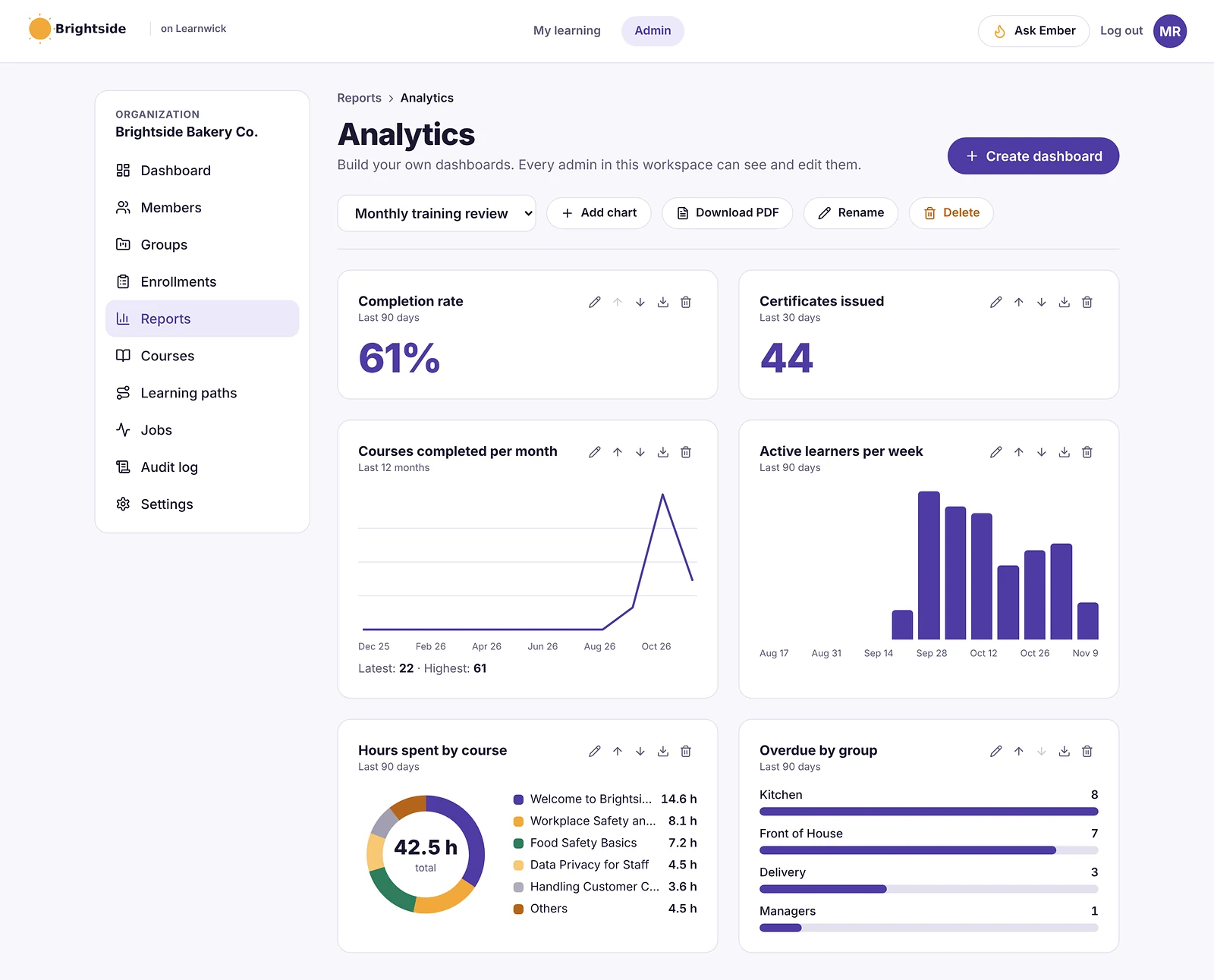
In practice, Learnwick is built around the admin’s week: courses in, people in, due dates set, reminders sent automatically, and a clear list of who is overdue when a manager or auditor asks.
What is Moodle?
Moodle is a free, open-source LMS first released in 2002. Its community has built thousands of plugins, so it can be shaped into almost any kind of learning site: quizzes, assignments, forums, SCORM, badges, certificates, gradebooks and more. You can run it in three ways:
- Self-host: download Moodle and run it on your own server. No licence fee, but you handle hosting, upgrades, backups and security.
- MoodleCloud: hosted plans from Moodle itself, roughly $160–$2,120 a year for 50 to 750 users, with a 750-user cap and no custom plugins.
- Moodle Workplace: a business edition with multi-tenancy and automation, sold through certified partners, typically $6,000–$150,000 a year.
Moodle is rated 4.3 on Capterra from about 3,400 reviews. Reviewers love its flexibility and price, and often mention that it takes time to set up and can feel dated without a good theme.
Learnwick LMS vs Moodle: Ease of use and setup
In a nutshell: Learnwick is much easier to set up and run. Moodle can be made easy for learners, but it takes skill and time to get there.
Moodle is powerful, but it has a learning curve
Moodle has a setting for nearly everything, which is its strength and its challenge. On G2, Moodle scores 7.7 out of 10 for ease of use, below most tools in this price range, and many Moodle sites rely on a partner or an in-house admin to configure themes, plugins and roles.
Learnwick is ready in an afternoon
With Learnwick there is nothing to install. Sign up, add your logo, add a course, invite people and assign training. The dashboard and a setup checklist guide you, and updates arrive without you doing anything.
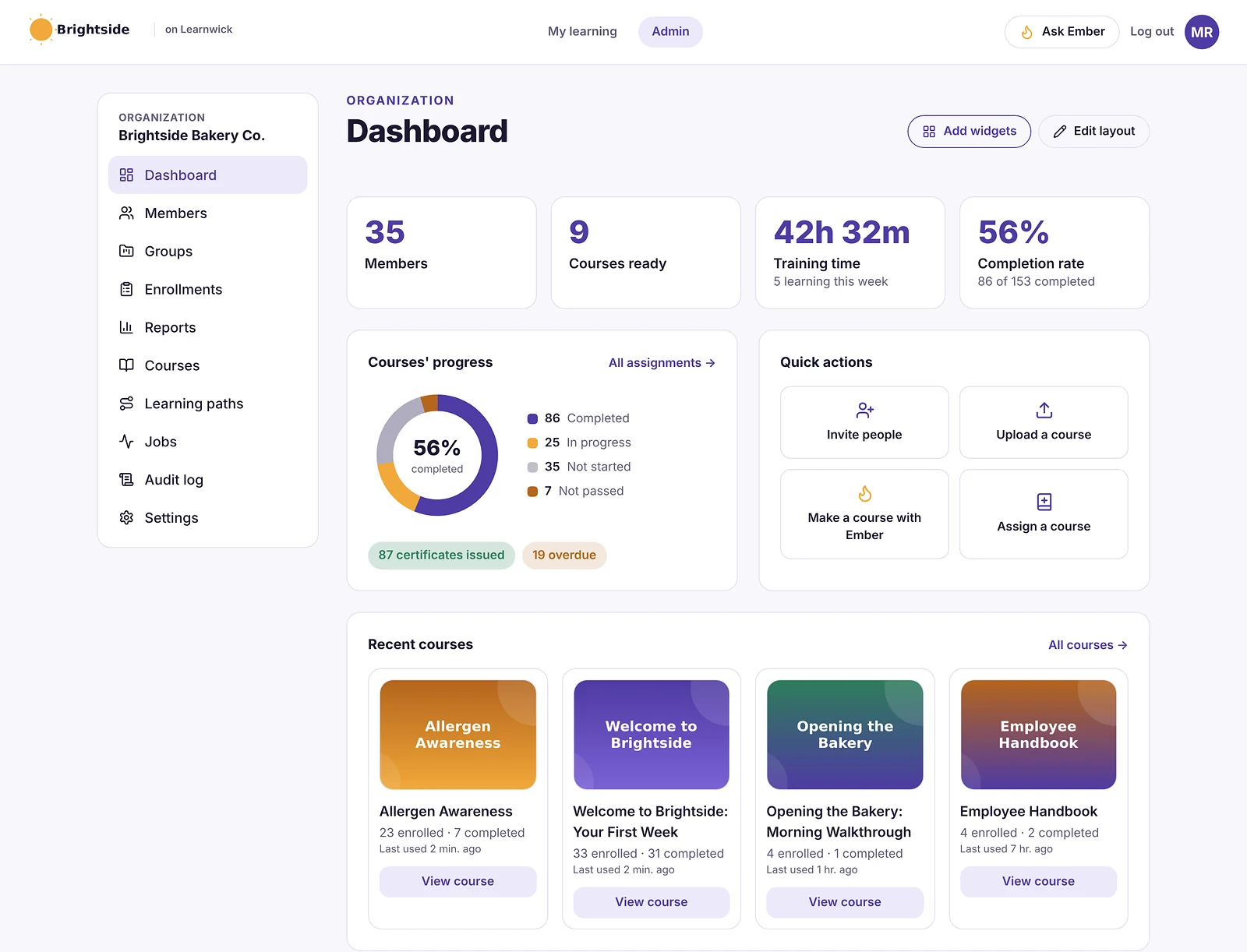
Winner: Learnwick LMS
If nobody on your team wants to be a Moodle administrator, Learnwick saves a lot of time.
Learnwick LMS vs Moodle: Course creation and content
In a nutshell: Moodle can host almost any learning activity. Learnwick focuses on SCORM, video, PDF and quizzes, plus an AI assistant that drafts courses from documents.
Moodle has an activity for everything
Moodle supports SCORM, quizzes with large question banks, assignments, forums, workshops, H5P interactive content and much more, and plugins add even more.
Learnwick keeps content simple and quick
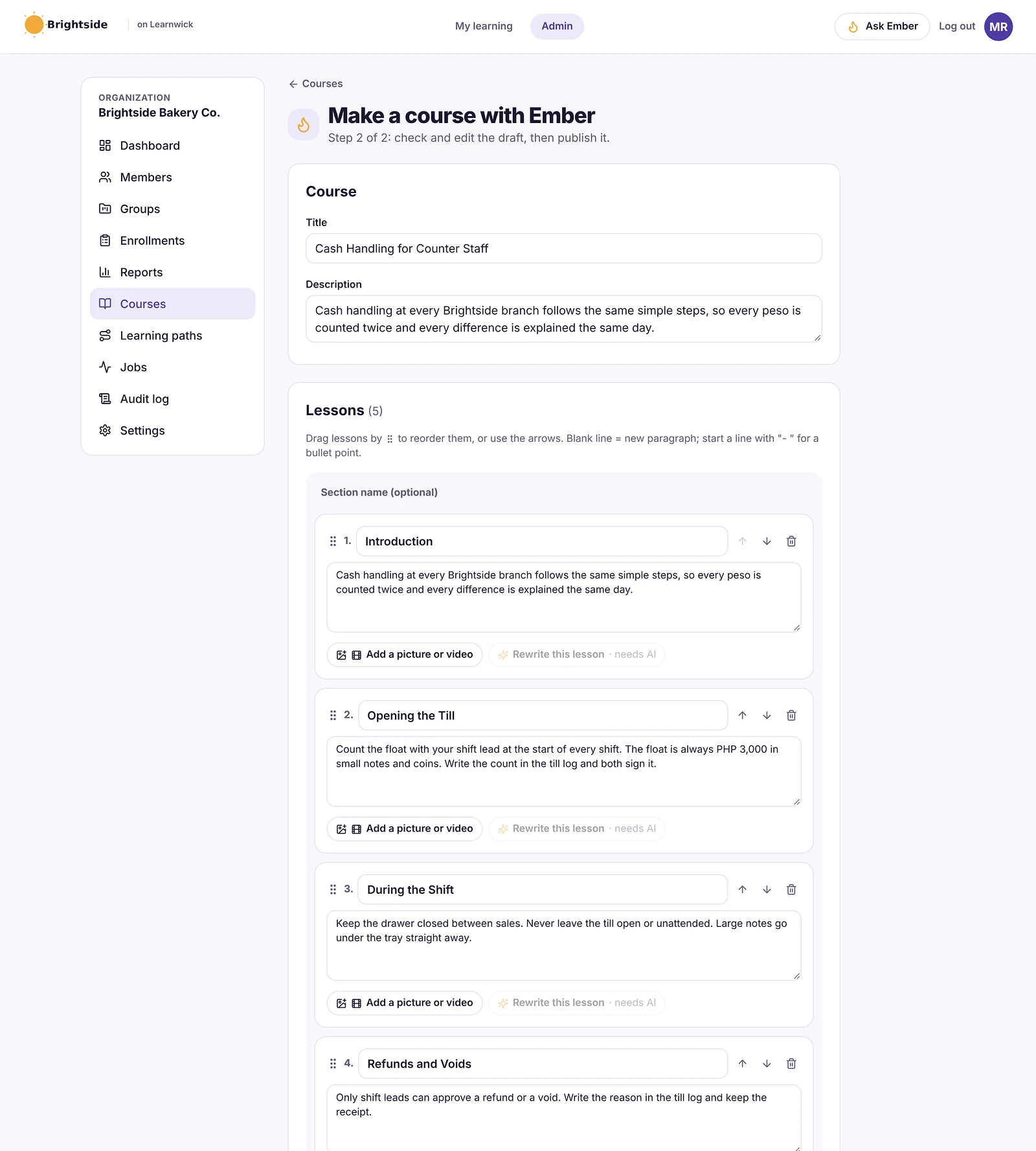
Learnwick runs SCORM, video and PDF courses with quizzes, and Ember drafts lessons and quiz questions from a policy or procedure. It has fewer activity types than Moodle.
Winner: Moodle
For range of content and activities, Moodle is far ahead. Learnwick is quicker for the common formats.
Learnwick LMS vs Moodle: Assigning training, reminders and compliance
In a nutshell: Moodle can do compliance with the right setup and plugins (or Workplace). Learnwick does it out of the box.
Moodle needs configuring for workplace compliance
Core Moodle is course-based, with activity completion and dates. Recurring training, dynamic rules and certifications usually mean plugins or Moodle Workplace.
Learnwick is built around due dates
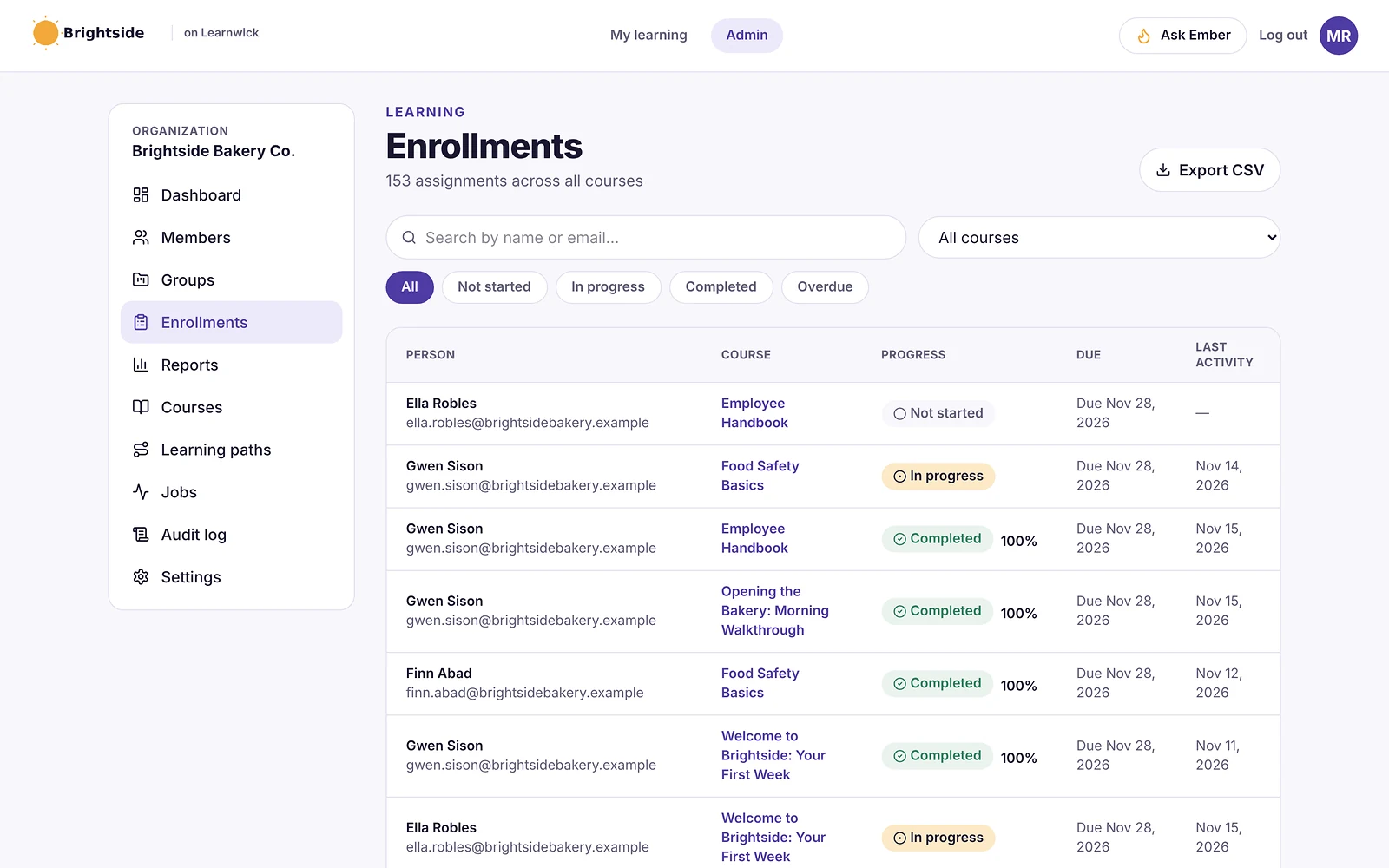
In Learnwick you assign a course with a due date and reminders go out automatically, managers get overdue summaries, certificates renew yearly, and learning paths and gaps by role are included on every plan.
Winner: Learnwick LMS
For workplace training with deadlines and renewals, Learnwick works out of the box, while Moodle needs configuration or Workplace.
Learnwick LMS vs Moodle: Reports and certificates
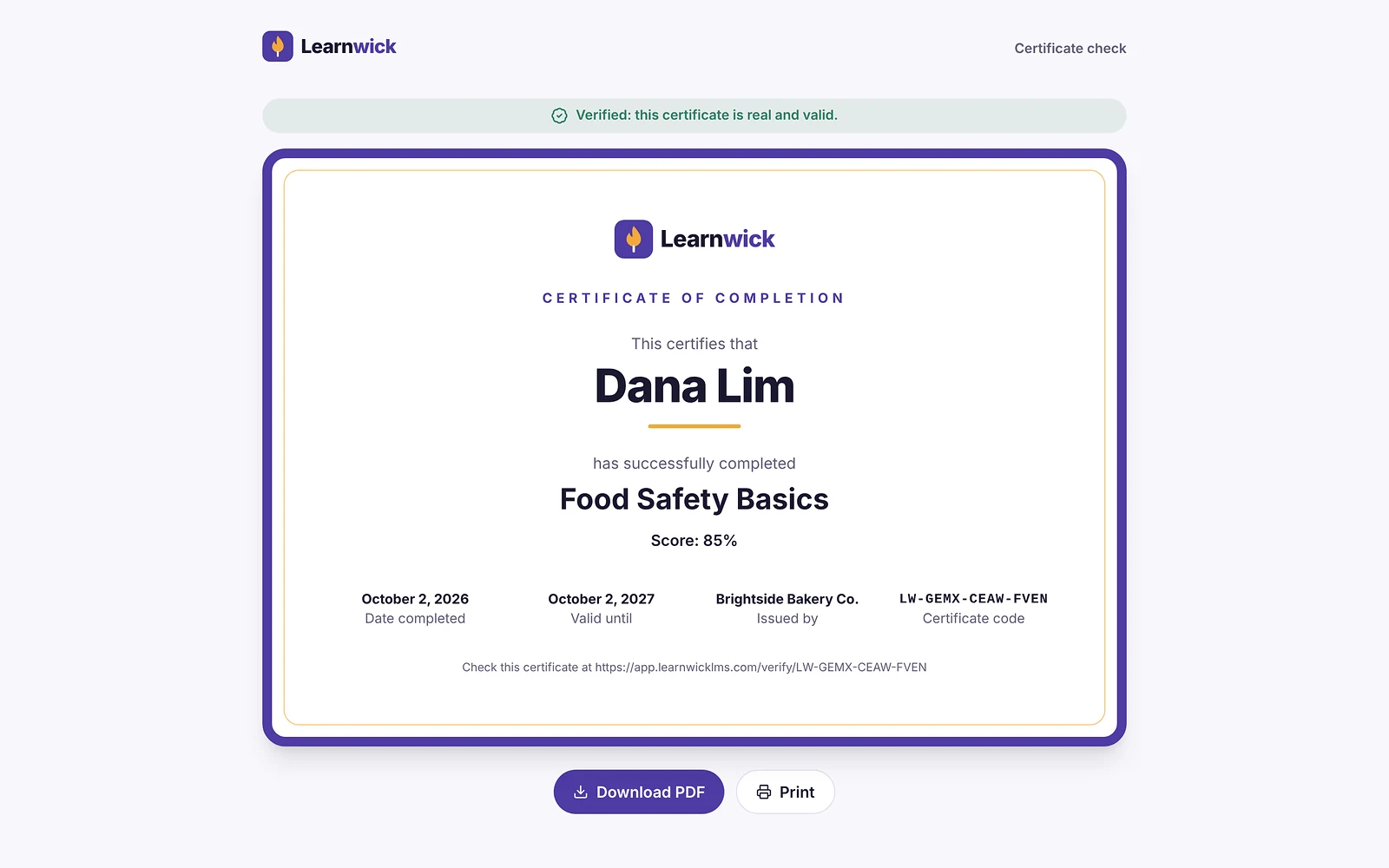
In a nutshell: Moodle reporting is flexible but often needs plugins for business-style reports. Learnwick includes a training matrix, audit pack and certificate verification.
Moodle has deep data, if you set it up
Moodle logs everything, has a gradebook and built-in reports, and plugins add custom report builders and certificates.
Learnwick’s reports answer “who is trained?”
Learnwick has completion, overdue, quiz and time reports, a training matrix, gaps by role and an audit pack, and every certificate has a public verification code.
Winner: Learnwick LMS
For a small business that needs compliance answers quickly, Learnwick’s reports are ready without plugins.
Learnwick LMS vs Moodle: Integrations and mobile
In a nutshell: Moodle wins: thousands of plugins, LTI and APIs, plus an official app with offline access.
Moodle connects to almost anything
With plugins, LTI and web services, Moodle can connect to HR systems, video tools, payment gateways and more. The official Moodle app works offline.
Learnwick has a small, simple set
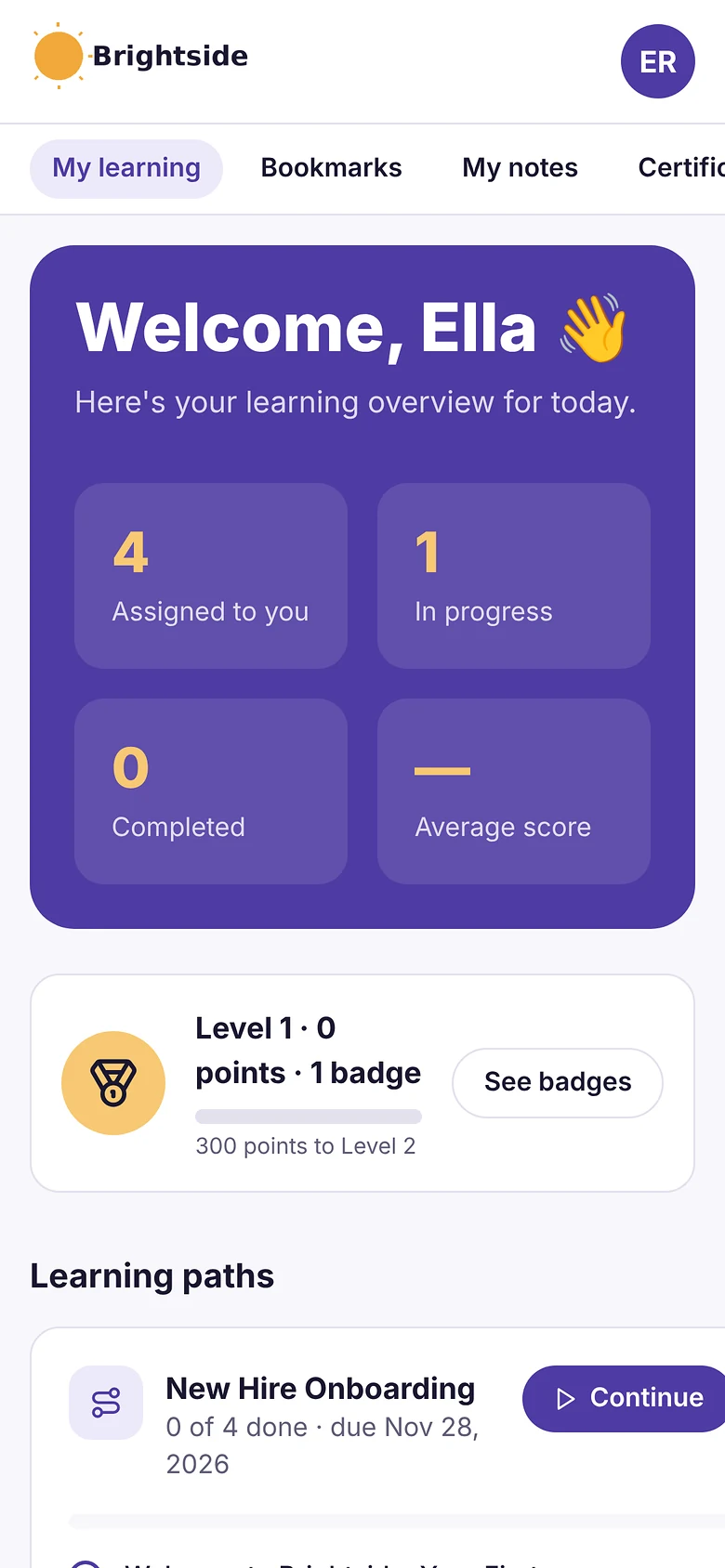
Learnwick works in any browser, with invites, CSV, join links, Google or Microsoft sign-in and Typeform. There is no HR-system sync or native app yet.
Winner: Moodle
Nothing in this price range matches Moodle’s plugin library and offline app.
Learnwick LMS vs Moodle: Pricing
In a nutshell: Moodle’s software is free, but someone pays for hosting and admin time. Learnwick is free up to 30 learners with no hosting at all.
“Free” Moodle still has costs
Self-hosting means a server, upgrades, backups, security and someone to look after it. MoodleCloud removes the hosting but costs roughly $160–$2,120 a year for 50–750 users and doesn’t allow custom plugins.
Learnwick has one simple price
Learnwick is free up to 30 learners, then $79/month billed yearly ($99 monthly) for up to 100 learners. Hosting, updates and support are included.
| Team size | Learnwick LMS | Moodle |
|---|---|---|
| 30 learners | Free | $0 licence + hosting, or MoodleCloud from ≈$160/yr |
| 100 learners | $948/yr (Starter) | $0 licence + hosting, or a MoodleCloud plan |
| 300 learners | $2,868/yr (Growth) | $0 licence + hosting, MoodleCloud, or Workplace (partner quote) |
MoodleCloud tiers run from roughly $160 to $2,120 a year for 50 to 750 users (checked November 2026); self-hosted costs depend on your server and how much admin time you count.
Winner: It’s a tie
If you already have technical help, self-hosted Moodle can cost almost nothing. If you’d have to pay someone, Learnwick is usually cheaper overall.
Learnwick LMS vs Moodle: pros and cons
Learnwick LMS pros
- Free plan for up to 30 learners, with every feature and no time limit.
- Published, flat prices: $0.79 per learner per month on Starter (100 learners) and as little as $0.40 on Business (1,000 learners), billed yearly.
- Every feature on every plan: due dates, reminders, certificates, the AI course builder and all reports.
- Ember drafts a course and quiz from a document you already have, and never changes anything without an admin’s “Yes, do it”.
- Nothing to install, host or update; learners use any phone browser.
Learnwick LMS cons
- No connection to HR or payroll systems yet (people come in by invite, CSV, a join link, or Google/Microsoft sign-in).
- No xAPI, cmi5 or multi-SCO SCORM 2004 with sequencing.
- No live classes or virtual classroom, and no selling courses to the public.
- No native mobile app (the web app works on any phone) and app screens are in English only.
- A young product: few third-party reviews yet, and a small ready-made course library.
Moodle pros
- Free, open-source software with no licence fee.
- Huge range of activities and thousands of plugins.
- Full control over your data and hosting.
- Official mobile app with offline access.
- Enormous global community.
Moodle cons
- Self-hosting means servers, upgrades, backups and security are your job.
- A steeper learning curve for admins.
- MoodleCloud caps sites at 750 users and doesn’t allow custom plugins.
- Workplace-style compliance usually needs plugins or Moodle Workplace.
Final verdict: Learnwick LMS vs Moodle
| Area | Winner |
|---|---|
| Ease of use and setup | Learnwick LMS |
| Course creation and content | Moodle |
| Assigning training, reminders and compliance | Learnwick LMS |
| Reports and certificates | Learnwick LMS |
| Integrations and mobile | Moodle |
| Pricing | It’s a tie |
Moodle is the most flexible LMS you can get for free. If you have someone who enjoys running it, or you need something unusual that only a plugin offers, it is hard to beat.
But most small businesses don’t want to run software; they want training done. Learnwick gives you the everyday workplace features (courses, due dates, reminders, certificates, audit reports) with nothing to host or upgrade, free for up to 30 learners and at a flat price above that.
Choose Moodle if…
- You have technical help to host and maintain it.
- You need full control over your data and servers.
- You need a specific plugin or activity type.
- You run academic-style courses with gradebooks and forums.
- Offline mobile learning matters.
Choose Learnwick LMS if…
- Nobody on your team wants to administer an LMS.
- You want to be up and running in an afternoon.
- You need due dates, reminders, renewals and compliance reports out of the box.
- You want it free for up to 30 learners, with no hosting costs.
The simplest way to decide is to run the same small test in both: one real course, five to ten real learners and a due date one week out. Whichever one gets people finished with less chasing from you is the right LMS for your team. If neither fits, see our guide to the best Moodle alternatives.
Learnwick LMS · Free plan
Try Learnwick LMS free
Set up a workspace, add a course and invite your first 30 learners at no cost. No credit card.
Frequently asked questions
Is Moodle really free?
The software is free and open source. Running it isn’t: you pay for hosting and spend time on upgrades, backups and security, or you pay for MoodleCloud or a Moodle partner.
Is Learnwick easier than Moodle?
For most small businesses, yes. Learnwick has no installation or plugins to manage and a short setup checklist. Moodle is more flexible but takes more skill to set up well.
Can I move SCORM courses from Moodle to Learnwick?
Yes. Download the SCORM packages (or export them from your authoring tool) and upload them to Learnwick. Moodle-only activities like forums or workshops don’t transfer.
Which is better for compliance training?
Learnwick, for a small team: due dates, reminders, renewals, a training matrix and an audit pack work out of the box. Moodle can do it with plugins or Moodle Workplace.
The author

Venchito Tampon
Venchito Tampon is the founder of Learnwick, the LMS for small business — a simple, affordable way to upload or build courses, assign training, give certificates and see who has finished.
He is also the CEO and founder of eLearning Solutions Lab, a Philippines-based eLearning production company making custom and rapid eLearning for clients around the world, and Chief Learning Officer of Rainmakers Training & Consultancy, a corporate training and leadership development company.
He is a Certified Learning & Development Professional (CLDP) and a certified executive coach, and also founded ExpirePilot and Sidelight 360.