Employee Onboarding Software for Small Business
Onboarding
Employee onboarding software that gets new hires ready faster
Learnwick is employee onboarding software for small businesses that want every new hire to get the same, complete start. Put your onboarding courses in a learning path, assign it to new starters with a due date, and see who is on track.
Free for up to 30 learners · No credit card
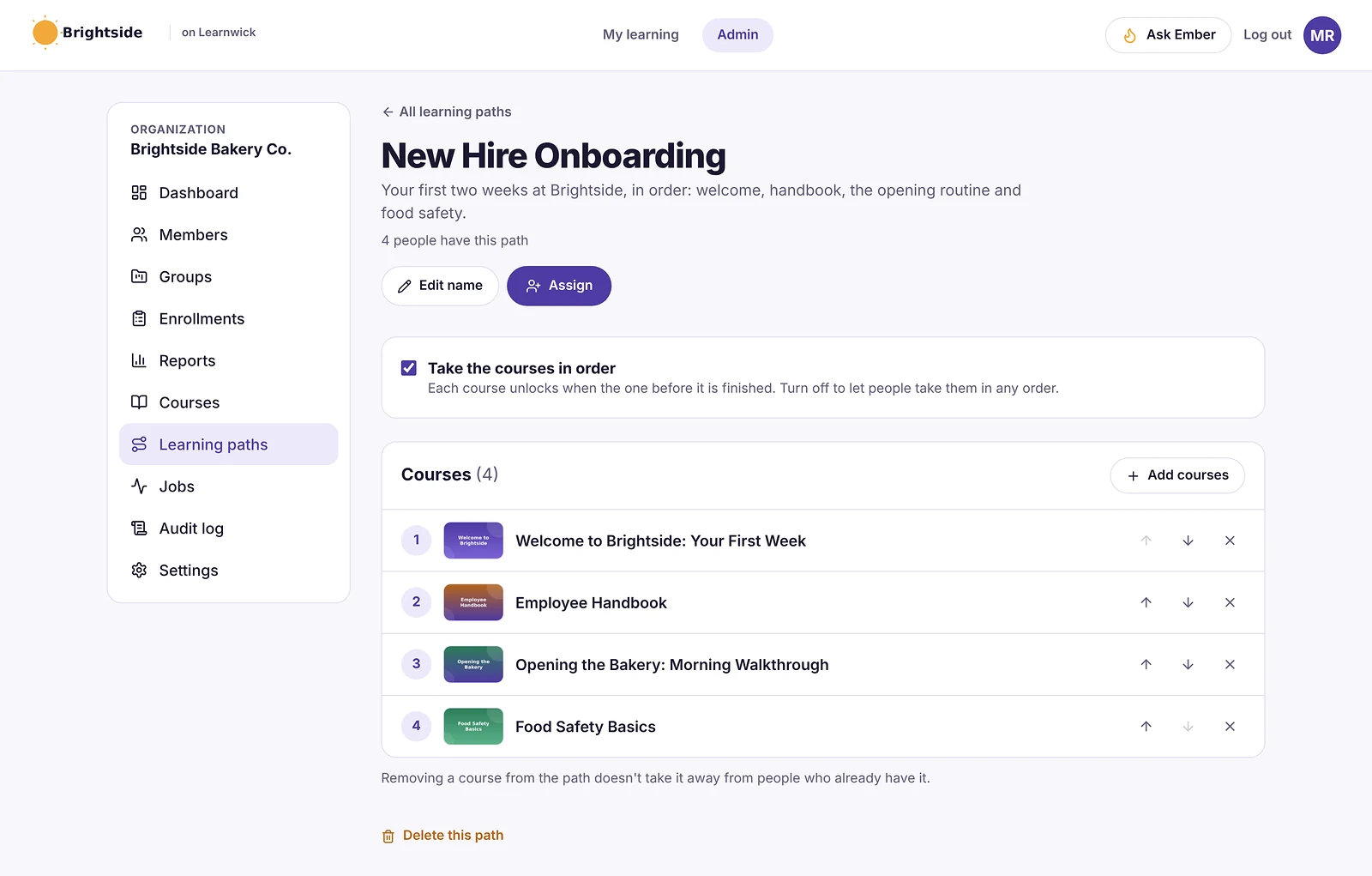
Onboarding learning paths, in the right order
A learning path is your onboarding programme as an ordered set of courses: welcome, handbook, systems, safety. Turn on “take the courses in order” and each course unlocks when the one before it is finished.
- Mix SCORM, video, PDF and Ember-built courses
- Assign a whole path at once
- One due date for the whole path
Assign once, onboard everyone the same way
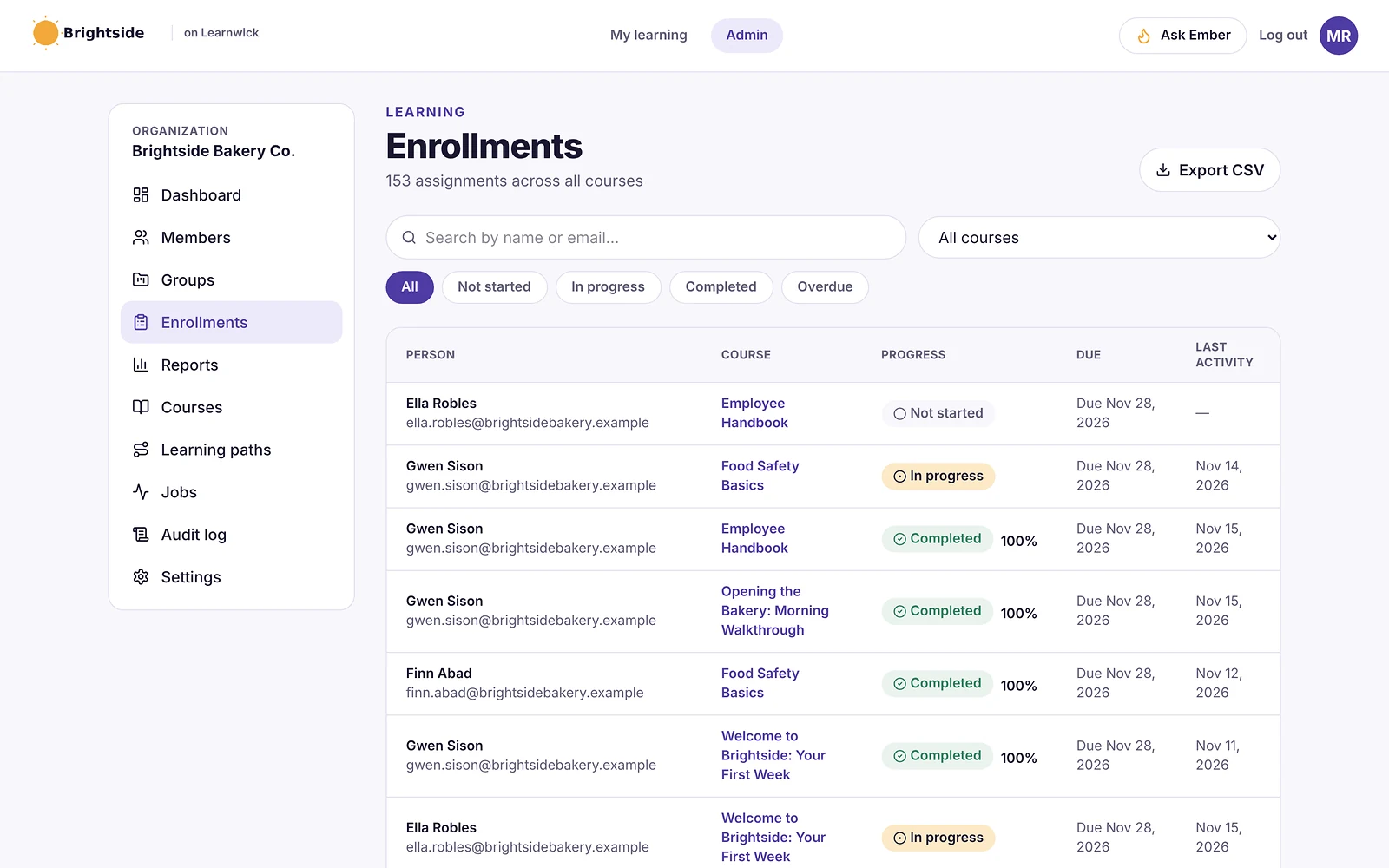
Add new starters to a group such as “New Hires” and assign courses or learning paths to the group. Set a course to be due a number of days after it’s assigned, so every new hire gets the same deadline without you working it out.
Invite people by email or upload a CSV of your team.
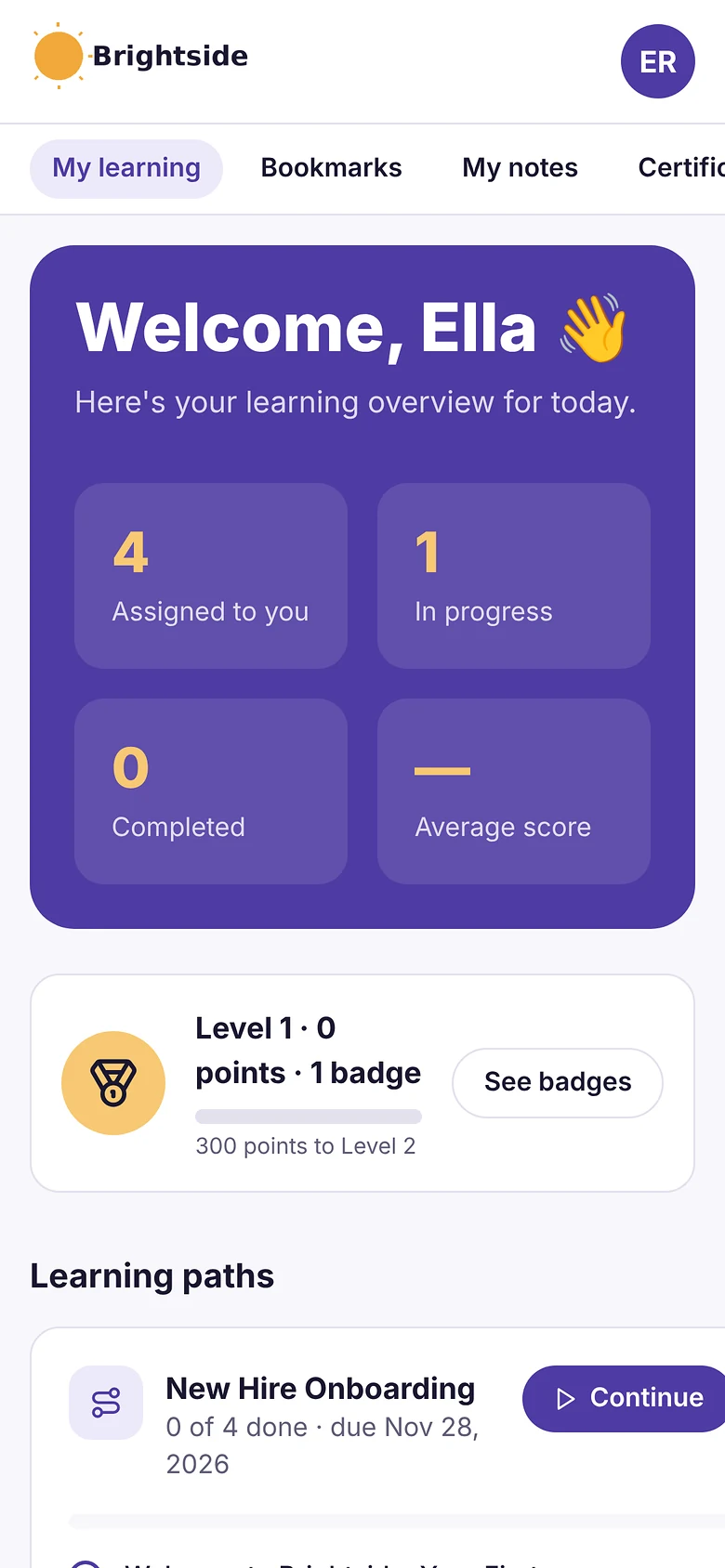
A clear first week for new hires
New hires log in to one simple page that shows what to do next, what’s due and how far they’ve come. It works on any phone, so people can learn on the shop floor, in the van or at home — no app to install.
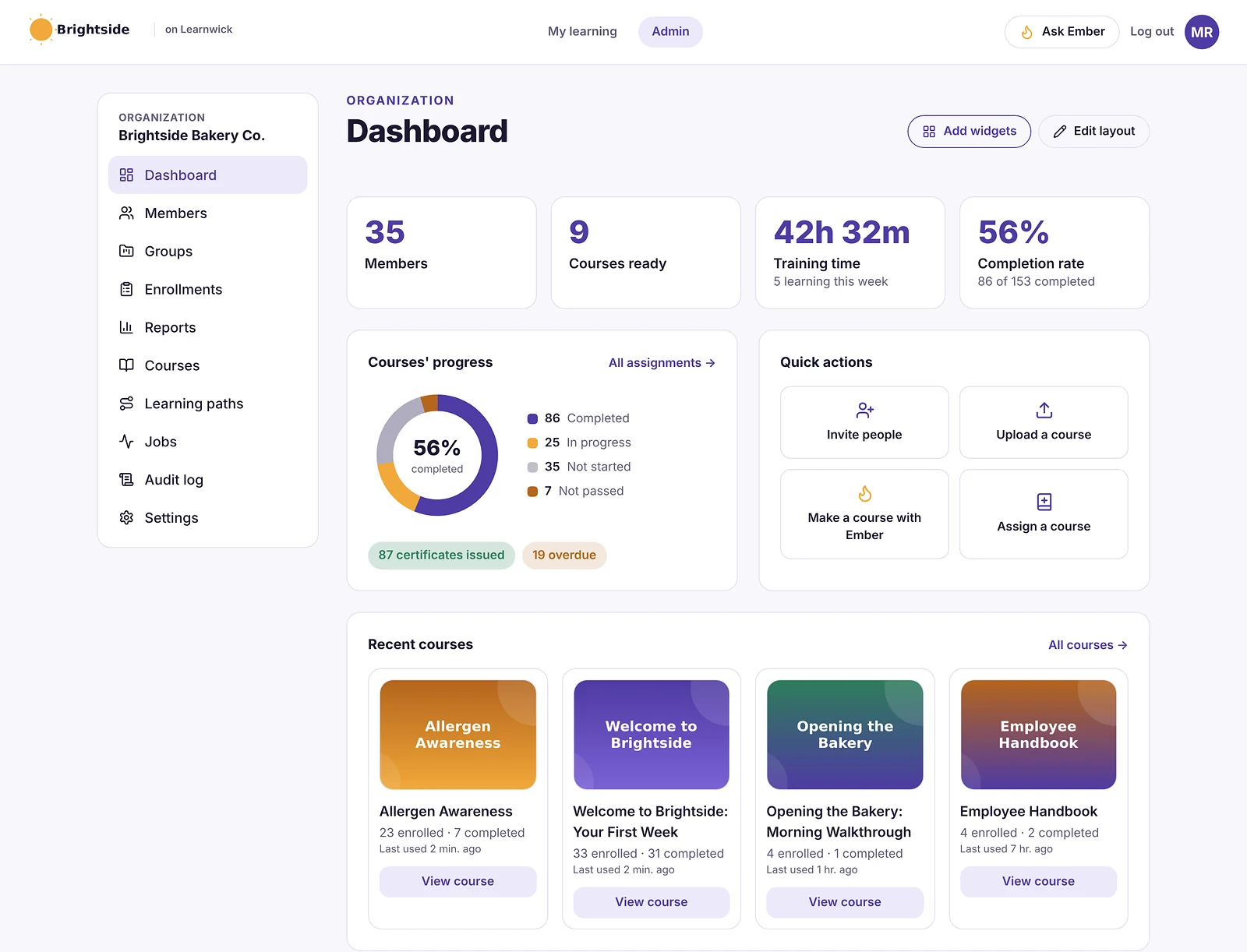
See who is on track
Group performance on the dashboard shows how each team is doing, and the overdue report lists anyone who has fallen behind, most overdue first.
How it works
- 1
Build the path
Put your onboarding courses in order.
- 2
Invite new hires
By email or CSV, into a New Hires group.
- 3
Track progress
See who is done, on track or overdue.
Questions about Employee Onboarding Software
What is employee onboarding software?
Employee onboarding software helps a business give every new hire the same training and information in their first weeks, and track that they have completed it. In Learnwick that means learning paths, automatic assignments, due dates and progress reports.
Can new hires do onboarding on their phones?
Yes. Learnwick works in the phone’s browser, so new hires don’t need to install an app.
Can I make courses unlock in order?
Yes. Learning paths can require courses to be taken in order, so each one unlocks when the previous one is finished.
How do I add new hires?
Invite them by email, or upload a CSV with their names, emails and groups. They set a password and see their onboarding straight away.
Related features
Compliance Training Software for Small Business
Due dates, overdue reports, yearly renewals and audit-ready records.
SCORM LMS for Small Business
Upload SCORM 1.2 and 2004, videos and PDFs. Scores and completion are tracked.
LMS Reporting and Training Analytics
Completion, overdue, time spent, quiz results and your own dashboards.
Give your team training they’ll actually finish
Free for up to 30 learners. No credit card, no sales call. Every feature on every plan.