Compliance Training Software for Small Business
Compliance
Compliance training software that keeps everyone up to date
Learnwick is compliance training software for small businesses: assign required courses with due dates, see who is overdue at a glance, renew training every year automatically and keep certificates and records ready for an audit.
Free for up to 30 learners · No credit card
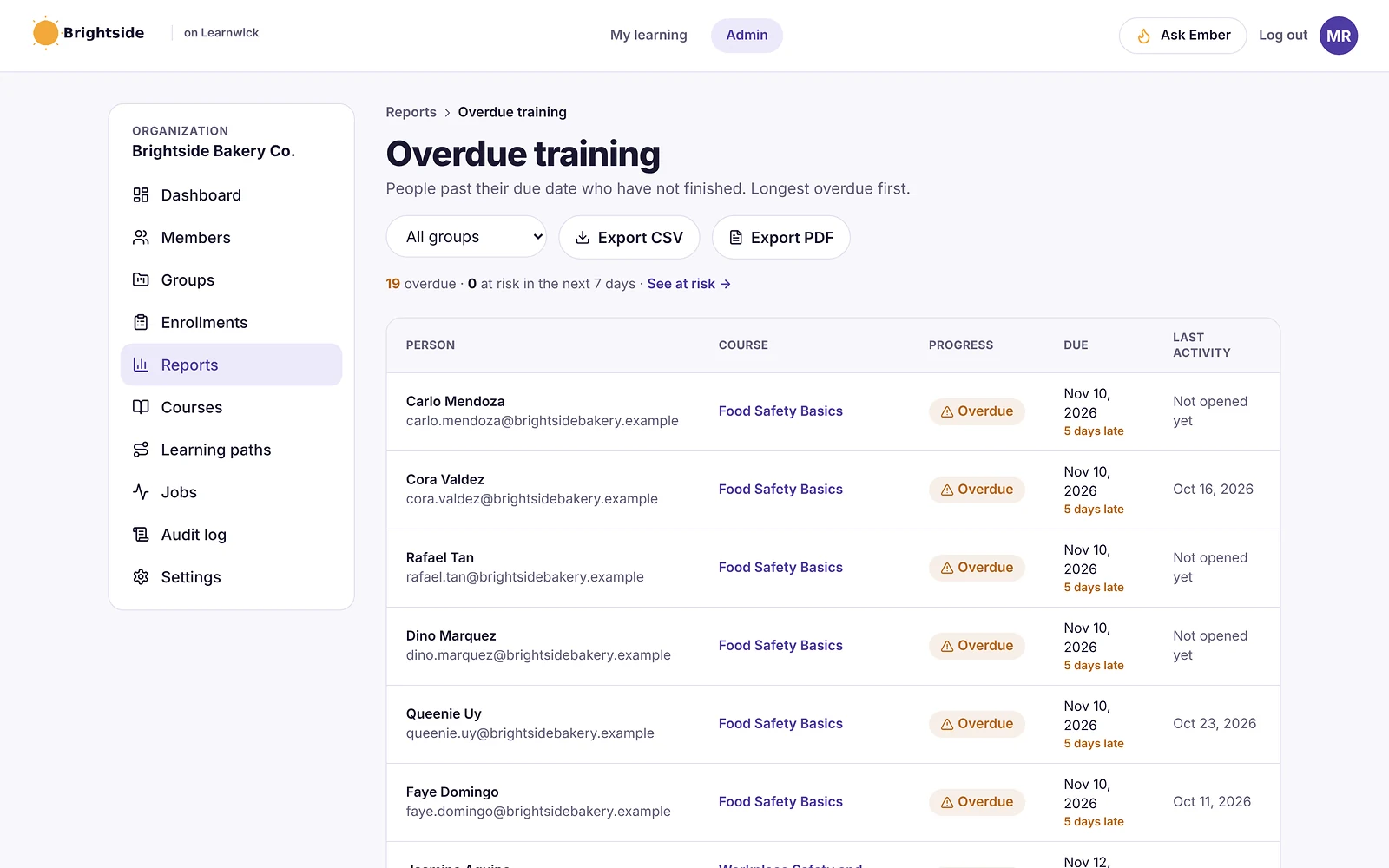
Due dates on every required course
Assign compliance courses to people or whole groups with a due date, or set a course to be due a fixed number of days after it’s assigned. Learners see what’s due on their home page, and automatic emails remind them before and after the due date.
- Due date per assignment or automatic per course
- “Due soon” and “overdue” reminder emails
- Assign to groups so new members get it too
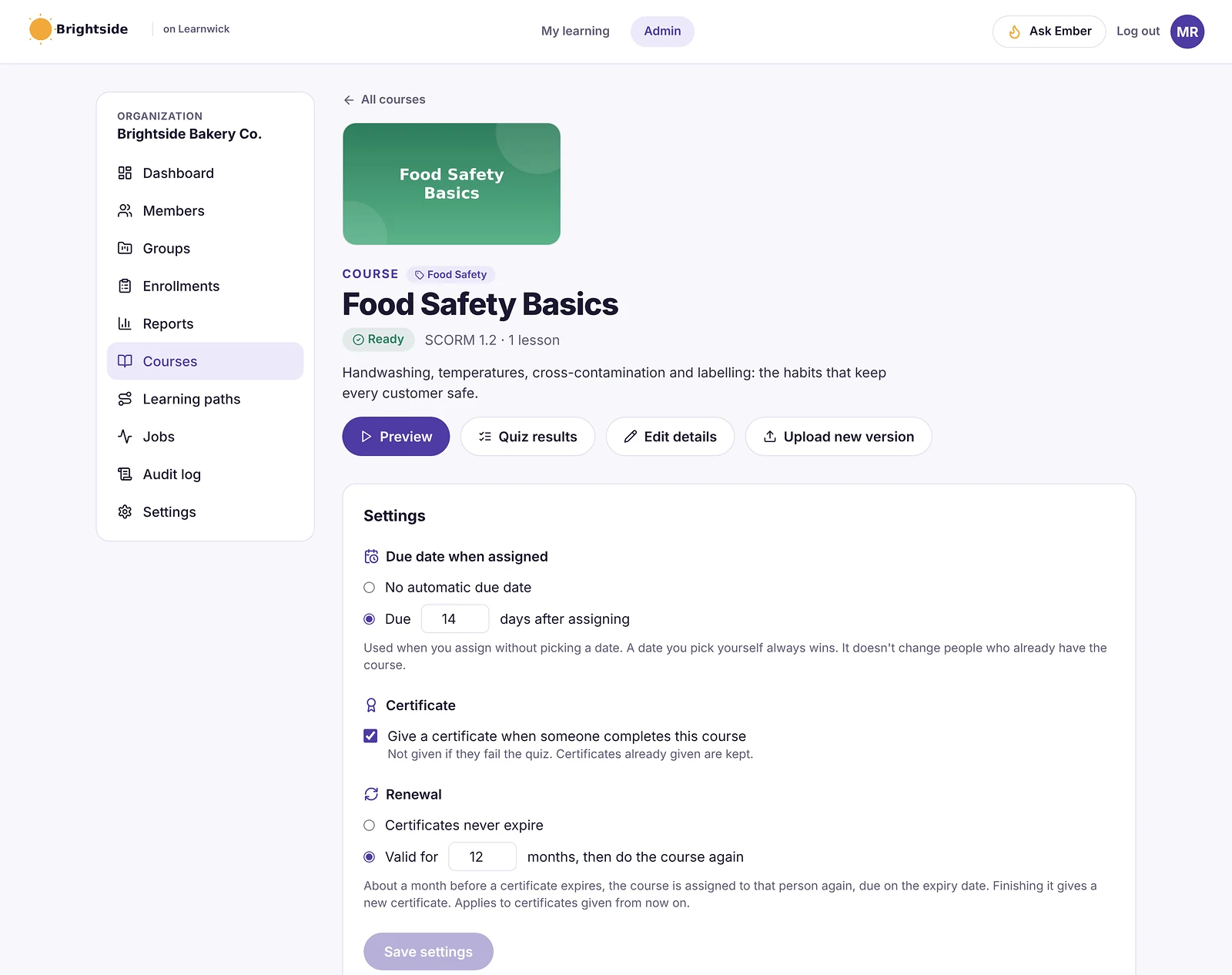
See who is overdue, most urgent first
The overdue training report lists everyone past their due date, how many days late they are and when they last opened the course. Filter by group, then export it to CSV or PDF for a manager or an auditor.
Recertification that runs itself
Food safety, fire safety and data privacy training often has to be renewed. Give a course a validity period — for example 12 months — and about a month before a certificate expires Learnwick assigns the course again, due on the expiry date. Finishing it issues a new certificate.
Records ready for an audit
Every completion, score and certificate is stored with the date, and an audit log records what admins changed and when. Certificates carry a code anyone can check online.
- Completion and score history per person
- Certificates with online verification
- Audit log of admin actions
- CSV and PDF exports
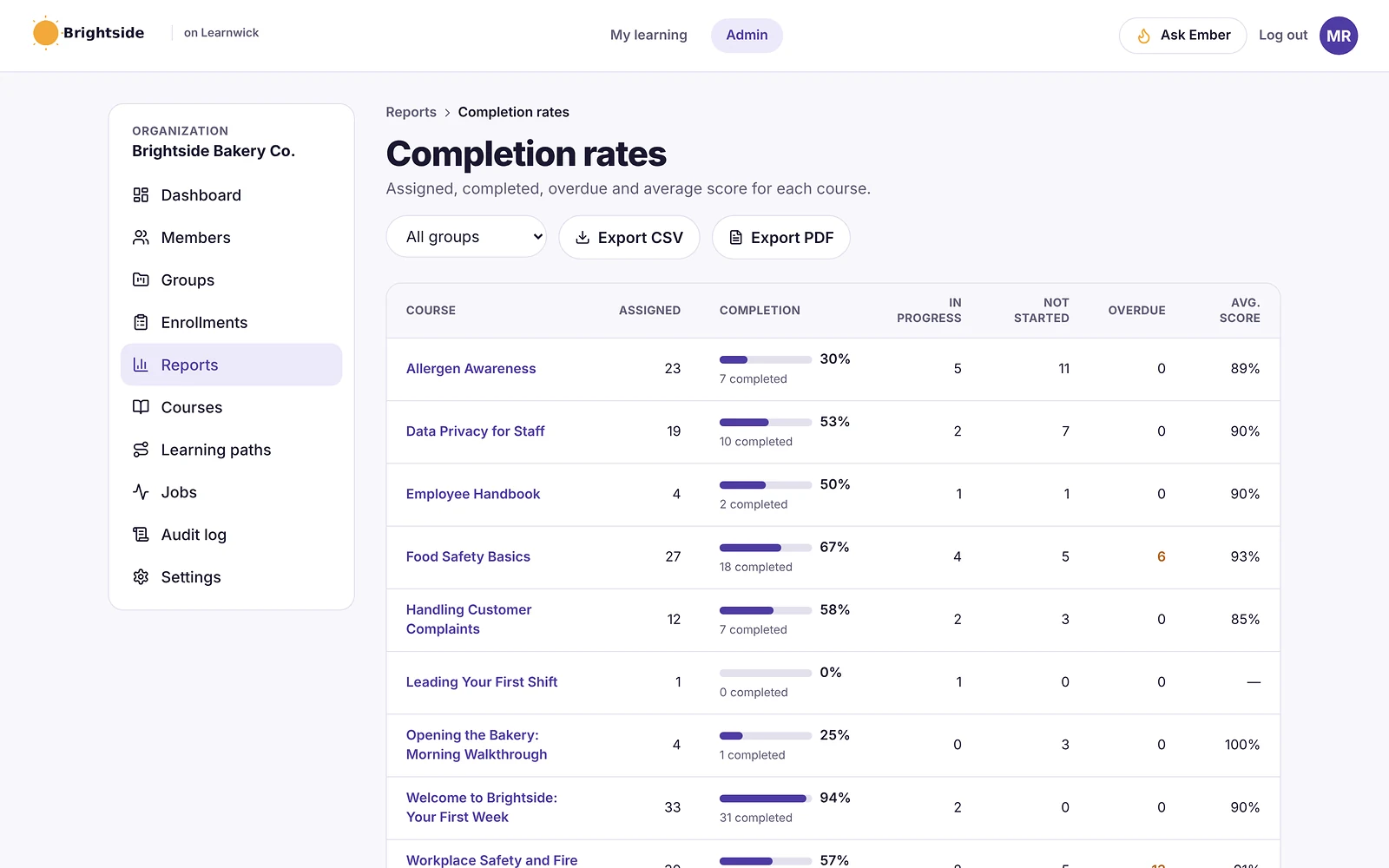
How it works
- 1
Set the rules
Due dates, certificates and renewal per course.
- 2
Assign to teams
Whole groups at once, new members included.
- 3
Prove it
Overdue lists, certificates and exports.
Questions about Compliance Training Software
What is compliance training software?
Compliance training software assigns the training a business is required to give — such as food safety, workplace safety or data privacy — tracks who has completed it on time, and keeps records that prove it.
Can Learnwick remind people about due training?
Yes. Learnwick sends emails when a course is assigned, when it’s due soon, when it’s overdue and when a certificate needs renewing. Each kind of email can be switched off.
Does Learnwick handle yearly recertification?
Yes. Set how many months a course’s certificate is valid. Before it expires, the course is assigned again automatically and a new certificate is issued when it’s finished.
Can I export compliance reports?
Yes. Completion, overdue, time spent, activity and quiz reports export to CSV and PDF.
Related features
Training Certificate Software with Online Verification
Automatic PDF certificates with a code anyone can verify online.
LMS Reporting and Training Analytics
Completion, overdue, time spent, quiz results and your own dashboards.
Employee Onboarding Software for Small Business
Learning paths, automatic assignments and due dates for every new hire.
Give your team training they’ll actually finish
Free for up to 30 learners. No credit card, no sales call. Every feature on every plan.