Learnwick LMS vs 360Learning: Pricing, AI & Collaborative Learning (2026)
Choose 360Learning if subject-matter experts across your company will write and improve courses together, and you want discussions inside courses. Choose Learnwick LMS if one or two people run training, you want a free plan (30 learners) and lower prices, and you need due dates, reminders and certificates.
Key takeaways
- 360Learning’s Team plan is $8 per user per month (up to 100 users); Learnwick is free up to 30 learners and $948 a year for 100.
- 360Learning wins on collaborative authoring, peer feedback and its integrations on higher plans.
- Learnwick wins on price, simple admin and compliance basics (reminders, renewals, audit reports).
- Both have AI that helps draft courses.
In this guide
- Comparison summary: Learnwick LMS vs 360Learning
- What is Learnwick LMS?
- What is 360Learning?
- Learnwick LMS vs 360Learning: Ease of use and setup
- Learnwick LMS vs 360Learning: Course creation and content
- Learnwick LMS vs 360Learning: Assigning training, reminders and compliance
- Learnwick LMS vs 360Learning: Reports and certificates
- Learnwick LMS vs 360Learning: Integrations and mobile
- Learnwick LMS vs 360Learning: Pricing
- Learnwick LMS vs 360Learning: pros and cons
- Final verdict: Learnwick LMS vs 360Learning
- Frequently asked questions
Comparison summary: Learnwick LMS vs 360Learning
360Learning has a clear idea: the people who know the work best should write the training. It gives every expert in your company the tools to build a course, and lets learners comment, ask questions and suggest updates. Learnwick LMS has a different idea: most small businesses have one person running training, so make that person’s week as short as possible.
Here is the side-by-side view:
| Learnwick LMS | 360Learning | |
|---|---|---|
| Best for | Small and mid-size teams without a training department | Companies where many experts write and update courses together |
| Free plan | Yes: 30 learners, every feature, no time limit | No (30-day free trial) |
| Paid plans from | $79/month billed yearly ($99 monthly) for up to 100 learners | Team $8 per user per month, up to 100 users |
| Cost for about 100 learners | $948 a year (Starter) | $9,600 a year (Team plan) |
| Pricing model | Flat price per plan size; every feature on every plan | Per user; Business and Enterprise quoted |
| Course formats | SCORM 1.2, single-SCO SCORM 2004, video and PDF (no xAPI or cmi5) | Built-in authoring, SCORM, video, documents, live sessions |
| AI course creation | Ember drafts lessons and quizzes from a PDF, Word file or pasted text; translates courses | AI drafts courses and questions from documents and prompts |
| Due dates and reminders | Due dates, automatic overdue reminders, manager emails and renewals on every plan | Paths, deadlines and automatic reminders |
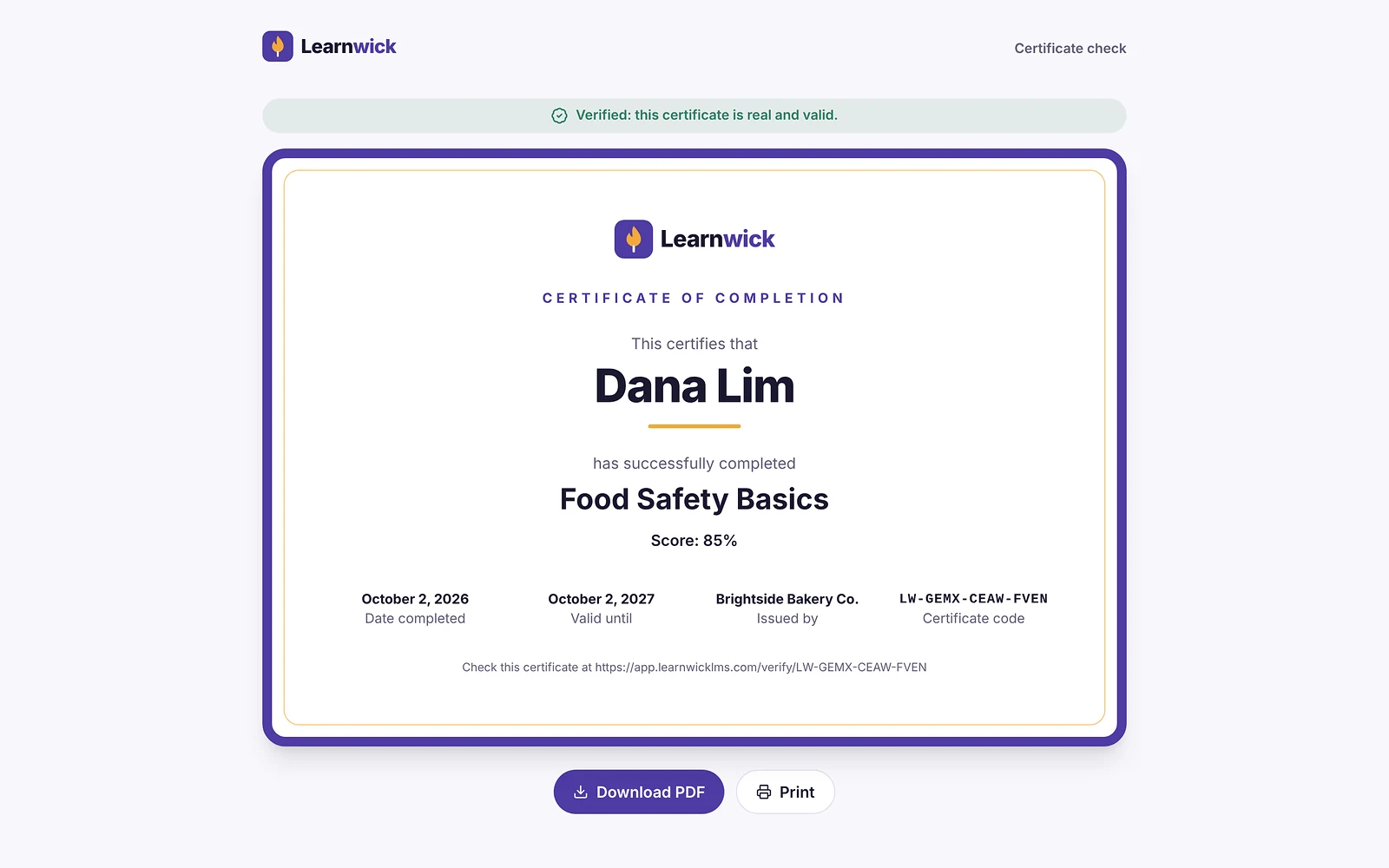
| Certificates | PDF certificates with expiry dates and a public verification page | Certificates and compliance tracking |
| Reports | Completion, overdue, quiz, time spent, training matrix, gaps by role and audit pack; CSV and PDF | Learner, course and group analytics; reaction data |
| Integrations | Google and Microsoft sign-in, CSV import, join link, Typeform; no HR-system sync yet | HRIS, SSO and other integrations, mostly on higher plans |
| Mobile | Works in any phone browser; no native app | Native mobile app |
| Review ratings | New product: no third-party reviews yet | G2 4.6 (≈600 reviews) |
Disclosure: Learnwick LMS publishes this guide and is one of the products in it. We put it first simply because it’s the option we know best for small and mid-size teams, and we list its limits as plainly as everyone else’s. Prices and G2 ratings for other tools were checked in November 2026 from vendor pages, G2 and public price trackers; check the vendor’s own page before you buy.
What is Learnwick LMS?
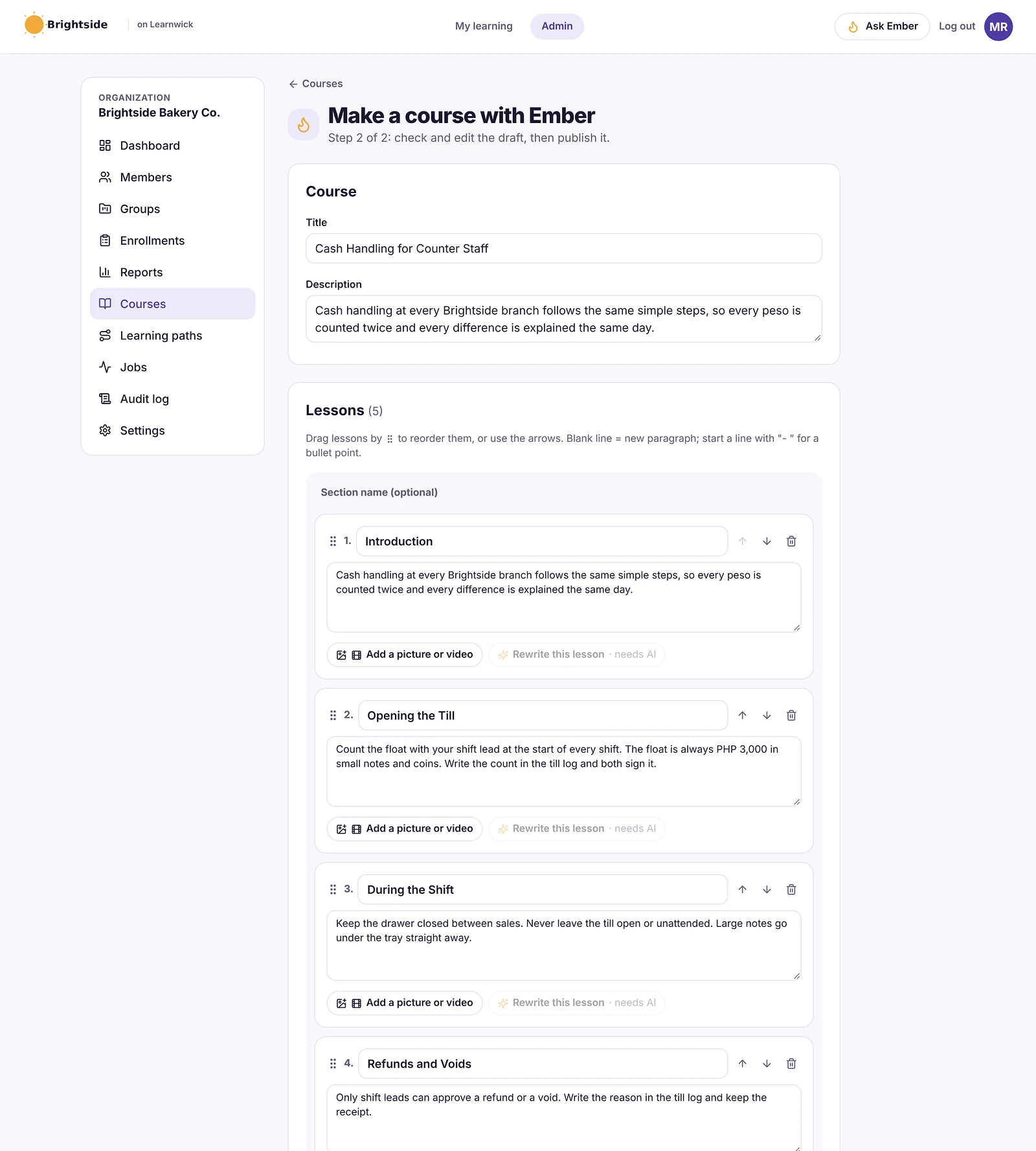
Learnwick LMS is a cloud learning management system for small and growing businesses that don’t have a training department. One person can set it up in an afternoon: create a workspace, add your logo, upload a SCORM course or let Ember, the built-in AI assistant, draft one from a policy document, then invite people and assign training with a due date. Learners open it on any phone or computer without installing an app.
It launched in 2026 and is made by Rainmakers Training Services in the Philippines, with data hosted on AWS in Sydney. The free plan covers up to 30 learners with every feature and no time limit, and paid plans only change how many learners you can have, not which features you get.
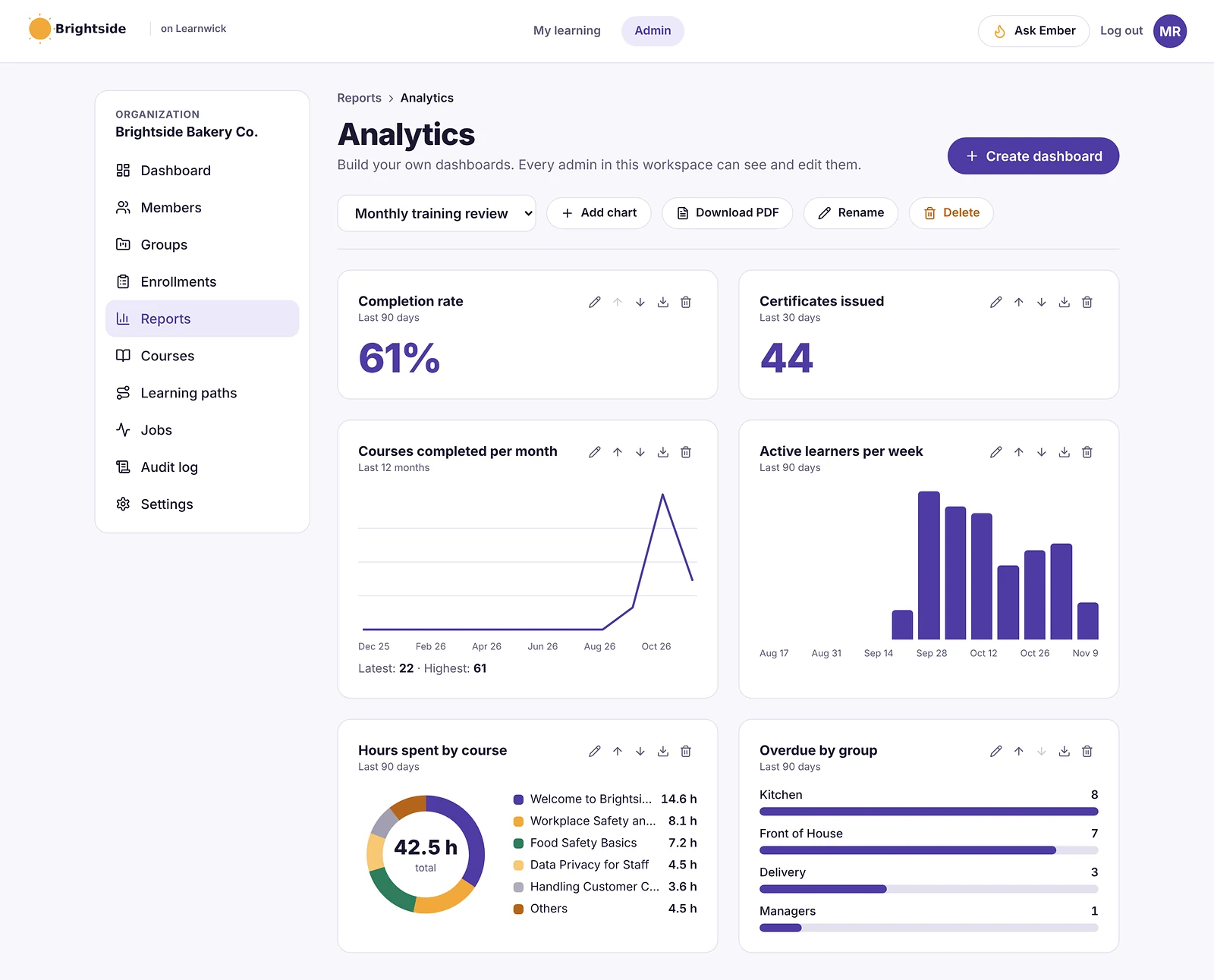
In practice, Learnwick is built around the admin’s week: courses in, people in, due dates set, reminders sent automatically, and a clear list of who is overdue when a manager or auditor asks.
What is 360Learning?
360Learning is a French learning platform built around “collaborative learning”. Instead of a central L&D team writing every course, experts across the company build courses with simple authoring tools (helped by AI), and learners react, comment and ask questions inside each course. Experts are notified when a course needs an update, so content stays current.
It includes paths, deadlines and reminders, certificates, live sessions, and analytics on how people react to each course. It has a mobile app, and integrations with HR systems and SSO are available, mostly on higher plans.
360Learning publishes one price: the Team plan at $8 per user per month for up to 100 users, with a 30-day trial and no card needed. Business and Enterprise plans are quoted. It holds a 4.6 rating from about 600 reviews on G2.
Learnwick LMS vs 360Learning: Ease of use and setup
In a nutshell: Both are friendly. 360Learning is easy for experts who author; Learnwick is easy for a single admin who assigns and tracks.
360Learning makes authoring approachable for anyone
Its course editor is simple enough for non-designers, and reviewers rate it well for ease of use. Getting the most from it means bringing experts on board, which takes some change management.
Learnwick is built for a one-person admin team
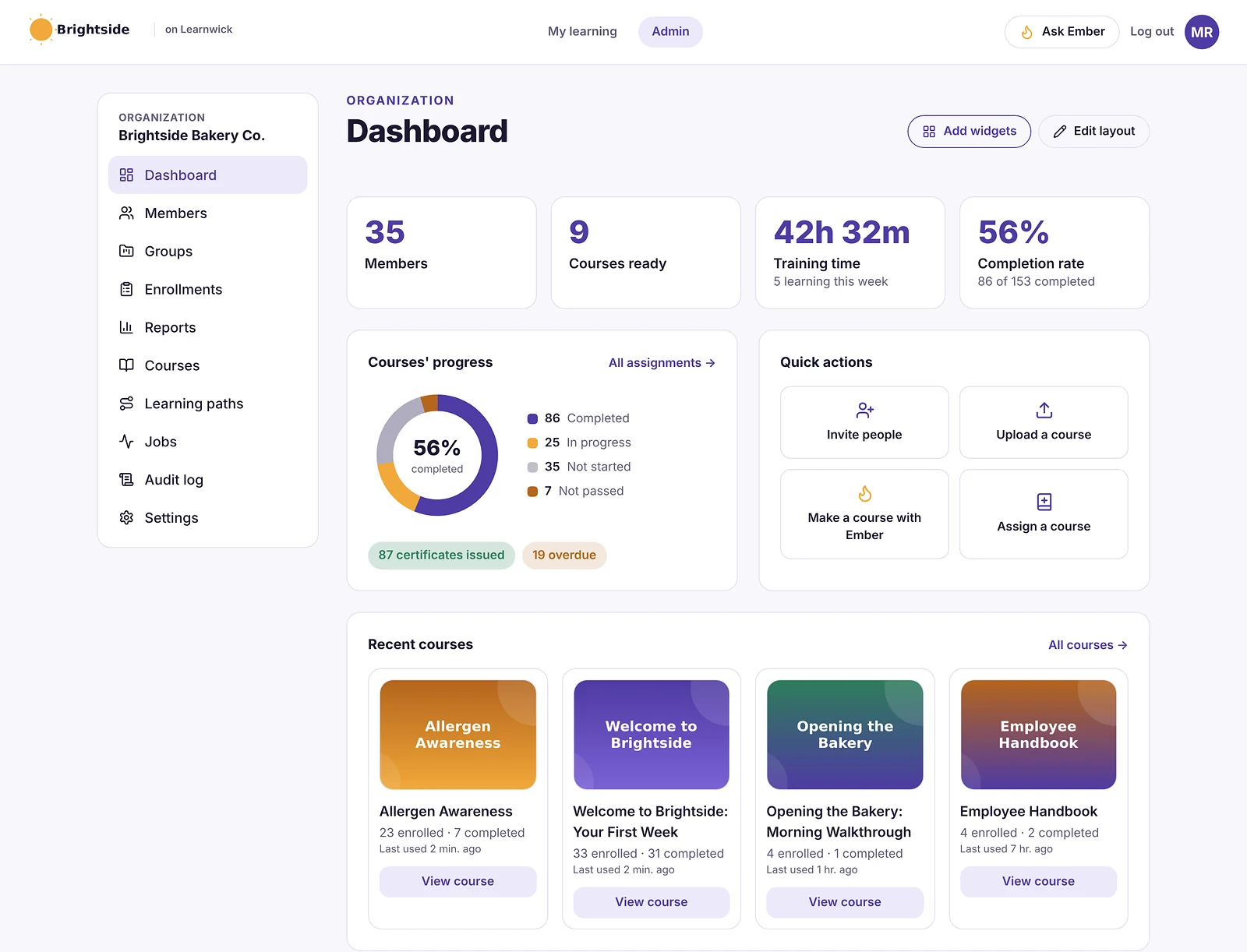
Learnwick’s dashboard shows what needs doing (courses, people, overdue training) and a checklist walks a new admin through setup. Ember can propose a whole workspace setup for you to confirm.
Winner: It’s a tie
Both are easy for their intended user: 360Learning for expert authors, Learnwick for a busy admin.
Learnwick LMS vs 360Learning: Course creation and content
In a nutshell: 360Learning is the stronger authoring tool, especially for many authors. Learnwick is quicker when you have SCORM files or documents to turn into a course.
360Learning turns experts into course authors
360Learning’s editor, AI drafting, peer reviews and learner comments keep courses improving over time. It also supports SCORM and live sessions.
Learnwick starts from what you already have
Learnwick runs SCORM, video and PDF courses with quizzes, and Ember drafts lessons and questions from a document. There is no collaborative authoring or comment threads inside courses.
Winner: 360Learning
If many people will write and update courses together, 360Learning is the better tool. Learnwick is fine for one or two authors.
Learnwick LMS vs 360Learning: Assigning training, reminders and compliance
In a nutshell: Both do deadlines and reminders. Learnwick adds manager overdue emails, yearly renewals and gaps by role on every plan, including free.
360Learning handles paths and deadlines well
360Learning lets you build paths with deadlines and automatic reminders, and supports compliance programs on its higher plans.
Learnwick chases overdue training automatically
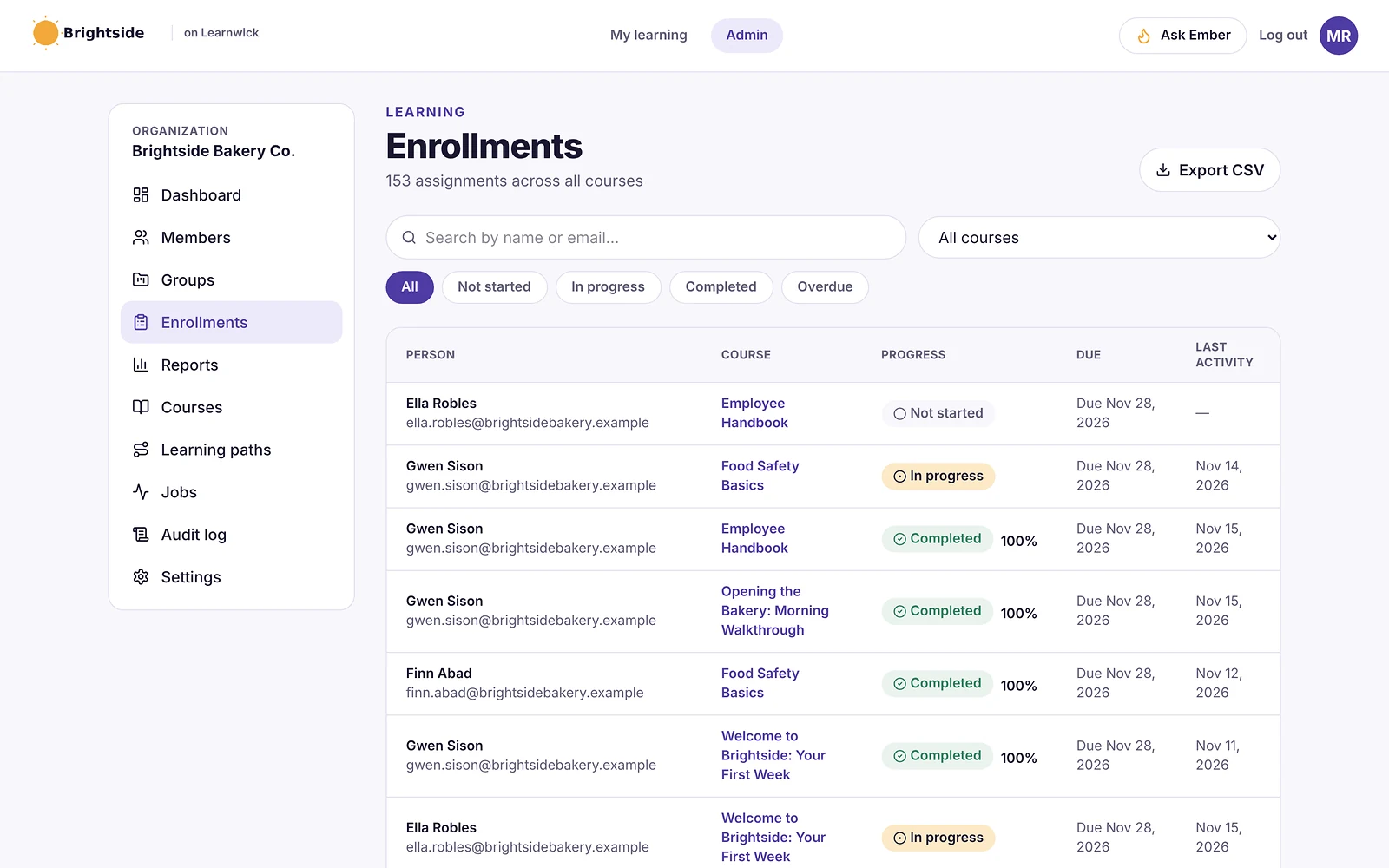
Learnwick assigns courses to people or groups with due dates, sends reminders before and after, emails managers about their team, renews certificates yearly, and shows gaps by role. Learning paths and next-course automation are included.
Winner: Learnwick LMS
For deadline-driven and compliance training on a small budget, Learnwick gives you more follow-up with less setup.
Learnwick LMS vs 360Learning: Reports and certificates
In a nutshell: 360Learning is strong on engagement and reaction data; Learnwick is strong on compliance proof: matrix, audit pack and public certificate checks.
360Learning shows how people react to courses
360Learning’s analytics include completion and scores plus learner reactions and questions, which help experts improve courses.
Learnwick shows who is trained and certified
Learnwick has completion, overdue, quiz and time reports, a training matrix, gaps by role and an audit pack, and every certificate can be checked on a public page.
Winner: It’s a tie
Pick 360Learning for engagement insight, Learnwick for compliance proof.
Learnwick LMS vs 360Learning: Integrations and mobile
In a nutshell: 360Learning has a native app and more integrations (mostly on higher plans). Learnwick runs in any browser with simple sign-in options.
360Learning connects to HR systems on higher plans
360Learning offers HRIS, SSO and other integrations, mostly on Business and Enterprise, plus a native mobile app.
Learnwick keeps it simple
Learnwick learners use their phone or computer browser. People join by invite, CSV, join link, Google or Microsoft sign-in, or Typeform. There is no HR-system sync or native app yet.
Winner: 360Learning
If you need HR-system sync or a native app, 360Learning is ahead, though you may need a higher plan.
Learnwick LMS vs 360Learning: Pricing
In a nutshell: Learnwick is cheaper at every size, with a free plan; 360Learning’s Team plan is per user and stops at 100 users.
360Learning charges per user
The Team plan is $8 per user per month, so 30 users cost $2,880 a year and 100 users $9,600. Above 100 users, or for more features, you need a quoted plan.
Learnwick charges per plan size
Learnwick is free up to 30 learners, then $79/month billed yearly ($99 monthly) for up to 100 learners and $239/month billed yearly ($299 monthly) for up to 500 learners.
| Team size | Learnwick LMS | 360Learning |
|---|---|---|
| 30 learners | Free | $2,880/yr (Team, $8/user/mo) |
| 100 learners | $948/yr (Starter) | $9,600/yr (Team) |
| 300 learners | $2,868/yr (Growth) | Quote (Business plan) |
360Learning’s Team price is from its pricing page, checked November 2026. Business and Enterprise are quoted.
Winner: Learnwick LMS
At 100 learners Learnwick costs $948 a year against $9,600 on 360Learning’s Team plan.
Learnwick LMS vs 360Learning: pros and cons
Learnwick LMS pros
- Free plan for up to 30 learners, with every feature and no time limit.
- Published, flat prices: $0.79 per learner per month on Starter (100 learners) and as little as $0.40 on Business (1,000 learners), billed yearly.
- Every feature on every plan: due dates, reminders, certificates, the AI course builder and all reports.
- Ember drafts a course and quiz from a document you already have, and never changes anything without an admin’s “Yes, do it”.
- Nothing to install, host or update; learners use any phone browser.
Learnwick LMS cons
- No connection to HR or payroll systems yet (people come in by invite, CSV, a join link, or Google/Microsoft sign-in).
- No xAPI, cmi5 or multi-SCO SCORM 2004 with sequencing.
- No live classes or virtual classroom, and no selling courses to the public.
- No native mobile app (the web app works on any phone) and app screens are in English only.
- A young product: few third-party reviews yet, and a small ready-made course library.
360Learning pros
- Excellent collaborative authoring with AI help.
- Comments and reactions keep courses current.
- Published entry price and a 30-day trial.
- Native mobile app and integrations on higher plans.
- Well reviewed (G2 4.6, ≈600 reviews).
360Learning cons
- No free plan; the Team plan stops at 100 users.
- Per-user pricing adds up for frontline teams.
- Works best when experts actually take part, which needs buy-in.
- Many integrations and compliance features sit on quoted plans.
Final verdict: Learnwick LMS vs 360Learning
| Area | Winner |
|---|---|
| Ease of use and setup | It’s a tie |
| Course creation and content | 360Learning |
| Assigning training, reminders and compliance | Learnwick LMS |
| Reports and certificates | It’s a tie |
| Integrations and mobile | 360Learning |
| Pricing | Learnwick LMS |
360Learning is the better choice when your company has many experts who will build and improve training together. Its authoring and feedback loop are genuinely strong.
Most small businesses don’t work that way. One person runs training, the courses already exist (as SCORM files or documents), and the hard part is getting everyone finished on time. For that, Learnwick is simpler and much cheaper, and free for up to 30 learners.
Choose 360Learning if…
- Many subject-matter experts will write courses.
- You want comments, questions and reactions inside courses.
- You need HR-system integrations and a native app.
- You have budget for $8 per user per month or a quoted plan.
Choose Learnwick LMS if…
- One or two people run training for the whole company.
- You want a free plan for up to 30 learners and flat prices above that.
- You need due dates, automatic reminders, renewals and audit reports.
- Your courses are SCORM files, videos, PDFs or documents.
The simplest way to decide is to run the same small test in both: one real course, five to ten real learners and a due date one week out. Whichever one gets people finished with less chasing from you is the right LMS for your team.
Learnwick LMS · Free plan
Try Learnwick LMS free
Set up a workspace, add a course and invite your first 30 learners at no cost. No credit card.
Frequently asked questions
Is Learnwick LMS cheaper than 360Learning?
Yes. 360Learning’s Team plan is $8 per user per month ($9,600 a year for 100 users). Learnwick is free up to 30 learners and $948 a year for 100.
Does 360Learning have a free plan?
No, it has a 30-day free trial. Learnwick has a free plan for up to 30 learners with no time limit.
Do both have AI course creation?
Yes. 360Learning’s AI helps experts draft courses. Learnwick’s Ember drafts lessons and quiz questions from a document and can translate courses; an admin reviews everything before it is published.
Which is better for compliance training?
For a small team, Learnwick: due dates, reminders, manager emails, yearly renewals, a training matrix and an audit pack are on every plan.
The author

Venchito Tampon
Venchito Tampon is the founder of Learnwick, the LMS for small business — a simple, affordable way to upload or build courses, assign training, give certificates and see who has finished.
He is also the CEO and founder of eLearning Solutions Lab, a Philippines-based eLearning production company making custom and rapid eLearning for clients around the world, and Chief Learning Officer of Rainmakers Training & Consultancy, a corporate training and leadership development company.
He is a Certified Learning & Development Professional (CLDP) and a certified executive coach, and also founded ExpirePilot and Sidelight 360.