10 Best Adobe LMS Alternatives in 2026 (Adobe Learning Manager Compared)
Learnwick LMS is the best Adobe Learning Manager alternative in 2026 for small and mid-size teams. Adobe now charges new customers $9 per learner per month. Learnwick is free for up to 30 learners and costs $0.79 per learner per month on Starter (100 learners) and as little as $0.40 on Business (1,000 learners), billed yearly. It plays the SCORM courses you made in Adobe Captivate. For enterprise programs, Docebo and Absorb are the closest alternatives.
Key takeaways
- Adobe Learning Manager’s list price for new subscriptions is $9 per learner per month, billed yearly; older subscriptions stay at $4 while they remain active.
- Learnwick LMS is the low-cost swap: free for up to 30 learners, published prices, and it plays Captivate SCORM courses as they are.
- Docebo, Absorb, Cornerstone and LearnUpon are the enterprise alternatives; TalentLMS, iSpring Learn and 360Learning publish their prices.
- Reviewers mention reporting, customization and user management as the main pain points, so test those first in any alternative.
In this guide
- In summary
- Adobe Learning Manager in 2026: price change and what it does well
- How we compared these Adobe Learning Manager alternatives
- Why teams look for Adobe Learning Manager alternatives
- The 10 best Adobe Learning Manager alternatives at a glance
- 1. Learnwick LMS
- 2. Docebo
- 3. Absorb LMS
- 4. TalentLMS
- 5. LearnUpon
- 6. iSpring Learn
- 7. 360Learning
- 8. Cornerstone
- 9. Tovuti LMS
- 10. Moodle / MoodleCloud
- Feature comparison: Adobe Learning Manager alternatives side by side
- What to look for in a Adobe Learning Manager alternative
- Other Adobe Learning Manager alternatives worth a look
- What an Adobe Learning Manager alternative really costs
- How to switch from Adobe Learning Manager
- Choose an Adobe Learning Manager alternative by what you need
- Frequently asked questions
In summary
If you only have a minute, here’s the short version:
- Best overall for small and mid-size teams: Learnwick LMS — free for up to 30 learners, then $79/month billed yearly ($99 monthly) for up to 100 learners. Plays your Adobe Captivate SCORM courses.
- Best free plan: Learnwick LMS — 30 learners, every feature, no time limit. Adobe offers a 30-day trial.
- Best budget LMS: Learnwick LMS — 100 learners for $948 a year, against about $10,800 at Adobe’s new $9 list price.
- Lowest per-learner price: Learnwick LMS — $0.79 per learner per month on Starter (100 learners) and as little as $0.40 on Business (1,000 learners), billed yearly.
- Best enterprise alternative: Docebo or Absorb LMS.
- Best self-serve, well-known LMS: TalentLMS.
- Best if you build in PowerPoint instead of Captivate: iSpring Learn.
Disclosure: Learnwick LMS publishes this guide and is one of the products in it. We put it first simply because it’s the option we know best for small and mid-size teams, and we list its limits as plainly as everyone else’s. Prices and G2 ratings for other tools were checked in November 2026 from vendor pages, G2 and public price trackers; check the vendor’s own page before you buy.
Adobe Learning Manager in 2026: price change and what it does well
Adobe Learning Manager (ALM) is Adobe’s corporate LMS, renamed from Adobe Captivate Prime. It pairs naturally with Adobe Captivate for authoring and with Adobe Experience Manager for “headless” learning embedded in your own websites and apps.
The 2026 price change
Adobe’s own billing help says new subscriptions now cost $9 per learner per month. Customers with at least one active subscription at the old $4 rate keep that rate. Credit-card orders require at least 10 learners, are capped at 3,500 learners per order and are billed yearly; larger or monthly-active-user deals go through sales.
What ALM does well
- Adobe ecosystem: Captivate authoring, Experience Manager and headless delivery into your own sites.
- Roles and audiences: six permission levels and separate admin, author, learner and external-user logins.
- Extended enterprise: external learners such as partners and customers.
- A large review base: 4.3 out of 5 from about 680 reviews on Capterra, and 4.0 on G2.
Where reviewers struggle
- Ease of use: Capterra users rate ease of use 3.9, lower than most tools in this guide.
- Reporting, customization and course management come up most often in critical reviews.
- Price for small teams: reviewers say the per-user model and minimums make it expensive for small businesses and nonprofits.
How we compared these Adobe Learning Manager alternatives
We looked at each alternative from the point of view of a team on ALM today. Usually that means courses built in Adobe Captivate or Articulate, a mix of employees and some external learners, and a renewal coming up at a higher price.
- Price per learner at your size, compared with Adobe’s $9 list price.
- Captivate content: does it play SCORM 1.2, SCORM 2004 and xAPI packages as they are?
- Reporting: can a manager see who is overdue without building a custom report?
- Admin experience: user management, groups and enrollment rules.
- External learners: portals or join links for partners and customers.
- AI and authoring: building courses from documents and translating them.
We checked prices and ratings in November 2026 on vendor pages, Adobe’s help center, G2, Capterra and price trackers.
Why teams look for Adobe Learning Manager alternatives
The new $9 price
For a new 100-learner subscription, $9 per learner per month is about $10,800 a year. Teams renewing after a lapse, or adding a second subscription, can find their cost more than doubling compared with the old $4 rate.
Cumbersome reporting
Reviewers repeatedly mention that getting a simple “who hasn’t finished?” view takes more work than it should, and custom reporting needs time to learn.
Customization and course management
Changing the learner experience or managing many courses and learning programs can feel rigid, according to user reviews.
Clunky user management
Managing users, groups and roles across internal and external audiences is a common frustration, especially for smaller admin teams.
You don’t need the Adobe ecosystem
If you don’t use Experience Manager or headless delivery, many of ALM’s strengths go unused, and a simpler LMS will play your Captivate courses just as well.
Before your renewal, export a list of your active learners for the last 12 months. It tells you what you would really pay elsewhere.
The 10 best Adobe Learning Manager alternatives at a glance
| Tool | Best for | Price (Nov 2026) | Rating | Free plan |
|---|---|---|---|---|
| Learnwick LMS | Small and mid-size teams on Captivate or Rise content | Free up to 30; from $79/mo for 100 learners | New (no reviews yet) | Yes, 30 learners |
| Docebo | Large, global, AI-heavy programs | Quote only (median ≈$42,000/yr) | G2 4.3 (≈740 reviews) | No |
| Absorb LMS | Enterprise LMS with strong automation | Quote only (median ≈$20,000/yr) | G2 4.6 (≈900 reviews) | No |
| TalentLMS | A simple, well-known self-serve LMS | Free for 5 users; Core from $119/mo yearly | G2 4.6 (≈800 reviews) | Yes, 5 users |
| LearnUpon | Training employees, customers and partners | Quote only (about $6–$9/active user/mo) | G2 4.5 (≈250 reviews) | No |
| iSpring Learn | Teams that build courses in PowerPoint | From $6.91/user/mo at 100 users, billed yearly | G2 4.5–4.6 | No (30-day trial) |
| 360Learning | Experts writing courses together | Team plan $8/user/mo, up to 100 users | G2 4.6 (≈600 reviews) | No |
| Cornerstone | Learning inside a full talent suite | Quote only | G2 4.1 (≈530 reviews) | No |
| Tovuti LMS | Authoring, events and LMS in one | Quote only (listings from ≈$7,500/yr) | G2 4.6 (≈295 reviews) | No |
| Moodle / MoodleCloud | Open source with full control | Free to self-host; MoodleCloud ≈$160–$2,120/yr | Capterra 4.3 (≈3,400 reviews) | Open source |
1. Learnwick LMS
Best for: small and mid-size teams (10 to 1,000 learners) with courses built in Adobe Captivate, Articulate or Rise that want simpler reporting and a much lower price per learner.
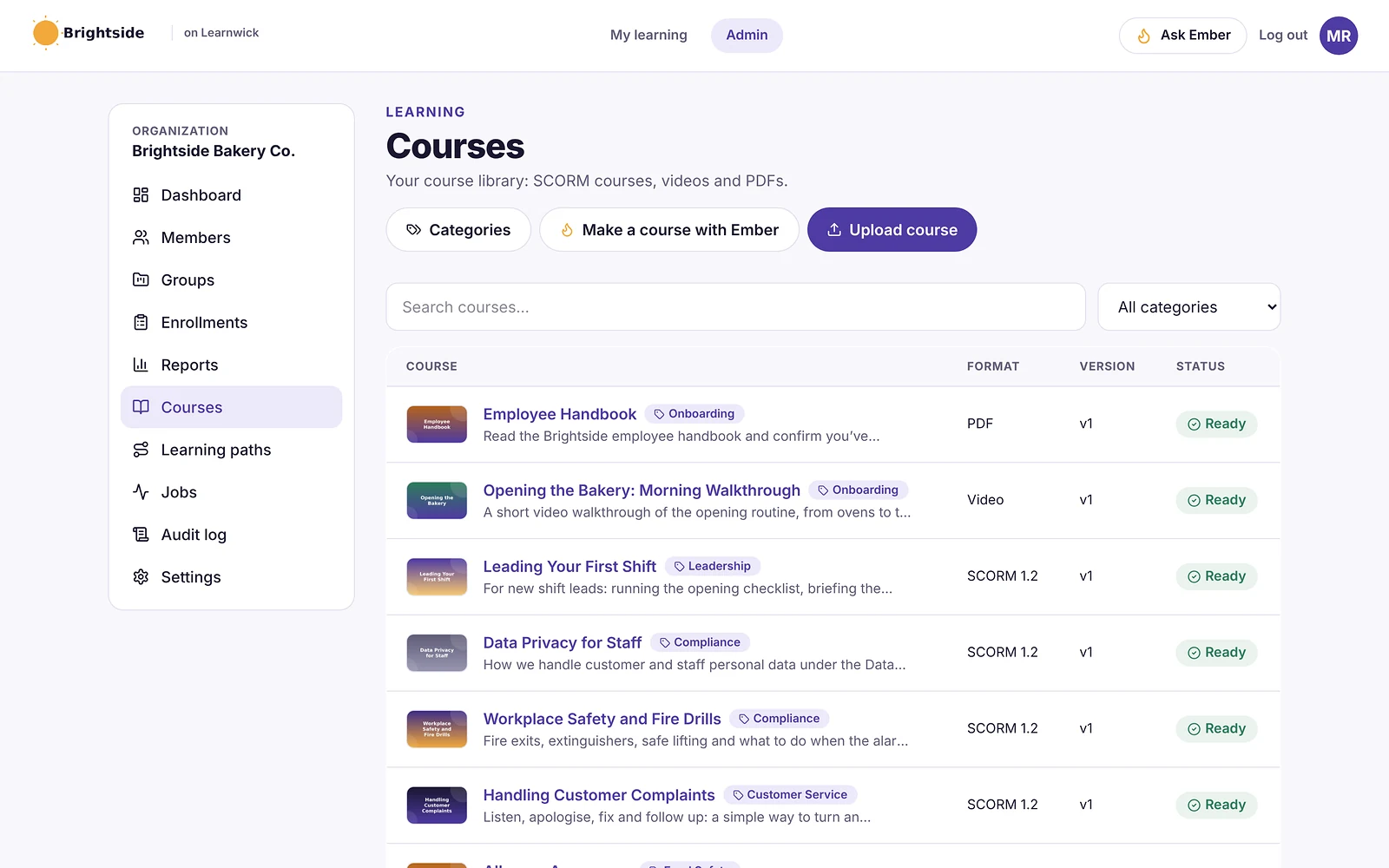
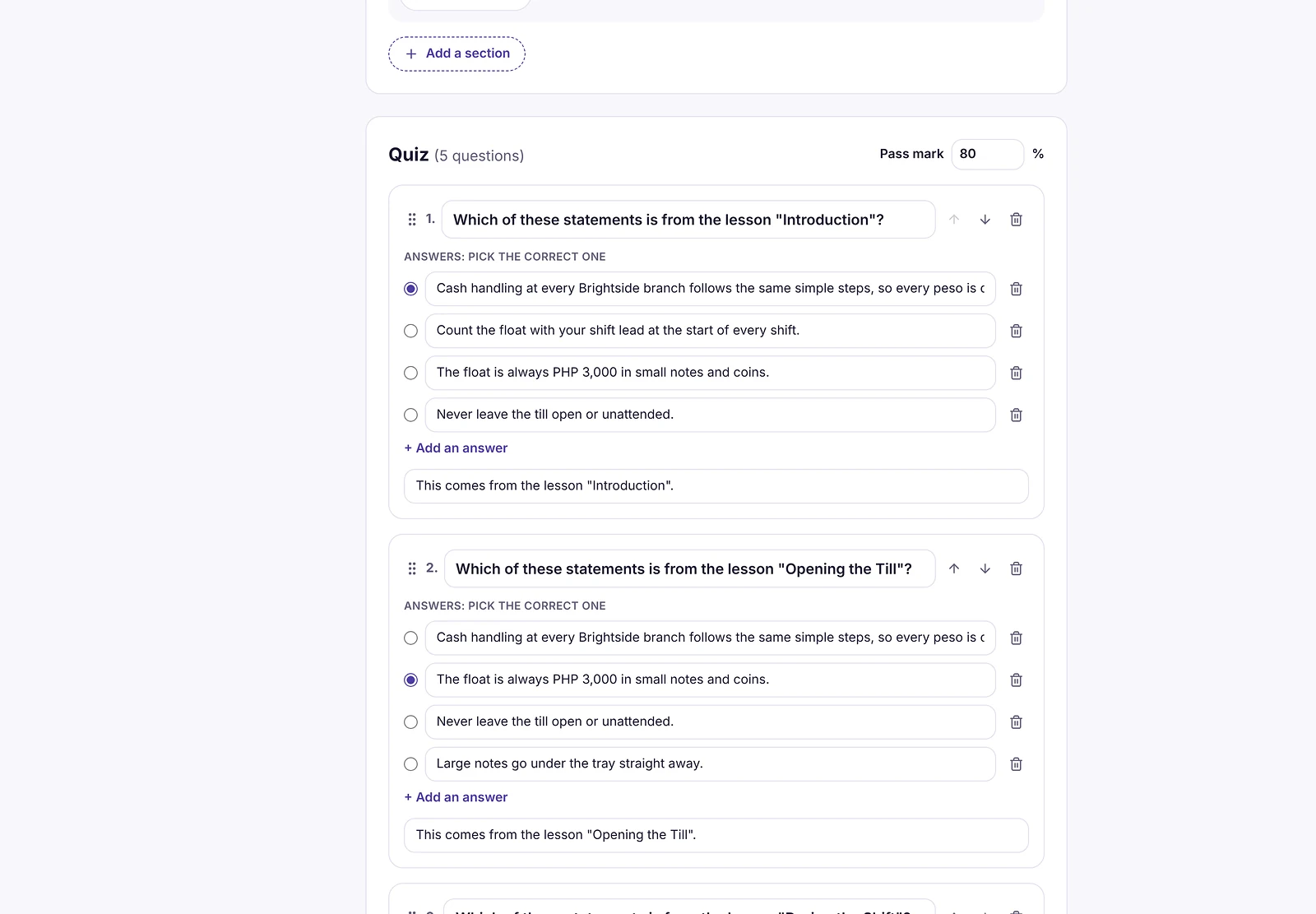
Learnwick LMS is a cloud LMS for teams without a training department. In practice, one person can set it up in an afternoon: create a workspace, add your logo, upload a SCORM course or let the AI assistant build one from a document, invite people and assign training with a due date. Learners open it on any phone or computer without installing an app.
Why Learnwick is a strong Adobe Learning Manager alternative
Your Captivate courses play as they are. Publish from Captivate as SCORM 1.2 or SCORM 2004 (single SCO) and upload the zip; scores, completion and resume points are tracked.
A fraction of Adobe’s new price. Adobe’s list price for new subscriptions is $9 per learner per month. Learnwick is free for up to 30 learners and costs $0.79 per learner per month on Starter (100 learners) and as little as $0.40 on Business (1,000 learners), billed yearly.
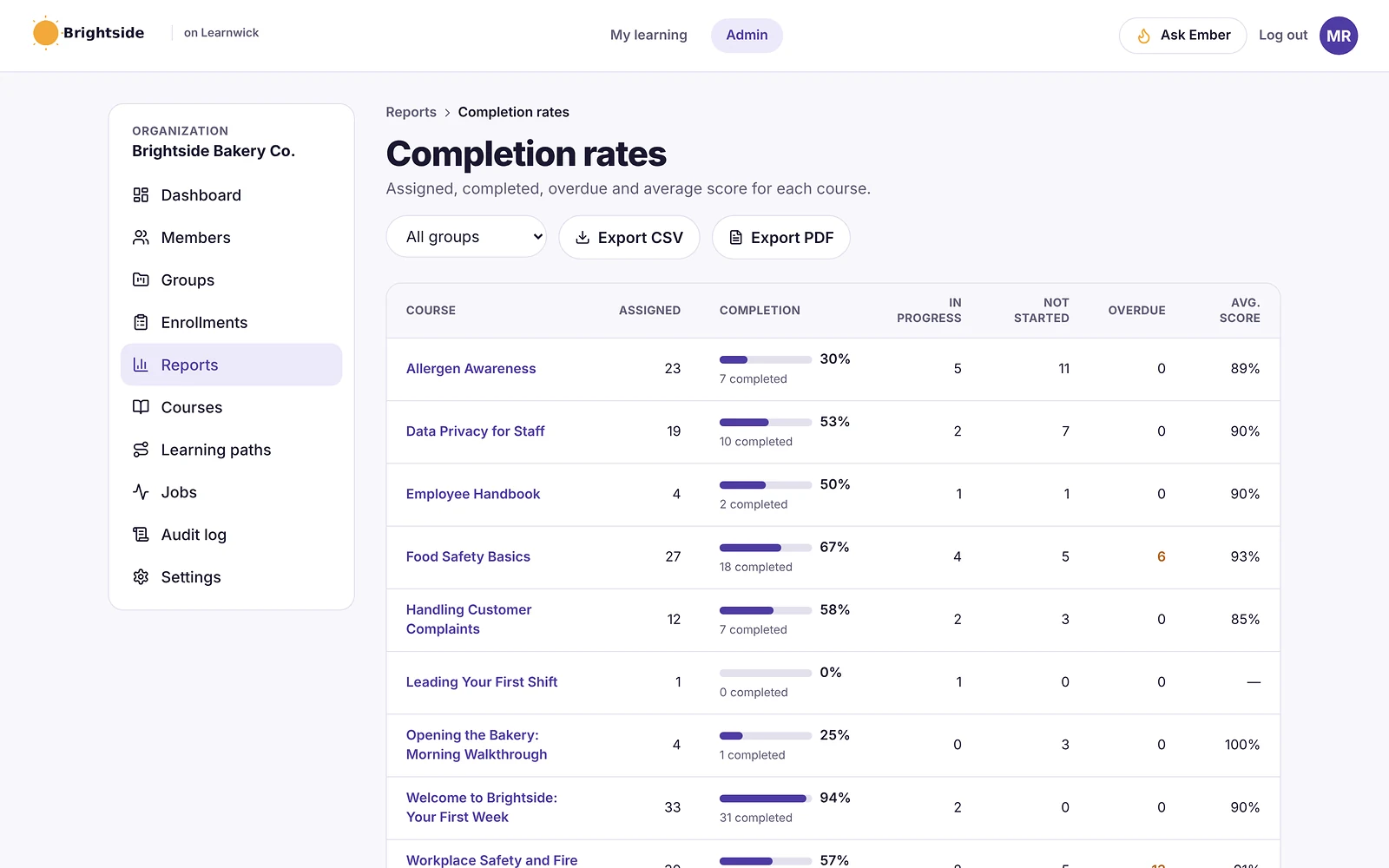
Reports managers actually read. The overdue list, completion by group and quiz results are one click away, and managers get a weekly email summary of their team.
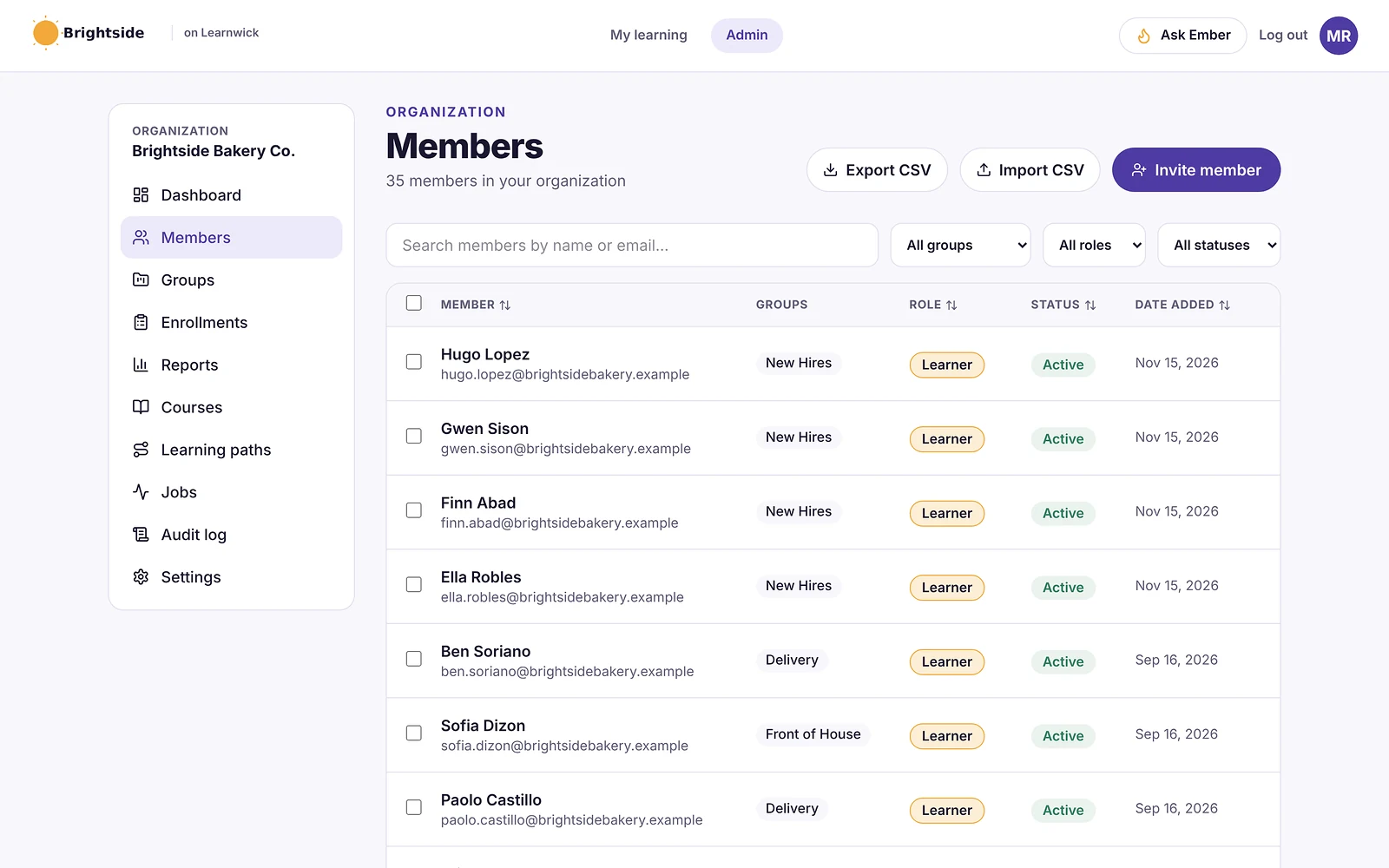
Simple user management. Groups with required courses and due dates; new members get the courses automatically. People join by invite, CSV, a join link or Google or Microsoft sign-in.
The honest trade-off: no xAPI or multi-SCO SCORM 2004 with sequencing, no headless delivery or Adobe Experience Manager integration, and no separate customer portals. If you rely on those, Docebo or Absorb are closer matches.
To give you a concrete example, at Learnwick, we don’t simply charge per learner and leave you to guess. We publish what a full plan costs per learner per month, so that you can compare it directly with per-user pricing like Adobe’s. And there are no add-ons for the core features.
Key features
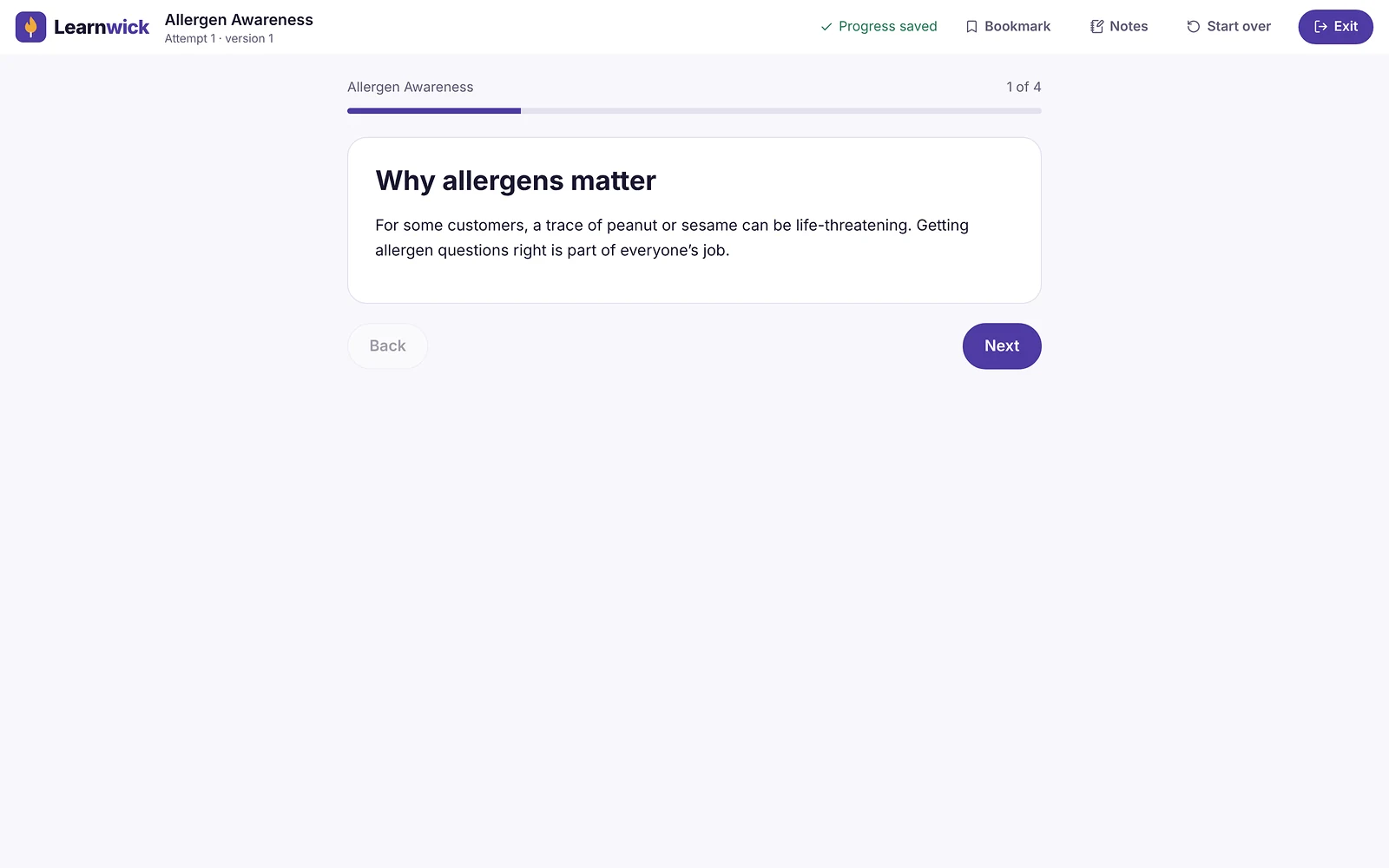
- Courses you already have: SCORM 1.2 and single-SCO SCORM 2004 packages from Storyline, Rise, Captivate or iSpring, plus videos and PDFs with optional quizzes.
- Ember, the AI course builder: paste a policy or upload a PDF or Word file and Ember drafts lessons and quiz questions you check before publishing. It can also translate a course.
- Assignments with due dates: assign a course to a person or a whole group; new group members get the group’s courses automatically.
- Automatic reminders: late learners get reminders, managers get a weekly summary, and finishing one course can assign the next one.
- Certificates: PDF certificates on completion, with renewal dates and a code anyone can check online.
- Reports: an overdue list, completion and quiz reports, time spent, analytics dashboards, custom reports, a training matrix and training gaps by role, all exportable to CSV.
- Learning paths, points and badges: courses in order, plus optional points, badges and a leaderboard.
- Getting people in: invites, CSV import, a join link (optionally limited to your email domain) and Google or Microsoft sign-in.
Pros
- Free plan for up to 30 learners, with every feature and no time limit.
- Published prices on the pricing page; monthly or yearly, cancel any time.
- Every feature on every plan: paid plans only change how many learners you can have.
- Nothing to install, host or update.
- Builds a first course from a document in minutes.
- The AI assistant never changes anything on its own: an admin confirms every action, so that nothing goes live without a human check.
Cons
- No connection to HR or payroll systems yet (people come in by invite, CSV, a join link, or Google/Microsoft sign-in).
- No xAPI, cmi5 or multi-SCO SCORM 2004 with sequencing.
- No live classes or virtual classroom, and no selling courses to the public.
- No native mobile app (the web app works on any phone) and app screens are in English only.
- A young product: few third-party reviews yet, and a small ready-made course library.
Pricing
- Free: up to 30 learners, every feature, no time limit.
- Starter: $79/month billed yearly ($99 monthly) for up to 100 learners.
- Growth: $239/month billed yearly ($299 monthly) for up to 500 learners.
- Business: $399/month billed yearly ($499 monthly) for up to 1,000 learners.
- Enterprise: over 1,000 learners, price on request.
So that works out at $0.79 per learner per month on Starter (100 learners) and as little as $0.40 on Business (1,000 learners), billed yearly.
Learnwick LMS · Free plan
Try Learnwick LMS free
Upload a Captivate SCORM course, invite five people and compare the reports with ALM today. Free for up to 30 learners, no credit card.
2. Docebo
Best for: large, global organizations that want AI and extended-enterprise portals.
Docebo is an enterprise learning platform with strong AI features, extended-enterprise portals, a branded mobile app and a large integration catalogue.
Why Docebo is a Adobe Learning Manager alternative
Docebo is the most common enterprise move from ALM. It covers external audiences, AI content tools, a branded mobile app and deep analytics, and plays Captivate SCORM content.
Key features
- AI content creation, tagging and recommendations.
- Portals for customers and partners.
- Custom-branded mobile app.
- Integration marketplace and analytics add-ons.
Pros
- Very capable for complex, global programs.
- Mature AI and automation.
Cons
- Quote-only; aimed at 250+ learners, and multi-year contracts are common.
- A learning curve for admins, according to G2 reviewers.
Pricing
Quote only (Elevate and Enterprise plans, priced on active users). Vendr puts the median contract at about $42,000 a year. More options in our Docebo alternatives guide.
3. Absorb LMS
Best for: larger organizations that want enterprise features with easier admin.
Absorb is a well-reviewed corporate LMS known for a clean interface, rule-based enrollments and strong compliance tracking. It serves employees, customers and partners from branded portals.
Why Absorb LMS is a Adobe Learning Manager alternative
Absorb addresses the main ALM complaints (reporting and admin experience) with a strong ease-of-use reputation, rule-based enrollments and polished reports.
Key features
- Rule-based enrollments and learning paths.
- Branded portals for employees, customers and partners.
- Compliance and certificate tracking.
- E-commerce for selling courses.
- Wide integration catalogue and an API.
Pros
- One of the highest-rated enterprise LMSs for ease of use.
- Strong automation for large groups.
- Mature reporting and support options.
Cons
- Quote-only pricing; plans start at 100 learners.
- Annual contracts and an implementation project.
- Many features target dedicated L&D teams.
Pricing
Quote only. Price trackers put the median Absorb contract at about $20,000 a year. More options in our Absorb LMS alternatives guide.
4. TalentLMS
Best for: small teams that want a simple LMS they can buy online.
TalentLMS is one of the best-known LMSs for small businesses. Reviewers rate it highly for ease of use, and you can sign up and start without talking to sales.
Why TalentLMS is a Adobe Learning Manager alternative
TalentLMS has published prices, a free plan and an easy admin, which suits teams that found ALM too heavy.
Key features
- Course builder with tests, surveys and assignments.
- SCORM, xAPI and cmi5.
- Branches (sub-portals) on higher plans.
- Gamification and automations.
Pros
- Very easy to learn.
- Free plan and published prices.
- Large, active user base.
Cons
- The free plan covers only 5 users and 10 courses.
- Prices step up by user bracket, and some features sit on higher plans.
Pricing
Free for 5 users. Core is $119 a month billed yearly for up to 40 users; Grow is $229 and Pro $449 a month at the first bracket. More options in our TalentLMS alternatives guide.
5. LearnUpon
Best for: organizations training employees plus customers or partners.
LearnUpon is a corporate LMS known for quick setup and for training several audiences (employees, customers, partners and members) in separate portals.
Why LearnUpon is a Adobe Learning Manager alternative
LearnUpon’s portals handle external learners cleanly, one of ALM’s strengths, with quick setup and 24/7 support.
Key features
- Multiple branded portals.
- SCORM and xAPI.
- Learning paths, assignments and recommendations.
- Webinar, SSO and CRM integrations on higher plans.
- 24/7 support.
Pros
- Reviewers rate its setup as quick.
- Strong multi-audience features.
- Responsive support.
Cons
- Quote-only; packaged plans start around 100–150 monthly active users.
- No free plan; most buyers report an annual commitment.
Pricing
Quote only, typically about $6–$9 per active user per month. Vendr puts the median contract at about $30,000 a year. More options in our LearnUpon alternatives guide.
6. iSpring Learn
Best for: teams that author in PowerPoint rather than Captivate.
iSpring Learn is the LMS from the makers of iSpring Suite, a PowerPoint-based authoring tool. Courses built in PowerPoint publish straight to the LMS with animations and quizzes intact.
Why iSpring Learn is a Adobe Learning Manager alternative
If you want an authoring tool plus an LMS from one vendor but find Captivate complex, iSpring Suite plus iSpring Learn is the PowerPoint-based equivalent.
Key features
- SCORM, video, document and iSpring Suite courses.
- Learning paths and automatic enrollment rules.
- Progress, score and time reports.
- Mobile app with offline learning.
Pros
- Public prices by user band and a 30-day trial.
- Excellent if your courses come from PowerPoint.
- Strong support reputation.
Cons
- No free plan; the smallest band is 100 users.
- iSpring Suite authoring is a separate purchase (about $720 per author per year).
Pricing
Billed yearly: $8,286 for 100 users, $16,050 for 300 and $23,790 for 500. Enterprise is quoted. More options in our iSpring Learn alternatives guide.
7. 360Learning
Best for: companies that want experts to write courses together.
360Learning is built around collaborative learning: subject-matter experts write courses, colleagues comment and suggest changes, and courses improve over time.
Why 360Learning is a Adobe Learning Manager alternative
360Learning replaces central authoring with collaborative authoring by subject-matter experts.
Key features
- Collaborative authoring with comments and reactions.
- AI-assisted course writing.
- SCORM support and discussions inside courses.
- HR-system integrations on higher plans.
Pros
- Published entry price of $8 per user per month.
- Courses stay current because experts own them.
- Team plan can be billed monthly.
Cons
- The Team plan stops at 100 users; larger plans are quoted.
- No free plan.
- Works best only if experts actually take part.
Pricing
Team: $8 per user per month for up to 100 users. Business and Enterprise: quote.
8. Cornerstone
Best for: enterprises that want learning in a talent suite.
Cornerstone is one of the oldest names in corporate learning. Its learning product sits beside performance, recruiting and talent modules for large enterprises.
Why Cornerstone is a Adobe Learning Manager alternative
Cornerstone suits organizations that want learning tied to performance and careers across thousands of employees.
Key features
- Learning, performance, recruiting and HR modules.
- Large content library add-on.
- Compliance and certification management.
- Skills and career tools.
Pros
- Very broad talent-management scope.
- Built for large, regulated organizations.
Cons
- Quote-only, module-based pricing.
- Long implementations.
- Lower G2 satisfaction than most tools here.
Pricing
Quote only. Industry estimates put the learning module at roughly $3.50–$8 per employee per month. More options in our Cornerstone alternatives guide.
9. Tovuti LMS
Best for: teams that want authoring and virtual classes inside the LMS.
Tovuti is an all-in-one LMS with a built-in interactive authoring tool, virtual classrooms, gamification and white-label branding. It is popular with associations and mid-size organizations.
Why Tovuti LMS is a Adobe Learning Manager alternative
Tovuti puts interactive authoring in the LMS, so some teams can drop a separate Captivate licence.
Key features
- Interactive course authoring inside the LMS.
- Virtual classrooms and events.
- Gamification and white-label branding.
- E-commerce and reporting.
Pros
- One tool to build and deliver courses.
- Highly rated for engagement.
- Onboarding support included in the starting package.
Cons
- Quote-only; no public prices.
- More than a team that only assigns SCORM courses will use.
Pricing
Quote only. Price listings start at roughly $7,500 to $10,000 a year.
10. Moodle / MoodleCloud
Best for: organizations with technical staff who want open source.
Moodle is the world’s best-known open-source LMS. You can host it yourself for free, buy hosted MoodleCloud plans, or license Moodle Workplace through a certified partner.
Why Moodle / MoodleCloud is a Adobe Learning Manager alternative
Moodle plays Captivate SCORM content and costs nothing to license if you self-host, but you run it yourself.
Key features
- Open source, with thousands of plugins.
- SCORM, quizzes, badges, certificates and reports.
- Moodle Workplace adds multi-tenancy and dynamic rules.
Pros
- No licence fee if you self-host.
- Full control over data and hosting.
- Huge community.
Cons
- Self-hosting means servers, upgrades, backups and security are your job.
- MoodleCloud caps sites at 750 users and doesn’t allow custom plugins.
Pricing
Free to self-host. MoodleCloud costs roughly $160–$2,120 a year for 50 to 750 users; Moodle Workplace is quoted by partners. More options in our Moodle alternatives guide.
Feature comparison: Adobe Learning Manager alternatives side by side
Prices change. But the way a tool is built and sold usually changes much less. This table shows where each option runs, whether it plays the SCORM courses you may already own, and how it is priced.
| Tool | Where it runs | SCORM | Pricing model |
|---|---|---|---|
| Learnwick LMS | Cloud (nothing to install) | Yes (1.2 and single-SCO 2004) | Published, free up to 30 learners |
| Docebo | Cloud | Yes (plus xAPI) | Quote |
| Absorb LMS | Cloud | Yes (plus xAPI) | Quote |
| TalentLMS | Cloud | Yes (plus xAPI, cmi5) | Published |
| LearnUpon | Cloud | Yes (plus xAPI) | Quote |
| iSpring Learn | Cloud | Yes | Published |
| 360Learning | Cloud | Yes | Published (Team) / quote |
| Cornerstone | Cloud | Yes | Quote |
| Tovuti LMS | Cloud | Yes | Quote |
| Moodle / MoodleCloud | Self-hosted or MoodleCloud | Yes | Free / published |
“Via add-on” means a third-party plugin is needed. “Quote” means you need a sales call to get a price.
What to look for in a Adobe Learning Manager alternative
Before you book demos, agree what “better” actually means for your team. In practice, these are the points that typically decide an LMS switch:
- Captivate and Rise content: test your largest Captivate course and one with branching or video; check resume, scoring and completion.
- Registered versus active users: Adobe charges per registered learner; others charge per active user or by tier. Compare at your real usage.
- Headless or embedded learning: if you deliver learning inside your own website or app via Adobe Experience Manager, few simple LMSs can replace that.
- Microlearning: check whether short, mobile-friendly lessons are easy to build and assign.
- Content compatibility: does it play what you already own (SCORM 1.2, SCORM 2004, xAPI or cmi5 packages, video, PDF, PowerPoint), and can you export it again later?
- Ease of use: can an admin set up a course in an afternoon, and can learners find their training without a manual, on a phone as well as a computer?
- Automation: enrollment rules, due dates, automatic reminders, recertification and “assign the next course” tend to save more hours than any other feature.
- Reporting and proof: an overdue list, completion reports by group, quiz results, certificates with verification and an audit trail for compliance.
- Integrations: single sign-on (SAML or Google and Microsoft sign-in), HR systems, CRM such as Salesforce or HubSpot, video meetings (Zoom, Microsoft Teams), Slack, Zapier and an open API.
- AI features: course drafting from documents, quiz generation, translation and search. Check that an admin approves what the AI changes.
- Audiences and branding: one internal team, or separate portals for customers, partners or members, with white-label branding.
- Pricing model: per registered user, per active user, flat tiers by user count, per site (WordPress plugins) or self-hosting costs. Ask what happens when you go over your plan.
- Support and implementation: who sets it up, how long it takes, and whether support is included.
Here’s a simple way to use this list: turn it into a one-page scorecard, so that each shortlisted tool gets a score after a one-week trial with real courses and real learners.
Other Adobe Learning Manager alternatives worth a look
These didn’t make our top 10 for most teams. But they come up often, and one of them may genuinely suit a specific need:
- Bridge LMS: learning plus performance check-ins and career development (see our Bridge alternatives guide).
- Litmos: a corporate LMS with a large ready-made course library.
- LearnWorlds: a hosted course platform with interactive video and white-label apps.
- Seismic Learning: sales enablement and training (formerly Lessonly).
- Thinkific: a hosted platform for selling courses to the public.
- SAP SuccessFactors Learning: the learning module of SAP’s HR suite, for SAP customers.
What an Adobe Learning Manager alternative really costs
Adobe’s new list price makes the comparison easy. Yearly cost at common sizes:
| Team size | Adobe LM (new, $9) | Adobe LM (legacy, $4) | Learnwick LMS | iSpring Learn |
|---|---|---|---|---|
| 30 learners | $3,240 | $1,440 | Free | $8,286 (100-user band) |
| 100 learners | $10,800 | $4,800 | $948 | $8,286 |
| 500 learners | $54,000 | $24,000 | $2,868 | $23,790 |
| 1,000 learners | $108,000 | $48,000 | $4,788 | About $43,000 |
Adobe figures are list prices for registered learners billed yearly; volume deals and monthly-active-user pricing are negotiated through sales. Docebo, Absorb, LearnUpon and Cornerstone are quote-only.
How to switch from Adobe Learning Manager
- Check your subscription: renewal date, learner count and whether you are on the $4 or $9 rate.
- Export your content: download Captivate sources and publish SCORM packages again if needed; collect videos and documents.
- Export records: users, groups, completions, certificates and skills you must keep for audits.
- Map catalogs and learning programs to groups and learning paths in the new LMS.
- Test three courses (your most-used Captivate course, a video and a quiz) on a phone and a computer.
- Pilot with one team for a week, including reminders and manager reports.
- Roll out by group, then let the ALM subscription lapse after your first full reporting cycle.
If you are on the legacy $4 rate, don’t let the subscription lapse before you have moved. A new subscription would be at $9.
Choose an Adobe Learning Manager alternative by what you need
- Choose Learnwick LMS when you want your Captivate courses, simple reports and automatic reminders for 10 to 1,000 learners, free for up to 30.
- Choose Docebo when you need enterprise scale, AI and extended-enterprise portals.
- Choose Absorb LMS when you want enterprise features with easier admin.
- Choose TalentLMS when you want a simple self-serve LMS.
- Choose LearnUpon when external learners are a big part of your program.
- Choose iSpring Learn when you author in PowerPoint.
- Choose 360Learning when experts should write courses.
- Choose Cornerstone when learning sits inside a talent suite.
- Choose Tovuti when you want authoring inside the LMS.
- Choose Moodle when you want open source.
You can also read our guides to Docebo alternatives and Absorb LMS alternatives, or compare Learnwick plans on the pricing page.
Learnwick LMS · Free plan
Test your Captivate courses free
Upload one SCORM course from Captivate, invite five people and see the reports. Every feature included.
Frequently asked questions
What is the best alternative to Adobe Learning Manager?
For small and mid-size teams, Learnwick LMS: it plays Captivate SCORM courses, is free for up to 30 learners and costs a fraction of Adobe’s $9 per learner. For enterprise programs, Docebo and Absorb LMS are the closest alternatives.
How much does Adobe Learning Manager cost?
Adobe’s billing help says new subscriptions cost $9 per learner per month, billed yearly, with at least 10 learners for a credit-card order. Customers with an active $4 subscription keep the $4 rate. Larger and monthly-active-user deals are quoted.
Is Adobe Learning Manager the same as Adobe Captivate Prime?
Yes. Adobe Captivate Prime was renamed Adobe Learning Manager. Adobe Captivate is the separate authoring tool.
Can I use Adobe Captivate courses in another LMS?
Yes. Publish your Captivate course as SCORM (or xAPI) and upload it to any LMS that supports that standard. Learnwick LMS supports SCORM 1.2 and single-SCO SCORM 2004.
Does Adobe Learning Manager have a free plan?
No, but it offers a 30-day free trial. Learnwick LMS (30 learners), TalentLMS (5 users) and ProProfs (10 learners) have free plans.
Which Adobe Learning Manager alternative supports extended-enterprise training?
Docebo, Absorb LMS and LearnUpon offer separate portals for customers and partners. Learnwick LMS can include external people through join links but has no separate branded portals.
Why is Adobe Learning Manager hard to use?
Capterra reviewers rate its ease of use 3.9 out of 5 and most often mention reporting, customization and course management. It is powerful, especially inside the Adobe ecosystem, but has a learning curve for admins.
Are Adobe Learning Manager alternatives good for microlearning?
Most are. Look for short lessons, mobile-friendly playback and easy assignment. Learnwick’s Ember can turn a long document into short lessons with quiz questions.
The author

Venchito Tampon
Venchito Tampon is the founder of Learnwick, the LMS for small business — a simple, affordable way to upload or build courses, assign training, give certificates and see who has finished.
He is also the CEO and founder of eLearning Solutions Lab, a Philippines-based eLearning production company making custom and rapid eLearning for clients around the world, and Chief Learning Officer of Rainmakers Training & Consultancy, a corporate training and leadership development company.
He is a Certified Learning & Development Professional (CLDP) and a certified executive coach, and also founded ExpirePilot and Sidelight 360.