10 Best Google Classroom Alternatives in 2026 (Free and Paid LMS Options)
10 Best Google Classroom Alternatives in 2026 (Free and Paid LMS Options)
For schools that need a fuller LMS, Canvas, Schoology, Moodle and D2L Brightspace are the closest Google Classroom alternatives in 2026; Moodle is the best free, open-source option. For businesses, nonprofits and schools training staff, Learnwick LMS is the free alternative built for workplace training: free for up to 30 learners, with SCORM, quizzes, certificates and Google sign-in.
Key takeaways
- Google Classroom is free with Google Workspace for Education Fundamentals, and Gemini in Classroom now comes with every Workspace for Education edition for users 18 and over.
- It is a classroom tool, not a full LMS: no SCORM, limited reports, no certificates with expiry dates and no compliance tracking.
- For schools, Canvas, Schoology, Moodle and Brightspace are the closest alternatives; Moodle is the best free, open-source option.
- For workplace and staff training, Learnwick LMS is free for up to 30 learners and supports Google sign-in.
In this guide
- In summary
- Google Classroom in 2026: Gemini, licensing and what it does well
- How we compared these Google Classroom alternatives
- Why people look for Google Classroom alternatives
- The 10 best Google Classroom alternatives at a glance
- 1. Learnwick LMS
- 2. Canvas LMS
- 3. Schoology
- 4. Moodle / MoodleCloud
- 5. D2L Brightspace
- 6. Blackboard Learn
- 7. Open edX
- 8. Thinkific
- 9. TalentLMS
- 10. Microsoft Viva Learning
- Feature comparison: Google Classroom alternatives side by side
- What to look for in a Google Classroom alternative
- Other Google Classroom alternatives worth a look
- Free Google Classroom alternatives
- What a Google Classroom alternative really costs
- How to move from Google Classroom
- Choose a Google Classroom alternative by what you need
- Frequently asked questions
In summary
If you only have a minute, here’s the short version:
- Best free alternative for workplace and staff training: Learnwick LMS — free for up to 30 learners, then $79/month billed yearly ($99 monthly) for up to 100 learners. Google sign-in, SCORM, quizzes and certificates.
- Lowest per-learner price for workplace training: Learnwick LMS — $0.79 per learner per month on Starter (100 learners) and as little as $0.40 on Business (1,000 learners), billed yearly.
- Best full LMS for schools and universities: Canvas LMS.
- Best for K-12 districts: Schoology or D2L Brightspace.
- Best free, open-source LMS: Moodle.
- Best for selling online courses: Thinkific.
- Best simple LMS for small businesses: TalentLMS.
Disclosure: Learnwick LMS publishes this guide and is one of the products in it. We put it first simply because it’s the option we know best for small and mid-size teams, and we list its limits as plainly as everyone else’s. Prices and G2 ratings for other tools were checked in November 2026 from vendor pages, G2 and public price trackers; check the vendor’s own page before you buy.
Google Classroom in 2026: Gemini, licensing and what it does well
Google Classroom is Google’s free classroom tool, part of Google Workspace for Education. Teachers create classes, post assignments, give feedback and grade, using Docs, Drive, Forms and Meet.
What changed recently
- Gemini in Classroom: Google now includes Gemini in Classroom across Workspace for Education editions, with 30+ AI tools for teachers (users 18 and over), such as lesson planning, quiz and rubric ideas and resource creation. Student-facing features are rolling out more slowly.
- New licensing: between October 2025 and February 2026, Google changed Education Standard and Education Plus to a single license type covering all active users.
- AI add-on renamed: the Gemini Education add-on became Google AI Pro for Education in August 2025.
What Google Classroom does well
- Free with Education Fundamentals for eligible schools.
- Very easy for teachers and students.
- Works with Google tools schools already use.
- AI for teachers at no extra cost.
Where it stops
- Not a full LMS: no SCORM courses, limited quiz analytics (via Forms), and basic reporting.
- No certificates or compliance records: not suited to staff training that must be tracked and renewed.
- Education-only accounts: workplaces can use it through Google Workspace, but it’s built for classes, not companies.
- Limited structure: no learning paths, prerequisites or automated enrollments.
How we compared these Google Classroom alternatives
People leave Google Classroom for different reasons, so we compared each tool for each group:
- Schools that need more: gradebook depth, learning paths, LTI apps, parent access, analytics.
- Tutors and course creators: selling courses and managing students.
- Companies and nonprofits: SCORM, certificates, due dates, reminders and reports.
For each tool we checked price, free options, Google sign-in and Google Drive integration, and ease of use. Prices were checked in November 2026 on vendor pages and price trackers.
Why people look for Google Classroom alternatives
Schools outgrow it
Larger schools and districts want deeper gradebooks, standards-based grading, analytics and parent portals.
Workplace training
Companies that tried Google Classroom for staff training find there are no certificates, expiry dates, reminders or compliance reports.
SCORM content
Courses bought from content providers usually come as SCORM, which Google Classroom can’t run.
Selling courses
Tutors and training businesses need checkout, payments and a public course site.
Not on Google
Organizations on Microsoft 365 often prefer tools that sign in with Microsoft.
If you train adults at work, you need records, not just assignments: who finished, when, with what score, and when they need to do it again.
The 10 best Google Classroom alternatives at a glance
| Tool | Best for | Price (Nov 2026) | Rating | Free plan |
|---|---|---|---|---|
| Learnwick LMS | Businesses, nonprofits and schools training staff | Free up to 30; from $79/mo for 100 learners | New (no reviews yet) | Yes, 30 learners |
| Canvas LMS | Schools and universities that want a full LMS | Quote (often ≈$5–$30/student/yr) | Capterra 4.6 (≈4,300 reviews) | No (Free-for-Teacher closed in 2026) |
| Schoology | K-12 districts with parent access | Free for teachers; Enterprise quoted | — | Yes (teachers) |
| Moodle / MoodleCloud | Free, open-source LMS with a full gradebook | Free to self-host; MoodleCloud ≈$160–$2,120/yr | Capterra 4.3 (≈3,400 reviews) | Open source |
| D2L Brightspace | Schools that want analytics and accessibility | Quote (usage-based) | — | No |
| Blackboard Learn | Universities that want a mature LMS | Quote (listed from about $9,500/yr) | Software Advice 4.1 (≈540 reviews) | No (30-day trial) |
| Open edX | Large online courses | Free (open source); hosting extra | — | Yes (self-host) |
| Thinkific | Tutors and creators who sell courses | From $40/mo yearly ($54 monthly) | — | No |
| TalentLMS | Small businesses that want a simple LMS | Free for 5 users; Core from $119/mo yearly | G2 4.6 (≈800 reviews) | Yes, 5 users |
| Microsoft Viva Learning | Microsoft 365 organizations (learning hub in Teams) | Basic in Microsoft 365; premium $4/user/mo | — | Basic version in Teams |
1. Learnwick LMS
Best for: businesses, nonprofits, clinics, franchises and schools training their own staff, who want something as easy as Google Classroom but with the records workplace training needs.
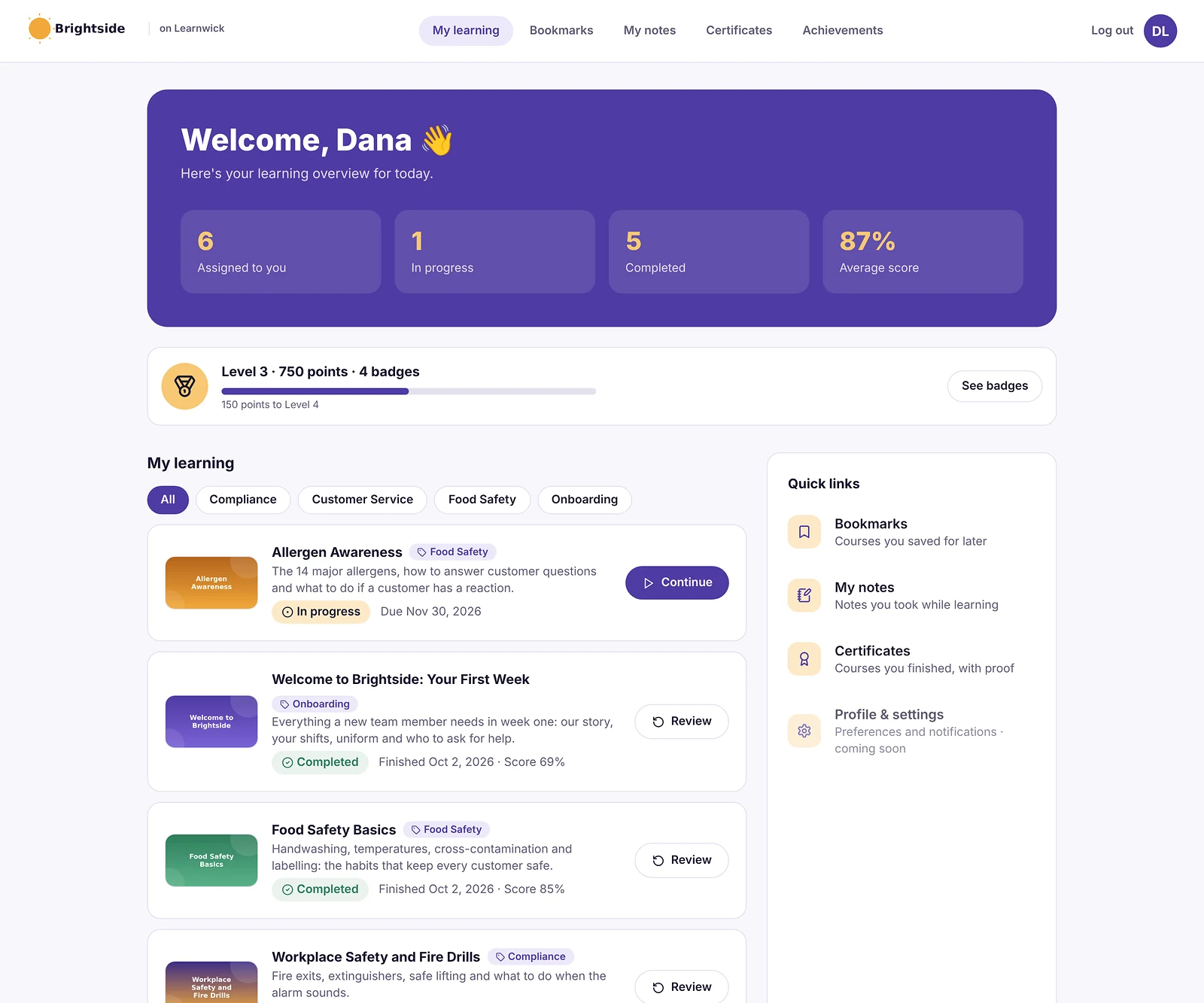
Learnwick LMS is a cloud LMS for teams without a training department. In practice, one person can set it up in an afternoon: create a workspace, add your logo, upload a SCORM course or let the AI assistant build one from a document, invite people and assign training with a due date. Learners open it on any phone or computer without installing an app.
Why Learnwick is a strong Google Classroom alternative
As easy as Classroom, built for work. People join with a link and sign in with Google (or Microsoft). Assign a course with a due date and Learnwick does the chasing.
The records Classroom doesn’t keep. Completions, quiz scores, time spent, certificates with expiry dates and automatic retraining, plus an overdue list and training matrix you can export.
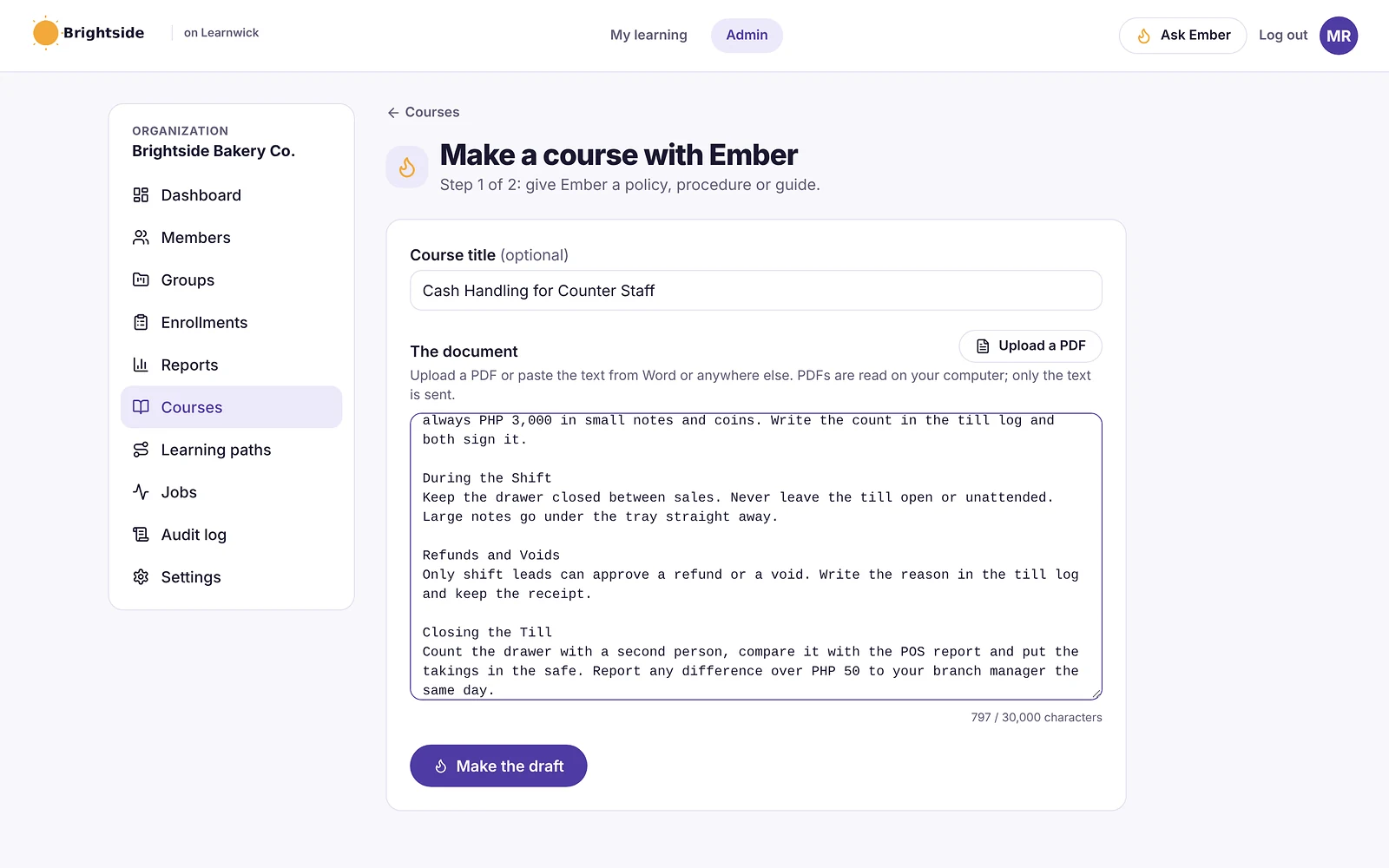
SCORM and your own content. Upload SCORM courses from content providers, videos and PDFs, or let Ember turn a Google Doc’s text into lessons and quiz questions.
Free to start. The Free plan covers 30 learners with every feature, and 100 learners cost $948 a year.
The honest trade-off: no class streams, assignment submissions, rubrics, gradebook or parent access. For teaching students, keep Google Classroom or choose Canvas, Schoology or Moodle.
To give you a concrete example, at Learnwick, we don’t simply copy a classroom. We keep the simplicity people like in Google Classroom, a join link and Google sign-in, but add the records that workplace training really needs, so that you can prove who finished what and when.
Key features
- Courses you already have: SCORM 1.2 and single-SCO SCORM 2004 packages from Storyline, Rise, Captivate or iSpring, plus videos and PDFs with optional quizzes.
- Ember, the AI course builder: paste a policy or upload a PDF or Word file and Ember drafts lessons and quiz questions you check before publishing. It can also translate a course.
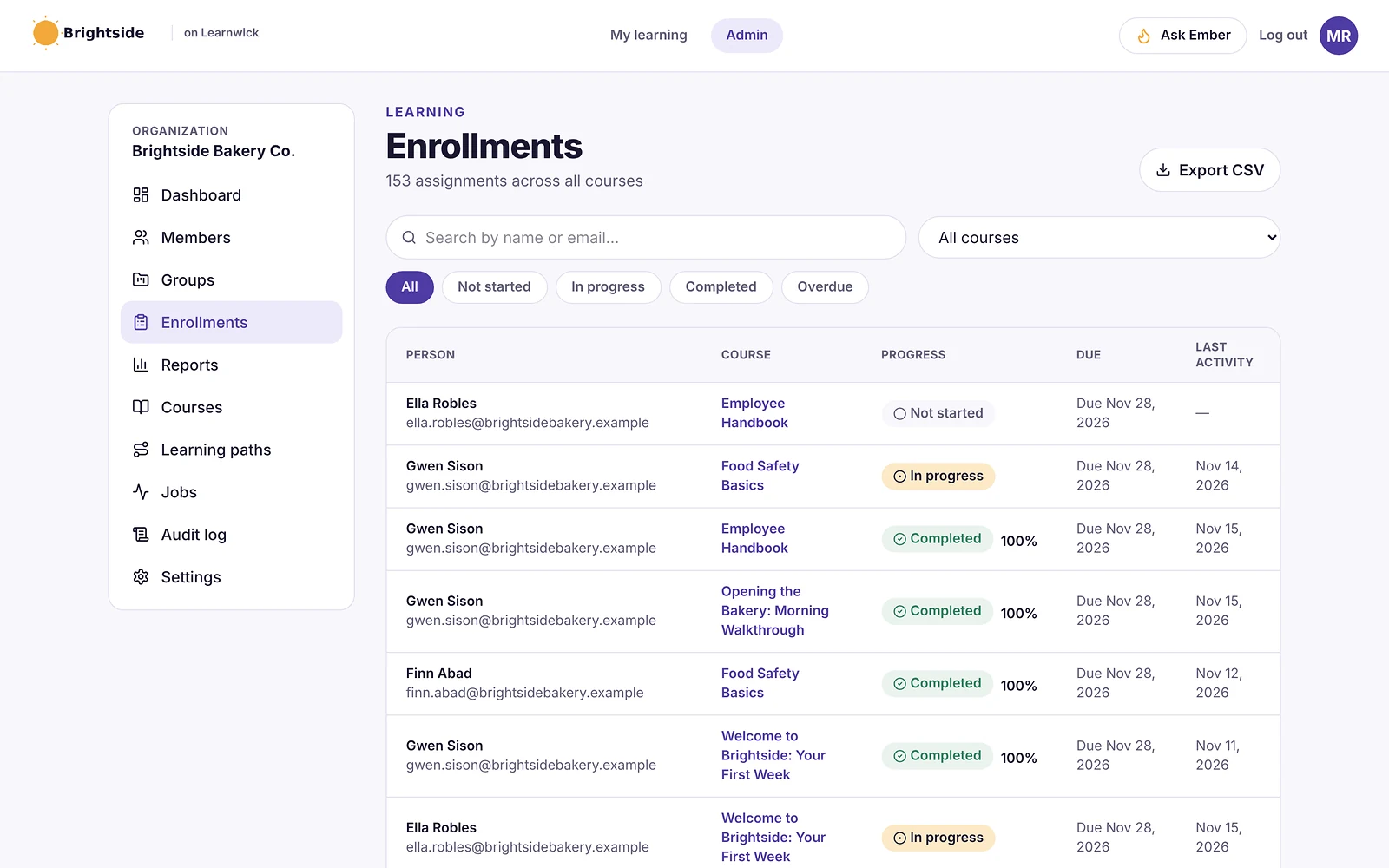
- Assignments with due dates: assign a course to a person or a whole group; new group members get the group’s courses automatically.
- Automatic reminders: late learners get reminders, managers get a weekly summary, and finishing one course can assign the next one.
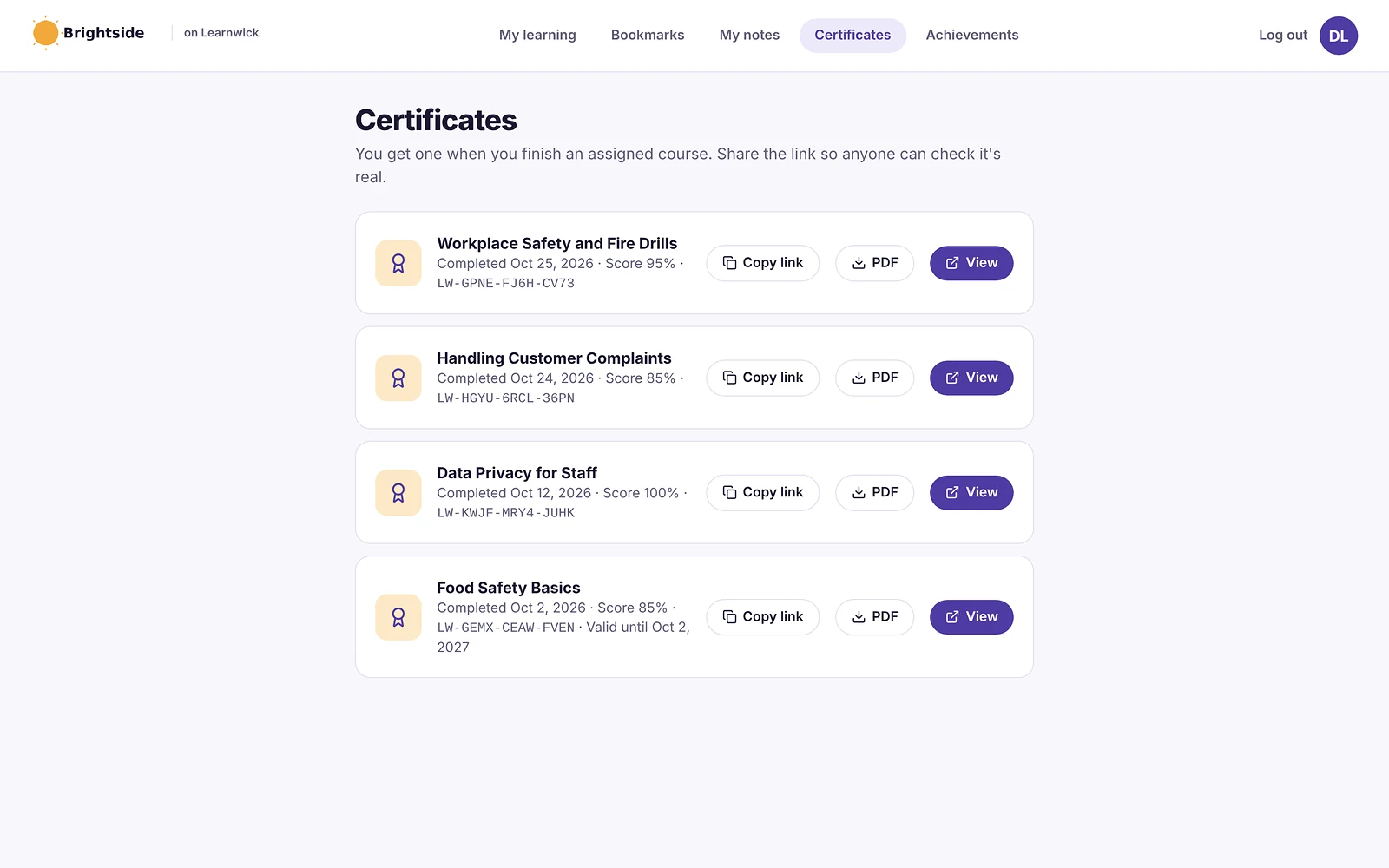
- Certificates: PDF certificates on completion, with renewal dates and a code anyone can check online.
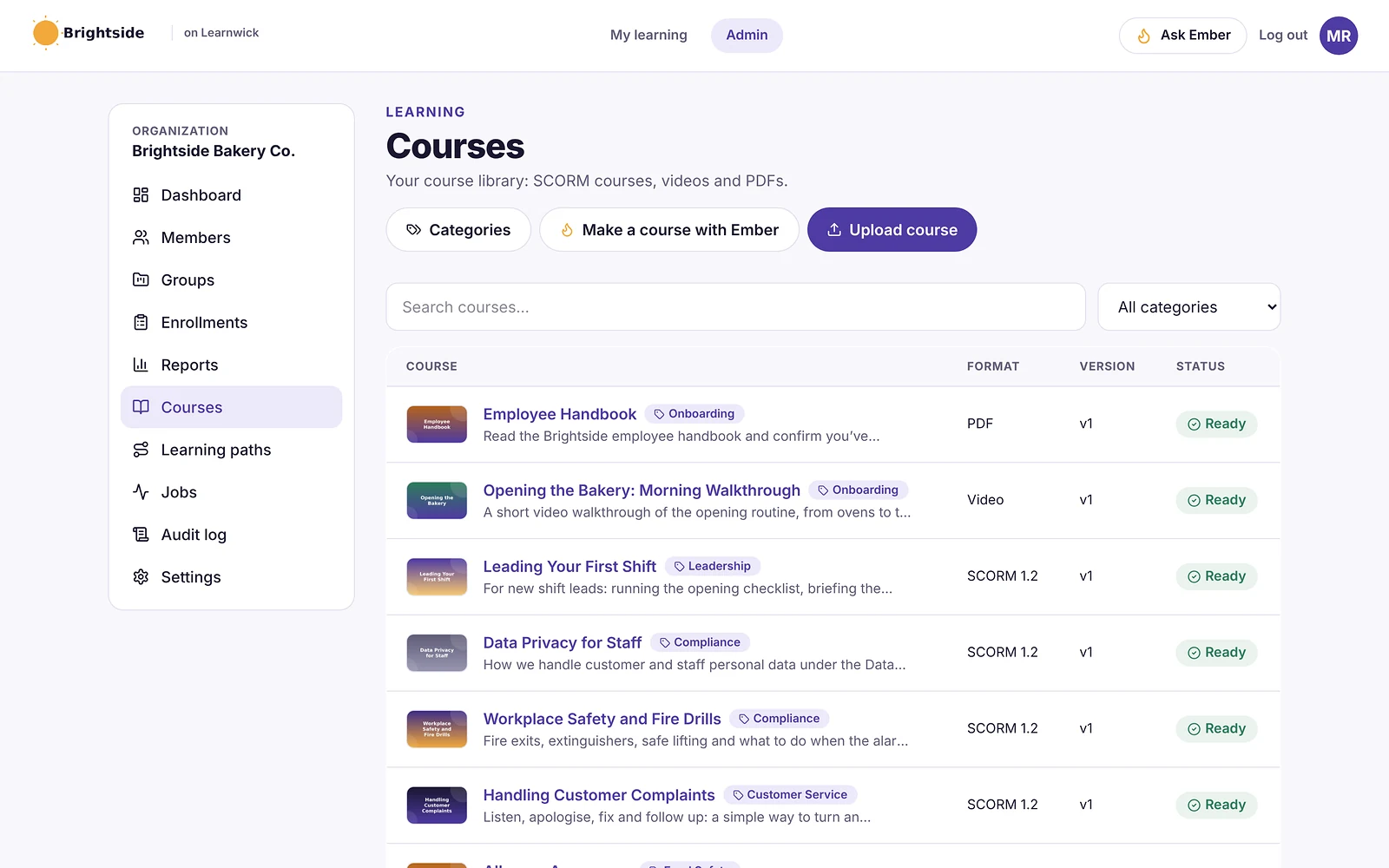
- Reports: an overdue list, completion and quiz reports, time spent, analytics dashboards, custom reports, a training matrix and training gaps by role, all exportable to CSV.
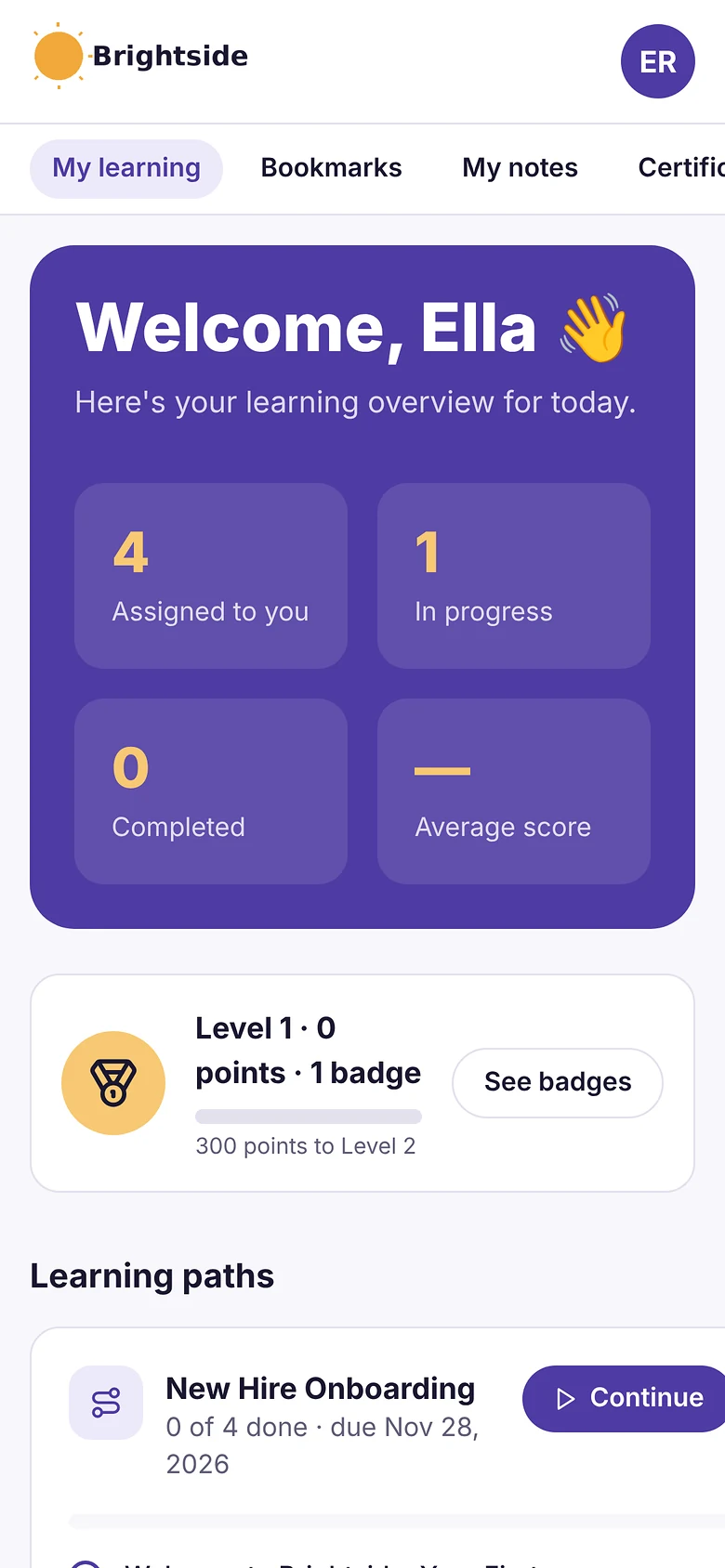
- Learning paths, points and badges: courses in order, plus optional points, badges and a leaderboard.
- Getting people in: invites, CSV import, a join link (optionally limited to your email domain) and Google or Microsoft sign-in.
Pros
- Free plan for up to 30 learners, with every feature and no time limit.
- Published prices on the pricing page; monthly or yearly, cancel any time.
- Every feature on every plan: paid plans only change how many learners you can have.
- Nothing to install, host or update.
- Builds a first course from a document in minutes.
- The AI assistant never changes anything on its own: an admin confirms every action, so that nothing goes live without a human check.
Cons
- No connection to HR or payroll systems yet (people come in by invite, CSV, a join link, or Google/Microsoft sign-in).
- No xAPI, cmi5 or multi-SCO SCORM 2004 with sequencing.
- No live classes or virtual classroom, and no selling courses to the public.
- No native mobile app (the web app works on any phone) and app screens are in English only.
- A young product: few third-party reviews yet, and a small ready-made course library.
- No class stream, assignment submissions, rubrics, gradebook or parent access.
Pricing
- Free: up to 30 learners, every feature, no time limit.
- Starter: $79/month billed yearly ($99 monthly) for up to 100 learners.
- Growth: $239/month billed yearly ($299 monthly) for up to 500 learners.
- Business: $399/month billed yearly ($499 monthly) for up to 1,000 learners.
- Enterprise: over 1,000 learners, price on request.
So that works out at $0.79 per learner per month on Starter (100 learners) and as little as $0.40 on Business (1,000 learners), billed yearly.
Learnwick LMS · Free plan
Try Learnwick LMS free
Sign in with Google, turn one Google Doc into a course and share the join link today. Free for up to 30 learners, no credit card.
2. Canvas LMS
Best for: schools and universities that want a full LMS.
Canvas, by Instructure, is one of the most widely used LMSs in schools and universities, with a strong gradebook and a big integration ecosystem.
Why Canvas LMS is a Google Classroom alternative
Canvas has a deep gradebook, learning modules, rubrics and a large app ecosystem, and integrates with Google Drive. Note that Free-for-Teacher accounts closed in 2026.
Key features
- Courses, assignments and a gradebook.
- Large app and integration ecosystem.
- Mobile apps for students and teachers.
- Plans for K-12, higher education and business.
Pros
- Very widely used and well supported.
- Modern, reliable interface.
Cons
- Institutional pricing is quote-only.
- Built for school and university workflows.
Pricing
Quote only. K-12 contracts are often quoted at around $5–$15 per student per year.
3. Schoology
Best for: K-12 districts that want parent access and district tools.
Schoology, by PowerSchool, is a K-12 LMS with parent communication and tight links to PowerSchool’s student information system.
Why Schoology is a Google Classroom alternative
Schoology Learning, from PowerSchool, adds structure, assessments and parent access beyond Classroom.
Key features
- Courses, assessments and a gradebook.
- Parent and district communication.
- SIS integration.
Pros
- Focused on K-12 districts.
- Free for individual teachers.
Cons
- Enterprise pricing is custom.
- Not built for workplace training.
Pricing
Free for teachers. Enterprise is quoted; estimates are often around $10 per student.
4. Moodle / MoodleCloud
Best for: schools that want a free, open-source LMS.
Moodle is the world’s best-known open-source LMS. You can host it yourself for free, buy hosted MoodleCloud plans, or license Moodle Workplace through a certified partner.
Why Moodle / MoodleCloud is a Google Classroom alternative
Moodle is the most popular free LMS, with a full gradebook, quizzes, SCORM and a Google sign-in plugin. You host it or use MoodleCloud.
Key features
- Open source, with thousands of plugins.
- SCORM, quizzes, badges, certificates and reports.
- Moodle Workplace adds multi-tenancy and dynamic rules.
Pros
- No licence fee if you self-host.
- Full control over data and hosting.
- Huge community.
Cons
- Self-hosting means servers, upgrades, backups and security are your job.
- MoodleCloud caps sites at 750 users and doesn’t allow custom plugins.
Pricing
Free to self-host. MoodleCloud costs roughly $160–$2,120 a year for 50 to 750 users; Moodle Workplace is quoted by partners. More options in our Moodle alternatives guide.
5. D2L Brightspace
Best for: schools that want analytics and accessibility.
D2L Brightspace is an LMS for K-12, higher education and corporate learning, known for accessibility and learning analytics.
Why D2L Brightspace is a Google Classroom alternative
D2L Brightspace offers portfolios, analytics and parent access for K-12.
Key features
- Courses, assessments and analytics.
- Strong accessibility.
- Plans for K-12, higher ed and corporate.
Pros
- Serves both schools and companies.
- Mature analytics.
Cons
- Usage-based, quote-only pricing.
- Heavier to set up than simple LMSs.
Pricing
Quote only, usage-based for K-12, higher education and corporate.
6. Blackboard Learn
Best for: universities that want a mature LMS.
Blackboard Learn is one of the oldest university LMSs. Its owner Anthology went through Chapter 11 in 2025–2026 and came out debt-free as a standalone company called Blackboard.
Why Blackboard Learn is a Google Classroom alternative
Blackboard Learn Ultra offers institutional tools and the Ally accessibility checker.
Key features
- Courses, grading and assessments (Learn Ultra).
- Ally accessibility checker.
- Analytics and institutional tools.
- Plans for higher education, K-12 and business.
Pros
- Mature tools for large institutions.
- Strong accessibility through Ally.
Cons
- Quote-only, multi-year contracts.
- Ownership and product changes during the 2025–2026 restructuring.
Pricing
Quote only. Software Advice lists a start of about $9,500 a year; small institutions often report $10,000–$30,000 a year.
7. Open edX
Best for: institutions running large online courses.
Open edX is the open-source platform behind edX, used by universities and companies to run large online courses.
Why Open edX is a Google Classroom alternative
Open edX is open source and built for online courses at scale.
Key features
- Courses built for scale (MOOC-style).
- Problem types, video and discussions.
- Certificates.
- Large hosting-partner network.
Pros
- No license fee.
- Proven at very large scale.
Cons
- Needs developers or a paid hosting partner.
- Course authoring is less friendly than modern SaaS.
Pricing
Free to self-host. Hosted plans from partners are quoted.
8. Thinkific
Best for: tutors and creators who sell courses.
Thinkific is a hosted course platform for selling online courses and memberships, with no WordPress to maintain.
Why Thinkific is a Google Classroom alternative
Thinkific gives you a course website, checkout and memberships at published prices.
Key features
- Hosted course site and checkout.
- Memberships, bundles and communities.
- Quizzes, certificates and drip content.
- Apps and integrations.
Pros
- Nothing to host or update.
- Strong selling tools.
- Published prices.
Cons
- Built for selling to the public, not managing staff training.
- Higher tiers are needed for advanced features.
Pricing
Basic $40 a month billed yearly ($54 monthly), Start $82 ($109), Grow $164 ($219); Plus is quoted.
9. TalentLMS
Best for: small businesses that want a simple LMS.
TalentLMS is one of the best-known LMSs for small businesses. Reviewers rate it highly for ease of use, and you can sign up and start without talking to sales.
Why TalentLMS is a Google Classroom alternative
TalentLMS has a free plan for 5 users, Google sign-in and published prices.
Key features
- Course builder with tests, surveys and assignments.
- SCORM, xAPI and cmi5.
- Branches (sub-portals) on higher plans.
- Gamification and automations.
Pros
- Very easy to learn.
- Free plan and published prices.
- Large, active user base.
Cons
- The free plan covers only 5 users and 10 courses.
- Prices step up by user bracket, and some features sit on higher plans.
Pricing
Free for 5 users. Core is $119 a month billed yearly for up to 40 users; Grow is $229 and Pro $449 a month at the first bracket. More options in our TalentLMS alternatives guide.
10. Microsoft Viva Learning
Best for: organizations on Microsoft 365.
Viva Learning is Microsoft’s learning hub inside Teams. It gathers courses from Microsoft Learn, LinkedIn Learning, SharePoint and connected LMSs in one place, but it is not a full LMS.
Why Microsoft Viva Learning is a Google Classroom alternative
If your school or company runs on Microsoft, Viva Learning (with Teams) is Microsoft’s learning hub, though it relies on a separate LMS for SCORM and records.
Key features
- Learning tab in Microsoft Teams.
- Content from Microsoft Learn, LinkedIn Learning and SharePoint.
- Connectors for LMSs such as Cornerstone, SAP SuccessFactors and Saba.
- Assignments and recommendations (premium).
Pros
- Learners never leave Teams.
- Low cost if you already pay for Microsoft 365.
Cons
- No SCORM course hosting, certificates or compliance records of its own.
- Usage reports moved out of the Microsoft 365 admin center in 2026.
Pricing
Basic features come with Microsoft 365. The premium license is listed at about $4 per user per month, or about $12 as part of the Viva suite.
Feature comparison: Google Classroom alternatives side by side
Prices change. But the way a tool is built and sold usually changes much less. This table shows where each option runs, whether it plays the SCORM courses you may already own, and how it is priced.
| Tool | Where it runs | SCORM | Pricing model |
|---|---|---|---|
| Learnwick LMS | Cloud (nothing to install) | Yes (1.2 and single-SCO 2004) | Published, free up to 30 learners |
| Canvas LMS | Cloud | Yes | Quote |
| Schoology | Cloud | Yes | Free / quote |
| Moodle / MoodleCloud | Self-hosted or MoodleCloud | Yes | Free / published |
| D2L Brightspace | Cloud | Yes | Quote |
| Blackboard Learn | Cloud | Yes | Quote |
| Open edX | Self-host or partner | Via plugin | Open source |
| Thinkific | Cloud | Check plan | Published |
| TalentLMS | Cloud | Yes (plus xAPI, cmi5) | Published |
| Microsoft Viva Learning | Cloud | No (via a connected LMS) | Published |
“Via add-on” means a third-party plugin is needed. “Quote” means you need a sales call to get a price.
What to look for in a Google Classroom alternative
Before you book demos, agree what “better” actually means for your team. In practice, these are the points that typically decide an LMS switch:
- Google integration: Google sign-in, Drive file picker and Calendar.
- Students vs staff: gradebooks and parent access for students; certificates and expiry for staff.
- SCORM: needed if you buy courses from content providers.
- Student privacy: FERPA, COPPA and local laws for under-18s.
- Free vs paid: what the free plan includes and how many users it covers.
- Content compatibility: does it play what you already own (SCORM 1.2, SCORM 2004, xAPI or cmi5 packages, video, PDF, PowerPoint), and can you export it again later?
- Ease of use: can an admin set up a course in an afternoon, and can learners find their training without a manual, on a phone as well as a computer?
- Automation: enrollment rules, due dates, automatic reminders, recertification and “assign the next course” tend to save more hours than any other feature.
- Reporting and proof: an overdue list, completion reports by group, quiz results, certificates with verification and an audit trail for compliance.
- Integrations: single sign-on (SAML or Google and Microsoft sign-in), HR systems, CRM such as Salesforce or HubSpot, video meetings (Zoom, Microsoft Teams), Slack, Zapier and an open API.
- AI features: course drafting from documents, quiz generation, translation and search. Check that an admin approves what the AI changes.
- Audiences and branding: one internal team, or separate portals for customers, partners or members, with white-label branding.
- Pricing model: per registered user, per active user, flat tiers by user count, per site (WordPress plugins) or self-hosting costs. Ask what happens when you go over your plan.
- Support and implementation: who sets it up, how long it takes, and whether support is included.
Here’s a simple way to use this list: turn it into a one-page scorecard, so that each shortlisted tool gets a score after a one-week trial with real courses and real learners.
Other Google Classroom alternatives worth a look
These didn’t make our top 10 for most teams. But they come up often, and one of them may genuinely suit a specific need:
- Microsoft Teams for Education: classes and assignments on Microsoft 365 (see our Microsoft LMS alternatives guide).
- Seesaw: learning journals and portfolios for younger students.
- Edmodo: closed in 2022; most users moved to Google Classroom or Teams.
- Khan Academy Districts: free practice and mastery tools for schools.
- Gibbon: a free, open-source school platform (see our Gibbon alternatives guide).
- Thinkific or Teachable: for tutors who want to sell courses.
Free Google Classroom alternatives
| Option | Free for | Best for |
|---|---|---|
| Moodle | Anyone who self-hosts | Schools that want a full LMS and control |
| Learnwick LMS | Up to 30 learners, every feature | Workplace and staff training |
| TalentLMS | Up to 5 users | Very small teams |
| Open edX | Anyone who self-hosts | Large online courses |
| Microsoft Teams for Education | Schools on Microsoft 365 A1 | Microsoft schools |
| Gibbon, Chamilo, Sakai | Anyone who self-hosts | Open-source school platforms |
Self-hosted options are free to license but cost hosting and time.
What a Google Classroom alternative really costs
| Option | Typical price | Notes |
|---|---|---|
| Google Classroom | Free | Education Fundamentals; paid editions add features |
| Canvas LMS | About $5–$30 per student per year | Quote |
| Schoology Learning | Quote | Usually bought with PowerSchool |
| Moodle | Free to self-host | Hosting and support extra |
| D2L Brightspace | Quote | Usage-based |
| Thinkific | From $40 a month billed yearly | Published |
| TalentLMS | Free for 5 users; from $1,428 a year | Published |
| Learnwick LMS | Free up to 30; $948 a year for 100 | Published |
How to move from Google Classroom
- Download your materials from Google Drive (Classroom stores them there) and keep copies.
- Export grades from Classroom to Google Sheets.
- Decide what moves: classes for students, or training for staff.
- Set up Google sign-in in the new tool so people keep their accounts.
- Rebuild your first class or course and test it with a few users.
- Archive old classes in Classroom rather than deleting them.
- Share the new link with students or staff.
Archive rather than delete. Archived Classroom classes stay readable, which is useful for parents, students and audits.
Choose a Google Classroom alternative by what you need
- Choose Learnwick LMS when you train staff and need records, certificates and reminders, free for up to 30 learners.
- Choose Canvas when your school needs a full LMS.
- Choose Schoology or Brightspace for K-12 districts.
- Choose Moodle when you want free, open source.
- Choose Blackboard for universities.
- Choose Open edX for large online courses.
- Choose Thinkific when you sell courses.
- Choose TalentLMS for a simple small-business LMS.
- Choose Viva Learning or Teams for Education when you run on Microsoft 365.
You can also read our guides to Canvas LMS alternatives and Moodle alternatives, or compare Learnwick plans on the pricing page.
Learnwick LMS · Free plan
See if Learnwick fits your staff training
Sign in with Google, turn one document into a course and share the join link. Every feature included.
Frequently asked questions
What is the best alternative to Google Classroom?
For schools, Canvas, Schoology, Moodle and Brightspace. For workplace and staff training, Learnwick LMS is free for up to 30 learners with Google sign-in.
What are the best free LMS alternatives to Google Classroom?
Moodle (free and open source), Learnwick LMS (free for up to 30 learners for workplace training), TalentLMS (free for 5 users) and Open edX (open source).
Is Google Classroom an LMS?
It is a lightweight LMS for classes. It lacks SCORM support, detailed reporting, learning paths and certificates, which full LMSs provide.
Can I use Google Classroom for employee training?
You can, with Google Workspace, but it has no certificates, expiry dates, reminders or compliance reports. A workplace LMS is usually a better fit.
Does Google Classroom have AI?
Yes. Gemini in Classroom is included across Google Workspace for Education editions, with 30+ tools for teachers aged 18 and over.
Is Google Classroom free?
Yes, with Google Workspace for Education Fundamentals for eligible schools. Paid editions (Education Standard, Education Plus and the Teaching and Learning add-on) add features.
Can I keep using Google sign-in with another LMS?
Yes. Canvas, Schoology, Moodle, TalentLMS and Learnwick LMS all support Google sign-in.
The author

Venchito Tampon
Venchito Tampon is the founder of Learnwick, the LMS for small business — a simple, affordable way to upload or build courses, assign training, give certificates and see who has finished.
He is also the CEO and founder of eLearning Solutions Lab, a Philippines-based eLearning production company making custom and rapid eLearning for clients around the world, and Chief Learning Officer of Rainmakers Training & Consultancy, a corporate training and leadership development company.
He is a Certified Learning & Development Professional (CLDP) and a certified executive coach, and also founded ExpirePilot and Sidelight 360.

10 Best KnowBe4 Alternatives in 2026 (With LMS Integration)
10 Best KnowBe4 Alternatives in 2026 (With LMS Integration)
For security awareness and phishing simulation, Hoxhunt, Proofpoint ZenGuide, Mimecast Engage, SoSafe and Huntress Managed SAT are the main KnowBe4 alternatives in 2026; Microsoft Attack Simulation Training is included with Microsoft 365 E5. If you want security courses to sit alongside the rest of your compliance training, with one record and certificates that renew, Learnwick LMS is free for up to 30 learners and runs SCORM courses from security training vendors.
Key takeaways
- KnowBe4 lists security awareness training at about $1.63 to $3.75 per seat per month on a three-year term, depending on seats and content level.
- It offers lightweight SCORM downloads that stream its content into a third-party LMS, if SCORM downloads are enabled on your plan.
- Main alternatives: Hoxhunt, Proofpoint ZenGuide, Mimecast Engage, SoSafe, Huntress Managed SAT, Adaptive Security and Usecure; Microsoft Attack Simulation Training comes with Microsoft 365 E5.
- To keep security training with your other compliance training in one record, Learnwick LMS is free for up to 30 learners.
In this guide
- In summary
- KnowBe4 in 2026: what it does and what it costs
- How we compared these KnowBe4 alternatives
- 1. Learnwick LMS
- 2. Hoxhunt
- 3. Proofpoint ZenGuide
- 4. Mimecast Engage
- 5. SoSafe
- 6. Huntress Managed SAT
- 7. Adaptive Security
- 8. Usecure
- 9. Microsoft Attack Simulation Training
- 10. NINJIO
- Security awareness platform vs LMS: which does what
- How “LMS integration” works for security training
- What to look for in a KnowBe4 alternative
- What a KnowBe4 alternative really costs
- Security training topics beyond phishing
- Making security training stick
- Building a yearly security awareness program
- Compliance frameworks that expect security training
- Questions to ask in a security awareness demo
- Small business? A practical setup
- How to switch from KnowBe4
- Choose by what you need
- Frequently asked questions
In summary
Security awareness platforms and learning management systems do different jobs, so here’s the short version for each:
If you need phishing simulation and security awareness training:
- Best for engagement and behavior change: Hoxhunt.
- Best if you use Proofpoint email security: Proofpoint ZenGuide.
- Best for EU and GDPR-first organizations: SoSafe.
- Best for MSPs and small businesses: Huntress Managed SAT or Usecure.
- Best if you already pay for Microsoft 365 E5: Microsoft Attack Simulation Training.
If you need one LMS for security and all other compliance training:
- Best overall: Learnwick LMS — free for up to 30 learners, then $79/month billed yearly ($99 monthly) for up to 100 learners. Upload security SCORM courses next to your policies, with due dates, reminders and yearly certificates.
Disclosure: Learnwick LMS publishes this guide. Learnwick is a learning management system, not a phishing-simulation platform, so it complements the tools below rather than replacing KnowBe4’s simulations. We list it first because “KnowBe4 alternatives with LMS integration” is a common search, and we’re clear about what it doesn’t do.
KnowBe4 in 2026: what it does and what it costs
KnowBe4 was founded in 2010 in Clearwater, Florida, by Stu Sjouwerman. Private-equity firm Vista Equity Partners took it private in 2023. It’s the largest security awareness training vendor, with about 4.8 out of 5 from thousands of G2 reviews.
What KnowBe4 does well
- Phishing simulation with a huge template library and unlimited tests.
- Training library in many languages, with automated campaigns.
- AI agents (AIDA) and real-time coaching that nudges users after risky actions.
- PhishER for triaging reported emails.
- Learner app for mobile training.
- SCORM downloads: a single lightweight SCORM file that streams current content and languages from KnowBe4 into your own LMS.
How it’s priced (May 2026 list)
| Seats | SAT Foundation | SAT Advanced |
|---|---|---|
| 25–50 | $2.40 per seat per month | $3.75 per seat per month |
| Larger tiers (up to 1,000) | Falls to about $1.63 | Lower per seat |
Prices are list, on a three-year term; one-year terms cost more, and discounts are common. Older plan names (Silver, Gold, Platinum, Diamond) still appear in many contracts.
Why people look for alternatives
- Engagement: some teams find phishing tests become a checkbox and want more adaptive, behavior-based programs.
- Price at renewal: multi-year terms and price rises at renewal.
- Ecosystem fit: Proofpoint, Mimecast or Microsoft customers can bundle security awareness.
- One training record: many companies want security training tracked in the same LMS as harassment, safety and policy training.
How we compared these KnowBe4 alternatives
For security awareness platforms we looked at:
- Phishing simulation: templates, AI-generated attacks, reporting buttons.
- Training content: quality, languages and length.
- Behavior change: adaptive difficulty, coaching and risk scores.
- LMS integration: SCORM exports, LMS connectors or APIs, so completions show in your LMS.
- Price and fit: per seat, minimums and bundles.
For the LMS side we looked at what compliance teams need: all mandatory training in one place, due dates, reminders, renewals and exportable records. Details were checked in November 2026 on vendor pages and independent comparisons.
1. Learnwick LMS
Best for: companies that want security awareness courses tracked in the same LMS as all their other compliance training, with one record per person and certificates that renew each year. Not a phishing-simulation tool.
Learnwick LMS is a cloud LMS for teams without a training department. In practice, one person can set it up in an afternoon: create a workspace, add your logo, upload a SCORM course or let the AI assistant build one from a document, invite people and assign training with a due date. Learners open it on any phone or computer without installing an app.
Why Learnwick is a strong security training alternative
One record for all mandatory training. Upload security awareness SCORM courses (from KnowBe4’s SCORM downloads, another vendor, or your own) next to harassment, safety and policy courses. Every person has one training history.
Due dates, reminders, renewals. Assign security training yearly with a due date; reminders chase late learners and managers get a weekly summary. Certificates renew automatically.
Your own security policies as courses. Ember turns your acceptable-use, password or data-handling policy into lessons and quiz questions you check.
Audit-ready. Export completions and quiz scores for ISO 27001, SOC 2 or cyber-insurance questionnaires.
Published prices. The Free plan covers 30 learners. 100 learners cost $948 a year.
The honest trade-off: no phishing simulation, risk scores or email reporting button. Keep a security awareness platform for those, and test a vendor’s SCORM package in Learnwick before rolling it out (Learnwick runs SCORM 1.2 and single-SCO SCORM 2004).
To give you a concrete example, at Learnwick, we don’t simply keep security training in its own silo. Security courses sit next to harassment, safety and policy training, so that each person has one training record. And that’s usually what an auditor or insurer actually asks for.
Key features
- Courses you already have: SCORM 1.2 and single-SCO SCORM 2004 packages from Storyline, Rise, Captivate or iSpring, plus videos and PDFs with optional quizzes.
- Ember, the AI course builder: paste a policy or upload a PDF or Word file and Ember drafts lessons and quiz questions you check before publishing. It can also translate a course.
- Assignments with due dates: assign a course to a person or a whole group; new group members get the group’s courses automatically.
- Automatic reminders: late learners get reminders, managers get a weekly summary, and finishing one course can assign the next one.
- Certificates: PDF certificates on completion, with renewal dates and a code anyone can check online.
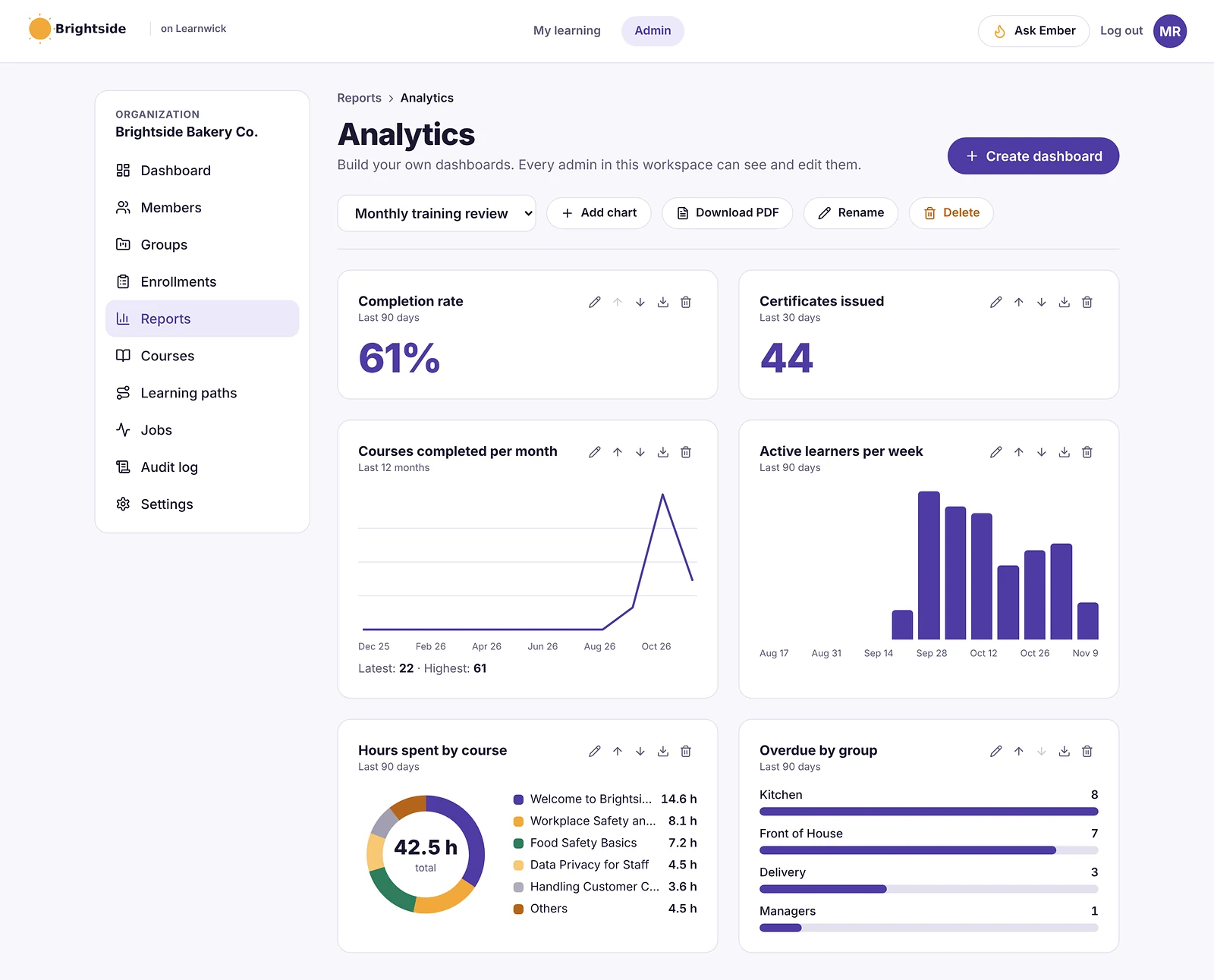
- Reports: an overdue list, completion and quiz reports, time spent, analytics dashboards, custom reports, a training matrix and training gaps by role, all exportable to CSV.
- Learning paths, points and badges: courses in order, plus optional points, badges and a leaderboard.
- Getting people in: invites, CSV import, a join link (optionally limited to your email domain) and Google or Microsoft sign-in.
Pros
- Free plan for up to 30 learners, with every feature and no time limit.
- Published prices on the pricing page; monthly or yearly, cancel any time.
- Every feature on every plan: paid plans only change how many learners you can have.
- Nothing to install, host or update.
- Builds a first course from a document in minutes.
- The AI assistant never changes anything on its own: an admin confirms every action, so that nothing goes live without a human check.
Cons
- No connection to HR or payroll systems yet (people come in by invite, CSV, a join link, or Google/Microsoft sign-in).
- No xAPI, cmi5 or multi-SCO SCORM 2004 with sequencing.
- No live classes or virtual classroom, and no selling courses to the public.
- No native mobile app (the web app works on any phone) and app screens are in English only.
- A young product: few third-party reviews yet, and a small ready-made course library.
- Not a phishing-simulation platform: no simulated attacks, risk scores or report button.
Pricing
- Free: up to 30 learners, every feature, no time limit.
- Starter: $79/month billed yearly ($99 monthly) for up to 100 learners.
- Growth: $239/month billed yearly ($299 monthly) for up to 500 learners.
- Business: $399/month billed yearly ($499 monthly) for up to 1,000 learners.
- Enterprise: over 1,000 learners, price on request.
So that works out at $0.79 per learner per month on Starter (100 learners) and as little as $0.40 on Business (1,000 learners), billed yearly.
Learnwick LMS · Free plan
Try Learnwick LMS free
Turn your acceptable-use policy into a course with Ember and assign it to everyone today. Free for up to 30 learners, no credit card.
2. Hoxhunt
Best for: organizations that want engagement-led behavior change.
Hoxhunt is built around adaptive, gamified phishing training that adjusts to each person and rewards reporting.
Strengths
- Strong engagement and reporting rates.
- Adaptive difficulty per user.
Watch out for
- Quote-only pricing.
- Less of a general compliance library.
Works with an LMS?
Integrations and data exports; check SCORM and LMS options with the vendor.
Pricing
Quote.
3. Proofpoint ZenGuide
Best for: organizations already using Proofpoint email security.
Proofpoint’s security awareness product, now called ZenGuide, ties training to the threats Proofpoint sees in your email.
Strengths
- Training based on real threats targeting your people.
- One vendor for email security and awareness.
Watch out for
- Best inside the Proofpoint ecosystem.
- Enterprise-oriented interface.
Works with an LMS?
Offers LMS options including SCORM; confirm on your plan.
Pricing
Quote; buyer estimates vary widely.
4. Mimecast Engage
Best for: organizations using Mimecast email security.
Mimecast’s awareness product pairs short training with phishing simulation and risk scoring.
Strengths
- Short, frequent training.
- Bundles with Mimecast email security.
Watch out for
- Best with Mimecast email.
- Quote-only.
Works with an LMS?
Check SCORM and LMS integration options with Mimecast.
Pricing
Quote.
5. SoSafe
Best for: European and GDPR-first organizations.
SoSafe, from Germany, offers behavior-based awareness training and phishing simulation with a strong European focus.
Strengths
- EU-based with strong GDPR posture.
- Engaging micro-learning.
Watch out for
- Quote-only.
- Smaller presence outside Europe.
Works with an LMS?
Offers LMS integration options; confirm SCORM availability.
Pricing
Quote.
6. Huntress Managed SAT
Best for: MSPs and small businesses.
Huntress Managed Security Awareness Training (built from its Curricula acquisition) is delivered with managed services, popular with MSPs.
Strengths
- Managed for you, good for small teams.
- Story-based training.
Watch out for
- MSP-oriented buying.
- Fewer enterprise controls.
Works with an LMS?
Check exports and LMS options with Huntress.
Pricing
Per user, often through MSPs.
7. Adaptive Security
Best for: organizations that want AI-driven, personalized simulations.
Adaptive Security uses AI to create personalized simulations, including voice and video deepfake scenarios.
Strengths
- Modern AI-based attack simulations.
- Training for new threats such as deepfakes.
Watch out for
- Quote-only, per seat.
- Newer company.
Works with an LMS?
Check LMS integration options with the vendor.
Pricing
Quote per seat.
8. Usecure
Best for: MSPs and small businesses that want monthly per-user billing.
Usecure offers automated awareness training and phishing for small businesses and MSPs, with no minimum.
Strengths
- Monthly per-user billing.
- Simple automation.
Watch out for
- Lighter features for large enterprises.
- Smaller content library.
Works with an LMS?
Check SCORM options with the vendor.
Pricing
Published per-user pricing; check the vendor.
9. Microsoft Attack Simulation Training
Best for: organizations that already pay for Microsoft 365 E5.
Microsoft Defender for Office 365 Plan 2 (included in E5) includes attack simulation training with phishing simulations and training modules.
Strengths
- Included with Microsoft 365 E5.
- Native to Microsoft 365.
Watch out for
- Less engaging content than specialists.
- Needs E5 or Defender Plan 2.
Works with an LMS?
Training lives in Microsoft 365; export records for your LMS.
Pricing
Included in Microsoft 365 E5; otherwise a trial or add-on.
10. NINJIO
Best for: organizations that want short, story-driven video training.
NINJIO produces short animated episodes based on real breaches, with phishing simulation.
Strengths
- Engaging, short videos.
- Monthly content cadence.
Watch out for
- Fewer simulation features than KnowBe4.
- Quote-only.
Works with an LMS?
Offers SCORM delivery for LMSs; confirm on your plan.
Pricing
Quote.
Security awareness platform vs LMS: which does what
| Security awareness platform (KnowBe4…) | Learning management system (Learnwick…) | |
|---|---|---|
| Main job | Change security behavior and test it with simulated attacks | Deliver and record all required training |
| Content | Security videos, modules and phishing templates | Any course: security, harassment, safety, policies |
| Measures | Click and report rates, risk scores | Completions, quiz scores, certificates, renewals |
| Owner | Security team | HR, compliance or L&D |
| Audit output | Phishing and training reports | One training record per person across all topics |
Many companies use both: a security platform for simulations and coaching, and an LMS where security courses sit with every other mandatory course.
How “LMS integration” works for security training
There are three common ways to connect security awareness training to an LMS:
- SCORM packages. The vendor gives you a SCORM file that you upload to your LMS. Some, like KnowBe4’s, are lightweight packages that stream current content from the vendor, so you don’t re-upload when they update. Completions are recorded in your LMS.
- Native connectors or APIs. The vendor sends completions to your LMS or HR system automatically. Check which LMSs are supported.
- Report exports. You export completions from the security platform and import or attach them to your training records.
Before you choose, test one package or connector end to end: assign it, complete it, and check the result appears in your LMS report with the right date.
Phishing simulation results usually stay in the security platform. Your LMS records the training; your security tool records the behavior. Auditors may ask for both.
What to look for in a KnowBe4 alternative
- Simulation realism: AI-generated, multi-channel (email, SMS, voice) and current threats.
- Behavior change: adaptive difficulty, coaching and reporting rates, not just click rates.
- Content: length, languages, accessibility and how often it’s updated.
- LMS integration: SCORM, connectors or APIs, and whether they’re included in your tier.
- Admin effort: automation versus managed service.
- Contract: term length, renewal caps and seat true-ups.
- Compliance mapping: ISO 27001, SOC 2, HIPAA, PCI DSS and cyber-insurance requirements.
What a KnowBe4 alternative really costs
| Option | Typical price | Notes |
|---|---|---|
| KnowBe4 | About $1.63–$3.75 per seat per month (3-year term) | Published list |
| Hoxhunt, Proofpoint ZenGuide, Mimecast, SoSafe, Adaptive | Quote | Per seat |
| Huntress Managed SAT, Usecure | Per user, often through MSPs | Some published |
| Microsoft Attack Simulation Training | Included in Microsoft 365 E5 | Or Defender Plan 2 |
| Learnwick LMS | Free up to 30; $948 a year for 100 | LMS for all compliance training |
For 100 people, KnowBe4’s SAT Advanced list price is roughly $4,000 a year on a three-year term; adding an LMS for all other compliance training costs $948 a year with Learnwick.
Security training topics beyond phishing
Phishing gets the attention, but most security awareness programs also cover:
- Passwords and MFA: password managers, passkeys and MFA fatigue attacks.
- Business email compromise and payment fraud: fake invoices, changed bank details and CEO impersonation.
- Deepfakes and voice scams: cloned voices and video used to request payments or access.
- Data handling and privacy: classifying data, sharing files safely and reporting breaches.
- Remote and hybrid work: home Wi-Fi, public networks and shoulder surfing.
- Physical security: tailgating, clean desks and lost devices.
- AI tools: what can and can’t be pasted into AI assistants.
- Incident reporting: who to tell, how fast, and that reporting mistakes is welcome.
Several of these depend on your own rules (payment approval steps, AI usage policy, incident contacts). Short courses built from your own policies often work better than generic content, and they’re quick to create in an LMS with an AI course builder.
Making security training stick
Security awareness research and vendor data point to the same few habits:
- Short and frequent beats long and yearly. A few minutes a month keeps threats fresh.
- Coach, don’t shame. People who are embarrassed stop reporting. Instant, private coaching after a click works better than public league tables of failures.
- Reward reporting. A rising reporting rate is often a better sign of culture than a falling click rate.
- Make it relevant. Finance teams need payment-fraud scenarios; developers need secure-coding examples.
- Explain the why. People follow rules they understand, especially when the rule is your own policy.
- Measure both behavior and completion. Click and reporting rates show behavior; training records prove everyone was trained.
That last point is where many companies combine tools: a security platform measures behavior, and an LMS keeps the records alongside every other required course.
Building a yearly security awareness program
Whichever platform you choose, the programs that work tend to follow the same yearly rhythm:
- Baseline (month 1): run an unannounced phishing test to measure where you start.
- Annual core course (months 1–2): everyone completes a 20–30 minute security awareness course, with a quiz, due within a set window. New starters complete it in their first week or two.
- Policy acknowledgement: staff read and confirm your acceptable-use, password and data-handling policies, ideally as a short course with a few questions.
- Monthly micro-learning: two to five minutes a month on current threats, such as invoice fraud, MFA fatigue or deepfake calls.
- Ongoing simulations: phishing tests every month or two, varied in difficulty, with instant coaching for people who click.
- Role-based modules: extra training for finance (payment fraud), HR (data privacy), developers (secure coding) and executives (targeted attacks).
- Review (month 12): compare click and reporting rates with the baseline, check completions, and update the plan.
Steps 2, 3 and 6 are training records: an LMS handles them well, alongside your other mandatory courses. Steps 1, 4 and 5 are where a security awareness platform earns its place.
Compliance frameworks that expect security training
Many standards and contracts expect proof that staff receive security awareness training, which is why records matter as much as content:
- ISO/IEC 27001: requires awareness and training appropriate to people’s roles, with evidence.
- SOC 2: auditors commonly look for security awareness training at hire and at least yearly.
- HIPAA: requires a security awareness and training program for workforce members handling health information.
- PCI DSS: requires a formal security awareness program for staff with access to cardholder data.
- Cyber-insurance questionnaires: almost always ask whether staff receive phishing training and how often.
- NIS2 (EU): expects management bodies and staff to receive cybersecurity training.
In every case, auditors ask the same questions: who completed what, when, and how do you know new starters were trained? An exportable training record per person answers that quickly.
Questions to ask in a security awareness demo
- Show a simulation built from a real threat targeting companies like ours this month.
- What happens when someone clicks? Show the coaching they see.
- How do you measure behavior change, beyond click rate?
- Which languages and accessibility standards does the training meet?
- How do completions reach our LMS: SCORM, connector or export? Is it included in our tier?
- How long are the courses, and can we choose shorter ones?
- What does renewal look like after a multi-year term?
- How do you handle data privacy for employee behavior data?
- Can managers see results for their teams without seeing individuals’ mistakes publicly?
- What’s the admin time per month for a team our size?
Small business? A practical setup
If you have fewer than 100 people and no security team, you don’t need an enterprise program to cover the basics. A practical, low-cost setup looks like this:
- Write three short policies: acceptable use, passwords and MFA, and how to report something suspicious.
- Turn them into short courses with a few quiz questions each, and assign them to everyone with a due date. New starters get them automatically.
- Add one general security awareness course each year, from a vendor’s SCORM package or a free resource.
- Run a phishing simulation a few times a year, using a small-business tool, your MSP’s service or, if you have Microsoft 365 E5, Attack Simulation Training.
- Keep the records in one place so you can answer a cyber-insurance questionnaire in minutes.
With Learnwick, steps 2, 3 and 5 fit on the Free plan for up to 30 people, and on Starter beyond that.
How to switch from KnowBe4
- Check your term and renewal date; KnowBe4 contracts are often multi-year.
- Export training and phishing history for audits and trend comparisons.
- Run the new platform’s baseline phishing test before the old one ends.
- Reconnect your LMS: new SCORM packages or connectors, and test completions.
- Re-create your yearly training plan and due dates.
- Tell employees the reporting button or process is changing.
- Keep old reports for auditors and insurers.
Run the new baseline test before turning the old platform off, so you can compare like with like.
Choose by what you need
- Choose Learnwick LMS when you want security courses in one LMS with all other compliance training, free for up to 30 learners.
- Choose Hoxhunt for engagement-led behavior change.
- Choose Proofpoint ZenGuide or Mimecast Engage if you use their email security.
- Choose SoSafe for EU and GDPR-first organizations.
- Choose Huntress Managed SAT or Usecure for MSPs and small businesses.
- Choose Adaptive Security for AI and deepfake simulations.
- Choose Microsoft Attack Simulation Training if you already have E5.
- Choose NINJIO for short, story-driven videos.
See our compliance training software page and SCORM LMS page, or compare Learnwick plans on the pricing page.
Learnwick LMS · Free plan
Put all your compliance training in one place
Create a free workspace, upload one security SCORM course next to your policies and assign it. Every feature included.
Frequently asked questions
What is the best alternative to KnowBe4?
Hoxhunt for engagement, Proofpoint ZenGuide or Mimecast Engage if you use their email security, SoSafe for EU organizations, Huntress Managed SAT or Usecure for small businesses, and Microsoft Attack Simulation Training if you have Microsoft 365 E5.
How much does KnowBe4 cost?
KnowBe4 lists security awareness training at about $1.63 to $3.75 per seat per month on a three-year term, depending on seat count and content level. Shorter terms cost more.
Does KnowBe4 integrate with an LMS?
Yes. KnowBe4 offers lightweight SCORM downloads that stream its content into a third-party LMS, where SCORM downloads are enabled on your plan.
Which KnowBe4 alternatives integrate with an LMS?
Most offer SCORM packages, connectors or report exports. Check which method is included in your plan and test it with your LMS before you sign.
Can I use Learnwick for security awareness training?
Yes, as the LMS: upload security SCORM courses or build courses from your own security policies, with due dates, reminders and yearly certificates. Learnwick does not run phishing simulations. It is free for up to 30 learners.
Is Microsoft Attack Simulation Training free?
It is included with Microsoft 365 E5 or Microsoft Defender for Office 365 Plan 2; it is not included in lower plans.
How often should staff do security awareness training?
Most programs run a core course at hire and at least once a year, plus short monthly refreshers and regular phishing simulations. Check what your auditors and insurers require.
Do I need an LMS if I have KnowBe4?
Not for security training alone. But if you also run harassment, safety, privacy and policy training, an LMS keeps one record per person across all of it, and KnowBe4 content can be added through its SCORM downloads.
What is the cheapest KnowBe4 alternative?
Microsoft Attack Simulation Training costs nothing extra if you already have Microsoft 365 E5. Small-business tools such as Usecure bill monthly per user with no minimum. For the training-record side, Learnwick LMS is free for up to 30 learners.
Can KnowBe4 content run in Learnwick?
KnowBe4 offers SCORM downloads for third-party LMSs on plans where they are enabled. Learnwick runs SCORM 1.2 and single-SCO SCORM 2004 packages; test one package before rolling it out to everyone.
Who owns KnowBe4?
Vista Equity Partners took KnowBe4 private in 2023.
The author
Venchito Tampon
Venchito Tampon is the founder of Learnwick, the LMS for small business — a simple, affordable way to upload or build courses, assign training, give certificates and see who has finished.
He is also the CEO and founder of eLearning Solutions Lab, a Philippines-based eLearning production company making custom and rapid eLearning for clients around the world, and Chief Learning Officer of Rainmakers Training & Consultancy, a corporate training and leadership development company.
He is a Certified Learning & Development Professional (CLDP) and a certified executive coach, and also founded ExpirePilot and Sidelight 360.
10 Best Mitratech Learn Alternatives in 2026 (vs Other LMSs)
10 Best Mitratech Learn Alternatives in 2026 (vs Other LMSs)
For compliance-heavy companies, Absorb, Docebo, Cornerstone and LearnUpon are the closest Mitratech Learn alternatives in 2026. For small and mid-size teams that want simple compliance training with published prices, Learnwick LMS is free for up to 30 learners, with due dates, reminders and certificates that renew.
Key takeaways
- Mitratech Learn, previously sold as Trakstar Learn, is part of Mitratech’s legal, governance, risk, compliance and HR software family.
- It focuses on compliance: deadlines, automatic reminders, expiring certifications and retraining, with compliance courses from partner Syntrio.
- Pricing is quote-only, and it fits best if you already use other Mitratech products.
- For simple compliance training with published prices, Learnwick LMS is free for up to 30 learners.
In this guide
- In summary
- Mitratech Learn vs other LMSs: what it is
- How we compared these Mitratech Learn alternatives
- Why companies look for Mitratech Learn alternatives
- The 10 best Mitratech Learn alternatives at a glance
- 1. Learnwick LMS
- 2. Absorb LMS
- 3. Cornerstone
- 4. Docebo
- 5. LearnUpon
- 6. TalentLMS
- 7. 360Learning
- 8. iSpring Learn
- 9. Continu
- 10. Kallidus Learn
- Feature comparison: Mitratech Learn alternatives side by side
- What to look for in a Mitratech Learn alternative
- Other Mitratech Learn alternatives worth a look
- What a Mitratech Learn alternative really costs
- How to switch from Mitratech Learn
- Choose a Mitratech Learn alternative by what you need
- Frequently asked questions
In summary
If you only have a minute, here’s the short version:
- Best overall for small and mid-size compliance training: Learnwick LMS — free for up to 30 learners, then $79/month billed yearly ($99 monthly) for up to 100 learners.
- Best free plan: Learnwick LMS — 30 learners, every feature, no time limit.
- Lowest per-learner price: Learnwick LMS — $0.79 per learner per month on Starter (100 learners) and as little as $0.40 on Business (1,000 learners), billed yearly.
- Best easy enterprise LMS for compliance: Absorb.
- Best enterprise learning and talent suite: Cornerstone.
- Best for large, global programs: Docebo.
- Best simple self-serve LMS: TalentLMS.
Disclosure: Learnwick LMS publishes this guide and is one of the products in it. We put it first simply because it’s the option we know best for small and mid-size teams, and we list its limits as plainly as everyone else’s. Prices and G2 ratings for other tools were checked in November 2026 from vendor pages, G2 and public price trackers; check the vendor’s own page before you buy.
Mitratech Learn vs other LMSs: what it is
Mitratech, based in Austin, Texas, sells legal, governance, risk and compliance (GRC) and HR software. Its LMS, Mitratech Learn, was previously sold as Trakstar Learn and sits alongside Mitratech’s policy management, hotline and HR products.
What Mitratech Learn does well
- Compliance first: completion deadlines, automatic email reminders, expiring certifications and automatic re-enrollment in retraining.
- Segmented audiences: assign different compliance training to different teams.
- Content conversion: a tool to turn existing documents and presentations into courses.
- Compliance content: through its partnership with Syntrio, courses on harassment prevention, ethics, DEI, health and safety, cybersecurity and more.
- Unlimited courses and real-time reports and dashboards.
- One vendor for policy, hotline, training and legal operations.
Where it stops
- Quote-only pricing.
- Best inside the Mitratech family: most of its advantage comes from pairing with Mitratech’s GRC and HR tools.
- Fewer public reviews than the largest LMSs.
- Brand changes: Trakstar Learn to Mitratech Learn, which can confuse older documentation and integrations.
How we compared these Mitratech Learn alternatives
We compared each alternative on what compliance teams use Mitratech Learn for:
- Compliance automation: deadlines, reminders, expiring certificates and retraining.
- Content: built-in or partner compliance libraries, and your own policies as courses.
- Audit readiness: reports, history and exports.
- Integrations: HR systems, SSO and policy tools.
- Price: published or quoted, minimums and add-ons.
We checked prices and ratings in November 2026 on vendor pages, G2, Capterra and price trackers.
Why companies look for Mitratech Learn alternatives
You don’t use other Mitratech products
Without Mitratech’s policy, hotline or HR tools, a standalone LMS is often simpler and cheaper.
Published prices
Smaller companies want to see costs up front.
Broader learning needs
Some teams want onboarding, skills and customer training as well as compliance.
AI course creation
Newer LMSs build courses from policies in minutes.
If your policies live in one system and training in another, check that policy updates trigger retraining. That link is what auditors look for.
The 10 best Mitratech Learn alternatives at a glance
| Tool | Best for | Price (Nov 2026) | Rating | Free plan |
|---|---|---|---|---|
| Learnwick LMS | Small and mid-size compliance training | Free up to 30; from $79/mo for 100 learners | New (no reviews yet) | Yes, 30 learners |
| Absorb LMS | Easy enterprise LMS with strong compliance | Quote only (median ≈$20,000/yr) | G2 4.6 (≈900 reviews) | No |
| Cornerstone | Enterprise learning and talent suite | Quote only | G2 4.1 (≈530 reviews) | No |
| Docebo | Large, global programs | Quote only (median ≈$42,000/yr) | G2 4.3 (≈740 reviews) | No |
| LearnUpon | Mid-size companies that want strong support | Quote only (about $6–$9/active user/mo) | G2 4.5 (≈250 reviews) | No |
| TalentLMS | Simple self-serve LMS with a free plan | Free for 5 users; Core from $119/mo yearly | G2 4.6 (≈800 reviews) | Yes, 5 users |
| 360Learning | Collaborative learning with published Team pricing | Team plan $8/user/mo, up to 100 users | G2 4.6 (≈600 reviews) | No |
| iSpring Learn | Teams that build courses in PowerPoint | From $6.91/user/mo at 100 users, billed yearly | G2 4.5–4.6 | No (30-day trial) |
| Continu | Modern learning for employees and customers | Quote (reported from about $25,000/yr) | Software Advice 4.8 (≈100 reviews) | No |
| Kallidus Learn | UK compliance and classroom training | Quote (listed from about $10,000/yr) | Capterra 4.5+ | No |
1. Learnwick LMS
Best for: small and mid-size companies that need compliance training tracked with proof, using their own policies, at a published price.
Learnwick LMS is a cloud LMS for teams without a training department. In practice, one person can set it up in an afternoon: create a workspace, add your logo, upload a SCORM course or let the AI assistant build one from a document, invite people and assign training with a due date. Learners open it on any phone or computer without installing an app.
Why Learnwick is a strong Mitratech Learn alternative
Compliance on autopilot. Assign courses with due dates, send automatic reminders, issue certificates with expiry dates and re-enroll people before training lapses, the same core loop compliance teams rely on.
Your policies as courses. Ember turns a policy into lessons and quiz questions you check before publishing. When the policy changes, update the course and reassign it.
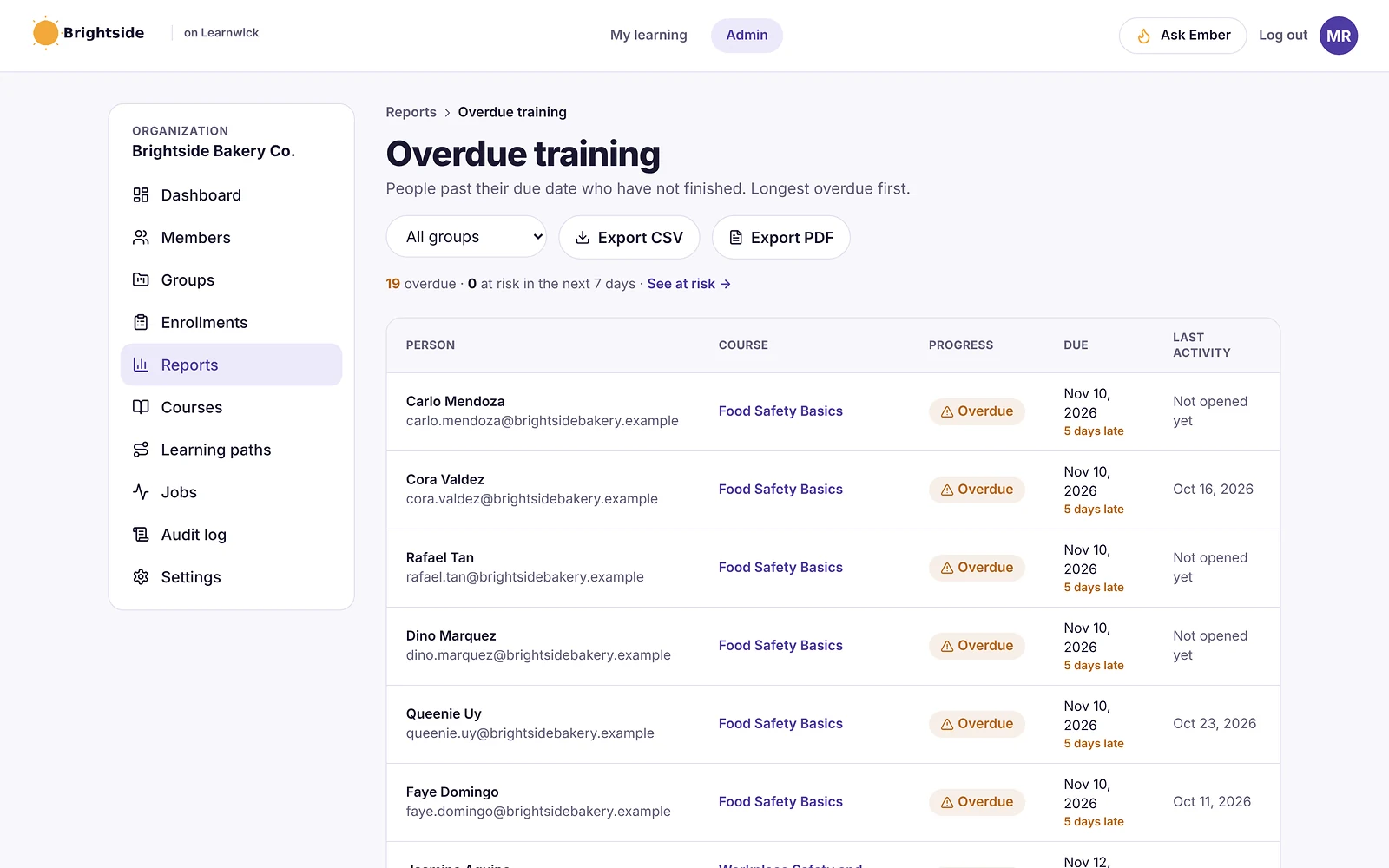
Audit-ready. The overdue list, training matrix and completion reports export to CSV.
Published prices. The Free plan covers 30 learners. 100 learners cost $948 a year.
The honest trade-off: no ready-made compliance library, policy management, hotline or HR integration. Pair Learnwick with purchased SCORM courses if you need a library.
To give you a concrete example, at Learnwick, we don’t simply store a policy as a PDF. Ember turns it into a short course with quiz questions, so that people actually engage with the policy rather than scroll past it. And when the policy changes, you update the course and reassign it.
Key features
- Courses you already have: SCORM 1.2 and single-SCO SCORM 2004 packages from Storyline, Rise, Captivate or iSpring, plus videos and PDFs with optional quizzes.
- Ember, the AI course builder: paste a policy or upload a PDF or Word file and Ember drafts lessons and quiz questions you check before publishing. It can also translate a course.
- Assignments with due dates: assign a course to a person or a whole group; new group members get the group’s courses automatically.
- Automatic reminders: late learners get reminders, managers get a weekly summary, and finishing one course can assign the next one.
- Certificates: PDF certificates on completion, with renewal dates and a code anyone can check online.
- Reports: an overdue list, completion and quiz reports, time spent, analytics dashboards, custom reports, a training matrix and training gaps by role, all exportable to CSV.
- Learning paths, points and badges: courses in order, plus optional points, badges and a leaderboard.
- Getting people in: invites, CSV import, a join link (optionally limited to your email domain) and Google or Microsoft sign-in.
Pros
- Free plan for up to 30 learners, with every feature and no time limit.
- Published prices on the pricing page; monthly or yearly, cancel any time.
- Every feature on every plan: paid plans only change how many learners you can have.
- Nothing to install, host or update.
- Builds a first course from a document in minutes.
- The AI assistant never changes anything on its own: an admin confirms every action, so that nothing goes live without a human check.
Cons
- No connection to HR or payroll systems yet (people come in by invite, CSV, a join link, or Google/Microsoft sign-in).
- No xAPI, cmi5 or multi-SCO SCORM 2004 with sequencing.
- No live classes or virtual classroom, and no selling courses to the public.
- No native mobile app (the web app works on any phone) and app screens are in English only.
- A young product: few third-party reviews yet, and a small ready-made course library.
- No ready-made compliance library, policy management, hotline or HR integration.
Pricing
- Free: up to 30 learners, every feature, no time limit.
- Starter: $79/month billed yearly ($99 monthly) for up to 100 learners.
- Growth: $239/month billed yearly ($299 monthly) for up to 500 learners.
- Business: $399/month billed yearly ($499 monthly) for up to 1,000 learners.
- Enterprise: over 1,000 learners, price on request.
So that works out at $0.79 per learner per month on Starter (100 learners) and as little as $0.40 on Business (1,000 learners), billed yearly.
Learnwick LMS · Free plan
Try Learnwick LMS free
Turn your code of conduct into a course with Ember and assign it to everyone today. Free for up to 30 learners, no credit card.
2. Absorb LMS
Best for: companies that want an easy enterprise LMS with strong compliance.
Absorb is a well-reviewed corporate LMS known for a clean interface, rule-based enrollments and strong compliance tracking. It serves employees, customers and partners from branded portals.
Why Absorb LMS is a Mitratech Learn alternative
Absorb is well rated for ease of use, handles rule-based enrollments and certifications, and offers the Absorb Amplify content library.
Key features
- Rule-based enrollments and learning paths.
- Branded portals for employees, customers and partners.
- Compliance and certificate tracking.
- E-commerce for selling courses.
- Wide integration catalogue and an API.
Pros
- One of the highest-rated enterprise LMSs for ease of use.
- Strong automation for large groups.
- Mature reporting and support options.
Cons
- Quote-only pricing; plans start at 100 learners.
- Annual contracts and an implementation project.
- Many features target dedicated L&D teams.
Pricing
Quote only. Price trackers put the median Absorb contract at about $20,000 a year. More options in our Absorb LMS alternatives guide.
3. Cornerstone
Best for: enterprises that want learning and talent together.
Cornerstone is one of the oldest names in corporate learning. Its learning product sits beside performance, recruiting and talent modules for large enterprises.
Why Cornerstone is a Mitratech Learn alternative
Cornerstone covers compliance, learning, performance and talent with a large content marketplace.
Key features
- Learning, performance, recruiting and HR modules.
- Large content library add-on.
- Compliance and certification management.
- Skills and career tools.
Pros
- Very broad talent-management scope.
- Built for large, regulated organizations.
Cons
- Quote-only, module-based pricing.
- Long implementations.
- Lower G2 satisfaction than most tools here.
Pricing
Quote only. Industry estimates put the learning module at roughly $3.50–$8 per employee per month. More options in our Cornerstone alternatives guide.
4. Docebo
Best for: large companies with global programs.
Docebo is an enterprise learning platform with strong AI features, extended-enterprise portals, a branded mobile app and a large integration catalogue.
Why Docebo is a Mitratech Learn alternative
Docebo handles many languages and audiences with strong AI and integrations.
Key features
- AI content creation, tagging and recommendations.
- Portals for customers and partners.
- Custom-branded mobile app.
- Integration marketplace and analytics add-ons.
Pros
- Very capable for complex, global programs.
- Mature AI and automation.
Cons
- Quote-only; aimed at 250+ learners, and multi-year contracts are common.
- A learning curve for admins, according to G2 reviewers.
Pricing
Quote only (Elevate and Enterprise plans, priced on active users). Vendr puts the median contract at about $42,000 a year. More options in our Docebo alternatives guide.
5. LearnUpon
Best for: mid-size companies that want strong support.
LearnUpon is a corporate LMS known for quick setup and for training several audiences (employees, customers, partners and members) in separate portals.
Why LearnUpon is a Mitratech Learn alternative
LearnUpon is known for quick implementation, compliance features and responsive support.
Key features
- Multiple branded portals.
- SCORM and xAPI.
- Learning paths, assignments and recommendations.
- Webinar, SSO and CRM integrations on higher plans.
- 24/7 support.
Pros
- Reviewers rate its setup as quick.
- Strong multi-audience features.
- Responsive support.
Cons
- Quote-only; packaged plans start around 100–150 monthly active users.
- No free plan; most buyers report an annual commitment.
Pricing
Quote only, typically about $6–$9 per active user per month. Vendr puts the median contract at about $30,000 a year. More options in our LearnUpon alternatives guide.
6. TalentLMS
Best for: small teams that want a simple self-serve LMS.
TalentLMS is one of the best-known LMSs for small businesses. Reviewers rate it highly for ease of use, and you can sign up and start without talking to sales.
Why TalentLMS is a Mitratech Learn alternative
TalentLMS has a free plan for 5 users, published prices and a content library add-on.
Key features
- Course builder with tests, surveys and assignments.
- SCORM, xAPI and cmi5.
- Branches (sub-portals) on higher plans.
- Gamification and automations.
Pros
- Very easy to learn.
- Free plan and published prices.
- Large, active user base.
Cons
- The free plan covers only 5 users and 10 courses.
- Prices step up by user bracket, and some features sit on higher plans.
Pricing
Free for 5 users. Core is $119 a month billed yearly for up to 40 users; Grow is $229 and Pro $449 a month at the first bracket. More options in our TalentLMS alternatives guide.
7. 360Learning
Best for: companies that want experts to keep courses current.
360Learning is built around collaborative learning: subject-matter experts write courses, colleagues comment and suggest changes, and courses improve over time.
Why 360Learning is a Mitratech Learn alternative
360Learning’s collaborative model helps keep policy training up to date.
Key features
- Collaborative authoring with comments and reactions.
- AI-assisted course writing.
- SCORM support and discussions inside courses.
- HR-system integrations on higher plans.
Pros
- Published entry price of $8 per user per month.
- Courses stay current because experts own them.
- Team plan can be billed monthly.
Cons
- The Team plan stops at 100 users; larger plans are quoted.
- No free plan.
- Works best only if experts actually take part.
Pricing
Team: $8 per user per month for up to 100 users. Business and Enterprise: quote.
8. iSpring Learn
Best for: teams whose courses start as PowerPoint.
iSpring Learn is the LMS from the makers of iSpring Suite, a PowerPoint-based authoring tool. Courses built in PowerPoint publish straight to the LMS with animations and quizzes intact.
Why iSpring Learn is a Mitratech Learn alternative
iSpring Suite and iSpring Learn turn presentations into courses at published prices.
Key features
- SCORM, video, document and iSpring Suite courses.
- Learning paths and automatic enrollment rules.
- Progress, score and time reports.
- Mobile app with offline learning.
Pros
- Public prices by user band and a 30-day trial.
- Excellent if your courses come from PowerPoint.
- Strong support reputation.
Cons
- No free plan; the smallest band is 100 users.
- iSpring Suite authoring is a separate purchase (about $720 per author per year).
Pricing
Billed yearly: $8,286 for 100 users, $16,050 for 300 and $23,790 for 500. Enterprise is quoted. More options in our iSpring Learn alternatives guide.
9. Continu
Best for: companies that want a modern platform for employees and customers.
Continu is a modern learning platform for mid-size and large companies that train employees, customers and partners in one place.
Why Continu is a Mitratech Learn alternative
Continu covers onboarding, compliance and customer academies.
Key features
- Learning paths, onboarding and compliance.
- Employee, customer and partner academies.
- Continu AI for course creation (Professional and up).
- HRIS and Salesforce integrations.
Pros
- Very high ease-of-use scores.
- One platform for internal and external training.
Cons
- Quote-only, priced by monthly active users.
- AI and external audiences sit on higher plans.
Pricing
Quote only, priced by monthly active users on Growth, Professional and Enterprise plans. Third-party estimates put entry around $25,000 a year.
10. Kallidus Learn
Best for: UK organizations with compliance and classroom training.
Kallidus is a UK learning company whose Kallidus Learn LMS is popular with UK retailers, charities and public bodies. It also sells Sapling for onboarding and HR.
Why Kallidus Learn is a Mitratech Learn alternative
Kallidus Learn handles mandatory training and course booking.
Key features
- Compliance tracking and learning paths.
- Course booking for classroom sessions.
- Content library and authoring.
- Sapling onboarding and HR (US).
Pros
- Strong UK customer base and support.
- 95% of Capterra reviewers rate it above 4 stars.
Cons
- Quote-only, aimed at 100+ users.
- Mostly UK-focused for the LMS.
Pricing
Quote only. Capterra lists a start of about $10,000 a year, for 100 to 100,000+ users.
Feature comparison: Mitratech Learn alternatives side by side
Prices change. But the way a tool is built and sold usually changes much less. This table shows where each option runs, whether it plays the SCORM courses you may already own, and how it is priced.
| Tool | Where it runs | SCORM | Pricing model |
|---|---|---|---|
| Learnwick LMS | Cloud (nothing to install) | Yes (1.2 and single-SCO 2004) | Published, free up to 30 learners |
| Absorb LMS | Cloud | Yes (plus xAPI) | Quote |
| Cornerstone | Cloud | Yes | Quote |
| Docebo | Cloud | Yes (plus xAPI) | Quote |
| LearnUpon | Cloud | Yes (plus xAPI) | Quote |
| TalentLMS | Cloud | Yes (plus xAPI, cmi5) | Published |
| 360Learning | Cloud | Yes | Published (Team) / quote |
| iSpring Learn | Cloud | Yes | Published |
| Continu | Cloud | Yes | Quote |
| Kallidus Learn | Cloud | Yes | Quote |
“Via add-on” means a third-party plugin is needed. “Quote” means you need a sales call to get a price.
What to look for in a Mitratech Learn alternative
Before you book demos, agree what “better” actually means for your team. In practice, these are the points that typically decide an LMS switch:
- Compliance content: a built-in library, a partner library, or your own policies.
- Policy link: retraining when a policy changes, and attestations.
- Expiry and retraining: automatic re-enrollment before certificates lapse.
- Audit exports: history by person, course and date.
- Suite fit: whether you want training inside a GRC or HR suite or as a standalone LMS.
- Content compatibility: does it play what you already own (SCORM 1.2, SCORM 2004, xAPI or cmi5 packages, video, PDF, PowerPoint), and can you export it again later?
- Ease of use: can an admin set up a course in an afternoon, and can learners find their training without a manual, on a phone as well as a computer?
- Automation: enrollment rules, due dates, automatic reminders, recertification and “assign the next course” tend to save more hours than any other feature.
- Reporting and proof: an overdue list, completion reports by group, quiz results, certificates with verification and an audit trail for compliance.
- Integrations: single sign-on (SAML or Google and Microsoft sign-in), HR systems, CRM such as Salesforce or HubSpot, video meetings (Zoom, Microsoft Teams), Slack, Zapier and an open API.
- AI features: course drafting from documents, quiz generation, translation and search. Check that an admin approves what the AI changes.
- Audiences and branding: one internal team, or separate portals for customers, partners or members, with white-label branding.
- Pricing model: per registered user, per active user, flat tiers by user count, per site (WordPress plugins) or self-hosting costs. Ask what happens when you go over your plan.
- Support and implementation: who sets it up, how long it takes, and whether support is included.
Here’s a simple way to use this list: turn it into a one-page scorecard, so that each shortlisted tool gets a score after a one-week trial with real courses and real learners.
Other Mitratech Learn alternatives worth a look
These didn’t make our top 10 for most teams. But they come up often, and one of them may genuinely suit a specific need:
- Syntrio: compliance courses and hotline, available through Mitratech or directly.
- EasyLlama: fast-to-deploy compliance training for SMBs.
- Ethena: modern, AI-assisted compliance training.
- Skillsoft: a large content library for enterprises.
- NAVEX: ethics and compliance software with training.
- Trakstar Perform: Mitratech’s performance management product.
What a Mitratech Learn alternative really costs
| Option | Typical price | Notes |
|---|---|---|
| Mitratech Learn | Not published | Quote |
| Absorb | Median about $20,000 a year | Quote |
| Cornerstone, Docebo | Usually $25,000+ a year | Quote |
| LearnUpon | Median contract about $30,000 a year | Quote |
| 360Learning Team | $8 per user per month, up to 100 users | Published |
| TalentLMS | From $1,428 a year (Core) | Published |
| iSpring Learn | About $8,300 a year for 100 users | Published |
| Learnwick LMS | Free up to 30; $948 a year for 100 | Published |
If you buy compliance content separately, price it alongside the LMS.
How to switch from Mitratech Learn
- Check your contract and which Mitratech products it covers.
- Export training history: completions, certificates and expiry dates by person.
- Export content you own: SCORM, documents and videos. Licensed Syntrio courses usually stay with the license.
- Plan replacement compliance content.
- Rebuild audiences and due dates.
- Pilot with one department.
- Keep historical records for audits and investigations.
Keep training history for as long as your regulators or legal team require; in many industries that’s several years.
Choose a Mitratech Learn alternative by what you need
- Choose Learnwick LMS when you need compliance training with proof and published prices, free for up to 30 learners.
- Choose Absorb for an easy enterprise LMS with strong compliance.
- Choose Cornerstone for learning and talent together.
- Choose Docebo for large, global programs.
- Choose LearnUpon when support matters most.
- Choose TalentLMS for a simple self-serve LMS.
- Choose 360Learning to keep policy courses current with experts.
- Choose iSpring Learn when courses start as PowerPoint.
- Choose Continu when you train employees and customers.
- Choose Kallidus for UK compliance and classroom training.
See our compliance training software page and our guide to Absorb alternatives, or compare Learnwick plans on the pricing page.
Learnwick LMS · Free plan
See if Learnwick fits your compliance training
Create a free workspace, turn one policy into a course and assign it. Every feature included.
Frequently asked questions
What is Mitratech Learn?
Mitratech Learn, previously sold as Trakstar Learn, is the compliance-focused LMS in Mitratech’s legal, GRC and HR software family.
How does Mitratech Learn compare with other LMSs?
It is strong on compliance automation and pairs well with Mitratech’s policy and hotline tools. Standalone LMSs such as Absorb or Docebo offer broader learning features, and Learnwick LMS offers simple compliance training with published prices.
How much does Mitratech Learn cost?
Mitratech does not publish prices. Contact the vendor for a quote.
Does Mitratech Learn include compliance courses?
Yes, through Mitratech’s partnership with Syntrio, covering topics such as harassment prevention, ethics, health and safety and cybersecurity.
What is the best alternative to Mitratech Learn?
For compliance-heavy enterprises, Absorb, Docebo, Cornerstone and LearnUpon. For small and mid-size teams, Learnwick LMS is free for up to 30 learners.
Is there a free alternative to Mitratech Learn?
Learnwick LMS is free for up to 30 learners, TalentLMS has a free plan for 5 users, and Moodle is free to self-host.
The author
Venchito Tampon
Venchito Tampon is the founder of Learnwick, the LMS for small business — a simple, affordable way to upload or build courses, assign training, give certificates and see who has finished.
He is also the CEO and founder of eLearning Solutions Lab, a Philippines-based eLearning production company making custom and rapid eLearning for clients around the world, and Chief Learning Officer of Rainmakers Training & Consultancy, a corporate training and leadership development company.
He is a Certified Learning & Development Professional (CLDP) and a certified executive coach, and also founded ExpirePilot and Sidelight 360.
10 Best uxpertise LMS Alternatives in 2026 (Comparison With Prices)
10 Best uxpertise LMS Alternatives in 2026 (Comparison With Prices)
For training centers and professional associations, Tovuti, LearnUpon, Absorb and Thinkific are the closest uxpertise LMS alternatives in 2026. For small and mid-size companies training their own staff, Learnwick LMS is free for up to 30 learners, with published prices, AI course building and certificates.
Key takeaways
- uxpertise LMS is a Quebec-based, cloud LMS for companies, training centers and professional associations, available in English and French.
- It includes online exam proctoring, e-commerce through Stripe and a Zapier integration; pricing is quote-only.
- Reviews are solid: about 4.4 out of 5 on Capterra from 30 reviews, with very high marks for support on G2.
- For staff training with published prices, Learnwick LMS is free for up to 30 learners.
In this guide
- In summary
- uxpertise LMS in 2026: what it is and what it does well
- How we compared these uxpertise alternatives
- Why organizations look for uxpertise alternatives
- The 10 best uxpertise LMS alternatives at a glance
- 1. Learnwick LMS
- 2. TalentLMS
- 3. Tovuti LMS
- 4. LearnUpon
- 5. Absorb LMS
- 6. Thinkific
- 7. iSpring Learn
- 8. Docebo
- 9. 360Learning
- 10. Moodle / MoodleCloud
- Feature comparison: uxpertise LMS alternatives side by side
- What to look for in a uxpertise LMS alternative
- Other uxpertise LMS alternatives worth a look
- What a uxpertise alternative really costs
- How to switch from uxpertise
- Choose a uxpertise alternative by what you need
- Frequently asked questions
In summary
If you only have a minute, here’s the short version:
- Best overall for small and mid-size companies training staff: Learnwick LMS — free for up to 30 learners, then $79/month billed yearly ($99 monthly) for up to 100 learners.
- Best free plan: Learnwick LMS — 30 learners, every feature, no time limit.
- Lowest per-learner price: Learnwick LMS — $0.79 per learner per month on Starter (100 learners) and as little as $0.40 on Business (1,000 learners), billed yearly.
- Best for professional associations: Tovuti or LearnUpon.
- Best for training centers that sell courses: Thinkific.
- Best simple self-serve LMS: TalentLMS.
- Best open-source option (with French support): Moodle.
Disclosure: Learnwick LMS publishes this guide and is one of the products in it. We put it first simply because it’s the option we know best for small and mid-size teams, and we list its limits as plainly as everyone else’s. Prices and G2 ratings for other tools were checked in November 2026 from vendor pages, G2 and public price trackers; check the vendor’s own page before you buy.
uxpertise LMS in 2026: what it is and what it does well
uxpertise LMS is made by uxpertise, based in Quebec, Canada. It is a cloud LMS for small and mid-size businesses, corporate training teams, training centers, academies and professional associations, in English and French.
What uxpertise does well
- Blended training: online courses and in-person sessions managed in one place.
- Exam proctoring: an online proctoring service built into the LMS to protect exam integrity, which suits certifications.
- Groups and supervisors: create groups, name supervisors and track progress and skills.
- E-commerce and automation: Stripe for payments and Zapier for connecting other tools; an API is available.
- Branding: company colors and logo.
- Support: G2 reviewers rate help and support very highly.
Where it stops
- Quote-only pricing.
- Small review base: about 30 reviews on Capterra.
- Two languages: English and French only.
- Mostly Canadian customers, so fewer references elsewhere.
How we compared these uxpertise alternatives
We compared each alternative on the jobs uxpertise customers use it for:
- Employee training: onboarding, compliance and certificates.
- Training centers: selling courses, managing sessions and clients.
- Associations: member education, CE credits and exams.
- Exams: proctoring, question banks and certifications.
- Languages and Canada: French support, Canadian data and Law 25 (Quebec privacy).
- Price: published or quoted.
We checked prices and ratings in November 2026 on vendor pages, Capterra, G2 and price trackers.
Why organizations look for uxpertise alternatives
Published prices
Many buyers want to compare prices before a sales call.
More languages
Teams outside Canada, or with staff in more languages, need more than English and French.
Bigger ecosystem
Some organizations want more integrations, content libraries and peer reviews.
Simpler staff training
Companies that only train employees may not need proctoring and e-commerce.
If you rely on uxpertise’s built-in proctoring, check each alternative’s proctoring partners first. It’s the hardest feature to replace.
The 10 best uxpertise LMS alternatives at a glance
| Tool | Best for | Price (Nov 2026) | Rating | Free plan |
|---|---|---|---|---|
| Learnwick LMS | Small and mid-size companies training their own staff | Free up to 30; from $79/mo for 100 learners | New (no reviews yet) | Yes, 30 learners |
| TalentLMS | Simple self-serve LMS with a free plan | Free for 5 users; Core from $119/mo yearly | G2 4.6 (≈800 reviews) | Yes, 5 users |
| Tovuti LMS | Associations and training businesses | Quote only (listings from ≈$7,500/yr) | G2 4.6 (≈295 reviews) | No |
| LearnUpon | Multi-portal LMS with strong support | Quote only (about $6–$9/active user/mo) | G2 4.5 (≈250 reviews) | No |
| Absorb LMS | Easy enterprise LMS with e-commerce | Quote only (median ≈$20,000/yr) | G2 4.6 (≈900 reviews) | No |
| Thinkific | Training centers that sell courses | From $40/mo yearly ($54 monthly) | — | No |
| iSpring Learn | Teams that build courses in PowerPoint | From $6.91/user/mo at 100 users, billed yearly | G2 4.5–4.6 | No (30-day trial) |
| Docebo | Large organizations with many languages | Quote only (median ≈$42,000/yr) | G2 4.3 (≈740 reviews) | No |
| 360Learning | Collaborative learning with published Team pricing | Team plan $8/user/mo, up to 100 users | G2 4.6 (≈600 reviews) | No |
| Moodle / MoodleCloud | Open source with French support | Free to self-host; MoodleCloud ≈$160–$2,120/yr | Capterra 4.3 (≈3,400 reviews) | Open source |
1. Learnwick LMS
Best for: small and mid-size companies training their own staff (onboarding, compliance, safety) that want published prices and quick setup. Not for selling courses or proctored exams.
Learnwick LMS is a cloud LMS for teams without a training department. In practice, one person can set it up in an afternoon: create a workspace, add your logo, upload a SCORM course or let the AI assistant build one from a document, invite people and assign training with a due date. Learners open it on any phone or computer without installing an app.
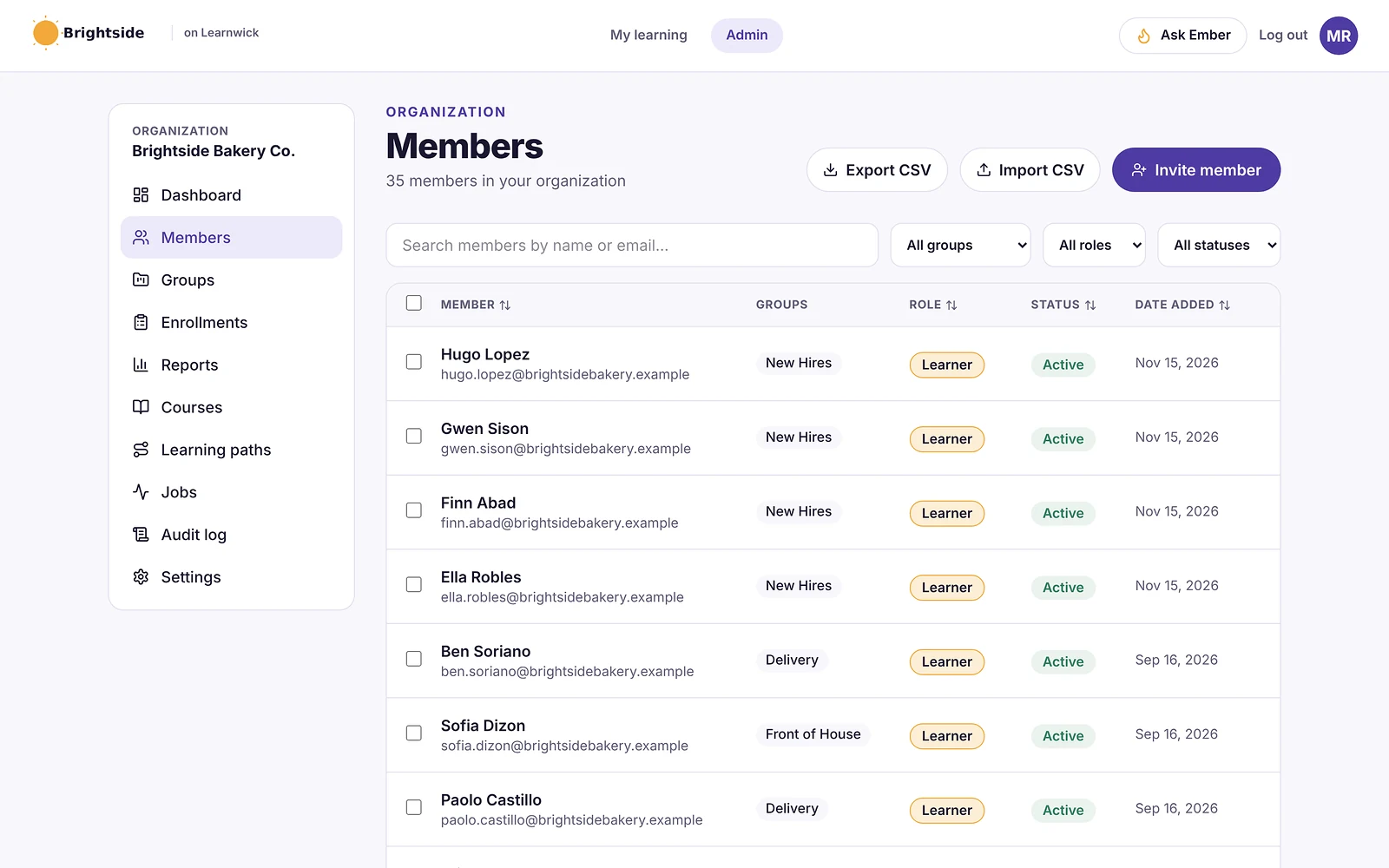
Why Learnwick is a strong uxpertise LMS alternative
Published prices. The Free plan covers 30 learners with every feature, and 100 learners cost $948 a year.
Courses in French and English, and more. Ember can translate a course into other languages; you check each version before publishing.
Groups and managers. Create groups by team or site; managers get weekly summaries and an overdue list.
Certificates that verify. Certificates carry expiry dates, and anyone can check one online with its code.
The honest trade-off: no exam proctoring, e-commerce, in-person session management or Zapier integration, and app screens are in English only. Training centers and associations fit uxpertise, Tovuti or Thinkific better.
To give you a concrete example, at Learnwick, we don’t simply offer two languages. Ember can translate a course into French or other languages, and you check each version, so that bilingual and multilingual teams actually get training in their own language.
Key features
- Courses you already have: SCORM 1.2 and single-SCO SCORM 2004 packages from Storyline, Rise, Captivate or iSpring, plus videos and PDFs with optional quizzes.
- Ember, the AI course builder: paste a policy or upload a PDF or Word file and Ember drafts lessons and quiz questions you check before publishing. It can also translate a course.
- Assignments with due dates: assign a course to a person or a whole group; new group members get the group’s courses automatically.
- Automatic reminders: late learners get reminders, managers get a weekly summary, and finishing one course can assign the next one.
- Certificates: PDF certificates on completion, with renewal dates and a code anyone can check online.
- Reports: an overdue list, completion and quiz reports, time spent, analytics dashboards, custom reports, a training matrix and training gaps by role, all exportable to CSV.
- Learning paths, points and badges: courses in order, plus optional points, badges and a leaderboard.
- Getting people in: invites, CSV import, a join link (optionally limited to your email domain) and Google or Microsoft sign-in.
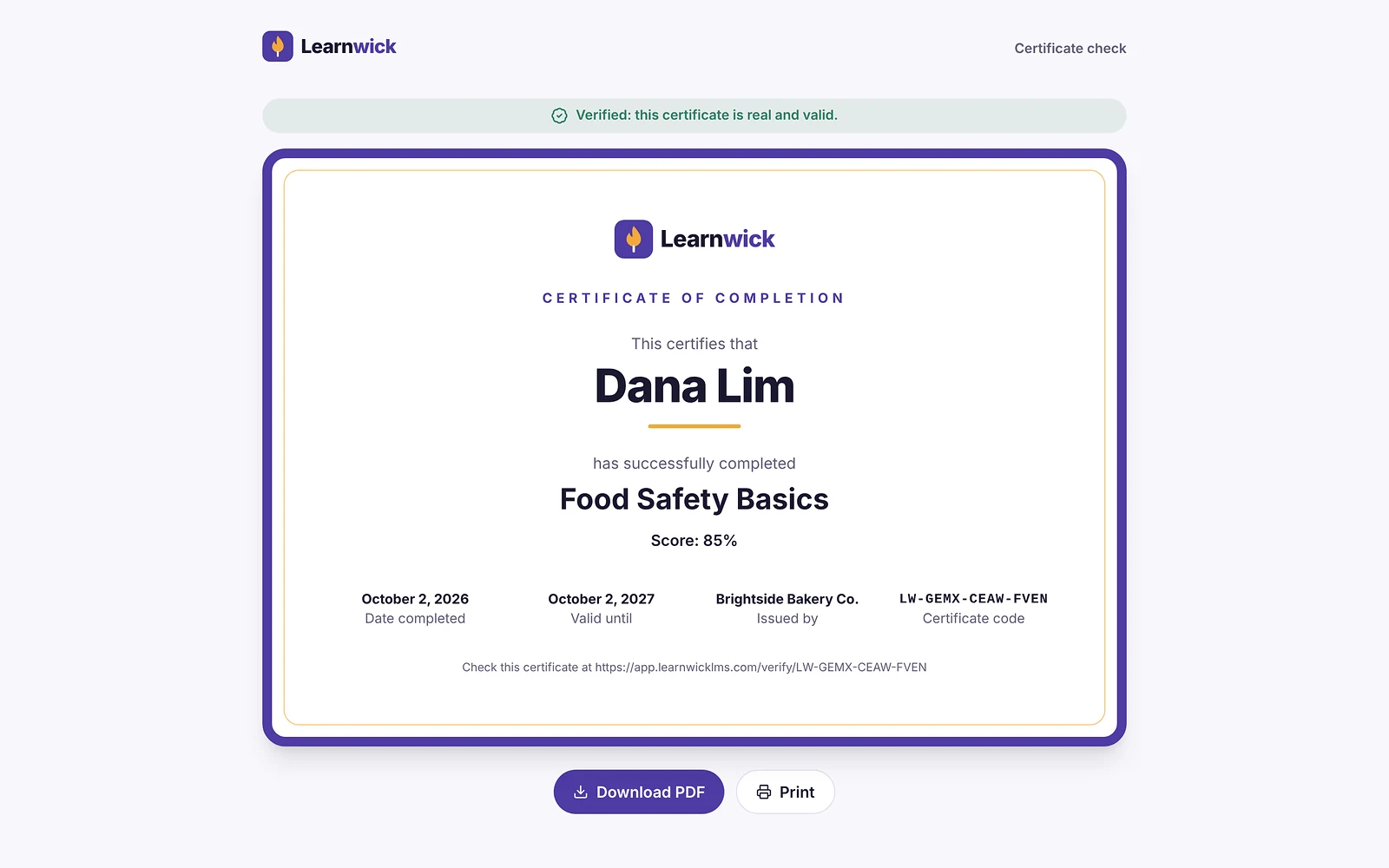
Pros
- Free plan for up to 30 learners, with every feature and no time limit.
- Published prices on the pricing page; monthly or yearly, cancel any time.
- Every feature on every plan: paid plans only change how many learners you can have.
- Nothing to install, host or update.
- Builds a first course from a document in minutes.
- The AI assistant never changes anything on its own: an admin confirms every action, so that nothing goes live without a human check.
Cons
- No connection to HR or payroll systems yet (people come in by invite, CSV, a join link, or Google/Microsoft sign-in).
- No xAPI, cmi5 or multi-SCO SCORM 2004 with sequencing.
- No live classes or virtual classroom, and no selling courses to the public.
- No native mobile app (the web app works on any phone) and app screens are in English only.
- A young product: few third-party reviews yet, and a small ready-made course library.
- No exam proctoring, e-commerce, in-person sessions or Zapier integration.
Pricing
- Free: up to 30 learners, every feature, no time limit.
- Starter: $79/month billed yearly ($99 monthly) for up to 100 learners.
- Growth: $239/month billed yearly ($299 monthly) for up to 500 learners.
- Business: $399/month billed yearly ($499 monthly) for up to 1,000 learners.
- Enterprise: over 1,000 learners, price on request.
So that works out at $0.79 per learner per month on Starter (100 learners) and as little as $0.40 on Business (1,000 learners), billed yearly.
Learnwick LMS · Free plan
Try Learnwick LMS free
Turn one policy into a course, translate it to French and assign it today. Free for up to 30 learners, no credit card.
2. TalentLMS
Best for: small teams that want a simple self-serve LMS.
TalentLMS is one of the best-known LMSs for small businesses. Reviewers rate it highly for ease of use, and you can sign up and start without talking to sales.
Why TalentLMS is a uxpertise LMS alternative
TalentLMS has a free plan for 5 users, published prices and many interface languages, including French.
Key features
- Course builder with tests, surveys and assignments.
- SCORM, xAPI and cmi5.
- Branches (sub-portals) on higher plans.
- Gamification and automations.
Pros
- Very easy to learn.
- Free plan and published prices.
- Large, active user base.
Cons
- The free plan covers only 5 users and 10 courses.
- Prices step up by user bracket, and some features sit on higher plans.
Pricing
Free for 5 users. Core is $119 a month billed yearly for up to 40 users; Grow is $229 and Pro $449 a month at the first bracket. More options in our TalentLMS alternatives guide.
3. Tovuti LMS
Best for: associations and training businesses.
Tovuti is an all-in-one LMS with a built-in interactive authoring tool, virtual classrooms, gamification and white-label branding. It is popular with associations and mid-size organizations.
Why Tovuti LMS is a uxpertise LMS alternative
Tovuti combines authoring, events, e-commerce and branded portals for associations and training companies.
Key features
- Interactive course authoring inside the LMS.
- Virtual classrooms and events.
- Gamification and white-label branding.
- E-commerce and reporting.
Pros
- One tool to build and deliver courses.
- Highly rated for engagement.
- Onboarding support included in the starting package.
Cons
- Quote-only; no public prices.
- More than a team that only assigns SCORM courses will use.
Pricing
Quote only. Price listings start at roughly $7,500 to $10,000 a year.
4. LearnUpon
Best for: organizations training several audiences with strong support.
LearnUpon is a corporate LMS known for quick setup and for training several audiences (employees, customers, partners and members) in separate portals.
Why LearnUpon is a uxpertise LMS alternative
LearnUpon offers multiple portals, e-commerce and responsive support.
Key features
- Multiple branded portals.
- SCORM and xAPI.
- Learning paths, assignments and recommendations.
- Webinar, SSO and CRM integrations on higher plans.
- 24/7 support.
Pros
- Reviewers rate its setup as quick.
- Strong multi-audience features.
- Responsive support.
Cons
- Quote-only; packaged plans start around 100–150 monthly active users.
- No free plan; most buyers report an annual commitment.
Pricing
Quote only, typically about $6–$9 per active user per month. Vendr puts the median contract at about $30,000 a year. More options in our LearnUpon alternatives guide.
5. Absorb LMS
Best for: organizations that want an easy enterprise LMS with e-commerce.
Absorb is a well-reviewed corporate LMS known for a clean interface, rule-based enrollments and strong compliance tracking. It serves employees, customers and partners from branded portals.
Why Absorb LMS is a uxpertise LMS alternative
Absorb, based in Calgary, Canada, handles employees, customers and partners with e-commerce and strong compliance.
Key features
- Rule-based enrollments and learning paths.
- Branded portals for employees, customers and partners.
- Compliance and certificate tracking.
- E-commerce for selling courses.
- Wide integration catalogue and an API.
Pros
- One of the highest-rated enterprise LMSs for ease of use.
- Strong automation for large groups.
- Mature reporting and support options.
Cons
- Quote-only pricing; plans start at 100 learners.
- Annual contracts and an implementation project.
- Many features target dedicated L&D teams.
Pricing
Quote only. Price trackers put the median Absorb contract at about $20,000 a year. More options in our Absorb LMS alternatives guide.
6. Thinkific
Best for: training centers that sell courses.
Thinkific is a hosted course platform for selling online courses and memberships, with no WordPress to maintain.
Why Thinkific is a uxpertise LMS alternative
Thinkific gives training businesses a course site, checkout and memberships at published prices.
Key features
- Hosted course site and checkout.
- Memberships, bundles and communities.
- Quizzes, certificates and drip content.
- Apps and integrations.
Pros
- Nothing to host or update.
- Strong selling tools.
- Published prices.
Cons
- Built for selling to the public, not managing staff training.
- Higher tiers are needed for advanced features.
Pricing
Basic $40 a month billed yearly ($54 monthly), Start $82 ($109), Grow $164 ($219); Plus is quoted.
7. iSpring Learn
Best for: teams whose courses start as PowerPoint.
iSpring Learn is the LMS from the makers of iSpring Suite, a PowerPoint-based authoring tool. Courses built in PowerPoint publish straight to the LMS with animations and quizzes intact.
Why iSpring Learn is a uxpertise LMS alternative
iSpring Suite and iSpring Learn turn presentations into courses at published prices.
Key features
- SCORM, video, document and iSpring Suite courses.
- Learning paths and automatic enrollment rules.
- Progress, score and time reports.
- Mobile app with offline learning.
Pros
- Public prices by user band and a 30-day trial.
- Excellent if your courses come from PowerPoint.
- Strong support reputation.
Cons
- No free plan; the smallest band is 100 users.
- iSpring Suite authoring is a separate purchase (about $720 per author per year).
Pricing
Billed yearly: $8,286 for 100 users, $16,050 for 300 and $23,790 for 500. Enterprise is quoted. More options in our iSpring Learn alternatives guide.
8. Docebo
Best for: large organizations with many languages.
Docebo is an enterprise learning platform with strong AI features, extended-enterprise portals, a branded mobile app and a large integration catalogue.
Why Docebo is a uxpertise LMS alternative
Docebo, founded in Italy and headquartered in Toronto, supports many languages, audiences and integrations.
Key features
- AI content creation, tagging and recommendations.
- Portals for customers and partners.
- Custom-branded mobile app.
- Integration marketplace and analytics add-ons.
Pros
- Very capable for complex, global programs.
- Mature AI and automation.
Cons
- Quote-only; aimed at 250+ learners, and multi-year contracts are common.
- A learning curve for admins, according to G2 reviewers.
Pricing
Quote only (Elevate and Enterprise plans, priced on active users). Vendr puts the median contract at about $42,000 a year. More options in our Docebo alternatives guide.
9. 360Learning
Best for: companies that want experts to build courses together.
360Learning is built around collaborative learning: subject-matter experts write courses, colleagues comment and suggest changes, and courses improve over time.
Why 360Learning is a uxpertise LMS alternative
360Learning, founded in France, has collaborative authoring and a published Team plan.
Key features
- Collaborative authoring with comments and reactions.
- AI-assisted course writing.
- SCORM support and discussions inside courses.
- HR-system integrations on higher plans.
Pros
- Published entry price of $8 per user per month.
- Courses stay current because experts own them.
- Team plan can be billed monthly.
Cons
- The Team plan stops at 100 users; larger plans are quoted.
- No free plan.
- Works best only if experts actually take part.
Pricing
Team: $8 per user per month for up to 100 users. Business and Enterprise: quote.
10. Moodle / MoodleCloud
Best for: organizations that want open source with French support.
Moodle is the world’s best-known open-source LMS. You can host it yourself for free, buy hosted MoodleCloud plans, or license Moodle Workplace through a certified partner.
Why Moodle / MoodleCloud is a uxpertise LMS alternative
Moodle is free to license, fully available in French, and supported by many Canadian partners.
Key features
- Open source, with thousands of plugins.
- SCORM, quizzes, badges, certificates and reports.
- Moodle Workplace adds multi-tenancy and dynamic rules.
Pros
- No licence fee if you self-host.
- Full control over data and hosting.
- Huge community.
Cons
- Self-hosting means servers, upgrades, backups and security are your job.
- MoodleCloud caps sites at 750 users and doesn’t allow custom plugins.
Pricing
Free to self-host. MoodleCloud costs roughly $160–$2,120 a year for 50 to 750 users; Moodle Workplace is quoted by partners. More options in our Moodle alternatives guide.
Feature comparison: uxpertise LMS alternatives side by side
Prices change. But the way a tool is built and sold usually changes much less. This table shows where each option runs, whether it plays the SCORM courses you may already own, and how it is priced.
| Tool | Where it runs | SCORM | Pricing model |
|---|---|---|---|
| Learnwick LMS | Cloud (nothing to install) | Yes (1.2 and single-SCO 2004) | Published, free up to 30 learners |
| TalentLMS | Cloud | Yes (plus xAPI, cmi5) | Published |
| Tovuti LMS | Cloud | Yes | Quote |
| LearnUpon | Cloud | Yes (plus xAPI) | Quote |
| Absorb LMS | Cloud | Yes (plus xAPI) | Quote |
| Thinkific | Cloud | Check plan | Published |
| iSpring Learn | Cloud | Yes | Published |
| Docebo | Cloud | Yes (plus xAPI) | Quote |
| 360Learning | Cloud | Yes | Published (Team) / quote |
| Moodle / MoodleCloud | Self-hosted or MoodleCloud | Yes | Free / published |
“Via add-on” means a third-party plugin is needed. “Quote” means you need a sales call to get a price.
What to look for in a uxpertise LMS alternative
Before you book demos, agree what “better” actually means for your team. In practice, these are the points that typically decide an LMS switch:
- French and bilingual support: interface, content and support in French.
- Quebec Law 25 and Canadian data: where data is hosted and privacy commitments.
- Proctoring: built in or through partners such as Proctorio or Examity.
- Selling courses: Stripe or other payment gateways, taxes and invoices.
- In-person sessions: registration, attendance and trainers.
- Content compatibility: does it play what you already own (SCORM 1.2, SCORM 2004, xAPI or cmi5 packages, video, PDF, PowerPoint), and can you export it again later?
- Ease of use: can an admin set up a course in an afternoon, and can learners find their training without a manual, on a phone as well as a computer?
- Automation: enrollment rules, due dates, automatic reminders, recertification and “assign the next course” tend to save more hours than any other feature.
- Reporting and proof: an overdue list, completion reports by group, quiz results, certificates with verification and an audit trail for compliance.
- Integrations: single sign-on (SAML or Google and Microsoft sign-in), HR systems, CRM such as Salesforce or HubSpot, video meetings (Zoom, Microsoft Teams), Slack, Zapier and an open API.
- AI features: course drafting from documents, quiz generation, translation and search. Check that an admin approves what the AI changes.
- Audiences and branding: one internal team, or separate portals for customers, partners or members, with white-label branding.
- Pricing model: per registered user, per active user, flat tiers by user count, per site (WordPress plugins) or self-hosting costs. Ask what happens when you go over your plan.
- Support and implementation: who sets it up, how long it takes, and whether support is included.
Here’s a simple way to use this list: turn it into a one-page scorecard, so that each shortlisted tool gets a score after a one-week trial with real courses and real learners.
Other uxpertise LMS alternatives worth a look
These didn’t make our top 10 for most teams. But they come up often, and one of them may genuinely suit a specific need:
- Teachable: a simple course platform for trainers who sell online.
- Forma LMS: an open-source LMS often compared with uxpertise.
- Skillcast: compliance training and an LMS for regulated industries.
- LearnWorlds: a course platform for training businesses.
- Path LMS: an association LMS (see our Path LMS alternatives guide).
- Canvas: for schools and colleges (see our Canvas LMS alternatives guide).
What a uxpertise alternative really costs
| Option | Typical price | Notes |
|---|---|---|
| uxpertise LMS | Not published | Quote |
| TalentLMS | From $1,428 a year (Core, 40 users) | Published |
| Thinkific | From $40 a month billed yearly | Published |
| iSpring Learn | About $8,300 a year for 100 users | Published |
| Tovuti | From about $7,500–$10,000 a year | Quote |
| Absorb | Median about $20,000 a year | Quote |
| Moodle | Free to self-host | Hosting and support extra |
| Learnwick LMS | Free up to 30; $948 a year for 100 | Published |
Prices are in US dollars; Canadian buyers should ask about CAD pricing.
How to switch from uxpertise
- Check your contract for renewal and export terms.
- Export learner records: completions, exam results and certificates.
- Export content: SCORM packages, videos, documents and question banks.
- Replace proctoring if you run certification exams.
- Reconnect payments and Zapier workflows if you sell courses.
- Pilot with one group of learners.
- Keep records for certifications and audits.
Export exam results with dates and proctoring outcomes. Certification bodies may ask to see them.
Choose a uxpertise alternative by what you need
- Choose Learnwick LMS when you train your own staff and want published prices, free for up to 30 learners.
- Choose TalentLMS when you want a simple self-serve LMS in many languages.
- Choose Tovuti for associations and training businesses.
- Choose LearnUpon when you train several audiences.
- Choose Absorb for an easy enterprise LMS with e-commerce.
- Choose Thinkific when you sell courses.
- Choose iSpring Learn when courses start as PowerPoint.
- Choose Docebo for large, multilingual programs.
- Choose 360Learning for collaborative learning.
- Choose Moodle for open source in French and English.
You can also read our guides to TalentLMS alternatives and Tovuti alternatives, or compare Learnwick plans on the pricing page.
Learnwick LMS · Free plan
See if Learnwick fits your team
Create a free workspace, translate one course and assign it to a team. Every feature included.
Frequently asked questions
What is uxpertise LMS?
uxpertise LMS is a cloud LMS from Quebec, Canada, for companies, training centers and professional associations, in English and French, with built-in exam proctoring.
What is the best alternative to uxpertise LMS?
For associations and training centers, Tovuti, LearnUpon, Absorb and Thinkific. For companies training their own staff, Learnwick LMS is free for up to 30 learners.
How much does uxpertise LMS cost?
uxpertise does not publish prices. Contact the vendor for a quote.
Which LMS alternatives support French?
TalentLMS, Docebo, 360Learning, Absorb and Moodle offer French interfaces. Learnwick LMS can translate courses into French with AI, though its app screens are in English.
Which uxpertise alternative has exam proctoring?
Several LMSs integrate with proctoring services such as Proctorio or Examity, including Absorb, Docebo and Moodle (via plugins). Learnwick LMS does not offer proctoring.
Is there a free alternative to uxpertise?
Learnwick LMS is free for up to 30 learners, TalentLMS has a free plan for 5 users, and Moodle is free to self-host.
The author
Venchito Tampon
Venchito Tampon is the founder of Learnwick, the LMS for small business — a simple, affordable way to upload or build courses, assign training, give certificates and see who has finished.
He is also the CEO and founder of eLearning Solutions Lab, a Philippines-based eLearning production company making custom and rapid eLearning for clients around the world, and Chief Learning Officer of Rainmakers Training & Consultancy, a corporate training and leadership development company.
He is a Certified Learning & Development Professional (CLDP) and a certified executive coach, and also founded ExpirePilot and Sidelight 360.
10 Best Acorn LMS Alternatives in 2026 (Best Value Options)
10 Best Acorn PLMS Alternatives in 2026 (Best Value Options)
For organizations that want learning tied to capabilities and performance, Cornerstone, Docebo and Absorb are the closest Acorn PLMS alternatives in 2026, with LearnUpon for Australian data hosting and support. For the best value on employee training and compliance, Learnwick LMS is free for up to 30 learners and costs $0.79 per learner per month on Starter (100 learners) and as little as $0.40 on Business (1,000 learners), billed yearly.
Key takeaways
- Acorn PLMS is a “performance learning management system” from Australia, founded in 2013, that links learning to capabilities, performance reviews and competencies.
- It is quote-only and popular with government agencies; about 4.6 out of 5 on Software Advice from 34 reviews.
- In 2026 Acorn bought B Online Learning, an eLearning design company in Australia and New Zealand.
- For the best value on employee training, Learnwick LMS is free for up to 30 learners with published prices.
In this guide
- In summary
- Acorn PLMS in 2026: what it does well
- How we compared these Acorn PLMS alternatives
- Why organizations look for Acorn alternatives
- The 10 best Acorn PLMS alternatives at a glance
- 1. Learnwick LMS
- 2. Cornerstone
- 3. LearnUpon
- 4. Docebo
- 5. Absorb LMS
- 6. TalentLMS
- 7. 360Learning
- 8. iSpring Learn
- 9. Kallidus Learn
- 10. Moodle / MoodleCloud
- Feature comparison: Acorn PLMS alternatives side by side
- What to look for in a Acorn PLMS alternative
- Other Acorn PLMS alternatives worth a look
- What an Acorn alternative really costs
- How to switch from Acorn
- Choose an Acorn alternative by what you need
- Frequently asked questions
In summary
If you only have a minute, here’s the short version:
- Best value overall for employee training and compliance: Learnwick LMS — free for up to 30 learners, then $79/month billed yearly ($99 monthly) for up to 100 learners.
- Best free plan: Learnwick LMS — 30 learners, every feature, no time limit.
- Lowest per-learner price: Learnwick LMS — $0.79 per learner per month on Starter (100 learners) and as little as $0.40 on Business (1,000 learners), billed yearly.
- Best for learning plus performance and talent: Cornerstone.
- Best for Australian data hosting and support: LearnUpon.
- Best enterprise alternatives: Docebo or Absorb.
- Best simple self-serve LMS: TalentLMS.
Disclosure: Learnwick LMS publishes this guide and is one of the products in it. We put it first simply because it’s the option we know best for small and mid-size teams, and we list its limits as plainly as everyone else’s. Prices and G2 ratings for other tools were checked in November 2026 from vendor pages, G2 and public price trackers; check the vendor’s own page before you buy.
Acorn PLMS in 2026: what it does well
Acorn is an Australian learning technology company founded in 2013. It calls its product a Performance Learning Management System (PLMS): an AI-assisted platform that links learning to capability frameworks, performance and business outcomes. In 2026 it bought B Online Learning, an eLearning design and development company in Australia and New Zealand.
What Acorn does well
- Capabilities and competencies: map learning to role-based capability frameworks, common in Australian government.
- Performance features: 360-degree feedback, goals, appraisal history and ongoing performance tracking alongside learning.
- Many audiences: employees, partners, customers, members and citizens in one platform.
- Evidence of change: Acorn’s AI collects evidence of behavior change and links it to learning.
- Strong support: reviewers praise the technical support; about 4.6 out of 5 on Software Advice.
Where it stops
- Quote-only pricing, per user.
- Performance features you may not need: if you already have a performance system, you pay twice.
- Mainly Australia and New Zealand: fewer customers and reviews elsewhere.
- Implementation: capability frameworks take time to set up well.
How we compared these Acorn PLMS alternatives
We looked for the best value for the jobs Acorn customers use it for:
- Learning: courses, SCORM, compliance, certificates and reports.
- Capabilities and performance: competency frameworks, reviews and goals.
- Australian fit: local data hosting, support hours and government use.
- Price: published or quoted, minimums and add-ons.
- Effort: setup time and admin workload.
We checked prices and ratings in November 2026 on vendor pages, Software Advice, Capterra, G2 and price trackers.
Why organizations look for Acorn alternatives
Value for money
Many teams only use the learning part of a PLMS and want to pay less.
You already have a performance system
If performance reviews live in your HR system, a learning-only LMS avoids duplication.
Published prices
Smaller agencies, councils and companies want to see prices first.
Faster setup
Capability frameworks are powerful but take time. Some teams need training running this month.
If your capability framework lives in your HR system already, you need an LMS that tracks training, not a second performance system.
The 10 best Acorn PLMS alternatives at a glance
| Tool | Best for | Price (Nov 2026) | Rating | Free plan |
|---|---|---|---|---|
| Learnwick LMS | Best-value employee training and compliance | Free up to 30; from $79/mo for 100 learners | New (no reviews yet) | Yes, 30 learners |
| Cornerstone | Learning, performance and talent together | Quote only | G2 4.1 (≈530 reviews) | No |
| LearnUpon | Australian data hosting and strong support | Quote only (about $6–$9/active user/mo) | G2 4.5 (≈250 reviews) | No |
| Docebo | Large organizations with global training | Quote only (median ≈$42,000/yr) | G2 4.3 (≈740 reviews) | No |
| Absorb LMS | Easy enterprise LMS with strong compliance | Quote only (median ≈$20,000/yr) | G2 4.6 (≈900 reviews) | No |
| TalentLMS | Simple self-serve LMS with a free plan | Free for 5 users; Core from $119/mo yearly | G2 4.6 (≈800 reviews) | Yes, 5 users |
| 360Learning | Collaborative learning with skills | Team plan $8/user/mo, up to 100 users | G2 4.6 (≈600 reviews) | No |
| iSpring Learn | Teams that build courses in PowerPoint | From $6.91/user/mo at 100 users, billed yearly | G2 4.5–4.6 | No (30-day trial) |
| Kallidus Learn | Compliance and classroom training | Quote (listed from about $10,000/yr) | Capterra 4.5+ | No |
| Moodle / MoodleCloud | Open source with full control | Free to self-host; MoodleCloud ≈$160–$2,120/yr | Capterra 4.3 (≈3,400 reviews) | Open source |
1. Learnwick LMS
Best for: agencies, councils, not-for-profits and companies that want employee training and compliance tracked at the lowest cost, without a performance module.
Learnwick LMS is a cloud LMS for teams without a training department. In practice, one person can set it up in an afternoon: create a workspace, add your logo, upload a SCORM course or let the AI assistant build one from a document, invite people and assign training with a due date. Learners open it on any phone or computer without installing an app.
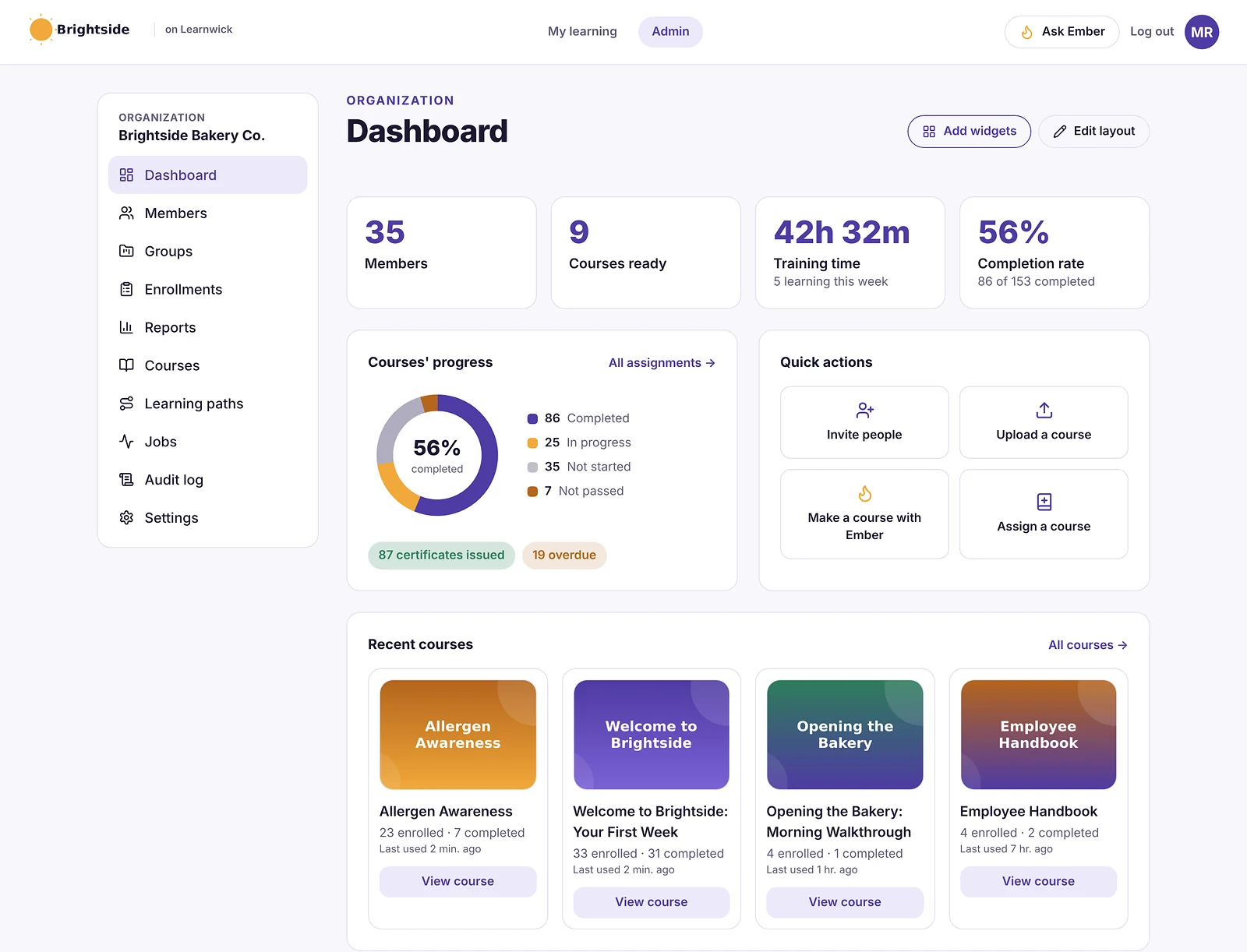
Why Learnwick is a strong Acorn PLMS alternative
The best value per learner. The Free plan covers 30 learners with every feature, and paid plans cost $0.79 per learner per month on Starter (100 learners) and as little as $0.40 on Business (1,000 learners), billed yearly. Every feature is on every plan.
Roles and requirements. The training matrix and training gaps by role show who still needs which course, which covers the training side of a capability framework.
Compliance on autopilot. Due dates, reminders, certificates with expiry dates and automatic retraining.
Courses from your documents. Ember turns policies and procedures into lessons and quiz questions you check before publishing.
The honest trade-off: no performance reviews, 360 feedback, goals or full capability frameworks, and no HR integration. If you need learning and performance in one system, Acorn or Cornerstone fit better.
To give you a concrete example, at Learnwick, we don’t simply list required courses. The training matrix shows each role’s required courses and who still has gaps, so that you can see the training side of a capability framework at a glance. And it exports to CSV for reporting.
Key features
- Courses you already have: SCORM 1.2 and single-SCO SCORM 2004 packages from Storyline, Rise, Captivate or iSpring, plus videos and PDFs with optional quizzes.
- Ember, the AI course builder: paste a policy or upload a PDF or Word file and Ember drafts lessons and quiz questions you check before publishing. It can also translate a course.
- Assignments with due dates: assign a course to a person or a whole group; new group members get the group’s courses automatically.
- Automatic reminders: late learners get reminders, managers get a weekly summary, and finishing one course can assign the next one.
- Certificates: PDF certificates on completion, with renewal dates and a code anyone can check online.
- Reports: an overdue list, completion and quiz reports, time spent, analytics dashboards, custom reports, a training matrix and training gaps by role, all exportable to CSV.
- Learning paths, points and badges: courses in order, plus optional points, badges and a leaderboard.
- Getting people in: invites, CSV import, a join link (optionally limited to your email domain) and Google or Microsoft sign-in.
Pros
- Free plan for up to 30 learners, with every feature and no time limit.
- Published prices on the pricing page; monthly or yearly, cancel any time.
- Every feature on every plan: paid plans only change how many learners you can have.
- Nothing to install, host or update.
- Builds a first course from a document in minutes.
- The AI assistant never changes anything on its own: an admin confirms every action, so that nothing goes live without a human check.
Cons
- No connection to HR or payroll systems yet (people come in by invite, CSV, a join link, or Google/Microsoft sign-in).
- No xAPI, cmi5 or multi-SCO SCORM 2004 with sequencing.
- No live classes or virtual classroom, and no selling courses to the public.
- No native mobile app (the web app works on any phone) and app screens are in English only.
- A young product: few third-party reviews yet, and a small ready-made course library.
- No performance reviews, 360 feedback, goals or capability frameworks.
Pricing
- Free: up to 30 learners, every feature, no time limit.
- Starter: $79/month billed yearly ($99 monthly) for up to 100 learners.
- Growth: $239/month billed yearly ($299 monthly) for up to 500 learners.
- Business: $399/month billed yearly ($499 monthly) for up to 1,000 learners.
- Enterprise: over 1,000 learners, price on request.
So that works out at $0.79 per learner per month on Starter (100 learners) and as little as $0.40 on Business (1,000 learners), billed yearly.
Learnwick LMS · Free plan
Try Learnwick LMS free
Upload your three required courses and see training gaps by role today. Free for up to 30 learners, no credit card.
2. Cornerstone
Best for: organizations that want learning, performance and talent together.
Cornerstone is one of the oldest names in corporate learning. Its learning product sits beside performance, recruiting and talent modules for large enterprises.
Why Cornerstone is a Acorn PLMS alternative
Cornerstone combines learning, performance, skills and talent at enterprise scale, the closest overall match to a PLMS.
Key features
- Learning, performance, recruiting and HR modules.
- Large content library add-on.
- Compliance and certification management.
- Skills and career tools.
Pros
- Very broad talent-management scope.
- Built for large, regulated organizations.
Cons
- Quote-only, module-based pricing.
- Long implementations.
- Lower G2 satisfaction than most tools here.
Pricing
Quote only. Industry estimates put the learning module at roughly $3.50–$8 per employee per month. More options in our Cornerstone alternatives guide.
3. LearnUpon
Best for: organizations that want Australian data hosting and strong support.
LearnUpon is a corporate LMS known for quick setup and for training several audiences (employees, customers, partners and members) in separate portals.
Why LearnUpon is a Acorn PLMS alternative
LearnUpon offers Australian data hosting, multiple portals and responsive support across time zones.
Key features
- Multiple branded portals.
- SCORM and xAPI.
- Learning paths, assignments and recommendations.
- Webinar, SSO and CRM integrations on higher plans.
- 24/7 support.
Pros
- Reviewers rate its setup as quick.
- Strong multi-audience features.
- Responsive support.
Cons
- Quote-only; packaged plans start around 100–150 monthly active users.
- No free plan; most buyers report an annual commitment.
Pricing
Quote only, typically about $6–$9 per active user per month. Vendr puts the median contract at about $30,000 a year. More options in our LearnUpon alternatives guide.
4. Docebo
Best for: large organizations with global training.
Docebo is an enterprise learning platform with strong AI features, extended-enterprise portals, a branded mobile app and a large integration catalogue.
Why Docebo is a Acorn PLMS alternative
Docebo has skills, AI and integrations for large programs.
Key features
- AI content creation, tagging and recommendations.
- Portals for customers and partners.
- Custom-branded mobile app.
- Integration marketplace and analytics add-ons.
Pros
- Very capable for complex, global programs.
- Mature AI and automation.
Cons
- Quote-only; aimed at 250+ learners, and multi-year contracts are common.
- A learning curve for admins, according to G2 reviewers.
Pricing
Quote only (Elevate and Enterprise plans, priced on active users). Vendr puts the median contract at about $42,000 a year. More options in our Docebo alternatives guide.
5. Absorb LMS
Best for: organizations that want an easy enterprise LMS with strong compliance.
Absorb is a well-reviewed corporate LMS known for a clean interface, rule-based enrollments and strong compliance tracking. It serves employees, customers and partners from branded portals.
Why Absorb LMS is a Acorn PLMS alternative
Absorb handles rule-based enrollments, compliance and certifications well.
Key features
- Rule-based enrollments and learning paths.
- Branded portals for employees, customers and partners.
- Compliance and certificate tracking.
- E-commerce for selling courses.
- Wide integration catalogue and an API.
Pros
- One of the highest-rated enterprise LMSs for ease of use.
- Strong automation for large groups.
- Mature reporting and support options.
Cons
- Quote-only pricing; plans start at 100 learners.
- Annual contracts and an implementation project.
- Many features target dedicated L&D teams.
Pricing
Quote only. Price trackers put the median Absorb contract at about $20,000 a year. More options in our Absorb LMS alternatives guide.
6. TalentLMS
Best for: small teams that want a simple self-serve LMS.
TalentLMS is one of the best-known LMSs for small businesses. Reviewers rate it highly for ease of use, and you can sign up and start without talking to sales.
Why TalentLMS is a Acorn PLMS alternative
TalentLMS has a free plan for 5 users, published prices and skills features.
Key features
- Course builder with tests, surveys and assignments.
- SCORM, xAPI and cmi5.
- Branches (sub-portals) on higher plans.
- Gamification and automations.
Pros
- Very easy to learn.
- Free plan and published prices.
- Large, active user base.
Cons
- The free plan covers only 5 users and 10 courses.
- Prices step up by user bracket, and some features sit on higher plans.
Pricing
Free for 5 users. Core is $119 a month billed yearly for up to 40 users; Grow is $229 and Pro $449 a month at the first bracket. More options in our TalentLMS alternatives guide.
7. 360Learning
Best for: organizations that want collaborative learning with skills.
360Learning is built around collaborative learning: subject-matter experts write courses, colleagues comment and suggest changes, and courses improve over time.
Why 360Learning is a Acorn PLMS alternative
360Learning combines collaborative authoring with skills management (Skills by 360Learning).
Key features
- Collaborative authoring with comments and reactions.
- AI-assisted course writing.
- SCORM support and discussions inside courses.
- HR-system integrations on higher plans.
Pros
- Published entry price of $8 per user per month.
- Courses stay current because experts own them.
- Team plan can be billed monthly.
Cons
- The Team plan stops at 100 users; larger plans are quoted.
- No free plan.
- Works best only if experts actually take part.
Pricing
Team: $8 per user per month for up to 100 users. Business and Enterprise: quote.
8. iSpring Learn
Best for: teams whose courses start as PowerPoint.
iSpring Learn is the LMS from the makers of iSpring Suite, a PowerPoint-based authoring tool. Courses built in PowerPoint publish straight to the LMS with animations and quizzes intact.
Why iSpring Learn is a Acorn PLMS alternative
iSpring Suite and iSpring Learn turn presentations into courses at published prices.
Key features
- SCORM, video, document and iSpring Suite courses.
- Learning paths and automatic enrollment rules.
- Progress, score and time reports.
- Mobile app with offline learning.
Pros
- Public prices by user band and a 30-day trial.
- Excellent if your courses come from PowerPoint.
- Strong support reputation.
Cons
- No free plan; the smallest band is 100 users.
- iSpring Suite authoring is a separate purchase (about $720 per author per year).
Pricing
Billed yearly: $8,286 for 100 users, $16,050 for 300 and $23,790 for 500. Enterprise is quoted. More options in our iSpring Learn alternatives guide.
9. Kallidus Learn
Best for: organizations with compliance and classroom training.
Kallidus is a UK learning company whose Kallidus Learn LMS is popular with UK retailers, charities and public bodies. It also sells Sapling for onboarding and HR.
Why Kallidus Learn is a Acorn PLMS alternative
Kallidus Learn handles compliance and course booking, with a performance product alongside.
Key features
- Compliance tracking and learning paths.
- Course booking for classroom sessions.
- Content library and authoring.
- Sapling onboarding and HR (US).
Pros
- Strong UK customer base and support.
- 95% of Capterra reviewers rate it above 4 stars.
Cons
- Quote-only, aimed at 100+ users.
- Mostly UK-focused for the LMS.
Pricing
Quote only. Capterra lists a start of about $10,000 a year, for 100 to 100,000+ users.
10. Moodle / MoodleCloud
Best for: organizations that want open source and full control.
Moodle is the world’s best-known open-source LMS. You can host it yourself for free, buy hosted MoodleCloud plans, or license Moodle Workplace through a certified partner.
Why Moodle / MoodleCloud is a Acorn PLMS alternative
Moodle is free to license and has competency frameworks built in, with many Australian Moodle partners.
Key features
- Open source, with thousands of plugins.
- SCORM, quizzes, badges, certificates and reports.
- Moodle Workplace adds multi-tenancy and dynamic rules.
Pros
- No licence fee if you self-host.
- Full control over data and hosting.
- Huge community.
Cons
- Self-hosting means servers, upgrades, backups and security are your job.
- MoodleCloud caps sites at 750 users and doesn’t allow custom plugins.
Pricing
Free to self-host. MoodleCloud costs roughly $160–$2,120 a year for 50 to 750 users; Moodle Workplace is quoted by partners. More options in our Moodle alternatives guide.
Feature comparison: Acorn PLMS alternatives side by side
Prices change. But the way a tool is built and sold usually changes much less. This table shows where each option runs, whether it plays the SCORM courses you may already own, and how it is priced.
| Tool | Where it runs | SCORM | Pricing model |
|---|---|---|---|
| Learnwick LMS | Cloud (nothing to install) | Yes (1.2 and single-SCO 2004) | Published, free up to 30 learners |
| Cornerstone | Cloud | Yes | Quote |
| LearnUpon | Cloud | Yes (plus xAPI) | Quote |
| Docebo | Cloud | Yes (plus xAPI) | Quote |
| Absorb LMS | Cloud | Yes (plus xAPI) | Quote |
| TalentLMS | Cloud | Yes (plus xAPI, cmi5) | Published |
| 360Learning | Cloud | Yes | Published (Team) / quote |
| iSpring Learn | Cloud | Yes | Published |
| Kallidus Learn | Cloud | Yes | Quote |
| Moodle / MoodleCloud | Self-hosted or MoodleCloud | Yes | Free / published |
“Via add-on” means a third-party plugin is needed. “Quote” means you need a sales call to get a price.
What to look for in a Acorn PLMS alternative
Before you book demos, agree what “better” actually means for your team. In practice, these are the points that typically decide an LMS switch:
- Capability frameworks: do you need them in the LMS, or do they live in your HR system?
- Australian data: hosting in Australia and compliance with government security requirements.
- Performance features: decide whether you want them in the LMS or a separate tool.
- Multiple audiences: citizens, members or partners as well as staff.
- Value: price per learner at your real size, including add-ons.
- Content compatibility: does it play what you already own (SCORM 1.2, SCORM 2004, xAPI or cmi5 packages, video, PDF, PowerPoint), and can you export it again later?
- Ease of use: can an admin set up a course in an afternoon, and can learners find their training without a manual, on a phone as well as a computer?
- Automation: enrollment rules, due dates, automatic reminders, recertification and “assign the next course” tend to save more hours than any other feature.
- Reporting and proof: an overdue list, completion reports by group, quiz results, certificates with verification and an audit trail for compliance.
- Integrations: single sign-on (SAML or Google and Microsoft sign-in), HR systems, CRM such as Salesforce or HubSpot, video meetings (Zoom, Microsoft Teams), Slack, Zapier and an open API.
- AI features: course drafting from documents, quiz generation, translation and search. Check that an admin approves what the AI changes.
- Audiences and branding: one internal team, or separate portals for customers, partners or members, with white-label branding.
- Pricing model: per registered user, per active user, flat tiers by user count, per site (WordPress plugins) or self-hosting costs. Ask what happens when you go over your plan.
- Support and implementation: who sets it up, how long it takes, and whether support is included.
Here’s a simple way to use this list: turn it into a one-page scorecard, so that each shortlisted tool gets a score after a one-week trial with real courses and real learners.
Other Acorn PLMS alternatives worth a look
These didn’t make our top 10 for most teams. But they come up often, and one of them may genuinely suit a specific need:
- ELMO Learning: an Australian HR and learning suite.
- Totara: an enterprise LMS from New Zealand, sold through partners.
- Go1: an Australian content library that plugs into many LMSs.
- EdApp (SafetyCulture): Australian mobile microlearning for frontline teams.
- Moodle Workplace: the business edition of Moodle.
- Litmos: an enterprise LMS with a large content library.
What an Acorn alternative really costs
| Option | Typical price | Notes |
|---|---|---|
| Acorn PLMS | Not published | Quote, per user |
| Cornerstone | Usually $30,000+ a year | Quote |
| LearnUpon | Median contract about $30,000 a year | Quote |
| Docebo | Usually $25,000+ a year | Quote |
| Absorb | Median about $20,000 a year | Quote |
| 360Learning Team | $8 per user per month, up to 100 users | Published |
| TalentLMS | From $1,428 a year (Core) | Published |
| Learnwick LMS | Free up to 30; $948 a year for 100 | Published |
Prices are in US dollars; Australian buyers should ask about AUD pricing and GST.
How to switch from Acorn
- Check your contract for renewal and export terms.
- Export learning records: completions, certificates and dates.
- Export performance data if you’re moving it to another system.
- Export SCORM content, videos and documents.
- Map capabilities to roles and required courses in the new LMS.
- Pilot with one division or agency.
- Keep records for audits and government reporting.
If you leave the performance module behind, agree where review history will live before you switch.
Choose an Acorn alternative by what you need
- Choose Learnwick LMS when you want the best value on employee training and compliance, free for up to 30 learners.
- Choose Cornerstone when you want learning, performance and talent in one system.
- Choose LearnUpon when you want Australian data hosting and strong support.
- Choose Docebo or Absorb when you need an enterprise LMS.
- Choose TalentLMS when you want a simple self-serve LMS.
- Choose 360Learning when you want collaborative learning with skills.
- Choose iSpring Learn when courses start as PowerPoint.
- Choose Kallidus for compliance and classroom training.
- Choose Moodle for open source with competency frameworks.
You can also read our guides to Cornerstone alternatives and LearnUpon alternatives, or compare Learnwick plans on the pricing page.
Learnwick LMS · Free plan
See if Learnwick fits your organization
Create a free workspace, upload your required courses and see gaps by role. Every feature included.
Frequently asked questions
What is Acorn PLMS?
Acorn PLMS is a performance learning management system from Australia that links learning to capability frameworks, performance reviews and business outcomes.
What is the best-value alternative to Acorn PLMS?
For employee training and compliance, Learnwick LMS is free for up to 30 learners and costs $0.79 per learner per month on Starter (100 learners) and as little as $0.40 on Business (1,000 learners), billed yearly. TalentLMS and 360Learning also publish prices.
How much does Acorn cost?
Acorn does not publish prices. It is quoted per user based on modules and organization size.
Which Acorn alternative includes performance management?
Cornerstone, Kallidus and Docebo offer performance or talent features alongside learning. Learnwick LMS does not include performance reviews.
Which LMS hosts data in Australia?
LearnUpon offers Australian data hosting, and several enterprise LMSs do on request. Check hosting location in every contract.
Is there a free alternative to Acorn?
Learnwick LMS is free for up to 30 learners, TalentLMS has a free plan for 5 users, and Moodle is free to self-host.
The author
Venchito Tampon
Venchito Tampon is the founder of Learnwick, the LMS for small business — a simple, affordable way to upload or build courses, assign training, give certificates and see who has finished.
He is also the CEO and founder of eLearning Solutions Lab, a Philippines-based eLearning production company making custom and rapid eLearning for clients around the world, and Chief Learning Officer of Rainmakers Training & Consultancy, a corporate training and leadership development company.
He is a Certified Learning & Development Professional (CLDP) and a certified executive coach, and also founded ExpirePilot and Sidelight 360.
10 Best Eurekos LMS Alternatives in 2026 (Reviews and Real Prices)
10 Best Eurekos LMS Alternatives in 2026 (Reviews and Real Prices)
For customer and partner education, Skilljar, Thought Industries, LearnUpon, Absorb and Docebo are the closest Eurekos alternatives in 2026. For teams that mainly train their own employees, Learnwick LMS is a lower-cost option: free for up to 30 learners, with published prices.
Key takeaways
- Eurekos, founded in 2013 in Hillerød, Denmark, is an LMS built for customer, partner and professional training, with e-commerce and branded portals.
- Pricing starts at about €475 a month for 50 active users and is based on monthly active users.
- Reviews are strong: about 4.8 out of 5 on Software Advice from roughly 50 reviews, with high marks for support.
- For customer education, Skilljar, Thought Industries, LearnUpon, Absorb and Docebo are the closest alternatives; for employee training, Learnwick LMS is free for up to 30 learners.
In this guide
- In summary
- Eurekos in 2026: reviews, pricing and what it does well
- How we compared these Eurekos alternatives
- Why teams look for Eurekos alternatives
- The 10 best Eurekos alternatives at a glance
- 1. Learnwick LMS
- 2. Skilljar
- 3. Thought Industries
- 4. LearnUpon
- 5. Absorb LMS
- 6. Docebo
- 7. Northpass (Gainsight Customer Education)
- 8. TalentLMS
- 9. 360Learning
- 10. Thinkific
- Feature comparison: Eurekos alternatives side by side
- What to look for in a Eurekos alternative
- Other Eurekos alternatives worth a look
- What a Eurekos alternative really costs
- How to switch from Eurekos
- Choose a Eurekos alternative by what you need
- Frequently asked questions
In summary
If you only have a minute, here’s the short version:
- Best overall for employee training: Learnwick LMS — free for up to 30 learners, then $79/month billed yearly ($99 monthly) for up to 100 learners.
- Best free plan: Learnwick LMS — 30 learners, every feature, no time limit.
- Best budget option for internal training: Learnwick LMS — $948 a year for 100 learners, against about €5,700 a year for Eurekos at 50 active users.
- Lowest per-learner price: Learnwick LMS — $0.79 per learner per month on Starter (100 learners) and as little as $0.40 on Business (1,000 learners), billed yearly.
- Best dedicated customer education platform: Skilljar or Thought Industries.
- Best multi-portal LMS for customers, partners and staff: LearnUpon or Absorb.
- Best enterprise extended-enterprise LMS: Docebo.
Disclosure: Learnwick LMS publishes this guide and is one of the products in it. We put it first simply because it’s the option we know best for small and mid-size teams, and we list its limits as plainly as everyone else’s. Prices and G2 ratings for other tools were checked in November 2026 from vendor pages, G2 and public price trackers; check the vendor’s own page before you buy.
Eurekos in 2026: reviews, pricing and what it does well
Eurekos was founded in 2013 and is based in Hillerød, near Copenhagen in Denmark, with staff in Europe and North America. It grew from a training and consulting business into an LMS focused on external training: customers, channel partners, resellers, members and professionals. The company cites about 2 million learners.
Eurekos reviews
- Software Advice: about 4.8 out of 5 from roughly 50 reviews, with 90% likely to recommend.
- What reviewers like: an intuitive interface, strong customization, responsive support and good fit for external learners.
- What reviewers dislike: some limits on customization in specific areas, and the usual learning curve for admins.
Eurekos pricing
Eurekos prices by monthly active users, and the count resets every month, so you don’t automatically move into a higher commitment. Pricing starts at about €475 a month for 50 active users (Capterra lists the start at about $425).
What Eurekos does well
- External training: branded portals per partner, learning journeys and certifications.
- E-commerce: sell courses with flexible models for different groups.
- Security: ISO 27001, 27017 and 27701, and a European (Danish) company.
- SSO: multi-federation single sign-on and user provisioning.
- Offline mobile access to training, tests and certificates.
Where it stops
- Built for external training: teams that only train employees pay for features they don’t use.
- Active-user pricing can be hard to predict for seasonal programs.
- A small company (under 50 staff), which some enterprise buyers check carefully.
How we compared these Eurekos alternatives
We compared each alternative on what Eurekos customers use it for:
- External audiences: customer and partner portals, branding and SSO.
- E-commerce: selling courses and certifications.
- Certifications: exams, expiry and recertification.
- Data and security: EU hosting, GDPR and ISO certifications.
- Price: active-user versus registered-user pricing, minimums and add-ons.
We checked prices and ratings in November 2026 on vendor pages, Capterra, Software Advice, G2 and price trackers.
Why teams look for Eurekos alternatives
You mainly train employees
If most learners are your own staff, a simpler internal-training LMS costs much less.
Larger customer education programs
Large SaaS companies sometimes want a customer education platform with deeper CRM analytics and a bigger ecosystem.
Predictable pricing
Active-user pricing is fair, but some finance teams prefer a fixed price.
US presence
North American buyers sometimes prefer a vendor with a larger US team.
Count your learners by audience: employees, customers, partners. If employees are more than 80%, you probably don’t need a customer education LMS.
The 10 best Eurekos alternatives at a glance
| Tool | Best for | Price (Nov 2026) | Rating | Free plan |
|---|---|---|---|---|
| Learnwick LMS | Teams that mainly train their own employees | Free up to 30; from $79/mo for 100 learners | New (no reviews yet) | Yes, 30 learners |
| Skilljar | Dedicated customer education for SaaS companies | From about $25,000–$30,000/yr | Capterra 4.6 (35 reviews) | No |
| Thought Industries | Large, monetized customer and partner academies | From ≈$2,500/mo; avg contract ≈$56,000/yr | Capterra 4.5 (80 reviews) | No |
| LearnUpon | Multi-portal LMS for customers, partners and staff | Quote only (about $6–$9/active user/mo) | G2 4.5 (≈250 reviews) | No |
| Absorb LMS | Easy enterprise LMS with branded portals | Quote only (median ≈$20,000/yr) | G2 4.6 (≈900 reviews) | No |
| Docebo | Enterprise extended-enterprise LMS | Quote only (median ≈$42,000/yr) | G2 4.3 (≈740 reviews) | No |
| Northpass (Gainsight Customer Education) | Customer education from Gainsight | From about $15,000/yr | — | No |
| TalentLMS | Simple LMS with branches for partners | Free for 5 users; Core from $119/mo yearly | G2 4.6 (≈800 reviews) | Yes, 5 users |
| 360Learning | Collaborative learning with published Team pricing | Team plan $8/user/mo, up to 100 users | G2 4.6 (≈600 reviews) | No |
| Thinkific | Selling courses with a simple checkout | From $40/mo yearly ($54 monthly) | — | No |
1. Learnwick LMS
Best for: teams that mainly train their own employees (onboarding, compliance, product knowledge) and want published prices. Not for customer academies or selling courses.
Learnwick LMS is a cloud LMS for teams without a training department. In practice, one person can set it up in an afternoon: create a workspace, add your logo, upload a SCORM course or let the AI assistant build one from a document, invite people and assign training with a due date. Learners open it on any phone or computer without installing an app.
Why Learnwick is a strong Eurekos alternative
Priced for internal training. The Free plan covers 30 learners with every feature. 100 learners cost $948 a year, a fixed price that doesn’t move with monthly activity.
Courses from your documents. Ember turns product notes, policies or handbooks into lessons and quiz questions you check.
Certificates that verify. Certificates carry expiry dates, and anyone can check one online with its code, which is useful for partner staff too.
Compliance on autopilot. Due dates, reminders and an overdue list.
The honest trade-off: no branded portals per partner, e-commerce, multi-federation SSO, offline app or customer analytics. For customer and partner education, Eurekos, Skilljar, LearnUpon or Absorb fit better.
To give you a concrete example, at Learnwick, we don’t simply price by monthly activity. Plans have a fixed price for a number of learners, so that your training budget genuinely doesn’t move with a busy month. And every feature is on every plan.
Key features
- Courses you already have: SCORM 1.2 and single-SCO SCORM 2004 packages from Storyline, Rise, Captivate or iSpring, plus videos and PDFs with optional quizzes.
- Ember, the AI course builder: paste a policy or upload a PDF or Word file and Ember drafts lessons and quiz questions you check before publishing. It can also translate a course.
- Assignments with due dates: assign a course to a person or a whole group; new group members get the group’s courses automatically.
- Automatic reminders: late learners get reminders, managers get a weekly summary, and finishing one course can assign the next one.
- Certificates: PDF certificates on completion, with renewal dates and a code anyone can check online.
- Reports: an overdue list, completion and quiz reports, time spent, analytics dashboards, custom reports, a training matrix and training gaps by role, all exportable to CSV.
- Learning paths, points and badges: courses in order, plus optional points, badges and a leaderboard.
- Getting people in: invites, CSV import, a join link (optionally limited to your email domain) and Google or Microsoft sign-in.
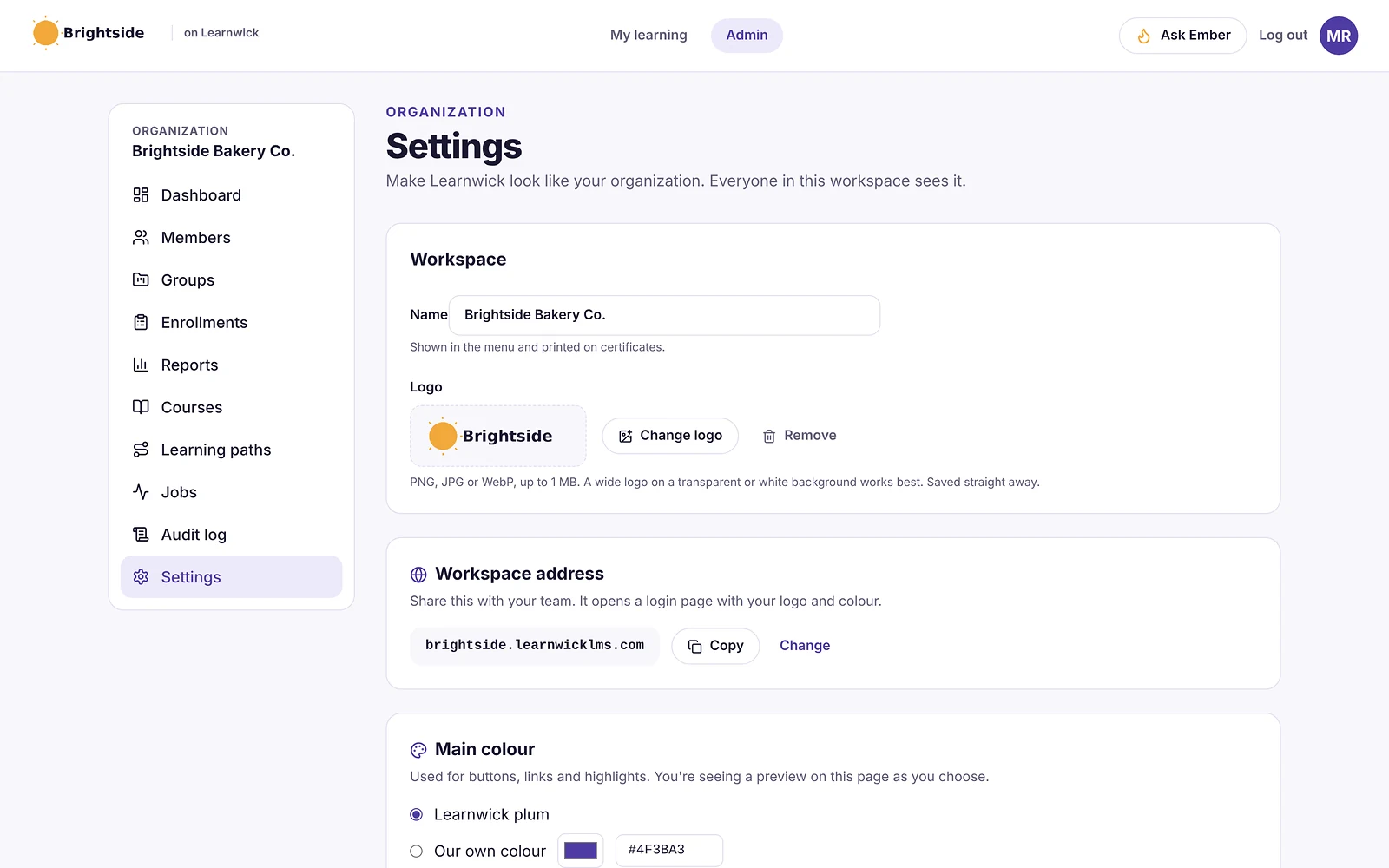
Pros
- Free plan for up to 30 learners, with every feature and no time limit.
- Published prices on the pricing page; monthly or yearly, cancel any time.
- Every feature on every plan: paid plans only change how many learners you can have.
- Nothing to install, host or update.
- Builds a first course from a document in minutes.
- The AI assistant never changes anything on its own: an admin confirms every action, so that nothing goes live without a human check.
Cons
- No connection to HR or payroll systems yet (people come in by invite, CSV, a join link, or Google/Microsoft sign-in).
- No xAPI, cmi5 or multi-SCO SCORM 2004 with sequencing.
- No live classes or virtual classroom, and no selling courses to the public.
- No native mobile app (the web app works on any phone) and app screens are in English only.
- A young product: few third-party reviews yet, and a small ready-made course library.
- No partner portals, e-commerce, multi-federation SSO or offline app.
Pricing
- Free: up to 30 learners, every feature, no time limit.
- Starter: $79/month billed yearly ($99 monthly) for up to 100 learners.
- Growth: $239/month billed yearly ($299 monthly) for up to 500 learners.
- Business: $399/month billed yearly ($499 monthly) for up to 1,000 learners.
- Enterprise: over 1,000 learners, price on request.
So that works out at $0.79 per learner per month on Starter (100 learners) and as little as $0.40 on Business (1,000 learners), billed yearly.
Learnwick LMS · Free plan
Try Learnwick LMS free
Turn your product notes into a course with Ember and assign it to your support team today. Free for up to 30 learners, no credit card.
2. Skilljar
Best for: SaaS companies focused on customer education.
Skilljar is a customer education platform for SaaS and product companies, now sold by Gainsight as “Skilljar by Gainsight”.
Why Skilljar is a Eurekos alternative
Skilljar, now sold by Gainsight, is one of the best-known customer education platforms, with strong CRM integrations and analytics.
Key features
- Branded customer academies.
- Course and learning path builder.
- Salesforce and CRM integrations.
- Analytics tied to customer outcomes.
Pros
- Built for customer education at scale.
- Strong integrations and analytics.
Cons
- Enterprise price point.
- Assumes a dedicated customer education team.
Pricing
Quote only. Software Advice lists a Basic plan at $30,000 a year, and an AWS Marketplace listing at $25,000 a year.
3. Thought Industries
Best for: companies running large, monetized academies.
Thought Industries is an enterprise platform for customer, partner and professional education, including paid training businesses and multi-brand academies.
Why Thought Industries is a Eurekos alternative
Thought Industries handles paid courses, certifications and multi-brand academies at scale.
Key features
- Branded, multi-audience learning sites.
- Commerce for paid training and certifications.
- Salesforce integration.
- Advanced analytics.
Pros
- Very flexible for monetized and multi-brand programs.
- Enterprise-grade.
Cons
- High price point.
- Implementation takes time.
Pricing
Quote only. Reported starting prices are around $2,500 a month, and Vendr lists an average contract value of about $56,500 a year.
4. LearnUpon
Best for: companies training customers, partners and staff in separate portals.
LearnUpon is a corporate LMS known for quick setup and for training several audiences (employees, customers, partners and members) in separate portals.
Why LearnUpon is a Eurekos alternative
LearnUpon is based in Dublin and supports EU, US and Australian data hosting, with multiple portals and strong support.
Key features
- Multiple branded portals.
- SCORM and xAPI.
- Learning paths, assignments and recommendations.
- Webinar, SSO and CRM integrations on higher plans.
- 24/7 support.
Pros
- Reviewers rate its setup as quick.
- Strong multi-audience features.
- Responsive support.
Cons
- Quote-only; packaged plans start around 100–150 monthly active users.
- No free plan; most buyers report an annual commitment.
Pricing
Quote only, typically about $6–$9 per active user per month. Vendr puts the median contract at about $30,000 a year. More options in our LearnUpon alternatives guide.
5. Absorb LMS
Best for: companies that want an easy enterprise LMS with branded portals.
Absorb is a well-reviewed corporate LMS known for a clean interface, rule-based enrollments and strong compliance tracking. It serves employees, customers and partners from branded portals.
Why Absorb LMS is a Eurekos alternative
Absorb serves employees, customers and partners from branded portals with e-commerce.
Key features
- Rule-based enrollments and learning paths.
- Branded portals for employees, customers and partners.
- Compliance and certificate tracking.
- E-commerce for selling courses.
- Wide integration catalogue and an API.
Pros
- One of the highest-rated enterprise LMSs for ease of use.
- Strong automation for large groups.
- Mature reporting and support options.
Cons
- Quote-only pricing; plans start at 100 learners.
- Annual contracts and an implementation project.
- Many features target dedicated L&D teams.
Pricing
Quote only. Price trackers put the median Absorb contract at about $20,000 a year. More options in our Absorb LMS alternatives guide.
6. Docebo
Best for: large companies with extended-enterprise programs.
Docebo is an enterprise learning platform with strong AI features, extended-enterprise portals, a branded mobile app and a large integration catalogue.
Why Docebo is a Eurekos alternative
Docebo covers employees, partners and customers at scale with strong AI.
Key features
- AI content creation, tagging and recommendations.
- Portals for customers and partners.
- Custom-branded mobile app.
- Integration marketplace and analytics add-ons.
Pros
- Very capable for complex, global programs.
- Mature AI and automation.
Cons
- Quote-only; aimed at 250+ learners, and multi-year contracts are common.
- A learning curve for admins, according to G2 reviewers.
Pricing
Quote only (Elevate and Enterprise plans, priced on active users). Vendr puts the median contract at about $42,000 a year. More options in our Docebo alternatives guide.
7. Northpass (Gainsight Customer Education)
Best for: companies that want customer education from Gainsight.
Northpass is a customer education platform now sold by Gainsight as Gainsight Customer Education. Gainsight also sells Skilljar.
Why Northpass (Gainsight Customer Education) is a Eurekos alternative
Northpass, now Gainsight Customer Education, focuses on customer onboarding and academies.
Key features
- Branded customer academies.
- Course builder and learning paths.
- CRM and customer-success integrations.
- Analytics tied to customer health.
Pros
- Built for customer onboarding and education.
- Fits Gainsight customer-success teams.
Cons
- Flat-rate pricing from about $15,000 a year.
- Its future sits alongside Skilljar inside Gainsight.
Pricing
Review sites list a starting price of about $15,000 a year on a flat-rate model. More options in our Northpass (Gainsight Customer Education) alternatives guide.
8. TalentLMS
Best for: smaller companies that want a simple LMS with branches.
TalentLMS is one of the best-known LMSs for small businesses. Reviewers rate it highly for ease of use, and you can sign up and start without talking to sales.
Why TalentLMS is a Eurekos alternative
TalentLMS has branches for partners or clients on higher plans and published prices.
Key features
- Course builder with tests, surveys and assignments.
- SCORM, xAPI and cmi5.
- Branches (sub-portals) on higher plans.
- Gamification and automations.
Pros
- Very easy to learn.
- Free plan and published prices.
- Large, active user base.
Cons
- The free plan covers only 5 users and 10 courses.
- Prices step up by user bracket, and some features sit on higher plans.
Pricing
Free for 5 users. Core is $119 a month billed yearly for up to 40 users; Grow is $229 and Pro $449 a month at the first bracket. More options in our TalentLMS alternatives guide.
9. 360Learning
Best for: companies that want experts to build courses together.
360Learning is built around collaborative learning: subject-matter experts write courses, colleagues comment and suggest changes, and courses improve over time.
Why 360Learning is a Eurekos alternative
360Learning has collaborative authoring and a published Team plan.
Key features
- Collaborative authoring with comments and reactions.
- AI-assisted course writing.
- SCORM support and discussions inside courses.
- HR-system integrations on higher plans.
Pros
- Published entry price of $8 per user per month.
- Courses stay current because experts own them.
- Team plan can be billed monthly.
Cons
- The Team plan stops at 100 users; larger plans are quoted.
- No free plan.
- Works best only if experts actually take part.
Pricing
Team: $8 per user per month for up to 100 users. Business and Enterprise: quote.
10. Thinkific
Best for: companies that mainly sell courses.
Thinkific is a hosted course platform for selling online courses and memberships, with no WordPress to maintain.
Why Thinkific is a Eurekos alternative
Thinkific gives you a course site, checkout and memberships at published prices.
Key features
- Hosted course site and checkout.
- Memberships, bundles and communities.
- Quizzes, certificates and drip content.
- Apps and integrations.
Pros
- Nothing to host or update.
- Strong selling tools.
- Published prices.
Cons
- Built for selling to the public, not managing staff training.
- Higher tiers are needed for advanced features.
Pricing
Basic $40 a month billed yearly ($54 monthly), Start $82 ($109), Grow $164 ($219); Plus is quoted.
Feature comparison: Eurekos alternatives side by side
Prices change. But the way a tool is built and sold usually changes much less. This table shows where each option runs, whether it plays the SCORM courses you may already own, and how it is priced.
| Tool | Where it runs | SCORM | Pricing model |
|---|---|---|---|
| Learnwick LMS | Cloud (nothing to install) | Yes (1.2 and single-SCO 2004) | Published, free up to 30 learners |
| Skilljar | Cloud | Yes | Quote |
| Thought Industries | Cloud | Yes | Quote |
| LearnUpon | Cloud | Yes (plus xAPI) | Quote |
| Absorb LMS | Cloud | Yes (plus xAPI) | Quote |
| Docebo | Cloud | Yes (plus xAPI) | Quote |
| Northpass (Gainsight Customer Education) | Cloud | Yes | Quote |
| TalentLMS | Cloud | Yes (plus xAPI, cmi5) | Published |
| 360Learning | Cloud | Yes | Published (Team) / quote |
| Thinkific | Cloud | Check plan | Published |
“Via add-on” means a third-party plugin is needed. “Quote” means you need a sales call to get a price.
What to look for in a Eurekos alternative
Before you book demos, agree what “better” actually means for your team. In practice, these are the points that typically decide an LMS switch:
- Portals: separate branded portals per partner, reseller or customer.
- SSO for external users: SAML, OpenID Connect and multi-federation.
- E-commerce: payments, taxes, coupons and B2B seat purchases.
- Certifications: proctored exams, expiry and recertification.
- EU data: hosting location and ISO certifications.
- Pricing model: active users versus registered users.
- Content compatibility: does it play what you already own (SCORM 1.2, SCORM 2004, xAPI or cmi5 packages, video, PDF, PowerPoint), and can you export it again later?
- Ease of use: can an admin set up a course in an afternoon, and can learners find their training without a manual, on a phone as well as a computer?
- Automation: enrollment rules, due dates, automatic reminders, recertification and “assign the next course” tend to save more hours than any other feature.
- Reporting and proof: an overdue list, completion reports by group, quiz results, certificates with verification and an audit trail for compliance.
- Integrations: single sign-on (SAML or Google and Microsoft sign-in), HR systems, CRM such as Salesforce or HubSpot, video meetings (Zoom, Microsoft Teams), Slack, Zapier and an open API.
- AI features: course drafting from documents, quiz generation, translation and search. Check that an admin approves what the AI changes.
- Audiences and branding: one internal team, or separate portals for customers, partners or members, with white-label branding.
- Pricing model: per registered user, per active user, flat tiers by user count, per site (WordPress plugins) or self-hosting costs. Ask what happens when you go over your plan.
- Support and implementation: who sets it up, how long it takes, and whether support is included.
Here’s a simple way to use this list: turn it into a one-page scorecard, so that each shortlisted tool gets a score after a one-week trial with real courses and real learners.
Other Eurekos alternatives worth a look
These didn’t make our top 10 for most teams. But they come up often, and one of them may genuinely suit a specific need:
- Learnifier: a Swedish learning platform for compliance and customer training.
- eloomi (Dayforce): a simple LMS with Danish roots, now owned by Dayforce.
- Intellum: a customer education platform for large companies.
- Docebo Extended Enterprise: Docebo’s multi-audience setup.
- LearnWorlds: a course platform for selling training.
- Northpass alternatives: see our Northpass alternatives guide.
What a Eurekos alternative really costs
| Option | Typical price | Notes |
|---|---|---|
| Eurekos | From about €475 a month for 50 active users | Active-user pricing |
| Skilljar | From about $25,000–$30,000 a year | Quote |
| Thought Industries | From about $30,000 a year | Quote |
| LearnUpon | Median contract about $30,000 a year | Quote |
| Absorb | Median about $20,000 a year | Quote |
| Northpass (Gainsight) | About $15,000 a year | Quote |
| TalentLMS | From $1,428 a year (Core) | Published |
| Thinkific | From $40 a month billed yearly | Published |
| Learnwick LMS | Free up to 30; $948 a year for 100 | Published, employee training |
How to switch from Eurekos
- Check your contract for renewal and export terms.
- Export learner records and certifications by portal and customer.
- Export content: SCORM packages, videos and documents.
- Rebuild portals or groups for each partner or customer.
- Reconnect SSO and e-commerce.
- Pilot with one partner or customer group.
- Tell external learners early; they’re less forgiving of broken links than employees.
Export certifications with their expiry dates. Partners and customers will ask for proof long after you switch.
Choose a Eurekos alternative by what you need
- Choose Learnwick LMS when you mainly train employees and want published prices, free for up to 30 learners.
- Choose Skilljar when customer education for a SaaS product is the main job.
- Choose Thought Industries when you run large, monetized academies.
- Choose LearnUpon when you need multiple portals and strong support.
- Choose Absorb when you want an easy enterprise LMS with branded portals.
- Choose Docebo for large extended-enterprise programs.
- Choose Gainsight Customer Education (Northpass) when you already use Gainsight.
- Choose TalentLMS when you want a simple LMS with branches.
- Choose 360Learning when experts should build courses together.
- Choose Thinkific when you mainly sell courses.
You can also read our guides to Northpass alternatives and LearnUpon alternatives, or compare Learnwick plans on the pricing page.
Learnwick LMS · Free plan
See if Learnwick fits your internal training
Create a free workspace, turn one document into a course and assign it to a team. Every feature included.
Frequently asked questions
What is Eurekos?
Eurekos is an LMS from Hillerød, Denmark, founded in 2013 and built for training customers, partners, resellers and professionals, with branded portals and e-commerce.
What are Eurekos LMS reviews like?
Strong. Eurekos scores about 4.8 out of 5 on Software Advice from roughly 50 reviews, with especially high marks for support.
How much does Eurekos cost?
Eurekos prices by monthly active users, starting at about €475 a month for 50 active users.
What is the best alternative to Eurekos?
For customer and partner education, Skilljar, Thought Industries, LearnUpon, Absorb and Docebo. For employee training, Learnwick LMS is free for up to 30 learners.
Is Eurekos good for employee training?
It can be, but it is designed for external training. Teams that mostly train employees often choose a simpler, cheaper internal LMS.
Is there a free alternative to Eurekos?
Learnwick LMS is free for up to 30 learners for employee training, and Moodle is free to self-host.
The author
Venchito Tampon
Venchito Tampon is the founder of Learnwick, the LMS for small business — a simple, affordable way to upload or build courses, assign training, give certificates and see who has finished.
He is also the CEO and founder of eLearning Solutions Lab, a Philippines-based eLearning production company making custom and rapid eLearning for clients around the world, and Chief Learning Officer of Rainmakers Training & Consultancy, a corporate training and leadership development company.
He is a Certified Learning & Development Professional (CLDP) and a certified executive coach, and also founded ExpirePilot and Sidelight 360.
10 Best Vowel LMS Alternatives in 2026 (With Real Prices)
10 Best Vowel LMS Alternatives in 2026 (With Real Prices)
For mid-size companies that want a customizable LMS with strong assessments, iSpring Learn, TalentLMS, Docebo and Absorb are the closest Vowel LMS alternatives in 2026. For small and mid-size teams that want published prices, AI course building and a free plan, Learnwick LMS is free for up to 30 learners.
Key takeaways
- Vowel LMS, from Vowel Learning Solutions, is an AI-assisted LMS for online and classroom training, with a question bank, automated quiz generation and a learner app.
- Pricing is quote-only, and it has very few public reviews (one on G2), so buyers often compare it with better-known LMSs.
- For customizable training with strong assessments, iSpring Learn, TalentLMS, Docebo and Absorb are the closest alternatives.
- For small and mid-size teams, Learnwick LMS is free for up to 30 learners with published prices.
In this guide
- In summary
- Vowel LMS in 2026: what it is and what it does well
- How we compared these Vowel LMS alternatives
- Why teams look for Vowel LMS alternatives
- The 10 best Vowel LMS alternatives at a glance
- 1. Learnwick LMS
- 2. iSpring Learn
- 3. TalentLMS
- 4. Docebo
- 5. Absorb LMS
- 6. 360Learning
- 7. LearnUpon
- 8. Continu
- 9. Paradiso LMS
- 10. Moodle / MoodleCloud
- Feature comparison: Vowel LMS alternatives side by side
- What to look for in a Vowel LMS alternative
- Other Vowel LMS alternatives worth a look
- What a Vowel LMS alternative really costs
- How to switch from Vowel LMS
- Choose a Vowel LMS alternative by what you need
- Frequently asked questions
In summary
If you only have a minute, here’s the short version:
- Best overall for small and mid-size teams: Learnwick LMS — free for up to 30 learners, then $79/month billed yearly ($99 monthly) for up to 100 learners.
- Best free plan: Learnwick LMS — 30 learners, every feature, no time limit.
- Best budget option: Learnwick LMS — $948 a year for up to 100 learners.
- Lowest per-learner price: Learnwick LMS — $0.79 per learner per month on Starter (100 learners) and as little as $0.40 on Business (1,000 learners), billed yearly.
- Best for assessments and PowerPoint authoring: iSpring Learn.
- Best simple self-serve LMS: TalentLMS.
- Best enterprise alternatives: Docebo or Absorb.
Disclosure: Learnwick LMS publishes this guide and is one of the products in it. We put it first simply because it’s the option we know best for small and mid-size teams, and we list its limits as plainly as everyone else’s. Prices and G2 ratings for other tools were checked in November 2026 from vendor pages, G2 and public price trackers; check the vendor’s own page before you buy.
Vowel LMS in 2026: what it is and what it does well
Vowel LMS is made by Vowel Learning Solutions. It describes itself as an AI-powered learning platform that manages every form of learning in an organization, online or in the classroom, and it is listed on HR marketplaces such as Darwinbox’s.
What Vowel LMS does well
- Assessments: a central question bank, automated quiz generation, multimedia assessments, and objective and subjective evaluation.
- Blended learning: online courses, classroom sessions and on-the-job learning in one place.
- Customization: reviewers say Vowel built custom solutions when features didn’t fit.
- Support: reviewers consistently praise a responsive team.
- Mobile: a Vowel Learner app for iOS and Android, including offline access.
- Course builder, surveys, gamification and SCORM support.
Where it stops
- Quote-only pricing.
- Very few public reviews: one review on G2 and a handful on Capterra, so it’s hard to compare independently.
- Smaller ecosystem: fewer integrations, guides and community resources than larger LMSs.
How we compared these Vowel LMS alternatives
We compared each alternative on what Vowel buyers say they value:
- Assessments: question banks, quiz types, AI quiz generation and grading.
- Blended learning: classroom sessions and on-the-job tasks.
- Ease and support: setup time, admin workload and support quality.
- Mobile: app or mobile web, offline access.
- Price: published or quoted, minimums and contract length.
We checked prices and ratings in November 2026 on vendor pages, G2, Capterra and price trackers.
Why teams look for Vowel LMS alternatives
Published prices
Many teams want to see prices before a demo.
More reviews and references
With few public reviews, buyers often want a platform with a larger community of customers.
Integrations
Teams with HR systems, SSO or Slack and Teams want ready-made integrations.
Simplicity
Small teams sometimes need less customization and faster setup.
Ask any small vendor for two reference customers your size. It’s the best substitute for public reviews.
The 10 best Vowel LMS alternatives at a glance
| Tool | Best for | Price (Nov 2026) | Rating | Free plan |
|---|---|---|---|---|
| Learnwick LMS | Small and mid-size teams that want published prices | Free up to 30; from $79/mo for 100 learners | New (no reviews yet) | Yes, 30 learners |
| iSpring Learn | Assessments and PowerPoint-based authoring | From $6.91/user/mo at 100 users, billed yearly | G2 4.5–4.6 | No (30-day trial) |
| TalentLMS | Simple self-serve LMS with a free plan | Free for 5 users; Core from $119/mo yearly | G2 4.6 (≈800 reviews) | Yes, 5 users |
| Docebo | Large companies with global training | Quote only (median ≈$42,000/yr) | G2 4.3 (≈740 reviews) | No |
| Absorb LMS | Easy enterprise LMS with strong compliance | Quote only (median ≈$20,000/yr) | G2 4.6 (≈900 reviews) | No |
| 360Learning | Collaborative learning with published Team pricing | Team plan $8/user/mo, up to 100 users | G2 4.6 (≈600 reviews) | No |
| LearnUpon | Mid-size companies that want strong support | Quote only (about $6–$9/active user/mo) | G2 4.5 (≈250 reviews) | No |
| Continu | Modern learning for employees and customers | Quote (reported from about $25,000/yr) | Software Advice 4.8 (≈100 reviews) | No |
| Paradiso LMS | Customizable LMS with low per-user prices | About $4.50–$6/user/mo plus add-ons | Capterra 4.2 | No |
| Moodle / MoodleCloud | Open source with full control | Free to self-host; MoodleCloud ≈$160–$2,120/yr | Capterra 4.3 (≈3,400 reviews) | Open source |
1. Learnwick LMS
Best for: small and mid-size teams that need onboarding, compliance and assessments with published prices and a fast setup.
Learnwick LMS is a cloud LMS for teams without a training department. In practice, one person can set it up in an afternoon: create a workspace, add your logo, upload a SCORM course or let the AI assistant build one from a document, invite people and assign training with a due date. Learners open it on any phone or computer without installing an app.
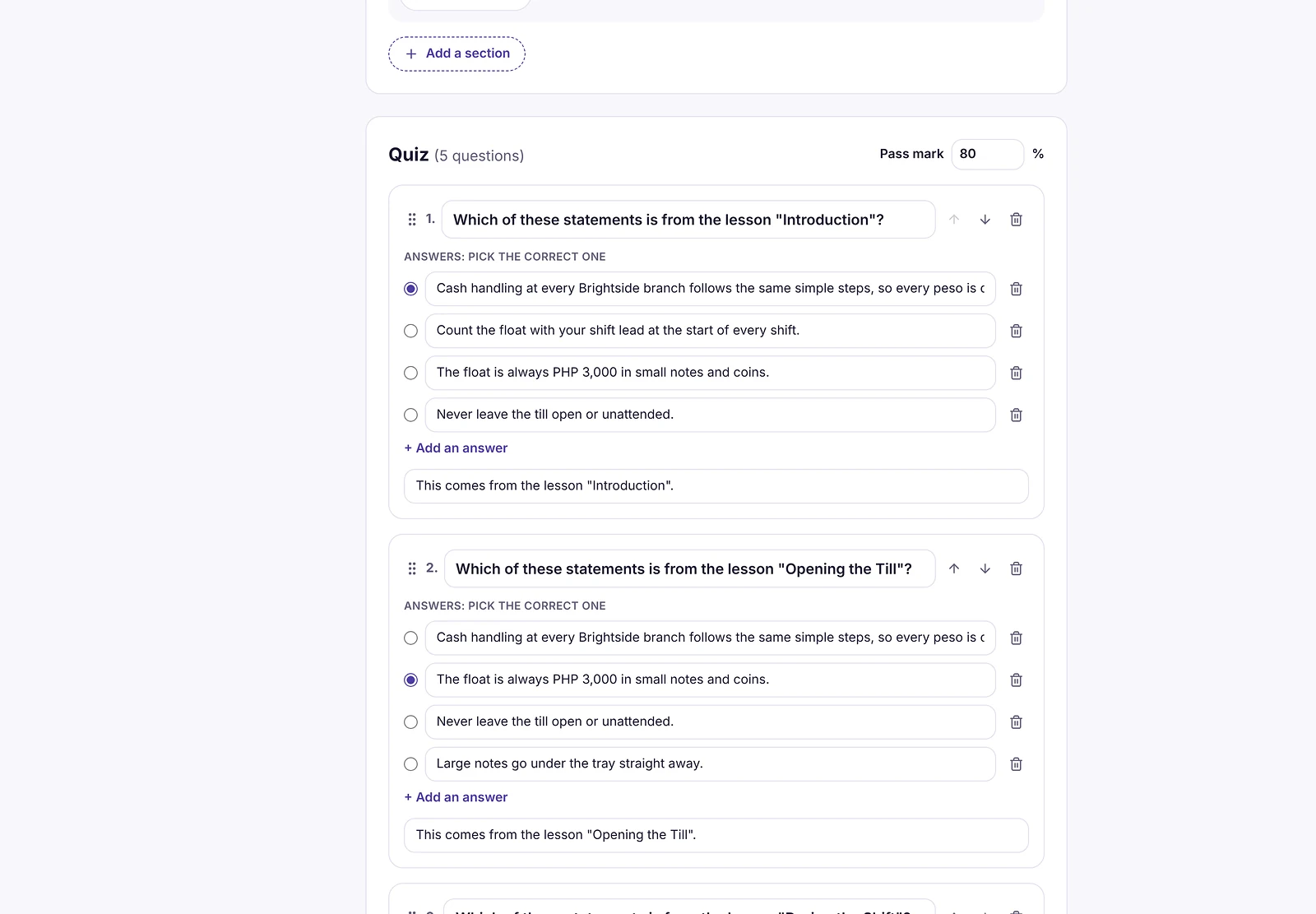
Why Learnwick is a strong Vowel LMS alternative
AI quizzes from your documents. Ember turns a policy or handbook into lessons and quiz questions you check before publishing, so assessments come with every course.
Quiz reports that teach you something. See scores by person and group, and which questions people get wrong most often.
Compliance on autopilot. Due dates, reminders, certificates with expiry dates and an overdue list.
Published prices. The Free plan covers 30 learners. 100 learners cost $948 a year.
The honest trade-off: no subjective (essay) grading workflow, classroom session management, native app or custom development. If those matter, Vowel, iSpring Learn or Absorb fit better.
To give you a concrete example, at Learnwick, we don’t simply generate quiz questions and publish them. Ember drafts the questions from your document, and an admin checks and edits them first, so that every assessment is actually accurate. And quiz reports show which questions people get wrong.
Key features
- Courses you already have: SCORM 1.2 and single-SCO SCORM 2004 packages from Storyline, Rise, Captivate or iSpring, plus videos and PDFs with optional quizzes.
- Ember, the AI course builder: paste a policy or upload a PDF or Word file and Ember drafts lessons and quiz questions you check before publishing. It can also translate a course.
- Assignments with due dates: assign a course to a person or a whole group; new group members get the group’s courses automatically.
- Automatic reminders: late learners get reminders, managers get a weekly summary, and finishing one course can assign the next one.
- Certificates: PDF certificates on completion, with renewal dates and a code anyone can check online.
- Reports: an overdue list, completion and quiz reports, time spent, analytics dashboards, custom reports, a training matrix and training gaps by role, all exportable to CSV.
- Learning paths, points and badges: courses in order, plus optional points, badges and a leaderboard.
- Getting people in: invites, CSV import, a join link (optionally limited to your email domain) and Google or Microsoft sign-in.
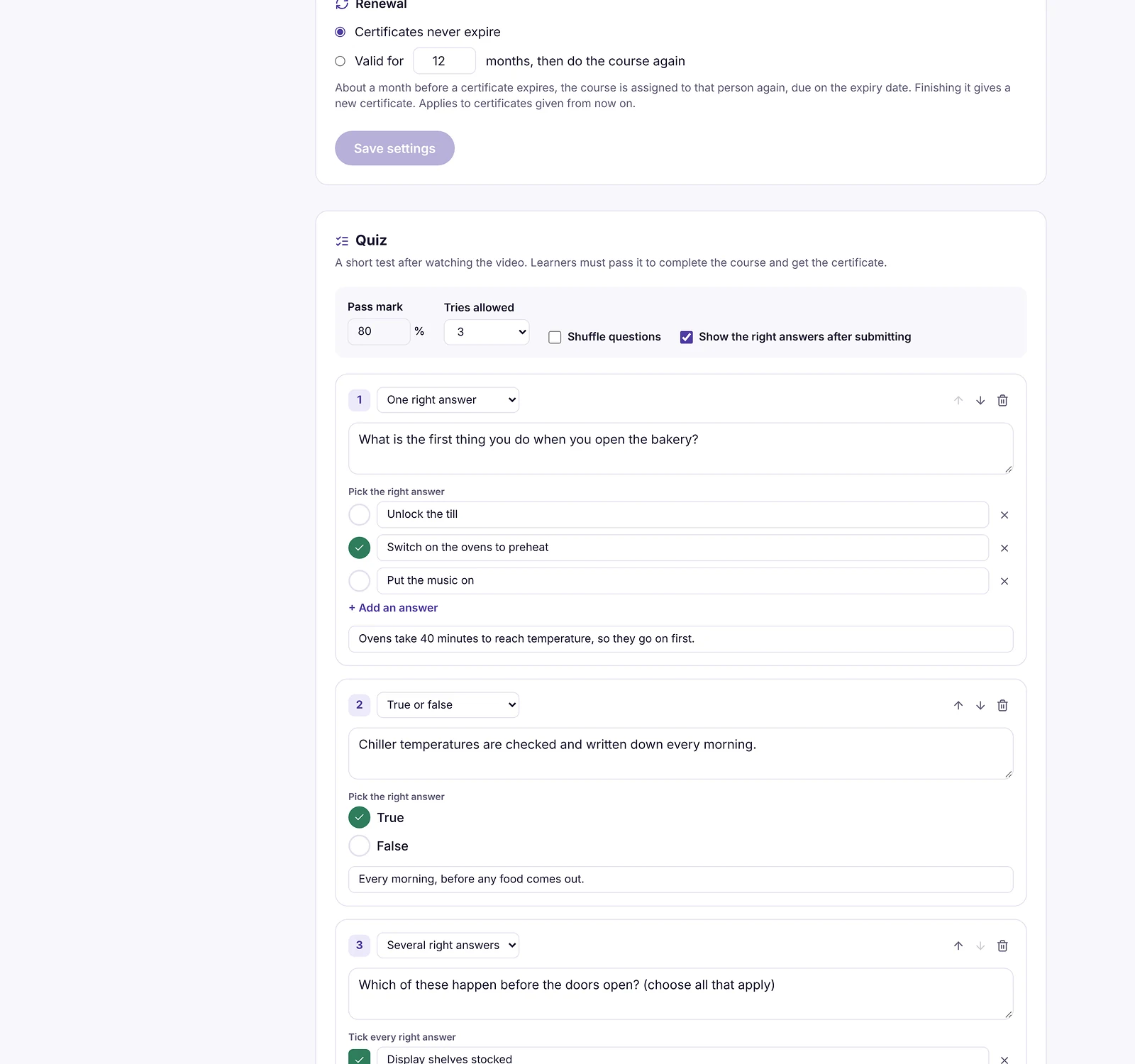
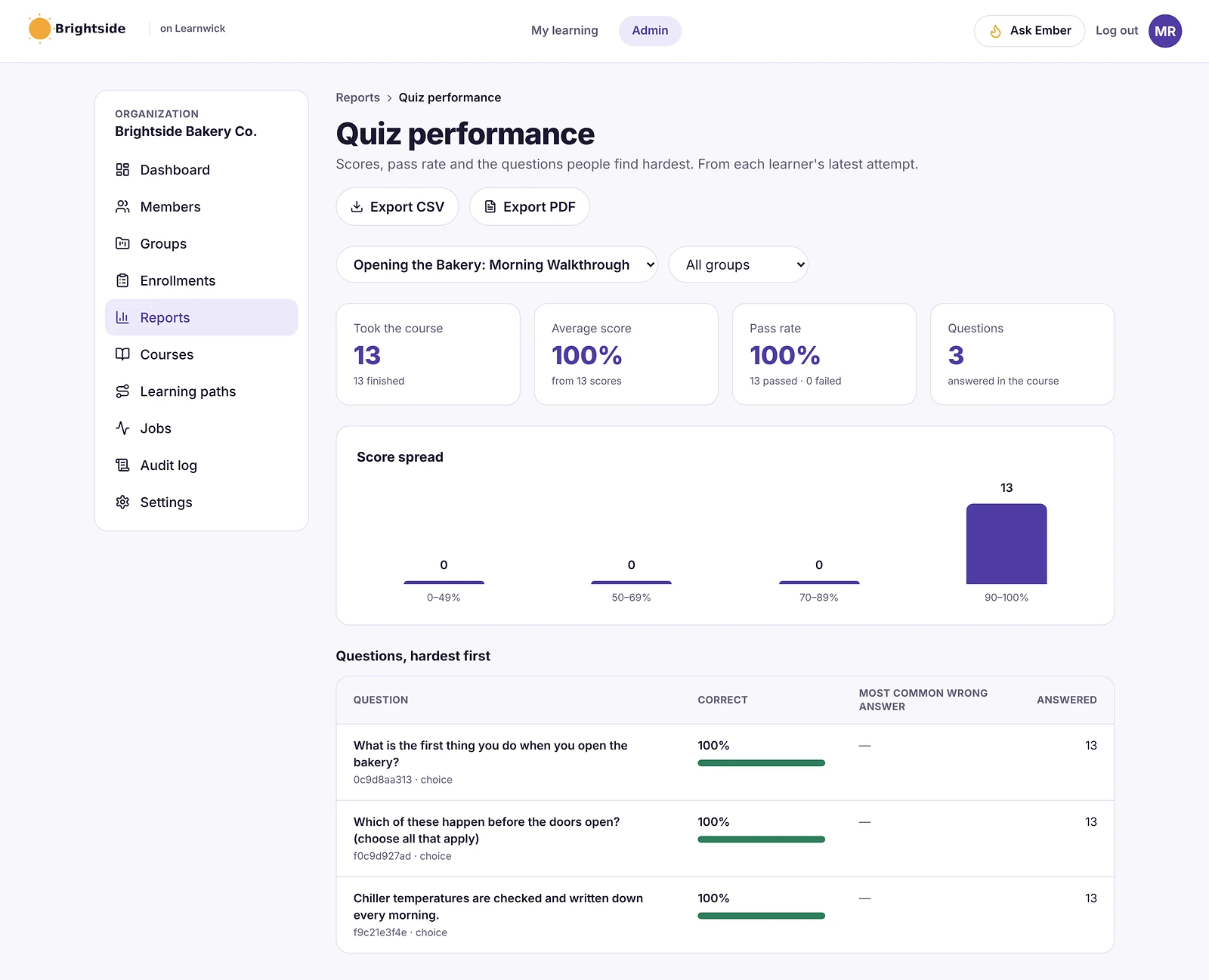
Pros
- Free plan for up to 30 learners, with every feature and no time limit.
- Published prices on the pricing page; monthly or yearly, cancel any time.
- Every feature on every plan: paid plans only change how many learners you can have.
- Nothing to install, host or update.
- Builds a first course from a document in minutes.
- The AI assistant never changes anything on its own: an admin confirms every action, so that nothing goes live without a human check.
Cons
- No connection to HR or payroll systems yet (people come in by invite, CSV, a join link, or Google/Microsoft sign-in).
- No xAPI, cmi5 or multi-SCO SCORM 2004 with sequencing.
- No live classes or virtual classroom, and no selling courses to the public.
- No native mobile app (the web app works on any phone) and app screens are in English only.
- A young product: few third-party reviews yet, and a small ready-made course library.
- No essay grading workflow, classroom sessions or native mobile app.
Pricing
- Free: up to 30 learners, every feature, no time limit.
- Starter: $79/month billed yearly ($99 monthly) for up to 100 learners.
- Growth: $239/month billed yearly ($299 monthly) for up to 500 learners.
- Business: $399/month billed yearly ($499 monthly) for up to 1,000 learners.
- Enterprise: over 1,000 learners, price on request.
So that works out at $0.79 per learner per month on Starter (100 learners) and as little as $0.40 on Business (1,000 learners), billed yearly.
Learnwick LMS · Free plan
Try Learnwick LMS free
Turn one policy into a course with a quiz and assign it to a team today. Free for up to 30 learners, no credit card.
2. iSpring Learn
Best for: teams that want strong assessments and PowerPoint-based authoring.
iSpring Learn is the LMS from the makers of iSpring Suite, a PowerPoint-based authoring tool. Courses built in PowerPoint publish straight to the LMS with animations and quizzes intact.
Why iSpring Learn is a Vowel LMS alternative
iSpring Suite builds quizzes, role-plays and courses from PowerPoint, and iSpring Learn hosts and tracks them at published prices.
Key features
- SCORM, video, document and iSpring Suite courses.
- Learning paths and automatic enrollment rules.
- Progress, score and time reports.
- Mobile app with offline learning.
Pros
- Public prices by user band and a 30-day trial.
- Excellent if your courses come from PowerPoint.
- Strong support reputation.
Cons
- No free plan; the smallest band is 100 users.
- iSpring Suite authoring is a separate purchase (about $720 per author per year).
Pricing
Billed yearly: $8,286 for 100 users, $16,050 for 300 and $23,790 for 500. Enterprise is quoted. More options in our iSpring Learn alternatives guide.
3. TalentLMS
Best for: small teams that want a simple self-serve LMS.
TalentLMS is one of the best-known LMSs for small businesses. Reviewers rate it highly for ease of use, and you can sign up and start without talking to sales.
Why TalentLMS is a Vowel LMS alternative
TalentLMS has tests, surveys, assignments and AI tools, a free plan for 5 users and published prices.
Key features
- Course builder with tests, surveys and assignments.
- SCORM, xAPI and cmi5.
- Branches (sub-portals) on higher plans.
- Gamification and automations.
Pros
- Very easy to learn.
- Free plan and published prices.
- Large, active user base.
Cons
- The free plan covers only 5 users and 10 courses.
- Prices step up by user bracket, and some features sit on higher plans.
Pricing
Free for 5 users. Core is $119 a month billed yearly for up to 40 users; Grow is $229 and Pro $449 a month at the first bracket. More options in our TalentLMS alternatives guide.
4. Docebo
Best for: larger companies with global training.
Docebo is an enterprise learning platform with strong AI features, extended-enterprise portals, a branded mobile app and a large integration catalogue.
Why Docebo is a Vowel LMS alternative
Docebo has strong AI, assessments and integrations for large programs.
Key features
- AI content creation, tagging and recommendations.
- Portals for customers and partners.
- Custom-branded mobile app.
- Integration marketplace and analytics add-ons.
Pros
- Very capable for complex, global programs.
- Mature AI and automation.
Cons
- Quote-only; aimed at 250+ learners, and multi-year contracts are common.
- A learning curve for admins, according to G2 reviewers.
Pricing
Quote only (Elevate and Enterprise plans, priced on active users). Vendr puts the median contract at about $42,000 a year. More options in our Docebo alternatives guide.
5. Absorb LMS
Best for: companies that want an easy enterprise LMS with classroom sessions.
Absorb is a well-reviewed corporate LMS known for a clean interface, rule-based enrollments and strong compliance tracking. It serves employees, customers and partners from branded portals.
Why Absorb LMS is a Vowel LMS alternative
Absorb handles instructor-led sessions, assessments and compliance.
Key features
- Rule-based enrollments and learning paths.
- Branded portals for employees, customers and partners.
- Compliance and certificate tracking.
- E-commerce for selling courses.
- Wide integration catalogue and an API.
Pros
- One of the highest-rated enterprise LMSs for ease of use.
- Strong automation for large groups.
- Mature reporting and support options.
Cons
- Quote-only pricing; plans start at 100 learners.
- Annual contracts and an implementation project.
- Many features target dedicated L&D teams.
Pricing
Quote only. Price trackers put the median Absorb contract at about $20,000 a year. More options in our Absorb LMS alternatives guide.
6. 360Learning
Best for: companies that want experts to build courses together.
360Learning is built around collaborative learning: subject-matter experts write courses, colleagues comment and suggest changes, and courses improve over time.
Why 360Learning is a Vowel LMS alternative
360Learning has collaborative authoring and a published Team plan.
Key features
- Collaborative authoring with comments and reactions.
- AI-assisted course writing.
- SCORM support and discussions inside courses.
- HR-system integrations on higher plans.
Pros
- Published entry price of $8 per user per month.
- Courses stay current because experts own them.
- Team plan can be billed monthly.
Cons
- The Team plan stops at 100 users; larger plans are quoted.
- No free plan.
- Works best only if experts actually take part.
Pricing
Team: $8 per user per month for up to 100 users. Business and Enterprise: quote.
7. LearnUpon
Best for: mid-size companies that want strong support.
LearnUpon is a corporate LMS known for quick setup and for training several audiences (employees, customers, partners and members) in separate portals.
Why LearnUpon is a Vowel LMS alternative
LearnUpon is known for quick implementation and responsive support, like Vowel.
Key features
- Multiple branded portals.
- SCORM and xAPI.
- Learning paths, assignments and recommendations.
- Webinar, SSO and CRM integrations on higher plans.
- 24/7 support.
Pros
- Reviewers rate its setup as quick.
- Strong multi-audience features.
- Responsive support.
Cons
- Quote-only; packaged plans start around 100–150 monthly active users.
- No free plan; most buyers report an annual commitment.
Pricing
Quote only, typically about $6–$9 per active user per month. Vendr puts the median contract at about $30,000 a year. More options in our LearnUpon alternatives guide.
8. Continu
Best for: companies that want a modern platform for employees and customers.
Continu is a modern learning platform for mid-size and large companies that train employees, customers and partners in one place.
Why Continu is a Vowel LMS alternative
Continu covers onboarding, compliance and customer academies.
Key features
- Learning paths, onboarding and compliance.
- Employee, customer and partner academies.
- Continu AI for course creation (Professional and up).
- HRIS and Salesforce integrations.
Pros
- Very high ease-of-use scores.
- One platform for internal and external training.
Cons
- Quote-only, priced by monthly active users.
- AI and external audiences sit on higher plans.
Pricing
Quote only, priced by monthly active users on Growth, Professional and Enterprise plans. Third-party estimates put entry around $25,000 a year.
9. Paradiso LMS
Best for: companies that want a highly customizable LMS.
Paradiso is a highly customizable LMS with many modules, integrations and an authoring tool, used for employee, partner and customer training.
Why Paradiso LMS is a Vowel LMS alternative
Paradiso offers many modules and customization at low per-user list prices.
Key features
- Many modules and 100+ integrations.
- Authoring tool and AI course creation.
- Multi-tenant portals.
- E-commerce.
Pros
- Low per-user list prices.
- Very customizable.
Cons
- Many features are paid add-ons.
- Reviewers rate value for money lower than peers.
Pricing
Listed at about $4.50–$6 per user per month, with add-ons and setup quoted. More options in our Paradiso LMS alternatives guide.
10. Moodle / MoodleCloud
Best for: organizations that want open source and full control.
Moodle is the world’s best-known open-source LMS. You can host it yourself for free, buy hosted MoodleCloud plans, or license Moodle Workplace through a certified partner.
Why Moodle / MoodleCloud is a Vowel LMS alternative
Moodle has one of the most powerful quiz engines of any LMS and costs nothing to license.
Key features
- Open source, with thousands of plugins.
- SCORM, quizzes, badges, certificates and reports.
- Moodle Workplace adds multi-tenancy and dynamic rules.
Pros
- No licence fee if you self-host.
- Full control over data and hosting.
- Huge community.
Cons
- Self-hosting means servers, upgrades, backups and security are your job.
- MoodleCloud caps sites at 750 users and doesn’t allow custom plugins.
Pricing
Free to self-host. MoodleCloud costs roughly $160–$2,120 a year for 50 to 750 users; Moodle Workplace is quoted by partners. More options in our Moodle alternatives guide.
Feature comparison: Vowel LMS alternatives side by side
Prices change. But the way a tool is built and sold usually changes much less. This table shows where each option runs, whether it plays the SCORM courses you may already own, and how it is priced.
| Tool | Where it runs | SCORM | Pricing model |
|---|---|---|---|
| Learnwick LMS | Cloud (nothing to install) | Yes (1.2 and single-SCO 2004) | Published, free up to 30 learners |
| iSpring Learn | Cloud | Yes | Published |
| TalentLMS | Cloud | Yes (plus xAPI, cmi5) | Published |
| Docebo | Cloud | Yes (plus xAPI) | Quote |
| Absorb LMS | Cloud | Yes (plus xAPI) | Quote |
| 360Learning | Cloud | Yes | Published (Team) / quote |
| LearnUpon | Cloud | Yes (plus xAPI) | Quote |
| Continu | Cloud | Yes | Quote |
| Paradiso LMS | Cloud | Yes (plus xAPI) | Published / quote |
| Moodle / MoodleCloud | Self-hosted or MoodleCloud | Yes | Free / published |
“Via add-on” means a third-party plugin is needed. “Quote” means you need a sales call to get a price.
What to look for in a Vowel LMS alternative
Before you book demos, agree what “better” actually means for your team. In practice, these are the points that typically decide an LMS switch:
- Question types: multiple choice, matching, essays, video answers and question banks.
- AI quiz generation: check you can review and edit questions before they go live.
- Grading: automatic grading and manual review for open answers.
- Classroom and on-the-job: session booking and practical sign-offs.
- References: for smaller vendors, ask for customers your size.
- Content compatibility: does it play what you already own (SCORM 1.2, SCORM 2004, xAPI or cmi5 packages, video, PDF, PowerPoint), and can you export it again later?
- Ease of use: can an admin set up a course in an afternoon, and can learners find their training without a manual, on a phone as well as a computer?
- Automation: enrollment rules, due dates, automatic reminders, recertification and “assign the next course” tend to save more hours than any other feature.
- Reporting and proof: an overdue list, completion reports by group, quiz results, certificates with verification and an audit trail for compliance.
- Integrations: single sign-on (SAML or Google and Microsoft sign-in), HR systems, CRM such as Salesforce or HubSpot, video meetings (Zoom, Microsoft Teams), Slack, Zapier and an open API.
- AI features: course drafting from documents, quiz generation, translation and search. Check that an admin approves what the AI changes.
- Audiences and branding: one internal team, or separate portals for customers, partners or members, with white-label branding.
- Pricing model: per registered user, per active user, flat tiers by user count, per site (WordPress plugins) or self-hosting costs. Ask what happens when you go over your plan.
- Support and implementation: who sets it up, how long it takes, and whether support is included.
Here’s a simple way to use this list: turn it into a one-page scorecard, so that each shortlisted tool gets a score after a one-week trial with real courses and real learners.
Other Vowel LMS alternatives worth a look
These didn’t make our top 10 for most teams. But they come up often, and one of them may genuinely suit a specific need:
- Disprz: an AI learning platform popular in India and Southeast Asia.
- Darwinbox LMS: learning inside the Darwinbox HR platform.
- Thriving Springs: an AI-powered employee learning platform.
- Violet LMS: an LMS from VioletInfo Systems.
- Moodle Workplace: the business edition of Moodle.
- Eloomi (Dayforce): a simple LMS now owned by Dayforce.
What a Vowel LMS alternative really costs
| Option | Typical price | Notes |
|---|---|---|
| Vowel LMS | Not published | Quote |
| TalentLMS | From $1,428 a year (Core, 40 users) | Published |
| iSpring Learn | About $8,300 a year for 100 users | Published |
| 360Learning Team | $8 per user per month, up to 100 users | Published |
| Paradiso | About $4.50–$6 per user per month plus add-ons | Published / quote |
| Docebo | Usually $25,000+ a year | Quote |
| Absorb | Median about $20,000 a year | Quote |
| Learnwick LMS | Free up to 30; $948 a year for 100 | Published |
How to switch from Vowel LMS
- Check your contract for renewal and export terms.
- Export learning records: completions, scores and certificates.
- Export your question bank if possible; it’s often the most valuable content.
- Export SCORM packages, videos and documents.
- Rebuild core paths and assessments in the new LMS.
- Pilot with one team for two weeks.
- Keep historical records for audits.
Ask for your question bank in a spreadsheet or QTI format. Rebuilding hundreds of questions by hand is the slowest part of any move.
Choose a Vowel LMS alternative by what you need
- Choose Learnwick LMS when you want published prices, AI quizzes and a free plan for up to 30 learners.
- Choose iSpring Learn when assessments and PowerPoint authoring matter most.
- Choose TalentLMS when you want a simple self-serve LMS.
- Choose Docebo or Absorb when you need an enterprise LMS.
- Choose 360Learning when experts should build courses together.
- Choose LearnUpon when support matters most.
- Choose Continu when you train employees and customers.
- Choose Paradiso when you want deep customization.
- Choose Moodle when you want open source.
You can also read our guides to iSpring Learn alternatives and TalentLMS alternatives, or compare Learnwick plans on the pricing page.
Learnwick LMS · Free plan
See if Learnwick fits your team
Create a free workspace, build a course with a quiz from one document and assign it. Every feature included.
Frequently asked questions
What is Vowel LMS?
Vowel LMS is an AI-assisted learning management system from Vowel Learning Solutions that manages online, classroom and on-the-job learning, with strong assessment tools and a learner app.
What is the best alternative to Vowel LMS?
For customizable training with strong assessments, iSpring Learn, TalentLMS, Docebo and Absorb. For small and mid-size teams that want published prices, Learnwick LMS is free for up to 30 learners.
How much does Vowel LMS cost?
Vowel LMS does not publish prices. Contact the vendor for a quote.
Does Vowel LMS have a mobile app?
Yes. The Vowel Learner app is available for iOS and Android, with offline access.
Which Vowel alternative is best for quizzes?
Moodle and iSpring Learn have very powerful quiz engines. Learnwick LMS drafts quiz questions from your documents with AI and shows which questions people get wrong.
Is there a free alternative to Vowel LMS?
Learnwick LMS is free for up to 30 learners, TalentLMS has a free plan for 5 users, and Moodle is free to self-host.
The author
Venchito Tampon
Venchito Tampon is the founder of Learnwick, the LMS for small business — a simple, affordable way to upload or build courses, assign training, give certificates and see who has finished.
He is also the CEO and founder of eLearning Solutions Lab, a Philippines-based eLearning production company making custom and rapid eLearning for clients around the world, and Chief Learning Officer of Rainmakers Training & Consultancy, a corporate training and leadership development company.
He is a Certified Learning & Development Professional (CLDP) and a certified executive coach, and also founded ExpirePilot and Sidelight 360.
10 Best Gibbon LMS Alternatives in 2026 (Open Source and Hosted)
10 Best Gibbon LMS Alternatives in 2026 (Open Source and Hosted)
For schools that want to stay open source, Moodle is the closest Gibbon alternative in 2026, with openSIS or Fedena if you mainly need school administration. For hosted options, Google Classroom (free), Canvas and Schoology cover teaching. For training teachers and staff, Learnwick LMS is free for up to 30 learners, with nothing to host.
Key takeaways
- Gibbon is a free, open-source (GPL-3.0) school platform built by teachers. It mixes school management (attendance, timetables, reports) with learning tools such as planner and Free Learning.
- It costs nothing to license, but you host, update, back up and secure it yourself.
- Moodle is the closest open-source LMS; Google Classroom, Canvas and Schoology are the main hosted options for teaching.
- For teacher and staff training, Learnwick LMS is free for up to 30 learners with nothing to install.
In this guide
- In summary
- Gibbon in 2026: what it is and who it suits
- How we compared these Gibbon alternatives
- Why schools look for Gibbon alternatives
- The 10 best Gibbon alternatives at a glance
- 1. Learnwick LMS
- 2. Moodle / MoodleCloud
- 3. Google Classroom
- 4. Canvas LMS
- 5. Schoology
- 6. D2L Brightspace
- 7. Blackboard Learn
- 8. Open edX
- 9. TalentLMS
- 10. iSpring Learn
- Feature comparison: Gibbon alternatives side by side
- What to look for in a Gibbon alternative
- Other Gibbon alternatives worth a look
- What a Gibbon alternative really costs
- If you keep Gibbon: how to run it well
- How to switch from Gibbon
- Choose a Gibbon alternative by what you need
- Frequently asked questions
In summary
If you only have a minute, here’s the short version:
- Best overall for teacher and staff training: Learnwick LMS — free for up to 30 learners, then $79/month billed yearly ($99 monthly) for up to 100 learners. Nothing to host.
- Best free plan for staff training: Learnwick LMS — 30 learners, every feature, no time limit.
- Best open-source LMS: Moodle.
- Best free hosted classroom tool: Google Classroom.
- Best full hosted LMS for schools: Canvas or Schoology.
- Best for analytics and accessibility: D2L Brightspace.
- Best open-source school administration: openSIS or Fedena.
Disclosure: Learnwick LMS publishes this guide and is one of the products in it. We put it first simply because it’s the option we know best for small and mid-size teams, and we list its limits as plainly as everyone else’s. Prices and G2 ratings for other tools were checked in November 2026 from vendor pages, G2 and public price trackers; check the vendor’s own page before you buy.
Gibbon in 2026: what it is and who it suits
Gibbon is a free, open-source school platform licensed under GPL-3.0. It was created by teachers at an international school in Hong Kong and is developed by a small community. You can install it yourself or with one-click installers on many web hosts.
What Gibbon does
- School management: students, staff, attendance, timetables, markbook, reports and parent access.
- Learning tools: a lesson planner, units, resources and the Free Learning module for self-directed learning.
- Modules: extra features you add as needed.
- Many languages, thanks to community translations.
What Gibbon does well
- Free and open: no license fees and full control of your data.
- Designed by teachers, with a simple, practical feel.
- Flexible: schools can adapt modules and settings.
Where it stops
- You run it: hosting, updates, backups and security are your job.
- Small community: about 600 stars on GitHub, so fewer plugins, guides and integrations than Moodle.
- Not a full LMS: it’s lighter on quizzes, SCORM courses and online course delivery than a dedicated LMS.
- Support: mostly community forums rather than a vendor.
How we compared these Gibbon alternatives
Gibbon covers both school administration and learning, so we compared each tool on:
- Teaching: classes, assignments, gradebook, quizzes and parent access.
- School administration: attendance, timetables and reports (only some alternatives do this).
- Hosting: open source you host, or hosted by a vendor.
- Staff training: required training with records and renewal dates.
- Price and effort: license, hosting and admin time.
Prices were checked in November 2026 on vendor pages and project sites.
Why schools look for Gibbon alternatives
Maintenance
Updates, backups and security take time that small IT teams don’t have.
More LMS features
Schools that teach online want richer quizzes, SCORM courses and video.
Integrations
Google Workspace, Microsoft 365, publisher content and apps often work more smoothly with larger platforms.
Support
Some schools want a vendor to call when something breaks.
Staff compliance training
Gibbon isn’t built to track which staff have completed safeguarding or first aid, and when it expires.
If you keep Gibbon for administration, you can still add a hosted LMS for teaching or staff training. They don’t have to be the same tool.
The 10 best Gibbon alternatives at a glance
| Tool | Best for | Price (Nov 2026) | Rating | Free plan |
|---|---|---|---|---|
| Learnwick LMS | Teacher and staff training with nothing to host | Free up to 30; from $79/mo for 100 learners | New (no reviews yet) | Yes, 30 learners |
| Moodle / MoodleCloud | Open-source LMS with a full gradebook | Free to self-host; MoodleCloud ≈$160–$2,120/yr | Capterra 4.3 (≈3,400 reviews) | Open source |
| Google Classroom | Free, simple hosted classroom tool | Free (Education Fundamentals) | Capterra 4.6 (≈2,900 reviews) | Yes |
| Canvas LMS | Full hosted LMS for schools | Quote (often ≈$5–$30/student/yr) | Capterra 4.6 (≈4,300 reviews) | No (Free-for-Teacher closed in 2026) |
| Schoology | K-12 LMS with parent access | Free for teachers; Enterprise quoted | — | Yes (teachers) |
| D2L Brightspace | Analytics and accessibility | Quote (usage-based) | — | No |
| Blackboard Learn | Mature institutional LMS | Quote (listed from about $9,500/yr) | Software Advice 4.1 (≈540 reviews) | No (30-day trial) |
| Open edX | Online courses at scale | Free (open source); hosting extra | — | Yes (self-host) |
| TalentLMS | Simple LMS for staff professional development | Free for 5 users; Core from $119/mo yearly | G2 4.6 (≈800 reviews) | Yes, 5 users |
| iSpring Learn | Staff training built in PowerPoint | From $6.91/user/mo at 100 users, billed yearly | G2 4.5–4.6 | No (30-day trial) |
1. Learnwick LMS
Best for: schools that use Gibbon (or another school system) and need a simple, hosted way to train teachers, support staff, coaches and volunteers, with renewal dates. Not a classroom LMS for students.
Learnwick LMS is a cloud LMS for teams without a training department. In practice, one person can set it up in an afternoon: create a workspace, add your logo, upload a SCORM course or let the AI assistant build one from a document, invite people and assign training with a due date. Learners open it on any phone or computer without installing an app.
Why Learnwick is a strong Gibbon alternative
Nothing to host. Learnwick runs in the cloud and updates itself. No server, no backups, no security patches.
Staff training with proof. Assign safeguarding, child protection, first aid and policy courses with due dates. Certificates carry renewal dates and Learnwick reminds staff before they lapse.
Your policies as courses. Ember turns your staff handbook or safeguarding policy into lessons and quiz questions you check.
Easy for everyone. Staff, coaches and volunteers join with a link and sign in with Google or Microsoft.
Free to start. The Free plan covers 30 learners with every feature.
The honest trade-off: no attendance, timetables, markbook, parent access or student classes. Keep Gibbon (or use Moodle or Google Classroom) for those.
To give you a concrete example, at Learnwick, we don’t simply hand you open-source code to run. Learnwick is hosted and updated for you, so that a school’s IT person doesn’t have to patch, back up and secure another server. And staff training records are always one export away.
Key features
- Courses you already have: SCORM 1.2 and single-SCO SCORM 2004 packages from Storyline, Rise, Captivate or iSpring, plus videos and PDFs with optional quizzes.
- Ember, the AI course builder: paste a policy or upload a PDF or Word file and Ember drafts lessons and quiz questions you check before publishing. It can also translate a course.
- Assignments with due dates: assign a course to a person or a whole group; new group members get the group’s courses automatically.
- Automatic reminders: late learners get reminders, managers get a weekly summary, and finishing one course can assign the next one.
- Certificates: PDF certificates on completion, with renewal dates and a code anyone can check online.
- Reports: an overdue list, completion and quiz reports, time spent, analytics dashboards, custom reports, a training matrix and training gaps by role, all exportable to CSV.
- Learning paths, points and badges: courses in order, plus optional points, badges and a leaderboard.
- Getting people in: invites, CSV import, a join link (optionally limited to your email domain) and Google or Microsoft sign-in.
Pros
- Free plan for up to 30 learners, with every feature and no time limit.
- Published prices on the pricing page; monthly or yearly, cancel any time.
- Every feature on every plan: paid plans only change how many learners you can have.
- Nothing to install, host or update.
- Builds a first course from a document in minutes.
- The AI assistant never changes anything on its own: an admin confirms every action, so that nothing goes live without a human check.
Cons
- No connection to HR or payroll systems yet (people come in by invite, CSV, a join link, or Google/Microsoft sign-in).
- No xAPI, cmi5 or multi-SCO SCORM 2004 with sequencing.
- No live classes or virtual classroom, and no selling courses to the public.
- No native mobile app (the web app works on any phone) and app screens are in English only.
- A young product: few third-party reviews yet, and a small ready-made course library.
- No attendance, timetables, markbook, parent access or student classes.
Pricing
- Free: up to 30 learners, every feature, no time limit.
- Starter: $79/month billed yearly ($99 monthly) for up to 100 learners.
- Growth: $239/month billed yearly ($299 monthly) for up to 500 learners.
- Business: $399/month billed yearly ($499 monthly) for up to 1,000 learners.
- Enterprise: over 1,000 learners, price on request.
So that works out at $0.79 per learner per month on Starter (100 learners) and as little as $0.40 on Business (1,000 learners), billed yearly.
Learnwick LMS · Free plan
Try Learnwick LMS free
Turn your child protection policy into a course with Ember and assign it to all staff today. Free for up to 30 learners, no credit card.
2. Moodle / MoodleCloud
Best for: schools that want to stay open source with a full LMS.
Moodle is the world’s best-known open-source LMS. You can host it yourself for free, buy hosted MoodleCloud plans, or license Moodle Workplace through a certified partner.
Why Moodle / MoodleCloud is a Gibbon alternative
Moodle is the most widely used open-source LMS, with a full gradebook, quizzes, SCORM, H5P and thousands of plugins. Like Gibbon, you host it yourself or use a Moodle Partner.
Key features
- Open source, with thousands of plugins.
- SCORM, quizzes, badges, certificates and reports.
- Moodle Workplace adds multi-tenancy and dynamic rules.
Pros
- No licence fee if you self-host.
- Full control over data and hosting.
- Huge community.
Cons
- Self-hosting means servers, upgrades, backups and security are your job.
- MoodleCloud caps sites at 750 users and doesn’t allow custom plugins.
Pricing
Free to self-host. MoodleCloud costs roughly $160–$2,120 a year for 50 to 750 users; Moodle Workplace is quoted by partners. More options in our Moodle alternatives guide.
3. Google Classroom
Best for: schools that want a free, hosted classroom tool.
Google Classroom is Google’s free classroom tool for schools, tied to Google Workspace for Education.
Why Google Classroom is a Gibbon alternative
Google Classroom is free with Google Workspace for Education and very easy for teachers and students.
Key features
- Classes, assignments and feedback.
- Works with Docs, Drive, Meet and Forms.
- Simple grading.
Pros
- Free for schools.
- Very easy for teachers and students.
Cons
- Lighter than a full LMS: limited reporting, no SCORM.
- Built for classes, not workplace training.
Pricing
Free with Google Workspace for Education Fundamentals; paid Workspace editions add features.
4. Canvas LMS
Best for: schools that want a full, hosted LMS.
Canvas, by Instructure, is one of the most widely used LMSs in schools and universities, with a strong gradebook and a big integration ecosystem.
Why Canvas LMS is a Gibbon alternative
Canvas is widely used in schools and universities, with a strong gradebook and app ecosystem. Note that Free-for-Teacher accounts closed in 2026.
Key features
- Courses, assignments and a gradebook.
- Large app and integration ecosystem.
- Mobile apps for students and teachers.
- Plans for K-12, higher education and business.
Pros
- Very widely used and well supported.
- Modern, reliable interface.
Cons
- Institutional pricing is quote-only.
- Built for school and university workflows.
Pricing
Quote only. K-12 contracts are often quoted at around $5–$15 per student per year.
5. Schoology
Best for: K-12 schools that want parent access and district tools.
Schoology, by PowerSchool, is a K-12 LMS with parent communication and tight links to PowerSchool’s student information system.
Why Schoology is a Gibbon alternative
Schoology Learning, from PowerSchool, is built for K-12 classes and parents.
Key features
- Courses, assessments and a gradebook.
- Parent and district communication.
- SIS integration.
Pros
- Focused on K-12 districts.
- Free for individual teachers.
Cons
- Enterprise pricing is custom.
- Not built for workplace training.
Pricing
Free for teachers. Enterprise is quoted; estimates are often around $10 per student.
6. D2L Brightspace
Best for: schools that want strong analytics and accessibility.
D2L Brightspace is an LMS for K-12, higher education and corporate learning, known for accessibility and learning analytics.
Why D2L Brightspace is a Gibbon alternative
D2L Brightspace has K-12 plans with portfolios, analytics and parent access.
Key features
- Courses, assessments and analytics.
- Strong accessibility.
- Plans for K-12, higher ed and corporate.
Pros
- Serves both schools and companies.
- Mature analytics.
Cons
- Usage-based, quote-only pricing.
- Heavier to set up than simple LMSs.
Pricing
Quote only, usage-based for K-12, higher education and corporate.
7. Blackboard Learn
Best for: schools that want a mature institutional LMS.
Blackboard Learn is one of the oldest university LMSs. Its owner Anthology went through Chapter 11 in 2025–2026 and came out debt-free as a standalone company called Blackboard.
Why Blackboard Learn is a Gibbon alternative
Blackboard has K-12 and higher-education editions and the Ally accessibility checker.
Key features
- Courses, grading and assessments (Learn Ultra).
- Ally accessibility checker.
- Analytics and institutional tools.
- Plans for higher education, K-12 and business.
Pros
- Mature tools for large institutions.
- Strong accessibility through Ally.
Cons
- Quote-only, multi-year contracts.
- Ownership and product changes during the 2025–2026 restructuring.
Pricing
Quote only. Software Advice lists a start of about $9,500 a year; small institutions often report $10,000–$30,000 a year.
8. Open edX
Best for: schools running large online courses.
Open edX is the open-source platform behind edX, used by universities and companies to run large online courses.
Why Open edX is a Gibbon alternative
Open edX is open source and built for online courses at scale.
Key features
- Courses built for scale (MOOC-style).
- Problem types, video and discussions.
- Certificates.
- Large hosting-partner network.
Pros
- No license fee.
- Proven at very large scale.
Cons
- Needs developers or a paid hosting partner.
- Course authoring is less friendly than modern SaaS.
Pricing
Free to self-host. Hosted plans from partners are quoted.
9. TalentLMS
Best for: schools that want a simple LMS for staff development.
TalentLMS is one of the best-known LMSs for small businesses. Reviewers rate it highly for ease of use, and you can sign up and start without talking to sales.
Why TalentLMS is a Gibbon alternative
TalentLMS has a free plan for 5 users and published prices.
Key features
- Course builder with tests, surveys and assignments.
- SCORM, xAPI and cmi5.
- Branches (sub-portals) on higher plans.
- Gamification and automations.
Pros
- Very easy to learn.
- Free plan and published prices.
- Large, active user base.
Cons
- The free plan covers only 5 users and 10 courses.
- Prices step up by user bracket, and some features sit on higher plans.
Pricing
Free for 5 users. Core is $119 a month billed yearly for up to 40 users; Grow is $229 and Pro $449 a month at the first bracket. More options in our TalentLMS alternatives guide.
10. iSpring Learn
Best for: schools that build staff training in PowerPoint.
iSpring Learn is the LMS from the makers of iSpring Suite, a PowerPoint-based authoring tool. Courses built in PowerPoint publish straight to the LMS with animations and quizzes intact.
Why iSpring Learn is a Gibbon alternative
iSpring Suite turns slide decks into courses that iSpring Learn hosts.
Key features
- SCORM, video, document and iSpring Suite courses.
- Learning paths and automatic enrollment rules.
- Progress, score and time reports.
- Mobile app with offline learning.
Pros
- Public prices by user band and a 30-day trial.
- Excellent if your courses come from PowerPoint.
- Strong support reputation.
Cons
- No free plan; the smallest band is 100 users.
- iSpring Suite authoring is a separate purchase (about $720 per author per year).
Pricing
Billed yearly: $8,286 for 100 users, $16,050 for 300 and $23,790 for 500. Enterprise is quoted. More options in our iSpring Learn alternatives guide.
Feature comparison: Gibbon alternatives side by side
Prices change. But the way a tool is built and sold usually changes much less. This table shows where each option runs, whether it plays the SCORM courses you may already own, and how it is priced.
| Tool | Where it runs | SCORM | Pricing model |
|---|---|---|---|
| Learnwick LMS | Cloud (nothing to install) | Yes (1.2 and single-SCO 2004) | Published, free up to 30 learners |
| Moodle / MoodleCloud | Self-hosted or MoodleCloud | Yes | Free / published |
| Google Classroom | Cloud | No | Free |
| Canvas LMS | Cloud | Yes | Quote |
| Schoology | Cloud | Yes | Free / quote |
| D2L Brightspace | Cloud | Yes | Quote |
| Blackboard Learn | Cloud | Yes | Quote |
| Open edX | Self-host or partner | Via plugin | Open source |
| TalentLMS | Cloud | Yes (plus xAPI, cmi5) | Published |
| iSpring Learn | Cloud | Yes | Published |
“Via add-on” means a third-party plugin is needed. “Quote” means you need a sales call to get a price.
What to look for in a Gibbon alternative
Before you book demos, agree what “better” actually means for your team. In practice, these are the points that typically decide an LMS switch:
- Administration vs learning: decide whether you need one system for both (like Gibbon) or separate tools.
- Hosting: self-hosted open source, a hosting partner, or a vendor-hosted platform.
- Student data privacy: where data is stored and who can access it.
- Languages: interface and content languages for your community.
- Staff training: required courses with renewal dates and reports.
- Content compatibility: does it play what you already own (SCORM 1.2, SCORM 2004, xAPI or cmi5 packages, video, PDF, PowerPoint), and can you export it again later?
- Ease of use: can an admin set up a course in an afternoon, and can learners find their training without a manual, on a phone as well as a computer?
- Automation: enrollment rules, due dates, automatic reminders, recertification and “assign the next course” tend to save more hours than any other feature.
- Reporting and proof: an overdue list, completion reports by group, quiz results, certificates with verification and an audit trail for compliance.
- Integrations: single sign-on (SAML or Google and Microsoft sign-in), HR systems, CRM such as Salesforce or HubSpot, video meetings (Zoom, Microsoft Teams), Slack, Zapier and an open API.
- AI features: course drafting from documents, quiz generation, translation and search. Check that an admin approves what the AI changes.
- Audiences and branding: one internal team, or separate portals for customers, partners or members, with white-label branding.
- Pricing model: per registered user, per active user, flat tiers by user count, per site (WordPress plugins) or self-hosting costs. Ask what happens when you go over your plan.
- Support and implementation: who sets it up, how long it takes, and whether support is included.
Here’s a simple way to use this list: turn it into a one-page scorecard, so that each shortlisted tool gets a score after a one-week trial with real courses and real learners.
Other Gibbon alternatives worth a look
These didn’t make our top 10 for most teams. But they come up often, and one of them may genuinely suit a specific need:
- openSIS: an open-source student information system.
- Fedena: an open-source school management system.
- OpenEduCat: open-source school and college management built on Odoo.
- Chamilo: a free, open-source LMS lighter than Moodle.
- ManageBac: planning and reporting for IB schools.
- Veracross: a hosted school information system for independent schools.
What a Gibbon alternative really costs
| Option | Typical price | Notes |
|---|---|---|
| Gibbon | Free | Plus hosting and your time |
| Moodle | Free to self-host | Plus hosting; partners offer paid hosting |
| Google Classroom | Free | With Google Workspace for Education |
| Canvas LMS | About $5–$30 per student per year | Quote |
| Schoology Learning | Quote | Usually bought with PowerSchool |
| TalentLMS | From $1,428 a year (Core) | Published, staff training |
| Learnwick LMS | Free up to 30; $948 a year for 100 | Published, staff training |
Free open-source software still costs hosting, backups and someone’s time. Budget for it.
If you keep Gibbon: how to run it well
Many schools stay on Gibbon for administration and add other tools around it. If that’s your plan:
- Keep it updated. Install new Gibbon versions promptly; open-source software relies on you to apply security fixes.
- Automate backups. Back up the database and uploaded files daily, and test a restore at least once a term.
- Use HTTPS and strong passwords, and limit admin accounts to the people who need them.
- Document your setup: modules, settings and custom changes, so a new IT person can take over.
- Add a hosted LMS where Gibbon is thin: Google Classroom or Moodle for online teaching, and a training LMS such as Learnwick for staff compliance.
- Join the community forum. It is where most fixes and advice come from.
How to switch from Gibbon
- Back up your database and files before you change anything.
- Export what you need: students, staff, classes, markbook and reports as CSV.
- Decide what moves: administration, teaching, or both.
- Set up rosters in the new system or connect it to your SIS.
- Rebuild units and resources in the new LMS.
- Pilot with one grade or department for a term.
- Keep Gibbon read-only for historical records if you can.
Switch at the start of a school year, and keep a full backup of your Gibbon database for at least as long as you must keep student records.
Choose a Gibbon alternative by what you need
- Choose Learnwick LMS when you need staff training tracked with nothing to host, free for up to 30 learners.
- Choose Moodle when you want an open-source LMS with more learning features.
- Choose Google Classroom when teachers need a free, hosted tool.
- Choose Canvas or Schoology when you want a full hosted school LMS.
- Choose Brightspace or Blackboard when you want an institutional LMS.
- Choose Open edX for online courses at scale.
- Choose openSIS or Fedena when you mainly need school administration.
- Choose TalentLMS or iSpring Learn for staff professional development.
You can also read our guides to Moodle alternatives and Blackbaud LMS alternatives, or compare Learnwick plans on the pricing page.
Learnwick LMS · Free plan
See if Learnwick fits your staff training
Create a free workspace, turn one policy into a course and assign it to staff. Every feature included.
Frequently asked questions
What is Gibbon?
Gibbon is a free, open-source school platform, built by teachers, that covers school management (attendance, timetables, reports) and learning tools such as a planner and Free Learning.
Is Gibbon an LMS?
Partly. Gibbon includes learning tools, but it is mainly a school management platform. Dedicated LMSs such as Moodle offer more quizzes, SCORM courses and online delivery.
What is the best alternative to Gibbon?
Moodle if you want open source, Google Classroom, Canvas or Schoology if you want a hosted LMS, and Learnwick LMS for staff training (free for up to 30 learners).
Is Gibbon free?
Yes. Gibbon is free and open source, but you pay for hosting and spend time on updates, backups and security.
Is Moodle better than Gibbon?
Moodle is a much larger LMS project with more learning features and plugins. Gibbon covers more school administration. Many schools use Moodle for learning and a separate system for administration.
Can I use Gibbon and another LMS together?
Yes. Many schools keep a school management system for administration and use an LMS such as Google Classroom, Moodle or Learnwick for teaching or staff training.
The author
Venchito Tampon
Venchito Tampon is the founder of Learnwick, the LMS for small business — a simple, affordable way to upload or build courses, assign training, give certificates and see who has finished.
He is also the CEO and founder of eLearning Solutions Lab, a Philippines-based eLearning production company making custom and rapid eLearning for clients around the world, and Chief Learning Officer of Rainmakers Training & Consultancy, a corporate training and leadership development company.
He is a Certified Learning & Development Professional (CLDP) and a certified executive coach, and also founded ExpirePilot and Sidelight 360.
10 Best Vergent LMS Alternatives in 2026 (Loan Software and Staff Training)
10 Best Vergent LMS Alternatives in 2026 (Loan Software and Staff Training)
“Vergent LMS” is a loan management system for consumer, small-dollar, auto and online lenders. Its main alternatives are LoanPro, Nortridge, TurnKey Lender, Bryt, HES LoanBox, Mambu and Defi Solutions. If you were looking for a learning management system to train lending staff on compliance (fair lending, BSA/AML, collections rules), Learnwick LMS is free for up to 30 learners, with certificates and annual renewals.
Key takeaways
- In lending, “LMS” means loan management system. Vergent LMS, from Ridgeland, Mississippi, covers origination, servicing and collections for consumer, small-dollar, auto and online lenders.
- Main loan management alternatives: LoanPro, Nortridge, TurnKey Lender, Bryt, HES LoanBox, Mambu and Defi Solutions.
- A loan management system does not train staff. Lenders still need training records for fair lending, BSA/AML, privacy and collections rules.
- For that training, Learnwick LMS is free for up to 30 learners, with certificates that renew yearly.
In this guide
- In summary
- What Vergent LMS is
- How we compared these alternatives
- 1. Learnwick LMS
- 2. LoanPro
- 3. Nortridge Loan System (NLS)
- 4. TurnKey Lender
- 5. Bryt Software
- 6. HES LoanBox
- 7. Mambu
- 8. Defi Solutions
- 9. Finastra Loan Servicing
- 10. LendingPad
- Loan management system vs learning management system
- Compliance training most lenders need
- What to look for in a Vergent alternative
- Loan management software in 2026: what buyers ask about
- Loan software terms, in plain English
- What a loan management system really costs
- Questions to ask in a loan software demo
- Which loan software fits which lender
- Training staff when you change loan software
- How to switch from Vergent
- Choose by what you need
- Frequently asked questions
In summary
“LMS” means two different things here, so here’s the short version for each:
If you need a loan management system:
- API-first and highly configurable: LoanPro.
- Configurable servicing with strong support scores: Nortridge.
- AI decisioning for SMB and alternative lenders: TurnKey Lender.
- Cloud servicing that’s quick to set up: Bryt.
- Banks and large lenders: Mambu or Finastra.
- Auto lending: Defi Solutions.
If you need a learning management system to train lending staff:
- Best overall: Learnwick LMS — free for up to 30 learners, then $79/month billed yearly ($99 monthly) for up to 100 learners. Compliance courses, certificates with annual renewals and an overdue list.
Disclosure: Learnwick LMS publishes this guide. Learnwick is a learning management system, not loan software, so it complements the tools below rather than replacing Vergent. We list it first because staff training is a gap many lenders have, and we’re clear about what it doesn’t do.
What Vergent LMS is
Vergent Loan Management Software is based in Ridgeland, Mississippi, with an office in Plano, Texas. It was founded in the mid-2000s and serves lenders in the US, Canada, Mexico, Central America and the Caribbean. The company says its platform has about 20,000 daily users, and customers include the FDIC and the TMX Finance family of companies.
What Vergent does
- Origination to collections: applications, underwriting, servicing, payments and collections in one cloud platform.
- Loan types: installment, small-dollar, title, auto, lines of credit and more.
- Multi-location lenders: central management across branches, plus online lending.
- Add-ons: OmniaText (communications) and OmniaPay (payments).
- Spanish support for multilingual customers and staff.
- Programs for banks: the EMPOWER program for community banks and credit unions.
How it’s priced
Vergent lists two plans on its site: a Small-Lender Bundle with a fixed monthly fee, and Enterprise Standard, priced by transaction for lenders with more than 10,000 transactions a month. Exact prices are quoted.
Why lenders look at alternatives
- API and fintech needs: developer-led lenders often want API-first platforms.
- Different products: some lenders expand into products such as BNPL, SMB lending or leasing.
- Scale: banks may want a core-banking-grade platform.
- Reviews: Vergent has very few public reviews, so buyers compare with better-reviewed tools.
What loan software doesn’t do
It doesn’t train your staff. Examiners can ask for proof that loan officers, collectors and branch staff completed fair lending, BSA/AML and privacy training. That’s a learning management system’s job.
How we compared these alternatives
For loan management systems we looked at:
- Lending types: consumer, small-dollar, auto, SMB, BNPL, lines of credit.
- Coverage: origination, servicing, collections, payments.
- Configurability: APIs, product setup and workflows.
- Compliance features: state rules, disclosures and audit trails.
- Pricing model: fixed, per loan or per transaction.
For the training side we looked at what lending compliance training needs: required courses by role, yearly renewals, quiz evidence and reports for exams. Vendor details were checked in November 2026 on vendor pages, Capterra, G2 and industry guides.
1. Learnwick LMS
Best for: consumer lenders, credit unions, CDFIs and loan servicers that need to train and certify staff on compliance. A learning management system, not loan software.
Learnwick LMS is a cloud LMS for teams without a training department. In practice, one person can set it up in an afternoon: create a workspace, add your logo, upload a SCORM course or let the AI assistant build one from a document, invite people and assign training with a due date. Learners open it on any phone or computer without installing an app.
Why Learnwick is a strong lending staff training alternative
Compliance training with proof. Assign courses such as fair lending, BSA/AML, privacy, debt-collection rules, complaint handling and information security by role, with due dates. Quizzes record understanding, and certificates renew every year.
Ready for exams and audits. The overdue list, training matrix and completion reports show who is trained, by branch and role, and export to CSV.
Courses from your own procedures. Ember turns your collections script rules, complaint procedure or privacy policy into lessons and quiz questions you check.
Branch and remote staff. People open courses on any phone or computer, no app needed, and courses can be translated for Spanish-speaking teams.
Published prices. The Free plan covers 30 learners. 100 staff cost $948 a year.
The honest trade-off: Learnwick has no loan origination, servicing or collections features, and no ready-made library of lending compliance courses. Pair it with your loan software and your own procedures or purchased courses.
To give you a concrete example, at Learnwick, we don’t simply store a completion date. We keep the quiz score with it, so that when an examiner asks how you know staff understood the rules, you can actually show the evidence. And certificates renew every year on their own.
Key features
- Courses you already have: SCORM 1.2 and single-SCO SCORM 2004 packages from Storyline, Rise, Captivate or iSpring, plus videos and PDFs with optional quizzes.
- Ember, the AI course builder: paste a policy or upload a PDF or Word file and Ember drafts lessons and quiz questions you check before publishing. It can also translate a course.
- Assignments with due dates: assign a course to a person or a whole group; new group members get the group’s courses automatically.
- Automatic reminders: late learners get reminders, managers get a weekly summary, and finishing one course can assign the next one.
- Certificates: PDF certificates on completion, with renewal dates and a code anyone can check online.
- Reports: an overdue list, completion and quiz reports, time spent, analytics dashboards, custom reports, a training matrix and training gaps by role, all exportable to CSV.
- Learning paths, points and badges: courses in order, plus optional points, badges and a leaderboard.
- Getting people in: invites, CSV import, a join link (optionally limited to your email domain) and Google or Microsoft sign-in.
Pros
- Free plan for up to 30 learners, with every feature and no time limit.
- Published prices on the pricing page; monthly or yearly, cancel any time.
- Every feature on every plan: paid plans only change how many learners you can have.
- Nothing to install, host or update.
- Builds a first course from a document in minutes.
- The AI assistant never changes anything on its own: an admin confirms every action, so that nothing goes live without a human check.
Cons
- No connection to HR or payroll systems yet (people come in by invite, CSV, a join link, or Google/Microsoft sign-in).
- No xAPI, cmi5 or multi-SCO SCORM 2004 with sequencing.
- No live classes or virtual classroom, and no selling courses to the public.
- No native mobile app (the web app works on any phone) and app screens are in English only.
- A young product: few third-party reviews yet, and a small ready-made course library.
- Not loan software: no origination, servicing, collections or payments.
Pricing
- Free: up to 30 learners, every feature, no time limit.
- Starter: $79/month billed yearly ($99 monthly) for up to 100 learners.
- Growth: $239/month billed yearly ($299 monthly) for up to 500 learners.
- Business: $399/month billed yearly ($499 monthly) for up to 1,000 learners.
- Enterprise: over 1,000 learners, price on request.
So that works out at $0.79 per learner per month on Starter (100 learners) and as little as $0.40 on Business (1,000 learners), billed yearly.
Learnwick LMS · Free plan
Try Learnwick LMS free
Turn your complaint-handling procedure into a course with Ember and assign it to one branch today. Free for up to 30 learners, no credit card.
2. LoanPro
Best for: consumer, auto and BNPL lenders that want an API-first, highly configurable platform.
LoanPro is a cloud lending platform built around APIs, used by fintechs and lenders that want to design their own products and workflows.
Strengths
- Highly configurable products and workflows.
- Strong APIs for developer-led teams.
Watch out for
- Needs technical resources to get the most out of it.
- Custom SaaS pricing.
Pricing
Quote (custom SaaS pricing).
3. Nortridge Loan System (NLS)
Best for: lenders that want configurable servicing with strong support.
Nortridge is a long-standing loan servicing system with cloud and on-premises options and very high Capterra scores for support and value.
Strengths
- About 4.3 on Capterra, with 4.9 for customer service.
- Configurable for many loan types.
Watch out for
- Origination may need another tool.
- Interface less modern than newer platforms.
Pricing
Capterra lists a start of about $1,000 a month.
4. TurnKey Lender
Best for: SMB and alternative lenders that want AI-powered decisioning.
TurnKey Lender is an end-to-end lending platform used by creditors in 50+ countries, with packages for consumer, commercial, pay-later, auto, mortgage, leasing and factoring.
Strengths
- AI decisioning built in.
- Pre-configured packages for many lending types.
Watch out for
- Some customers report more implementation effort than expected.
- Tiered subscription costs rise with volume.
Pricing
Subscription tiers; larger deployments quoted.
5. Bryt Software
Best for: consumer and installment lenders that want simple cloud servicing.
Bryt is a cloud loan servicing platform known for quick setup.
Strengths
- Fast to deploy.
- Simple for small lenders.
Watch out for
- Fewer advanced features than enterprise systems.
- Origination may need another tool.
Pricing
Check the vendor for current plans; larger lenders are quoted.
6. HES LoanBox
Best for: lenders that want a configurable platform with origination and servicing.
HES FinTech’s LoanBox covers origination, scoring and servicing for consumer and business lending.
Strengths
- Configurable workflows and scoring.
- Covers many loan types.
Watch out for
- Smaller US presence than some rivals.
- Implementation varies by scope.
Pricing
Quote.
7. Mambu
Best for: banks and fintechs that want a cloud core-banking engine.
Mambu is a cloud banking platform used by banks and fintechs to build lending and deposit products.
Strengths
- Scales to large institutions.
- Composable, API-first design.
Watch out for
- Enterprise pricing and projects.
- More than a small lender needs.
Pricing
Quote.
8. Defi Solutions
Best for: auto and consumer lenders.
Defi Solutions covers the auto and consumer lending lifecycle, from origination to servicing.
Strengths
- Deep auto-lending focus.
- End-to-end lifecycle.
Watch out for
- Less suited to other lending types.
- Enterprise focus.
Pricing
Quote.
9. Finastra Loan Servicing
Best for: larger banks within a broader banking ecosystem.
Finastra offers enterprise loan servicing alongside its wider banking software.
Strengths
- Enterprise scale.
- Part of a full banking suite.
Watch out for
- Heavy implementation.
- Built for large institutions.
Pricing
Quote.
10. LendingPad
Best for: mortgage lenders and brokers.
LendingPad is a cloud loan origination system for mortgages, often listed as an alternative in loan software directories.
Strengths
- Cloud-based mortgage origination.
- Built for mortgage workflows.
Watch out for
- Mortgage-focused, not small-dollar or installment.
- Servicing needs another system.
Pricing
Check the vendor for current pricing.
Loan management system vs learning management system
| Loan management system (Vergent, LoanPro…) | Learning management system (Learnwick…) | |
|---|---|---|
| Main question | Is each loan set up, serviced and collected correctly? | Has each employee been trained and tested on the rules? |
| Data | Applications, payments, balances, collections | Courses, quiz scores, completions, certificates |
| Used by | Lending operations, servicing, collections | Compliance, HR and branch managers |
| Exam evidence | Loan files, disclosures, audit trails | Training records and certificates |
| Price | Fixed fee, per loan or per transaction | Often published per learner |
Examiners ask about both: whether your system applies the rules, and whether your people know them.
Compliance training most lenders need
Whatever loan software you use, these are the training topics lenders most often track each year. Each fits a short course with a quiz and a certificate that renews:
- Fair lending and ECOA
- BSA/AML and OFAC
- Privacy and GLBA
- Debt collection rules (FDCPA and state rules)
- UDAAP
- Complaint handling
- Information security and phishing awareness
- TILA and disclosures
- Military Lending Act and SCRA, where relevant
- Code of conduct and conflicts of interest
Assign them by role (loan officers, collectors, branch managers, call center) so new hires get the right ones automatically, and keep the quiz results: they’re evidence that staff understood, not just opened, the training.
A few practical tips from lenders who run this well:
- Keep courses short. Ten minutes per topic, with five to ten quiz questions, gets far better completion than an hour-long module.
- Use your own examples. A collections course built on your actual call scripts and complaint log is more useful than a generic one.
- Renew on a fixed date. Many lenders renew all compliance training in the same month each year, which makes reporting simple.
- Track new hires separately. Give new staff a deadline (for example, 30 days) to finish their required courses before they work unsupervised.
- Review the wrong answers. If many staff miss the same question, the procedure or the course is unclear, and examiners will notice the same gap.
What to look for in a Vergent alternative
- Your loan products: small-dollar, installment, title, auto, lines of credit, BNPL or SMB.
- State compliance: rate caps, fees, disclosures and licensing rules for every state you lend in.
- Branches and online: centralized management of stores and digital origination.
- Payments and communications: card, ACH, text and email built in or integrated.
- APIs and data: reporting, data warehouse access and fintech integrations.
- Migration: loan history, payment schedules and balances moved without errors.
- Pricing model: fixed fee versus per-transaction as volume grows.
- Training: a plan for staff compliance training and records alongside the loan system.
Loan management software in 2026: what buyers ask about
Lenders comparing Vergent and its rivals in 2026 tend to ask about the same five shifts:
Digital origination
More borrowers apply online or on a phone, even with lenders that have stores. Buyers want origination that works the same in a branch and online, with identity checks, e-signatures and instant decisions.
Embedded payments and communications
Card, ACH and instant payouts, plus text and email reminders, are expected inside the platform rather than bolted on. Vergent added OmniaPay and OmniaText for this reason; rivals offer similar tools or integrations.
AI in underwriting and collections
Vendors increasingly use machine learning for credit decisions, fraud checks and collection prioritization. Ask how models are explained, tested for fair-lending risk and documented for examiners.
State-by-state rules
Small-dollar and installment lenders operate under rules that differ by state and change often: rate caps, fees, cooling-off periods and disclosures. The software should make rule changes configurable without custom code.
Data and reporting
Lenders want direct access to their data for analytics and regulators, not only canned reports.
None of these replace people. Every new feature changes how staff work, which is why training and training records matter as much as configuration.
Loan software terms, in plain English
If you’re new to buying loan software, these are the terms vendors use most:
- LOS (loan origination system): handles applications, verification, underwriting and approval.
- Loan servicing: everything after funding: payment schedules, payments, statements, interest and fees.
- LMS (loan management system): usually origination plus servicing, sometimes collections too.
- Collections: managing late payments, promises to pay and recovery, within debt-collection rules.
- Amortization schedule: how each payment is split between interest and principal over time.
- ACH and card processing: how payments are collected from borrowers’ bank accounts or cards.
- Decision engine: rules or models that approve, decline or price applications.
- Audit trail: a record of who changed what and when, which examiners often request.
- Core banking: the main system of record at a bank, which some lending platforms sit on top of or replace.
Notice that none of these terms cover training staff. That sits in a learning management system, which is why lenders often use both.
What a loan management system really costs
Loan software vendors rarely publish full prices, but the cost always has the same parts:
| Cost | What it covers | Notes |
|---|---|---|
| Platform fee | Monthly or yearly subscription | Fixed fee for small lenders, per loan or per transaction for large ones |
| Implementation | Product setup, state rules, integrations | Often the largest first-year cost |
| Data migration | Moving loans, balances and history | Needs careful reconciliation |
| Payments and messaging | Card, ACH, text and email | Often billed per transaction |
| Third-party data | Credit bureaus, identity and fraud checks | Billed per check |
| Staff training | Training on the new system and on compliance | Usually a separate learning system |
For comparison, the training part is small: Learnwick LMS is free for up to 30 learners and $948 a year for 100.
Questions to ask in a loan software demo
Bring the same questions to every vendor, and ask to see each one working rather than on a slide:
- Set up one of our real loan products in the demo, including fees and state rules. How long does it take?
- What happens when a state rule changes? Who updates it, and how quickly?
- Show a payment that fails and what the collector sees next.
- How are decisions explained to a borrower and to an examiner?
- What reports do examiners usually ask for, and can we produce them ourselves?
- How do we get our data out, both day to day and if we leave?
- How is a migration reconciled to the cent, and who signs it off?
- Which payment processors and credit bureaus are already integrated?
- What does a typical customer of our size pay in year one, including services?
- How do you train our staff on the system, and what records do we get?
Then ask the same about your training system: can it assign courses by role, record quiz results and renew certificates every year?
Which loan software fits which lender
Loan platforms are built for different kinds of lenders. A quick guide:
| Lender type | Usually needs | Tools to shortlist |
|---|---|---|
| Multi-store small-dollar and installment lenders | Branch workflows, state rules, cash and card payments, collections | Vergent, Nortridge, Bryt |
| Online and fintech lenders | APIs, instant decisions, embedded payments | LoanPro, TurnKey Lender, HES LoanBox |
| Auto lenders | Dealer origination, titles, collateral | Defi Solutions, LoanPro |
| Community banks and credit unions | Core integration, exam-ready reports | Vergent EMPOWER, Mambu, Finastra |
| CDFIs and nonprofit lenders | Flexible products, grant reporting, low cost | Vergent, Nortridge, Bryt |
| Mortgage lenders and brokers | Mortgage origination and disclosures | LendingPad and other mortgage LOS |
Whatever you choose, the people using it need training on both the system and the rules it applies.
Training staff when you change loan software
A new loan system changes how loan officers, collectors and branch managers do their daily work. Lenders that switch smoothly usually train in three layers:
- System training: how to take an application, post a payment, handle a returned payment and log a collection call in the new system. The vendor usually provides this, often live or as videos.
- Process training: your own procedures, which change with the system: approval limits, exception handling, complaint routing and escalation. Write these down and turn them into short courses with a quiz.
- Compliance refreshers: fair lending, collections rules, privacy and UDAAP, reviewed in light of the new workflows.
Keep a record of who completed each layer and when. Examiners and auditors often ask how staff were trained on a system change, and a list of completions with quiz results answers that question quickly.
A learning management system makes this practical: assign each layer to the right roles with a due date, let reminders chase people, and export the records when you need them. With Learnwick, you can turn your updated procedures into courses with Ember in minutes and assign them by branch.
How to switch from Vergent
- Check your contract for renewal terms and data export rights.
- Map every loan product and its state rules before you configure the new system.
- Run a data migration test on a sample of loans, checking balances, schedules and payment history to the cent.
- Run both systems in parallel for at least one billing cycle.
- Reconnect payments and communications.
- Train staff on the new system and keep training records.
- Keep read-only access to old loan files for audits and disputes.
Reconcile balances on a sample of migrated loans before go-live. A small rounding error across thousands of loans becomes a compliance problem.
Choose by what you need
- Choose Learnwick LMS when you need to train and certify lending staff on compliance, free for up to 30 learners.
- Choose LoanPro when you want an API-first, configurable platform.
- Choose Nortridge when you want configurable servicing with strong support.
- Choose TurnKey Lender when you want AI decisioning and many loan types.
- Choose Bryt when you want simple cloud servicing.
- Choose HES LoanBox when you want configurable origination and servicing.
- Choose Mambu or Finastra when you’re a bank.
- Choose Defi Solutions for auto lending.
- Choose LendingPad for mortgage origination.
See our compliance training software page, or compare Learnwick plans on the pricing page.
Learnwick LMS · Free plan
Train your lending staff with Learnwick
Create a free workspace, turn one compliance procedure into a course and assign it to a branch. Every feature included.
Frequently asked questions
What is Vergent LMS?
Vergent LMS is cloud loan management software for consumer, small-dollar, auto and online lenders, covering origination, servicing and collections. “LMS” here means loan management system.
Is Vergent LMS a learning management system?
No. Vergent is a loan management system. It does not deliver courses or track staff training.
What are the best alternatives to Vergent LMS?
LoanPro, Nortridge, TurnKey Lender, Bryt, HES LoanBox, Mambu, Defi Solutions and Finastra, depending on your loan products and size.
How much does Vergent LMS cost?
Vergent offers a Small-Lender Bundle with a fixed monthly fee and an Enterprise Standard plan priced by transaction for lenders above 10,000 transactions a month. Exact prices are quoted.
What training do lending staff need?
Commonly fair lending, BSA/AML and OFAC, privacy, debt collection rules, UDAAP, complaint handling, information security and disclosures, usually renewed every year.
What LMS should a lender use for staff training?
A learning management system with role-based assignments, quizzes, yearly renewals and exportable reports. Learnwick LMS is free for up to 30 learners.
Is Vergent good for small lenders?
Vergent offers a Small-Lender Bundle with a fixed monthly fee, aimed at smaller lenders, and a transaction-priced plan for larger ones. Compare it with Bryt and Nortridge if you are a small lender.
How long does it take to switch loan software?
It depends on loan volume and products, but plan for data migration testing, at least one billing cycle running both systems, and staff training before go-live.
Who owns Vergent LMS?
Vergent Loan Management Software is a privately held company headquartered in Ridgeland, Mississippi, with an office in Plano, Texas. Scott Putnam is its CEO.
Does Vergent support Spanish?
Yes. Vergent highlights multilingual support, including Spanish, which suits lenders serving Spanish-speaking borrowers and staff in the US, Mexico and Central America.
Does loan software track employee training?
Usually not. Loan systems record loan activity and audit trails; staff training records belong in a learning management system.
The author
Venchito Tampon
Venchito Tampon is the founder of Learnwick, the LMS for small business — a simple, affordable way to upload or build courses, assign training, give certificates and see who has finished.
He is also the CEO and founder of eLearning Solutions Lab, a Philippines-based eLearning production company making custom and rapid eLearning for clients around the world, and Chief Learning Officer of Rainmakers Training & Consultancy, a corporate training and leadership development company.
He is a Certified Learning & Development Professional (CLDP) and a certified executive coach, and also founded ExpirePilot and Sidelight 360.
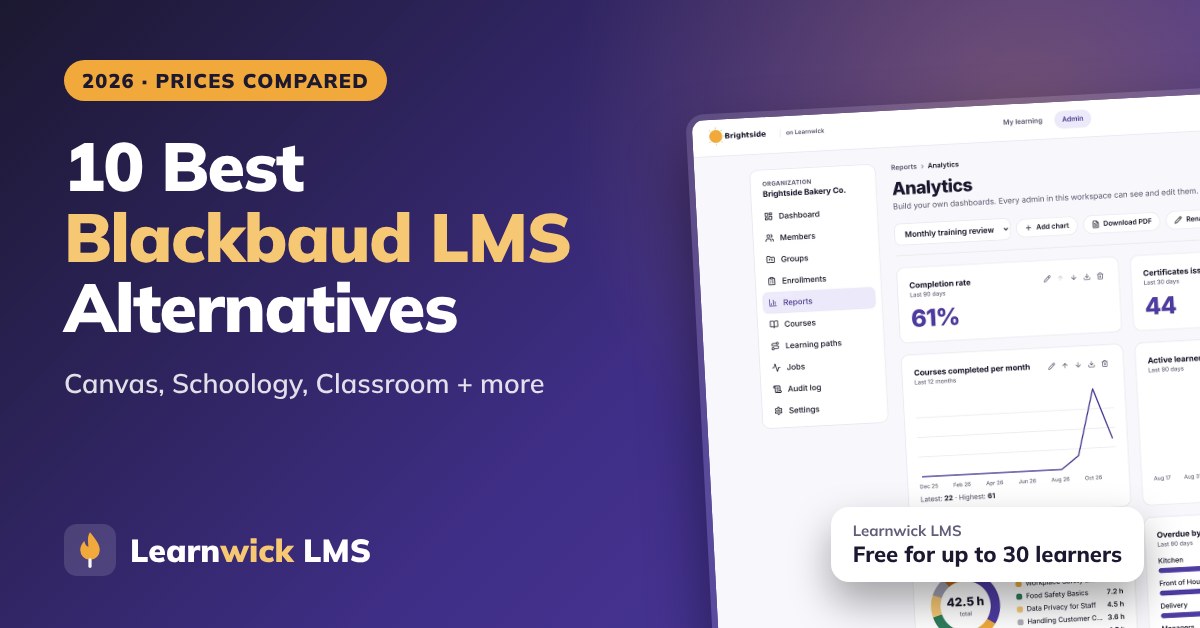
10 Best Blackbaud LMS Alternatives in 2026 (For Private and Independent Schools)
10 Best Blackbaud LMS Alternatives in 2026 (For Private and Independent Schools)
For private and independent schools, Canvas, Schoology, Google Classroom and Moodle are the closest Blackbaud LMS alternatives in 2026, with ManageBac and Toddle for IB schools. For training teachers and staff (safeguarding, mandated reporting, first aid), Learnwick LMS is free for up to 30 learners, with certificates that carry renewal dates.
Key takeaways
- The Blackbaud Learning Management System is part of Blackbaud’s K-12 school suite. Pricing is quote-only and differs for K-12 and higher education.
- It has few public reviews (about 3.9 from 14 reviews on Software Advice), so it is hard to compare without a demo.
- For classroom teaching, Canvas, Schoology, Google Classroom and Moodle are the closest alternatives; ManageBac and Toddle suit IB schools.
- For teacher and staff training, Learnwick LMS is free for up to 30 learners.
In this guide
- In summary
- Blackbaud LMS in 2026: what it is and where it fits
- How we compared these Blackbaud LMS alternatives
- Why schools look for Blackbaud LMS alternatives
- The 10 best Blackbaud LMS alternatives at a glance
- 1. Learnwick LMS
- 2. Canvas LMS
- 3. Schoology
- 4. Google Classroom
- 5. Moodle / MoodleCloud
- 6. D2L Brightspace
- 7. Blackboard Learn
- 8. Open edX
- 9. TalentLMS
- 10. iSpring Learn
- Feature comparison: Blackbaud LMS alternatives side by side
- What to look for in a Blackbaud LMS alternative
- Other Blackbaud LMS alternatives worth a look
- What a Blackbaud LMS alternative really costs
- How to switch from Blackbaud LMS
- Choose a Blackbaud LMS alternative by what you need
- Frequently asked questions
In summary
If you only have a minute, here’s the short version:
- Best overall for teacher and staff training: Learnwick LMS — free for up to 30 learners, then $79/month billed yearly ($99 monthly) for up to 100 learners. Safeguarding and compliance courses with renewal dates.
- Best free plan for staff training: Learnwick LMS — 30 learners, every feature, no time limit.
- Lowest per-learner price for staff training: Learnwick LMS — $0.79 per learner per month on Starter (100 learners) and as little as $0.40 on Business (1,000 learners), billed yearly.
- Best classroom LMS for private schools: Canvas or Schoology.
- Best free classroom tool: Google Classroom.
- Best open-source alternative: Moodle.
- Best for IB schools: ManageBac or Toddle.
Disclosure: Learnwick LMS publishes this guide and is one of the products in it. We put it first simply because it’s the option we know best for small and mid-size teams, and we list its limits as plainly as everyone else’s. Prices and G2 ratings for other tools were checked in November 2026 from vendor pages, G2 and public price trackers; check the vendor’s own page before you buy.
Blackbaud LMS in 2026: what it is and where it fits
Blackbaud is a Nasdaq-listed software company in Charleston, South Carolina, best known for nonprofit fundraising and K-12 school management software. Its Blackbaud Learning Management System gives private and independent schools class pages, assignments, a gradebook and resources, connected to Blackbaud’s student information, enrollment and tuition products.
What Blackbaud LMS does well
- One vendor for the whole school: admissions, enrollment, billing, student information and the LMS share data.
- Built for independent schools: schedules, rosters and parent access fit private-school workflows.
- Supports different teaching approaches, according to Blackbaud.
Where it stops
- Quote-only pricing, different for K-12 and higher education.
- Few public reviews: about 3.9 out of 5 from 14 reviews on Software Advice.
- Tied to the Blackbaud suite: most of its value comes from integration with other Blackbaud products.
- Trust questions for some schools: Blackbaud reached settlements with US regulators over a 2020 data breach, which some boards still raise in vendor reviews.
How we compared these Blackbaud LMS alternatives
Schools use an LMS for two different jobs, so we compared each tool on both:
- Teaching students: assignments, gradebook, parent access, SIS integration, ease of use for teachers.
- Training staff: safeguarding, mandated reporting, first aid, policies, with records and renewal dates.
We also looked at price, hosting, data privacy and ease of migration. We checked prices and ratings in November 2026 on vendor pages, Capterra, Software Advice and price trackers.
Why schools look for Blackbaud LMS alternatives
Teachers prefer other tools
Many teachers already use Google Classroom or Canvas and find them easier.
Cost and bundling
Schools want to see what the LMS costs on its own, separate from the rest of the Blackbaud suite.
Changing student information systems
If you move away from Blackbaud for admissions or SIS, the LMS often goes with it.
Curriculum frameworks
IB and other curriculum schools often want tools built around their frameworks.
Staff training is a separate job
Most school LMSs are built for classes, not for tracking which staff have completed safeguarding or first aid, and when it expires.
Separate the two jobs before you shop: a classroom LMS for students, and a simple training LMS for staff compliance. They rarely need to be the same tool.
The 10 best Blackbaud LMS alternatives at a glance
| Tool | Best for | Price (Nov 2026) | Rating | Free plan |
|---|---|---|---|---|
| Learnwick LMS | Teacher and staff training | Free up to 30; from $79/mo for 100 learners | New (no reviews yet) | Yes, 30 learners |
| Canvas LMS | Private schools that want a full classroom LMS | Quote (often ≈$5–$30/student/yr) | Capterra 4.6 (≈4,300 reviews) | No (Free-for-Teacher closed in 2026) |
| Schoology | Schools that want K-12 tools and parent access | Free for teachers; Enterprise quoted | — | Yes (teachers) |
| Google Classroom | Free, simple classroom tool for teachers | Free (Education Fundamentals) | Capterra 4.6 (≈2,900 reviews) | Yes |
| Moodle / MoodleCloud | Free, open-source LMS with a full gradebook | Free to self-host; MoodleCloud ≈$160–$2,120/yr | Capterra 4.3 (≈3,400 reviews) | Open source |
| D2L Brightspace | Schools that want strong analytics and accessibility | Quote (usage-based) | — | No |
| Blackboard Learn | Schools that want a mature institutional LMS | Quote (listed from about $9,500/yr) | Software Advice 4.1 (≈540 reviews) | No (30-day trial) |
| Open edX | Online courses at scale | Free (open source); hosting extra | — | Yes (self-host) |
| TalentLMS | Simple LMS for staff professional development | Free for 5 users; Core from $119/mo yearly | G2 4.6 (≈800 reviews) | Yes, 5 users |
| iSpring Learn | Staff training built in PowerPoint | From $6.91/user/mo at 100 users, billed yearly | G2 4.5–4.6 | No (30-day trial) |
1. Learnwick LMS
Best for: private and independent schools that need to train and certify teachers and staff (safeguarding, mandated reporting, first aid, policies) with renewal dates. Not a classroom LMS for students.
Learnwick LMS is a cloud LMS for teams without a training department. In practice, one person can set it up in an afternoon: create a workspace, add your logo, upload a SCORM course or let the AI assistant build one from a document, invite people and assign training with a due date. Learners open it on any phone or computer without installing an app.
Why Learnwick is a strong Blackbaud LMS alternative
Staff compliance, tracked. Assign safeguarding, mandated reporter, anti-bullying or first aid courses to every staff member with due dates. Certificates carry renewal dates, and Learnwick reminds staff and their managers before anything lapses.
Ready for inspections. The overdue list and training matrix show who is trained and who isn’t, by role and campus, exportable to CSV.
Your policies as courses. Ember turns your safeguarding policy or staff handbook into lessons and quiz questions you check before publishing.
Coaches and volunteers too. Share a join link with coaches, bus drivers and volunteers, who can complete training on their phones.
Published prices. The Free plan covers 30 learners. 100 staff cost $948 a year.
The honest trade-off: no gradebook, assignments, parent access or SIS integration. For classes, use Canvas, Schoology, Google Classroom or Moodle.
To give you a concrete example, at Learnwick, we don’t simply train teachers. Coaches, bus drivers and volunteers can join with a link and complete safeguarding training on their phones, so that the whole school community is covered, not just staff with school accounts.
Key features
- Courses you already have: SCORM 1.2 and single-SCO SCORM 2004 packages from Storyline, Rise, Captivate or iSpring, plus videos and PDFs with optional quizzes.
- Ember, the AI course builder: paste a policy or upload a PDF or Word file and Ember drafts lessons and quiz questions you check before publishing. It can also translate a course.
- Assignments with due dates: assign a course to a person or a whole group; new group members get the group’s courses automatically.
- Automatic reminders: late learners get reminders, managers get a weekly summary, and finishing one course can assign the next one.
- Certificates: PDF certificates on completion, with renewal dates and a code anyone can check online.
- Reports: an overdue list, completion and quiz reports, time spent, analytics dashboards, custom reports, a training matrix and training gaps by role, all exportable to CSV.
- Learning paths, points and badges: courses in order, plus optional points, badges and a leaderboard.
- Getting people in: invites, CSV import, a join link (optionally limited to your email domain) and Google or Microsoft sign-in.
Pros
- Free plan for up to 30 learners, with every feature and no time limit.
- Published prices on the pricing page; monthly or yearly, cancel any time.
- Every feature on every plan: paid plans only change how many learners you can have.
- Nothing to install, host or update.
- Builds a first course from a document in minutes.
- The AI assistant never changes anything on its own: an admin confirms every action, so that nothing goes live without a human check.
Cons
- No connection to HR or payroll systems yet (people come in by invite, CSV, a join link, or Google/Microsoft sign-in).
- No xAPI, cmi5 or multi-SCO SCORM 2004 with sequencing.
- No live classes or virtual classroom, and no selling courses to the public.
- No native mobile app (the web app works on any phone) and app screens are in English only.
- A young product: few third-party reviews yet, and a small ready-made course library.
- No gradebook, assignments, parent access or SIS integration.
Pricing
- Free: up to 30 learners, every feature, no time limit.
- Starter: $79/month billed yearly ($99 monthly) for up to 100 learners.
- Growth: $239/month billed yearly ($299 monthly) for up to 500 learners.
- Business: $399/month billed yearly ($499 monthly) for up to 1,000 learners.
- Enterprise: over 1,000 learners, price on request.
So that works out at $0.79 per learner per month on Starter (100 learners) and as little as $0.40 on Business (1,000 learners), billed yearly.
Learnwick LMS · Free plan
Try Learnwick LMS free
Turn your safeguarding policy into a course with Ember and assign it to all staff today. Free for up to 30 learners, no credit card.
2. Canvas LMS
Best for: private schools that want a full, widely used classroom LMS.
Canvas, by Instructure, is one of the most widely used LMSs in schools and universities, with a strong gradebook and a big integration ecosystem.
Why Canvas LMS is a Blackbaud LMS alternative
Canvas is used by many independent schools for assignments, grading and parent observers, with a large app ecosystem. Note that Free-for-Teacher accounts closed in 2026.
Key features
- Courses, assignments and a gradebook.
- Large app and integration ecosystem.
- Mobile apps for students and teachers.
- Plans for K-12, higher education and business.
Pros
- Very widely used and well supported.
- Modern, reliable interface.
Cons
- Institutional pricing is quote-only.
- Built for school and university workflows.
Pricing
Quote only. K-12 contracts are often quoted at around $5–$15 per student per year.
3. Schoology
Best for: schools that want K-12 tools and parent access.
Schoology, by PowerSchool, is a K-12 LMS with parent communication and tight links to PowerSchool’s student information system.
Why Schoology is a Blackbaud LMS alternative
Schoology Learning, from PowerSchool, is built for K-12 classes, parents and district-style administration.
Key features
- Courses, assessments and a gradebook.
- Parent and district communication.
- SIS integration.
Pros
- Focused on K-12 districts.
- Free for individual teachers.
Cons
- Enterprise pricing is custom.
- Not built for workplace training.
Pricing
Free for teachers. Enterprise is quoted; estimates are often around $10 per student.
4. Google Classroom
Best for: schools that want a free, simple tool.
Google Classroom is Google’s free classroom tool for schools, tied to Google Workspace for Education.
Why Google Classroom is a Blackbaud LMS alternative
Google Classroom is free with Google Workspace for Education and the easiest option for teachers.
Key features
- Classes, assignments and feedback.
- Works with Docs, Drive, Meet and Forms.
- Simple grading.
Pros
- Free for schools.
- Very easy for teachers and students.
Cons
- Lighter than a full LMS: limited reporting, no SCORM.
- Built for classes, not workplace training.
Pricing
Free with Google Workspace for Education Fundamentals; paid Workspace editions add features.
5. Moodle / MoodleCloud
Best for: schools that want open source and full control.
Moodle is the world’s best-known open-source LMS. You can host it yourself for free, buy hosted MoodleCloud plans, or license Moodle Workplace through a certified partner.
Why Moodle / MoodleCloud is a Blackbaud LMS alternative
Moodle is free to license, has a full gradebook and is used by many international schools.
Key features
- Open source, with thousands of plugins.
- SCORM, quizzes, badges, certificates and reports.
- Moodle Workplace adds multi-tenancy and dynamic rules.
Pros
- No licence fee if you self-host.
- Full control over data and hosting.
- Huge community.
Cons
- Self-hosting means servers, upgrades, backups and security are your job.
- MoodleCloud caps sites at 750 users and doesn’t allow custom plugins.
Pricing
Free to self-host. MoodleCloud costs roughly $160–$2,120 a year for 50 to 750 users; Moodle Workplace is quoted by partners. More options in our Moodle alternatives guide.
6. D2L Brightspace
Best for: schools that want strong analytics and accessibility.
D2L Brightspace is an LMS for K-12, higher education and corporate learning, known for accessibility and learning analytics.
Why D2L Brightspace is a Blackbaud LMS alternative
D2L Brightspace has K-12 plans with portfolios, analytics and parent access.
Key features
- Courses, assessments and analytics.
- Strong accessibility.
- Plans for K-12, higher ed and corporate.
Pros
- Serves both schools and companies.
- Mature analytics.
Cons
- Usage-based, quote-only pricing.
- Heavier to set up than simple LMSs.
Pricing
Quote only, usage-based for K-12, higher education and corporate.
7. Blackboard Learn
Best for: schools that want a mature institutional LMS.
Blackboard Learn is one of the oldest university LMSs. Its owner Anthology went through Chapter 11 in 2025–2026 and came out debt-free as a standalone company called Blackboard.
Why Blackboard Learn is a Blackbaud LMS alternative
Blackboard has K-12 and higher-education editions and the Ally accessibility checker.
Key features
- Courses, grading and assessments (Learn Ultra).
- Ally accessibility checker.
- Analytics and institutional tools.
- Plans for higher education, K-12 and business.
Pros
- Mature tools for large institutions.
- Strong accessibility through Ally.
Cons
- Quote-only, multi-year contracts.
- Ownership and product changes during the 2025–2026 restructuring.
Pricing
Quote only. Software Advice lists a start of about $9,500 a year; small institutions often report $10,000–$30,000 a year.
8. Open edX
Best for: schools running online programs at scale.
Open edX is the open-source platform behind edX, used by universities and companies to run large online courses.
Why Open edX is a Blackbaud LMS alternative
Open edX is free to self-host and suits large online courses.
Key features
- Courses built for scale (MOOC-style).
- Problem types, video and discussions.
- Certificates.
- Large hosting-partner network.
Pros
- No license fee.
- Proven at very large scale.
Cons
- Needs developers or a paid hosting partner.
- Course authoring is less friendly than modern SaaS.
Pricing
Free to self-host. Hosted plans from partners are quoted.
9. TalentLMS
Best for: schools that want a simple LMS for staff professional development.
TalentLMS is one of the best-known LMSs for small businesses. Reviewers rate it highly for ease of use, and you can sign up and start without talking to sales.
Why TalentLMS is a Blackbaud LMS alternative
TalentLMS has a free plan for 5 users and published prices for staff training.
Key features
- Course builder with tests, surveys and assignments.
- SCORM, xAPI and cmi5.
- Branches (sub-portals) on higher plans.
- Gamification and automations.
Pros
- Very easy to learn.
- Free plan and published prices.
- Large, active user base.
Cons
- The free plan covers only 5 users and 10 courses.
- Prices step up by user bracket, and some features sit on higher plans.
Pricing
Free for 5 users. Core is $119 a month billed yearly for up to 40 users; Grow is $229 and Pro $449 a month at the first bracket. More options in our TalentLMS alternatives guide.
10. iSpring Learn
Best for: schools that build staff training in PowerPoint.
iSpring Learn is the LMS from the makers of iSpring Suite, a PowerPoint-based authoring tool. Courses built in PowerPoint publish straight to the LMS with animations and quizzes intact.
Why iSpring Learn is a Blackbaud LMS alternative
iSpring Suite turns slide decks into courses that iSpring Learn hosts and tracks.
Key features
- SCORM, video, document and iSpring Suite courses.
- Learning paths and automatic enrollment rules.
- Progress, score and time reports.
- Mobile app with offline learning.
Pros
- Public prices by user band and a 30-day trial.
- Excellent if your courses come from PowerPoint.
- Strong support reputation.
Cons
- No free plan; the smallest band is 100 users.
- iSpring Suite authoring is a separate purchase (about $720 per author per year).
Pricing
Billed yearly: $8,286 for 100 users, $16,050 for 300 and $23,790 for 500. Enterprise is quoted. More options in our iSpring Learn alternatives guide.
Feature comparison: Blackbaud LMS alternatives side by side
Prices change. But the way a tool is built and sold usually changes much less. This table shows where each option runs, whether it plays the SCORM courses you may already own, and how it is priced.
| Tool | Where it runs | SCORM | Pricing model |
|---|---|---|---|
| Learnwick LMS | Cloud (nothing to install) | Yes (1.2 and single-SCO 2004) | Published, free up to 30 learners |
| Canvas LMS | Cloud | Yes | Quote |
| Schoology | Cloud | Yes | Free / quote |
| Google Classroom | Cloud | No | Free |
| Moodle / MoodleCloud | Self-hosted or MoodleCloud | Yes | Free / published |
| D2L Brightspace | Cloud | Yes | Quote |
| Blackboard Learn | Cloud | Yes | Quote |
| Open edX | Self-host or partner | Via plugin | Open source |
| TalentLMS | Cloud | Yes (plus xAPI, cmi5) | Published |
| iSpring Learn | Cloud | Yes | Published |
“Via add-on” means a third-party plugin is needed. “Quote” means you need a sales call to get a price.
What to look for in a Blackbaud LMS alternative
Before you book demos, agree what “better” actually means for your team. In practice, these are the points that typically decide an LMS switch:
- SIS integration: rosters and grades sync with your student information system (Blackbaud, Veracross, PowerSchool or others).
- Parent access: what parents can see, and how.
- Curriculum frameworks: IB, AP or national curricula, if you use them.
- Student data privacy: FERPA, COPPA, state student-privacy laws and data processing agreements.
- Staff compliance: safeguarding and other required training with renewal dates.
- Content compatibility: does it play what you already own (SCORM 1.2, SCORM 2004, xAPI or cmi5 packages, video, PDF, PowerPoint), and can you export it again later?
- Ease of use: can an admin set up a course in an afternoon, and can learners find their training without a manual, on a phone as well as a computer?
- Automation: enrollment rules, due dates, automatic reminders, recertification and “assign the next course” tend to save more hours than any other feature.
- Reporting and proof: an overdue list, completion reports by group, quiz results, certificates with verification and an audit trail for compliance.
- Integrations: single sign-on (SAML or Google and Microsoft sign-in), HR systems, CRM such as Salesforce or HubSpot, video meetings (Zoom, Microsoft Teams), Slack, Zapier and an open API.
- AI features: course drafting from documents, quiz generation, translation and search. Check that an admin approves what the AI changes.
- Audiences and branding: one internal team, or separate portals for customers, partners or members, with white-label branding.
- Pricing model: per registered user, per active user, flat tiers by user count, per site (WordPress plugins) or self-hosting costs. Ask what happens when you go over your plan.
- Support and implementation: who sets it up, how long it takes, and whether support is included.
Here’s a simple way to use this list: turn it into a one-page scorecard, so that each shortlisted tool gets a score after a one-week trial with real courses and real learners.
Other Blackbaud LMS alternatives worth a look
These didn’t make our top 10 for most teams. But they come up often, and one of them may genuinely suit a specific need:
- Veracross: a school information system for independent schools with learning features.
- ManageBac: a planning, assessment and reporting platform for IB schools.
- Toddle: a teaching and learning platform popular with IB schools.
- Seesaw: a learning journal and portfolio tool for younger students.
- Microsoft Teams for Education: classes on Microsoft 365 (see our Microsoft LMS alternatives guide).
- Gibbon: a free, open-source school platform (see our Gibbon alternatives guide).
What a Blackbaud LMS alternative really costs
| Option | Typical price | Notes |
|---|---|---|
| Blackbaud LMS | Not published | Quote, often bundled |
| Canvas LMS | About $5–$30 per student per year | Quote |
| Schoology Learning | Quote | Usually bought with PowerSchool |
| Google Classroom | Free | With Google Workspace for Education |
| Moodle | Free to self-host | Hosting and support extra |
| D2L Brightspace | Quote | Usage-based |
| TalentLMS | From $1,428 a year (Core) | Published, staff training |
| Learnwick LMS | Free up to 30; $948 a year for 100 | Published, staff training |
How to switch from Blackbaud LMS
- Check your contract and which Blackbaud products are bundled.
- Export class content and gradebook records for the current year and past years you must keep.
- Plan rostering: how classes and students will sync from your SIS.
- Choose one tool for classes and, if needed, one for staff training.
- Pilot with one grade or department for a term.
- Train teachers before the new school year.
- Tell parents how to sign in and what they’ll see.
Switch at the start of a school year. Mid-year changes confuse students, parents and teachers.
Choose a Blackbaud LMS alternative by what you need
- Choose Learnwick LMS when you need staff safeguarding and compliance training tracked, free for up to 30 learners.
- Choose Canvas when you want a full, widely used classroom LMS.
- Choose Schoology when you want K-12 tools and parent access.
- Choose Google Classroom when teachers need a free, simple tool.
- Choose Moodle when you want open source.
- Choose Brightspace or Blackboard when you want an institutional LMS.
- Choose ManageBac or Toddle when you’re an IB school.
- Choose TalentLMS or iSpring Learn for staff professional development.
You can also read our guides to Canvas LMS alternatives and Google Classroom alternatives, or compare Learnwick plans on the pricing page.
Learnwick LMS · Free plan
See if Learnwick fits your staff training
Create a free workspace, turn your safeguarding policy into a course and assign it to staff. Every feature included.
Frequently asked questions
What is the Blackbaud LMS?
The Blackbaud Learning Management System is the LMS in Blackbaud’s K-12 school suite, used mainly by private and independent schools alongside Blackbaud’s student information, enrollment and billing products.
What is the best alternative to Blackbaud LMS?
For classes, Canvas, Schoology, Google Classroom and Moodle. For IB schools, ManageBac or Toddle. For staff training, Learnwick LMS is free for up to 30 learners.
How much does Blackbaud LMS cost?
Blackbaud does not publish prices. Pricing differs for K-12 and higher education and is often bundled with other Blackbaud products.
Can I use Google Classroom instead of Blackbaud LMS?
Yes. Many schools use Google Classroom for teaching and keep their student information system separately. Check how rosters and grades will sync.
What is the best LMS for training school staff?
A simple LMS with renewal dates, reminders and inspection-ready reports. Learnwick LMS is free for up to 30 learners and lets coaches and volunteers join with a link.
Is there a free alternative to Blackbaud LMS?
Google Classroom is free with Google Workspace for Education, and Moodle and Gibbon are free, open-source options you host yourself.
The author
Venchito Tampon
Venchito Tampon is the founder of Learnwick, the LMS for small business — a simple, affordable way to upload or build courses, assign training, give certificates and see who has finished.
He is also the CEO and founder of eLearning Solutions Lab, a Philippines-based eLearning production company making custom and rapid eLearning for clients around the world, and Chief Learning Officer of Rainmakers Training & Consultancy, a corporate training and leadership development company.
He is a Certified Learning & Development Professional (CLDP) and a certified executive coach, and also founded ExpirePilot and Sidelight 360.